Confluence Reviews 2026: Details, Pricing, & Features | Subscribed.fyi
Sign in to review
Join our community of software reviewers on Subscribed.fyi

Continue With Google
Continue With LinkedIn
Continue Review with Email
Continue with Email
Enter your email to continue.
Continue
Enter your password
Enter your password to finish setting up your account.
Continue
Activate your email
Enter activation code we sent to your email.
Submit
Reset your password
Enter activation code we sent to your email.
Submit
Set your new password
Enter a new password for your account.
Submit
✨ Ask AI Search
Categories
For Business
Log in
Provide My Insights

Confluence

4.5/5
(4)

Confluence, by Atlassian, is a collaborative platform fostering teamwork through shared documentation. With easy-to-use tools for creating, organizing, and discussing content, it enhances communication and productivity within organizations.

Confluence

4.5
4
Reviews
85%
Subscribed Score

Available for Claim - This listing is available to be claimed
Claim For Free

Unclaimed

Curated and listed by Subscribed Team

Claim For Free
Fully Customizable
Fully Customizable
Tailor it to your brand and workflow.
Real-Time Updates
Real-Time Updates
See changes instantly, no delays.
Scales with You
Scales with You
Grows with your business needs.

What is Confluence?

Confluence is a collaboration and documentation platform developed by Atlassian, designed to facilitate teamwork and knowledge sharing within organizations. It provides a centralized space for teams to create, share, and collaborate on documents, project plans, and other content, fostering effective communication and information exchange.

Why Use Confluence?

Confluence stands out for its:

  • Collaborative Editing: Confluence enables real-time collaborative editing, allowing multiple team members to work on documents simultaneously, enhancing teamwork and reducing version control issues.
  • Flexible Content Creation: The platform supports the creation of diverse content types, including documents, meeting notes, project plans, and more, providing a versatile space for capturing and organizing information.
  • Integration with Atlassian Tools: Confluence seamlessly integrates with other Atlassian products, such as Jira and Trello, creating a cohesive ecosystem for project management, development, and collaboration.
  • Powerful Search and Organization: With robust search capabilities and organization features, Confluence makes it easy to find and navigate through content, ensuring that information is readily accessible to team members.

Who is Confluence For?

Confluence is ideal for:

  • Project Teams: Project teams can use Confluence to centralize project documentation, share updates, and collaborate on plans, fostering transparency and alignment among team members.
  • Development Teams: Software development teams can leverage Confluence to document code, track development progress, and facilitate communication between developers, testers, and other stakeholders.
  • Knowledge Management: Organizations looking to create a knowledge repository can use Confluence to document best practices, policies, and procedures, fostering a culture of knowledge sharing and learning.

In conclusion, Confluence emerges as a powerful collaboration and documentation platform, providing teams with a centralized and versatile space to create, share, and organize information. Whether used for project management, development, or knowledge sharing, Confluence enhances teamwork and communication within organizations.


Confluence Summary

What is Confluence?

Confluence is a collaboration and documentation platform developed by Atlassian, designed to facilitate teamwork and knowledge sharing within organizations. It provides a centralized space for teams to create, share, and collaborate on documents, project plans, and other content, fostering effective communication and information exchange.

Why Use Confluence?

Confluence stands out for its:

  • Collaborative Editing: Confluence enables real-time collaborative editing, allowing multiple team members to work on documents simultaneously, enhancing teamwork and reducing version control issues.
  • Flexible Content Creation: The platform supports the creation of diverse content types, including documents, meeting notes, project plans, and more, providing a versatile space for capturing and organizing information.
  • Integration with Atlassian Tools: Confluence seamlessly integrates with other Atlassian products, such as Jira and Trello, creating a cohesive ecosystem for project management, development, and collaboration.
  • Powerful Search and Organization: With robust search capabilities and organization features, Confluence makes it easy to find and navigate through content, ensuring that information is readily accessible to team members.

Who is Confluence For?

Confluence is ideal for:

  • Project Teams: Project teams can use Confluence to centralize project documentation, share updates, and collaborate on plans, fostering transparency and alignment among team members.
  • Development Teams: Software development teams can leverage Confluence to document code, track development progress, and facilitate communication between developers, testers, and other stakeholders.
  • Knowledge Management: Organizations looking to create a knowledge repository can use Confluence to document best practices, policies, and procedures, fostering a culture of knowledge sharing and learning.

In conclusion, Confluence emerges as a powerful collaboration and documentation platform, providing teams with a centralized and versatile space to create, share, and organize information. Whether used for project management, development, or knowledge sharing, Confluence enhances teamwork and communication within organizations.

Confluence reviews

Learn what people say about Confluence

4.5
4 Reviews
85%
Subscribed Score

Lear more here about the Subscribed score on how it is composed. Learn more Click here

Overall rating

5
4
3
2
1
CX 4/6

How good is the customer support based on subscribed’s assessment

CX Icon
Security 4/6

How secure is the product based on Subscribed’s assessment?

Security Icon
Ease of Use 5/6

How easy is the product to use, based on Subscribed’s assessment?

EOU Icon
Value 5/6

What is the value for money based on Subscribed’s assessment?

coin Icon
Integration 6/6

How many integrations does the product offer?

gear Icon
Popularity 6/6

How popular is the product?

star
M Raza Akhter Invitation
QA Engineer
5 days ago
Share
What’s the biggest benefit you’ve noticed?
The outstanding feature of Confluence is its structured documentation, teamwork, and project linking between documents and projects. The greatest advantage I have observed is that there is a central repository where the team is able to store and retrieve information faster.
What feels confusing or hard to use?
Any old page or embedded pages can be confusing to locate at times, particularly when the space becomes huge. The editor is handy, and page structure and formatting can still be a little cumbersome in some instances.
What problem did this product solve for you?
Confluence might be made more intelligent in search, enhanced page structure, and easier knowledge management. It eliminated the issue of disbursed documentation in that the team had a single point of central with the documentation and the project.
Final thoughts, wrap up what you think
I would score it high since Confluence is quite handy when it comes to documenting and team knowledge being in a single location. I would suggest it to the colleagues and friends who have to share the details of the project and have notes and collaborate with each other.
Upvote
saiprasanna sabinikari Invitation
Senior Test Engineer
1 week ago
Share
What exceeded your expectations?
I used confluence for almost 2 years in my project. It was integrated with JIRA in my project. The documentation and knowledge sharing here in confluence helped our team a lot not just for that moment but for future too.
What slows you down when using it?
Documentation can sometimes be hard, and search is also difficult when any pages are created.
What new feature would you love to see added?
I feel it should have more customization options for large files
Final thoughts, wrap up what you think
7/10 as there might be better than this
Upvote
Melville Organic
2 months ago
Share
How has it made your work/life easier?
good place for longer form documentation. I use it for data model explanations, metric definitions, and runbooks.
Have you experienced any bugs or errors?
The editor can feel laggy on larger pages. I have seen formatting break when pasting content.
If you could change one thing, what would it be?
simplify the editing experience. Writing and restructuring content takes more clicks than necessary.
Final thoughts, wrap up what you think
7/10. It is solid for structured documentation at scale but can be poor in performance at times.
Upvote
3 months ago
Share
How has it made your work/life easier?
Collaborative creation and management of content that just works. What it does well at the core is rich text. The formatting options strike a very good balance between simplicity, smooth interaction and richness. Editing pages together with others works very well (Better than Word, etc.). Most of the reasons that I like Confluence are simple things, like how easy it is to link other pages or insert the current date. I use a lot of diagrams, so the direct embedding of draw.io is a crucial feature for me as well.
What feature doesn’t work as expected?
There are a few small pain points. 1. When editing a page with images, tables and embedded diagrams, the contents flicker around a lot while loading and it is tedious to navigate through that. 2. There is not a good and cheap way to selectively publish content, e.g. for software documentation while keeping parts of it internal
What new feature would you love to see added?
Better Support for public-private Documentation
Final thoughts, wrap up what you think
It's great, but maybe there are cheaper alternatives
Upvote

Confluence User Reviews

4 User Reviews

M Raza Akhter Invitation
QA Engineer
5 days ago
Share
What’s the biggest benefit you’ve noticed?
The outstanding feature of Confluence is its structured documentation, teamwork, and project linking between documents and projects. The greatest advantage I have observed is that there is a central repository where the team is able to store and retrieve information faster.
What feels confusing or hard to use?
Any old page or embedded pages can be confusing to locate at times, particularly when the space becomes huge. The editor is handy, and page structure and formatting can still be a little cumbersome in some instances.
What problem did this product solve for you?
Confluence might be made more intelligent in search, enhanced page structure, and easier knowledge management. It eliminated the issue of disbursed documentation in that the team had a single point of central with the documentation and the project.
Final thoughts, wrap up what you think
I would score it high since Confluence is quite handy when it comes to documenting and team knowledge being in a single location. I would suggest it to the colleagues and friends who have to share the details of the project and have notes and collaborate with each other.
Upvote
saiprasanna sabinikari Invitation
Senior Test Engineer
1 week ago
Share
What exceeded your expectations?
I used confluence for almost 2 years in my project. It was integrated with JIRA in my project. The documentation and knowledge sharing here in confluence helped our team a lot not just for that moment but for future too.
What slows you down when using it?
Documentation can sometimes be hard, and search is also difficult when any pages are created.
What new feature would you love to see added?
I feel it should have more customization options for large files
Final thoughts, wrap up what you think
7/10 as there might be better than this
Upvote
Melville Organic
2 months ago
Share
How has it made your work/life easier?
good place for longer form documentation. I use it for data model explanations, metric definitions, and runbooks.
Have you experienced any bugs or errors?
The editor can feel laggy on larger pages. I have seen formatting break when pasting content.
If you could change one thing, what would it be?
simplify the editing experience. Writing and restructuring content takes more clicks than necessary.
Final thoughts, wrap up what you think
7/10. It is solid for structured documentation at scale but can be poor in performance at times.
Upvote
3 months ago
Share
How has it made your work/life easier?
Collaborative creation and management of content that just works. What it does well at the core is rich text. The formatting options strike a very good balance between simplicity, smooth interaction and richness. Editing pages together with others works very well (Better than Word, etc.). Most of the reasons that I like Confluence are simple things, like how easy it is to link other pages or insert the current date. I use a lot of diagrams, so the direct embedding of draw.io is a crucial feature for me as well.
What feature doesn’t work as expected?
There are a few small pain points. 1. When editing a page with images, tables and embedded diagrams, the contents flicker around a lot while loading and it is tedious to navigate through that. 2. There is not a good and cheap way to selectively publish content, e.g. for software documentation while keeping parts of it internal
What new feature would you love to see added?
Better Support for public-private Documentation
Final thoughts, wrap up what you think
It's great, but maybe there are cheaper alternatives
Upvote
Reviews from G2, Capterra, Trustpilot
info Icon

These ratings come directly from third-party platforms like G2, Capterra, and Trustpilot. They reflect real user feedback collected independently on those sites.

Confluence

Pricing Range
info Icon

This only an estimated pricing range, visit Confluence pricing page to access all the information by clicking “Visit Now”.

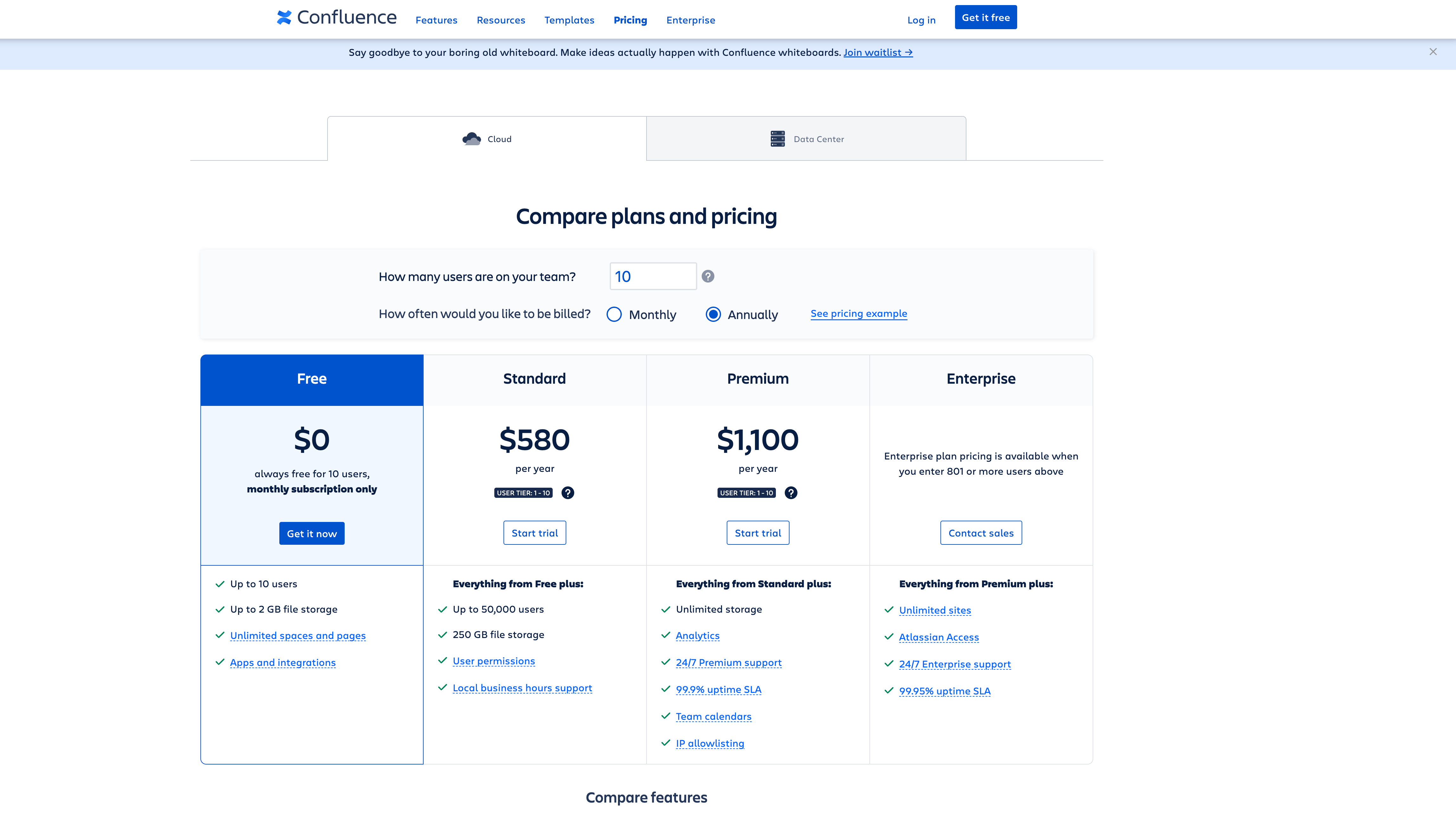
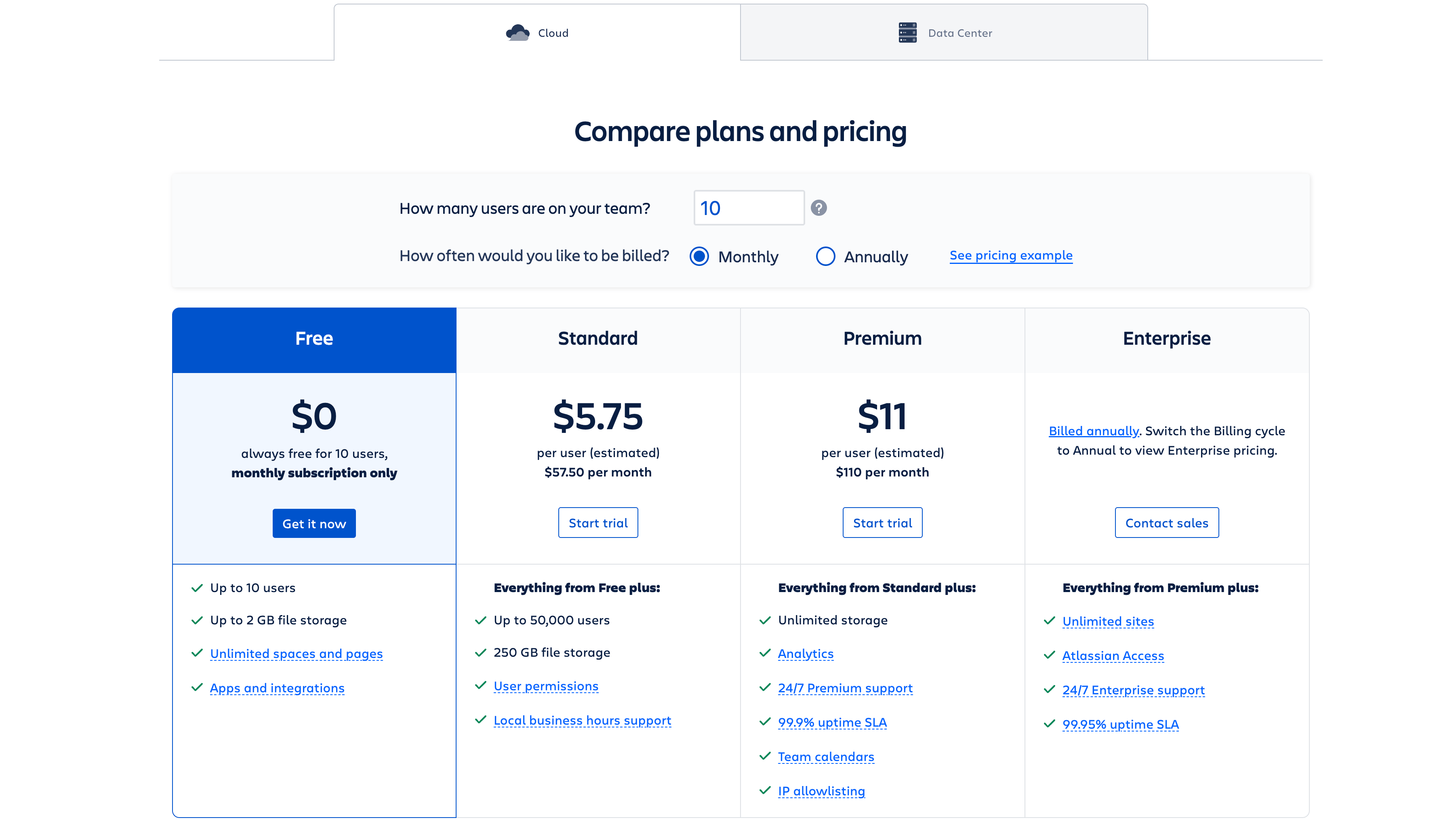
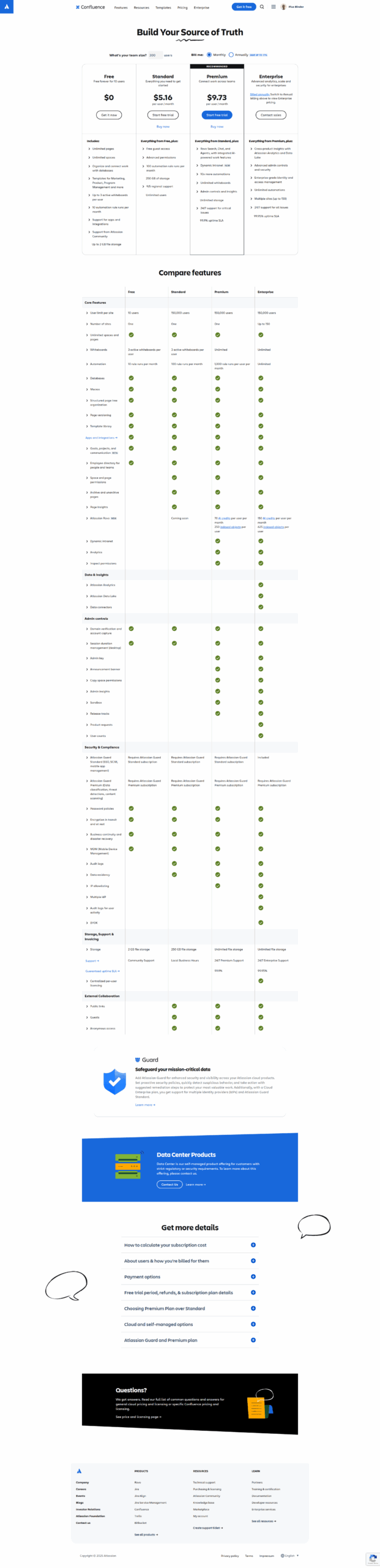
$6.40-$12.30 / Month
Deals Available

This product comes with a special deal, see details

Visit Now
✨ Ask AI about pricing
85% Subscribed Score
info Icon

The Subscribed Score is an independent rating that combines user reviews, features, and value-for-money from multiple trusted sources. It’s designed as a quick benchmark, not a guarantee of individual experience.

Analysis

What is Confluence?

Confluence is a collaboration and documentation platform developed by Atlassian, designed to facilitate teamwork and knowledge sharing within organizations. It provides a centralized space for teams to create, share, and collaborate on documents, project plans, and other content, fostering effective communication and information exchange.

Why Use Confluence?

Confluence stands out for its:

  • Collaborative Editing: Confluence enables real-time collaborative editing, allowing multiple team members to work on documents simultaneously, enhancing teamwork and reducing version control issues.
  • Flexible Content Creation: The platform supports the creation of diverse content types, including documents, meeting notes, project plans, and more, providing a versatile space for capturing and organizing information.
  • Integration with Atlassian Tools: Confluence seamlessly integrates with other Atlassian products, such as Jira and Trello, creating a cohesive ecosystem for project management, development, and collaboration.
  • Powerful Search and Organization: With robust search capabilities and organization features, Confluence makes it easy to find and navigate through content, ensuring that information is readily accessible to team members.

Who is Confluence For?

Confluence is ideal for:

  • Project Teams: Project teams can use Confluence to centralize project documentation, share updates, and collaborate on plans, fostering transparency and alignment among team members.
  • Development Teams: Software development teams can leverage Confluence to document code, track development progress, and facilitate communication between developers, testers, and other stakeholders.
  • Knowledge Management: Organizations looking to create a knowledge repository can use Confluence to document best practices, policies, and procedures, fostering a culture of knowledge sharing and learning.

In conclusion, Confluence emerges as a powerful collaboration and documentation platform, providing teams with a centralized and versatile space to create, share, and organize information. Whether used for project management, development, or knowledge sharing, Confluence enhances teamwork and communication within organizations.

Pros
  • Excellent integration with Atlassian tools like JIRA.
  • Facilitates strong team collaboration.
  • Highly customizable workflows and templates.

  • User-friendly for creating and organizing documentation.
Cons
  • Search function can be unintuitive.
  • Costly add-ons and plugins for full functionality.
  • Overwhelming initial learning curve.
  • Occasional slow page loading times.
Subscribed Score Metrics
30/36 Metric achieved
MetricsScore
Customer Support4/6
Security4/6
Ease of Use5/6
Value of Money5/6
Integration6/6
Popularity6/6
Radar Chart Table View
Ease of Use
Measures how simple and intuitive the product is to use, including setup, navigation, and overall user experience
5/6 Metric Checks
Security
Compares the product`s features, quality, and pricing to determine its overall cost-effectiveness.
4/6 Metric Checks
Value of Money
Assesses the product`s ability to protect data, prevent breaches, and comply with industry standards.
5/6 Metric Checks
Customer Support
Reflects the responsiveness, helpfulness, and quality of assistance provided by the product`s support team.
4/6 Metric Checks
Integrations
Evaluates how well the product connects with other tools and platforms, enabling seamless workflows.
6/6 Metric Checks
Confluence Pricing Range
$6.40-$12.30 / Month

Confluence Showcase
info Icon

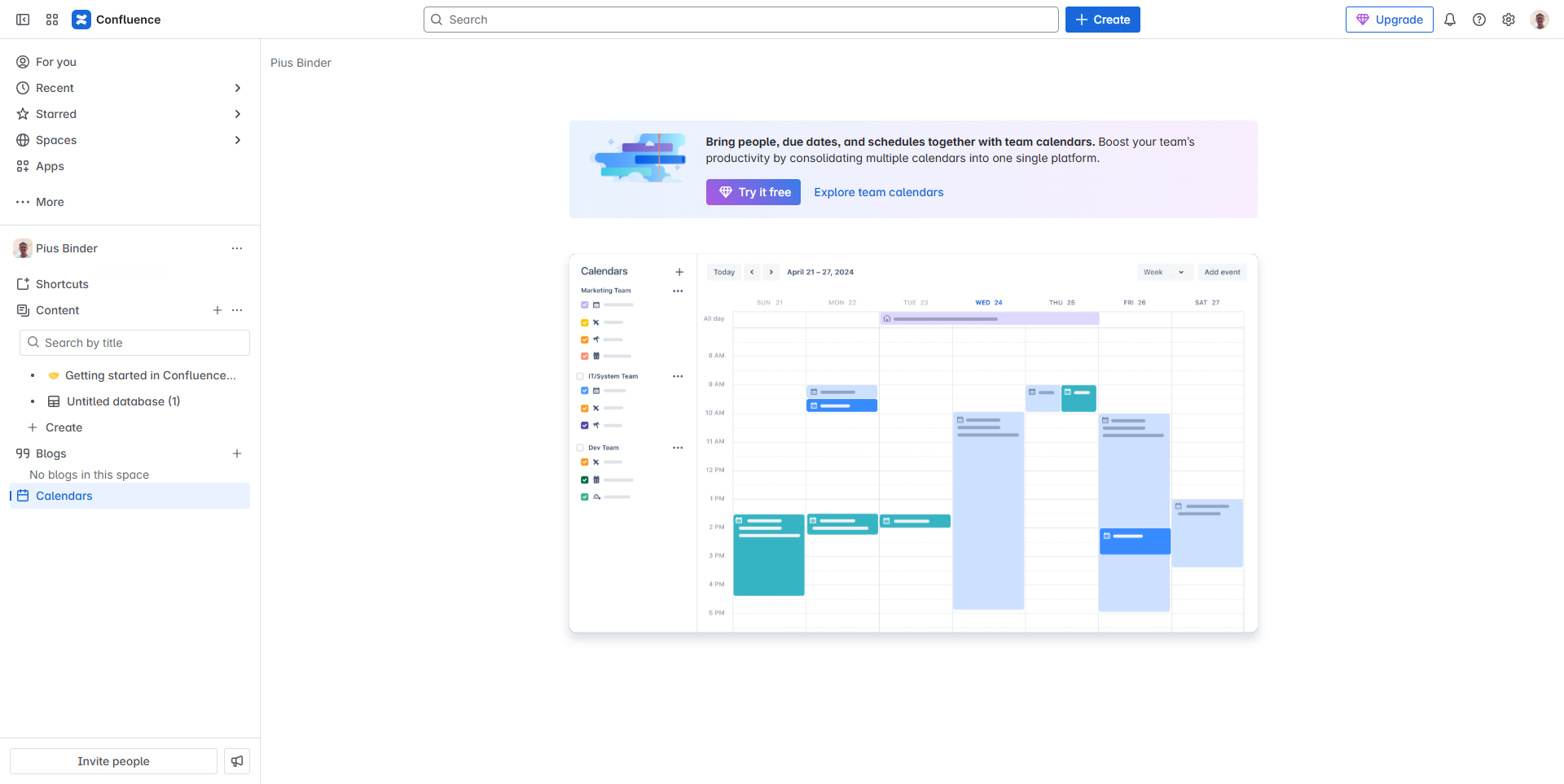
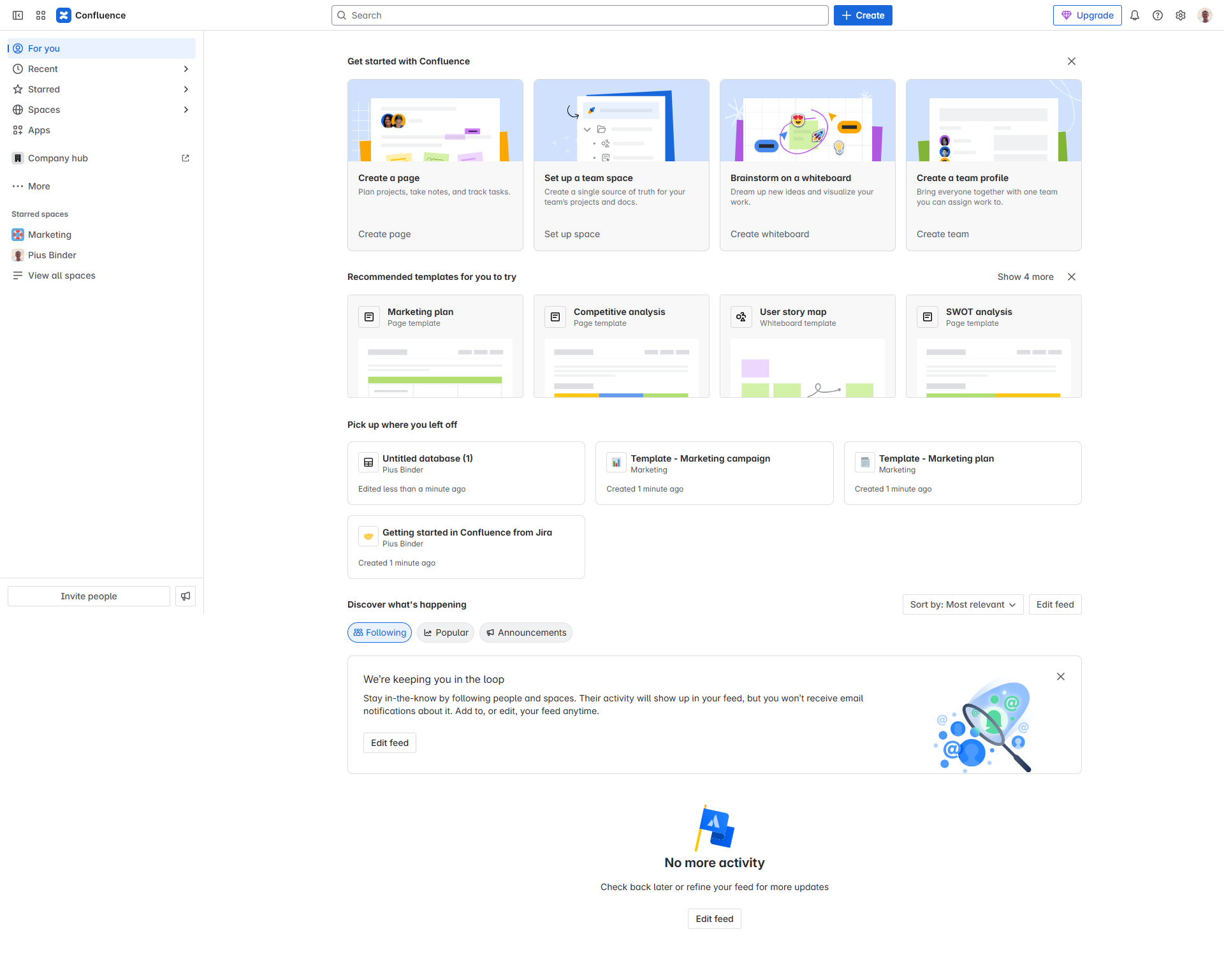
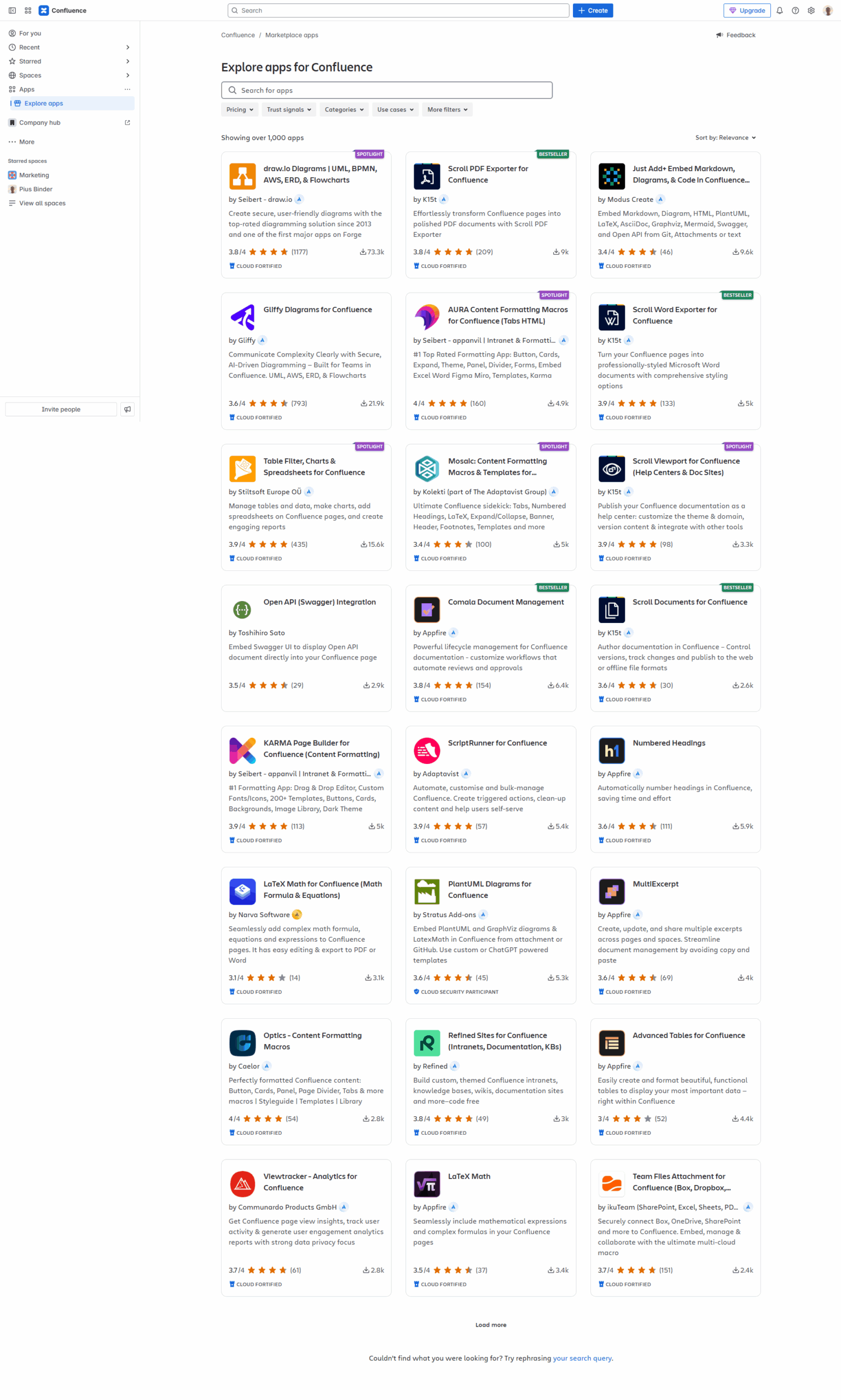
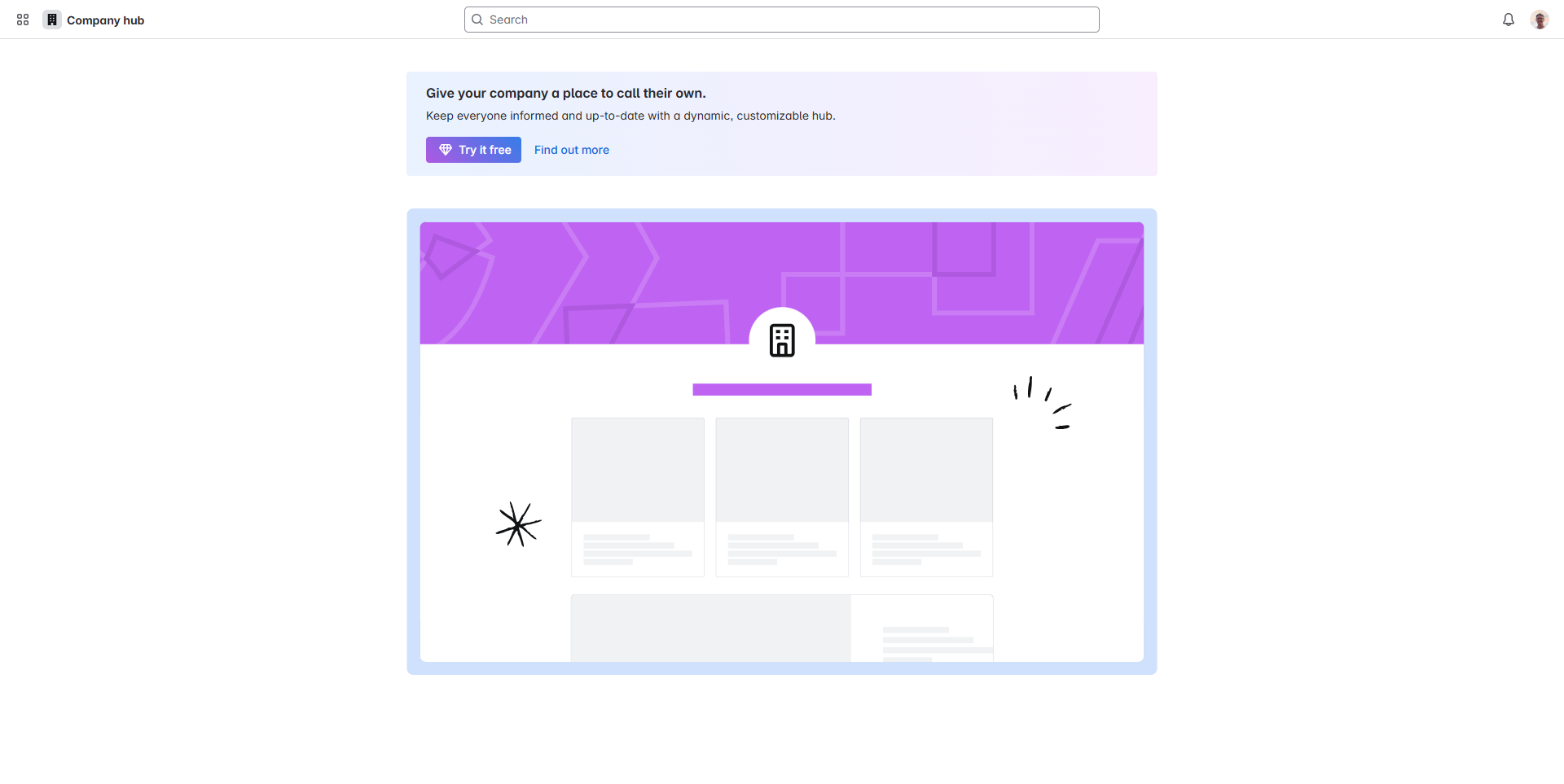
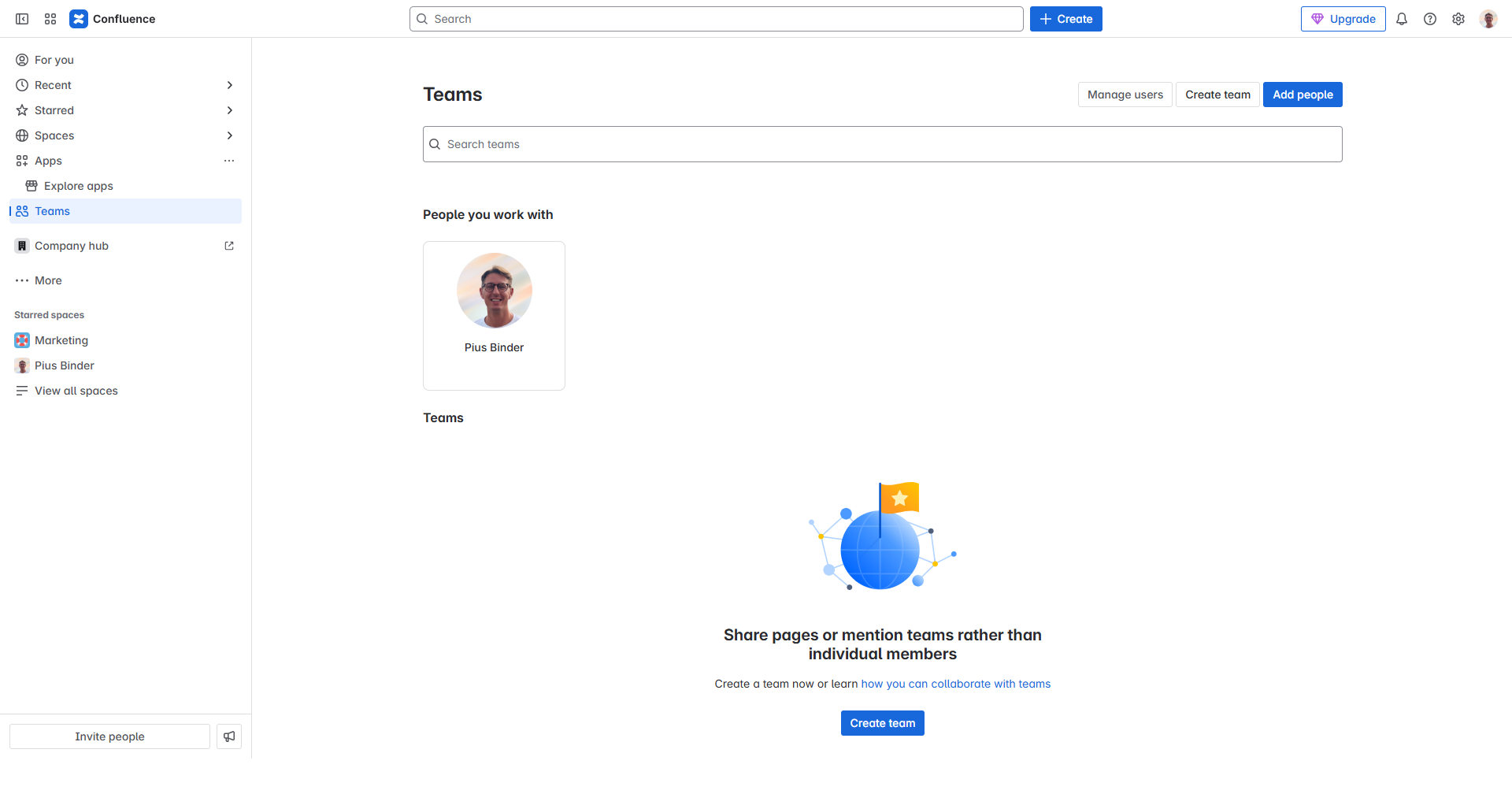
A curated gallery of real screenshots and use cases from the product, so you can see how it works before trying it.

Full Screen Icon
Full Screen Icon
Full Screen Icon
Full Screen Icon
Full Screen Icon
Full Screen Icon
Full Screen Icon
Full Screen Icon
Full Screen Icon
Full Screen Icon
https://www.youtube.com/watch?v=kaNPNbAT-as?feature=oembed
Full Screen Icon

What else exists next to Confluence
info Icon

A list of platforms similar to Confluence, helping you evaluate which tool best matches your needs.

Need to cancel Confluence? Here is how
info Icon

Thinking about how to cancel Confluence this is how you do it!

Steps to cancel Confluence Subscription

To cancel your Confluence subscription, log in to your Atlassian account, go to account settings, find the cancellation option, follow the instructions, and verify the cancellation. For detailed assistance, visit Atlassian Support.

How to Cancel the Confluence

Steps to cancel Confluence Subscription

To cancel your Confluence subscription, log in to your Atlassian account, go to account settings, find the cancellation option, follow the instructions, and verify the cancellation. For detailed assistance, visit Atlassian Support.

Every else you need to know about Confluence
info Icon

A collection of FAQs, guides, alternatives, and comparisons to help you quickly understand if Confluence is right for you.

Pricing Range
info Icon

This only an estimated pricing range, visit Confluence pricing page to access all the information by clicking “Visit Now”.

$6.40-$12.30 / Month
Visit Now
Deals Available

This product comes with a special deal, see details

This product comes with a special deal, see details