Sign in to review
Join our community of software reviewers on Subscribed.fyi

Continue With Google
Continue With LinkedIn
Continue Review with Email
Continue with Email
Enter your email to continue.
Continue
Enter your password
Enter your password to finish setting up your account.
Continue
Activate your email
Enter activation code we sent to your email.
Submit
Reset your password
Enter activation code we sent to your email.
Submit
Set your new password
Enter a new password for your account.
Submit
Log in
Provide My Insights
Convertio logo
Convertio logo

Convertio Reviews, Pricing, Features & Alternatives (2026)

Convertio is a versatile online file conversion tool that supports a wide range of file types, including documents, images, audio, video, and more. It allows users to convert files quickly and efficiently without the need for download or software installation. With an intuitive interface and support for free and paid plans, it’s suitable for personal and professional use.

Convertio logo
Convertio logo
Convertio logo

Convertio Overview

What is Convertio?

N/A
★ ★ ★ ★ ★
0
Reviews

Available for Claim - This listing is available to be claimed
Claim Profile

Unclaimed

Claim this profile to manage it.

Claim Profile

Why teams choose Convertio

Key Features

No-Code Simplicity
No-Code Simplicity
Launch without writing a single line of code.
Secure by Design
Secure by Design
Data protection and compliance built in.
Works Anywhere
Works Anywhere
Accessible from any device, anytime.

Who is Convertio for?

Convertio is a versatile solution in the Document Conversion Tools category, enabling users to convert almost any file format online efficiently. Supporting a wide variety of file types, including audio, video, images, documents, and more, Convertio seamlessly integrates functionality and simplicity for personal and professional use. Explore exclusive deals. For more tools, consider CloudConvert and Foxit PDF Editor.

Why Use Convertio?

Choosing Convertio for your document and media conversion needs ensures extensive features designed to make file management straightforward:

  • Comprehensive Format Support: Convertio covers an extensive list of file formats in multiple categories, from PDFs to images, audio, video, and more. This versatility eliminates the need for separate tools for different file conversion tasks.
  • Browser-Based Conversion: No software download is needed. Perform your tasks directly online, saving time and storage while allowing accessibility from any device with an internet connection.
  • Batch File Conversion: Convertio allows multiple file conversions simultaneously, increasing productivity for users dealing with significant quantities of data.
  • Ease of Use: Drag-and-drop functionality paired with a straightforward, minimalist interface ensures effortless user experiences, even for those new to conversion tools.
  • OCR (Optical Character Recognition): Convertio includes a robust OCR feature for extracting texts from scanned documents effortlessly, transforming image-based files into editable formats.

Who is Convertio For?

Convertio suits a wide range of users across various industries:

  • Students and Educators: Quickly convert resources or assignments between formats for studying and sharing.
  • Content Creators: Easily convert multimedia files like images or videos to standardized formats for editing or sharing.
  • Businesses: Streamline workflows by converting essential documents into formats compatible with internal tools or client requirements.
  • Individuals: Everyday users benefit from its simple interface and reliable service for personal file conversions.

Convertio proves to be a critical tool for individuals and organizations needing a fast, user-friendly, and multipurpose document conversion solution. Whether working with PDFs, audio files, videos, or other formats, Convertio guarantees an intuitive and feature-rich experience to simplify your conversion needs.

Convertio Summary

Convertio is a versatile solution in the Document Conversion Tools category, enabling users to convert almost any file format online efficiently. Supporting a wide variety of file types, including audio, video, images, documents, and more, Convertio seamlessly integrates functionality and simplicity for personal and professional use. Explore exclusive deals. For more tools, consider CloudConvert and Foxit PDF Editor.

Why Use Convertio?

Choosing Convertio for your document and media conversion needs ensures extensive features designed to make file management straightforward:

  • Comprehensive Format Support: Convertio covers an extensive list of file formats in multiple categories, from PDFs to images, audio, video, and more. This versatility eliminates the need for separate tools for different file conversion tasks.
  • Browser-Based Conversion: No software download is needed. Perform your tasks directly online, saving time and storage while allowing accessibility from any device with an internet connection.
  • Batch File Conversion: Convertio allows multiple file conversions simultaneously, increasing productivity for users dealing with significant quantities of data.
  • Ease of Use: Drag-and-drop functionality paired with a straightforward, minimalist interface ensures effortless user experiences, even for those new to conversion tools.
  • OCR (Optical Character Recognition): Convertio includes a robust OCR feature for extracting texts from scanned documents effortlessly, transforming image-based files into editable formats.

Who is Convertio For?

Convertio suits a wide range of users across various industries:

  • Students and Educators: Quickly convert resources or assignments between formats for studying and sharing.
  • Content Creators: Easily convert multimedia files like images or videos to standardized formats for editing or sharing.
  • Businesses: Streamline workflows by converting essential documents into formats compatible with internal tools or client requirements.
  • Individuals: Everyday users benefit from its simple interface and reliable service for personal file conversions.

Convertio proves to be a critical tool for individuals and organizations needing a fast, user-friendly, and multipurpose document conversion solution. Whether working with PDFs, audio files, videos, or other formats, Convertio guarantees an intuitive and feature-rich experience to simplify your conversion needs.

Convertio reviews and insights

Learn what people say about Convertio

N/A ★ ★ ★ ★ ★
0 Reviews

No Reviews Yet!

Be the first to share your experience and help others in the community.

Convertio logo

Convertio User Reviews

0 User Reviews

Reviews from G2, Capterra, Trustpilot
info Icon

These ratings come directly from third-party platforms like G2, Capterra, and Trustpilot. They reflect real user feedback collected independently on those sites.

Convertio pricing

Pricing model

Convertio logo
Pricing Range
info Icon

This only an estimated pricing range, visit Convertio pricing page to access all the information by clicking “Visit Now”.

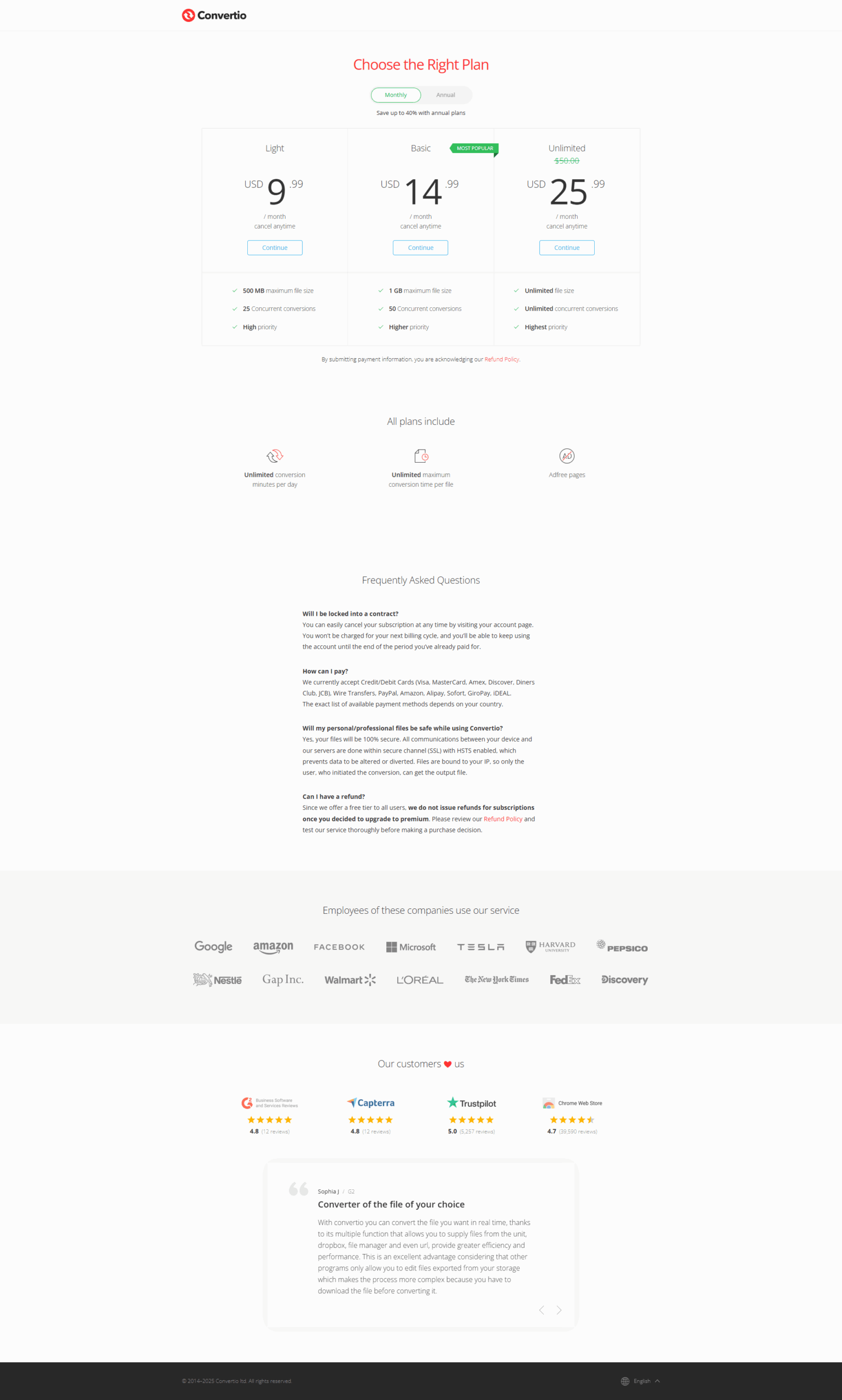
$9.99-$25.99 / Month
Deals Available

This product comes with a special deal, see details

Visit Now

Overview

Convertio is a versatile solution in the Document Conversion Tools category, enabling users to convert almost any file format online efficiently. Supporting a wide variety of file types, including audio, video, images, documents, and more, Convertio seamlessly integrates functionality and simplicity for personal and professional use. Explore exclusive deals. For more tools, consider CloudConvert and Foxit PDF Editor.

Why Use Convertio?

Choosing Convertio for your document and media conversion needs ensures extensive features designed to make file management straightforward:

  • Comprehensive Format Support: Convertio covers an extensive list of file formats in multiple categories, from PDFs to images, audio, video, and more. This versatility eliminates the need for separate tools for different file conversion tasks.
  • Browser-Based Conversion: No software download is needed. Perform your tasks directly online, saving time and storage while allowing accessibility from any device with an internet connection.
  • Batch File Conversion: Convertio allows multiple file conversions simultaneously, increasing productivity for users dealing with significant quantities of data.
  • Ease of Use: Drag-and-drop functionality paired with a straightforward, minimalist interface ensures effortless user experiences, even for those new to conversion tools.
  • OCR (Optical Character Recognition): Convertio includes a robust OCR feature for extracting texts from scanned documents effortlessly, transforming image-based files into editable formats.

Who is Convertio For?

Convertio suits a wide range of users across various industries:

  • Students and Educators: Quickly convert resources or assignments between formats for studying and sharing.
  • Content Creators: Easily convert multimedia files like images or videos to standardized formats for editing or sharing.
  • Businesses: Streamline workflows by converting essential documents into formats compatible with internal tools or client requirements.
  • Individuals: Everyday users benefit from its simple interface and reliable service for personal file conversions.

Convertio proves to be a critical tool for individuals and organizations needing a fast, user-friendly, and multipurpose document conversion solution. Whether working with PDFs, audio files, videos, or other formats, Convertio guarantees an intuitive and feature-rich experience to simplify your conversion needs.

Where Convertio performs best

What users like
  • User-friendly interface and ease of use
  • Supports a wide range of file formats
  • Efficient and fast conversions
  • No need for software installation

Where Convertio falls short

What users dislike
  • Occasional conversion issues with some files
  • Free version limits file size and conversions
  • Old graphic elements in interface
  • OCR struggles with handwriting and complex fonts
Convertio Pricing Range
$9.99-$25.99 / Month

Convertio in action
info Icon

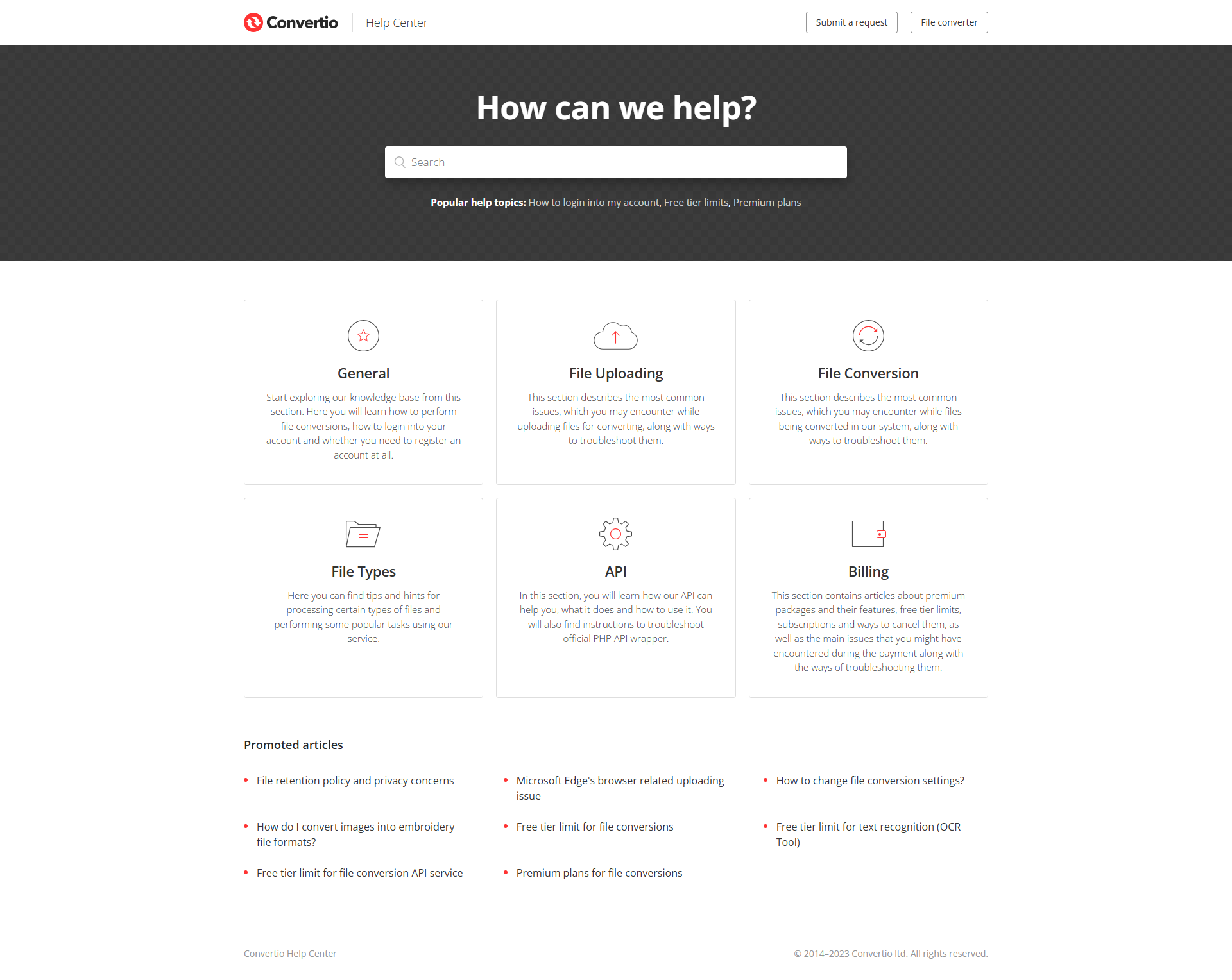
A curated gallery of real screenshots and use cases from the product, so you can see how it works before trying it.

Convertio screenshot 1 Full Screen Icon
Convertio screenshot 2 Full Screen Icon
Convertio screenshot 1
Convertio screenshot 2
Convertio screenshot 1
Convertio screenshot 2

Alternatives to Convertio
info Icon

A list of platforms similar to Convertio, helping you evaluate which tool best matches your needs.

How to cancel Convertio

Need to cancel Convertio? Here is how
info Icon

Thinking about how to cancel Convertio this is how you do it!

To cancel a Convertio subscription, visit the Convertio website and go to the settings page. Follow the tutorial on how to cancel an active subscription. Alternatively, contact their support team with a cancellation request. Ensure cancellation is done before the renewal date to avoid charges.

How to Cancel the Convertio

To cancel a Convertio subscription, visit the Convertio website and go to the settings page. Follow the tutorial on how to cancel an active subscription. Alternatively, contact their support team with a cancellation request. Ensure cancellation is done before the renewal date to avoid charges.

Manage your Convertio profile

Create profile

Want to list your product on Subscribed.fyi? Create a profile to reach more buyers.

Pricing Range
info Icon

This only an estimated pricing range, visit Convertio pricing page to access all the information by clicking “Visit Now”.

$9.99-$25.99 / Month
Visit Now
Deals Available

This product comes with a special deal, see details

This product comes with a special deal, see details