Sign in to review
Join our community of software reviewers on Subscribed.fyi

Continue With Google
Continue With LinkedIn
Continue Review with Email
Continue with Email
Enter your email to continue.
Continue
Enter your password
Enter your password to finish setting up your account.
Continue
Activate your email
Enter activation code we sent to your email.
Submit
Reset your password
Enter activation code we sent to your email.
Submit
Set your new password
Enter a new password for your account.
Submit
Log in
Provide My Insights
Fusion logo
Fusion logo

Fusion Reviews, Pricing, Features & Alternatives (2026)

Fusion is an advanced video effects software specializing in visual effects compositing. Ideal for 3D compositing and motion graphics, it combines robust features with professional-grade tools to craft high-quality visual content. Fusion enables efficient workflows for creators in design, VFX, and post-production across various industries.

Fusion logo
Fusion logo
Fusion logo

Fusion Overview

What is Fusion?

N/A
★ ★ ★ ★ ★
0
Reviews

Available for Claim - This listing is available to be claimed
Claim Profile

Unclaimed

Claim this profile to manage it.

Claim Profile

Why teams choose Fusion

Key Features

Data-Driven Insights
Make better decisions with analytics.
Eco-Friendly
Eco-Friendly
Designed with sustainability in mind.
Collaborate Easily
Collaborate Easily
Built for teams and communication.

Who is Fusion for?

Fusion is an advanced visual effects compositing solution designed for professionals who demand precise control over every aspect of their motion graphics and animation workflows. Developed by Blackmagic Design from Melbourne, Fusion empowers artists and technicians to create stunning visual effects and complex animations through an intuitive yet powerful interface.

Positioned within the Animation Tools category, Fusion excels in combining image manipulation, 3D compositing, and color correction—all within one framework. Whether you are building cinematic scenes, crafting motion graphics, or integrating 3D models into live footage, Fusion provides the detailed control needed to elevate visual storytelling. Its node-based interface allows for flexible compositing, making it easier to experiment and refine effects while maintaining a non-destructive process.

Why Use Fusion?

  • Powerful Compositing Capabilities: Fusion’s node-based workflow enables seamless layering and manipulation of visual elements. This structure allows users to experiment with different effects and quickly iterate, resulting in more dynamic and engaging visuals.
  • Precision and Flexibility: With an extensive toolset for 3D compositing, keying, rotoscoping, and color correction, Fusion gives professionals the precision required to tackle complex projects while ensuring every detail is perfectly aligned with the creative vision.
  • Streamlined Workflow: Fusion integrates smoothly into post-production pipelines, supporting a variety of file formats and enabling efficient collaboration between teams. Its feature-rich environment caters to the rigorous demands of high-end visual effects productions.
  • Expert Control: Designed with the professional artist in mind, Fusion provides granular control over every visual element. This level of detail empowers users to push creative boundaries and achieve results that align with modern filmmaking and broadcast standards.

Who is Fusion For?

  • Visual Effects Artists: Creatives looking for a comprehensive solution to merge 2D and 3D elements, add digital effects, and produce high-caliber composites will find Fusion’s capabilities indispensable.
  • Motion Graphics Designers: Designers seeking a tool that offers both robust functionality and creative flexibility can rely on Fusion to deliver innovative animations and effects.
  • Post-Production Professionals: Editors and colorists who require precise control over image adjustments and visual effects integration benefit from Fusion’s customizable workflow and extensive toolset.

Fusion’s commitment to precision and innovation makes it a top choice for anyone involved in advanced visual effects creation. For more details and to start enhancing your animation workflow, visit the Fusion homepage. Discover exclusive offers on the Fusion deals page. For those evaluating alternative solutions, consider exploring Blender, Adobe After Effects, and Nuke as additional options.

Fusion Summary

Fusion is an advanced visual effects compositing solution designed for professionals who demand precise control over every aspect of their motion graphics and animation workflows. Developed by Blackmagic Design from Melbourne, Fusion empowers artists and technicians to create stunning visual effects and complex animations through an intuitive yet powerful interface.

Positioned within the Animation Tools category, Fusion excels in combining image manipulation, 3D compositing, and color correction—all within one framework. Whether you are building cinematic scenes, crafting motion graphics, or integrating 3D models into live footage, Fusion provides the detailed control needed to elevate visual storytelling. Its node-based interface allows for flexible compositing, making it easier to experiment and refine effects while maintaining a non-destructive process.

Why Use Fusion?

  • Powerful Compositing Capabilities: Fusion’s node-based workflow enables seamless layering and manipulation of visual elements. This structure allows users to experiment with different effects and quickly iterate, resulting in more dynamic and engaging visuals.
  • Precision and Flexibility: With an extensive toolset for 3D compositing, keying, rotoscoping, and color correction, Fusion gives professionals the precision required to tackle complex projects while ensuring every detail is perfectly aligned with the creative vision.
  • Streamlined Workflow: Fusion integrates smoothly into post-production pipelines, supporting a variety of file formats and enabling efficient collaboration between teams. Its feature-rich environment caters to the rigorous demands of high-end visual effects productions.
  • Expert Control: Designed with the professional artist in mind, Fusion provides granular control over every visual element. This level of detail empowers users to push creative boundaries and achieve results that align with modern filmmaking and broadcast standards.

Who is Fusion For?

  • Visual Effects Artists: Creatives looking for a comprehensive solution to merge 2D and 3D elements, add digital effects, and produce high-caliber composites will find Fusion’s capabilities indispensable.
  • Motion Graphics Designers: Designers seeking a tool that offers both robust functionality and creative flexibility can rely on Fusion to deliver innovative animations and effects.
  • Post-Production Professionals: Editors and colorists who require precise control over image adjustments and visual effects integration benefit from Fusion’s customizable workflow and extensive toolset.

Fusion’s commitment to precision and innovation makes it a top choice for anyone involved in advanced visual effects creation. For more details and to start enhancing your animation workflow, visit the Fusion homepage. Discover exclusive offers on the Fusion deals page. For those evaluating alternative solutions, consider exploring Blender, Adobe After Effects, and Nuke as additional options.

Fusion reviews and insights

Learn what people say about Fusion

N/A ★ ★ ★ ★ ★
0 Reviews

No Reviews Yet!

Be the first to share your experience and help others in the community.

Fusion logo

Fusion User Reviews

0 User Reviews

Reviews from G2, Capterra, Trustpilot
info Icon

These ratings come directly from third-party platforms like G2, Capterra, and Trustpilot. They reflect real user feedback collected independently on those sites.

Fusion pricing

Pricing model

Fusion logo
Pricing Range
info Icon

This only an estimated pricing range, visit Fusion pricing page to access all the information by clicking “Visit Now”.

$295 / Month
Deals Available

This product comes with a special deal, see details

Visit Now

Overview

Fusion is an advanced visual effects compositing solution designed for professionals who demand precise control over every aspect of their motion graphics and animation workflows. Developed by Blackmagic Design from Melbourne, Fusion empowers artists and technicians to create stunning visual effects and complex animations through an intuitive yet powerful interface.

Positioned within the Animation Tools category, Fusion excels in combining image manipulation, 3D compositing, and color correction—all within one framework. Whether you are building cinematic scenes, crafting motion graphics, or integrating 3D models into live footage, Fusion provides the detailed control needed to elevate visual storytelling. Its node-based interface allows for flexible compositing, making it easier to experiment and refine effects while maintaining a non-destructive process.

Why Use Fusion?

  • Powerful Compositing Capabilities: Fusion’s node-based workflow enables seamless layering and manipulation of visual elements. This structure allows users to experiment with different effects and quickly iterate, resulting in more dynamic and engaging visuals.
  • Precision and Flexibility: With an extensive toolset for 3D compositing, keying, rotoscoping, and color correction, Fusion gives professionals the precision required to tackle complex projects while ensuring every detail is perfectly aligned with the creative vision.
  • Streamlined Workflow: Fusion integrates smoothly into post-production pipelines, supporting a variety of file formats and enabling efficient collaboration between teams. Its feature-rich environment caters to the rigorous demands of high-end visual effects productions.
  • Expert Control: Designed with the professional artist in mind, Fusion provides granular control over every visual element. This level of detail empowers users to push creative boundaries and achieve results that align with modern filmmaking and broadcast standards.

Who is Fusion For?

  • Visual Effects Artists: Creatives looking for a comprehensive solution to merge 2D and 3D elements, add digital effects, and produce high-caliber composites will find Fusion’s capabilities indispensable.
  • Motion Graphics Designers: Designers seeking a tool that offers both robust functionality and creative flexibility can rely on Fusion to deliver innovative animations and effects.
  • Post-Production Professionals: Editors and colorists who require precise control over image adjustments and visual effects integration benefit from Fusion’s customizable workflow and extensive toolset.

Fusion’s commitment to precision and innovation makes it a top choice for anyone involved in advanced visual effects creation. For more details and to start enhancing your animation workflow, visit the Fusion homepage. Discover exclusive offers on the Fusion deals page. For those evaluating alternative solutions, consider exploring Blender, Adobe After Effects, and Nuke as additional options.

Where Fusion performs best

What users like
  • Easy invoice creation and reprinting
  • Many accounting options available
  • Great customer service in support cases
  • Efficient for parts management

Where Fusion falls short

What users dislike
  • Slow system and frequent lag
  • Confusing interface with excessive clicks
  • Lost data during migrations
  • Inefficient for retail billing tasks
Fusion Pricing Range
$295 / Month

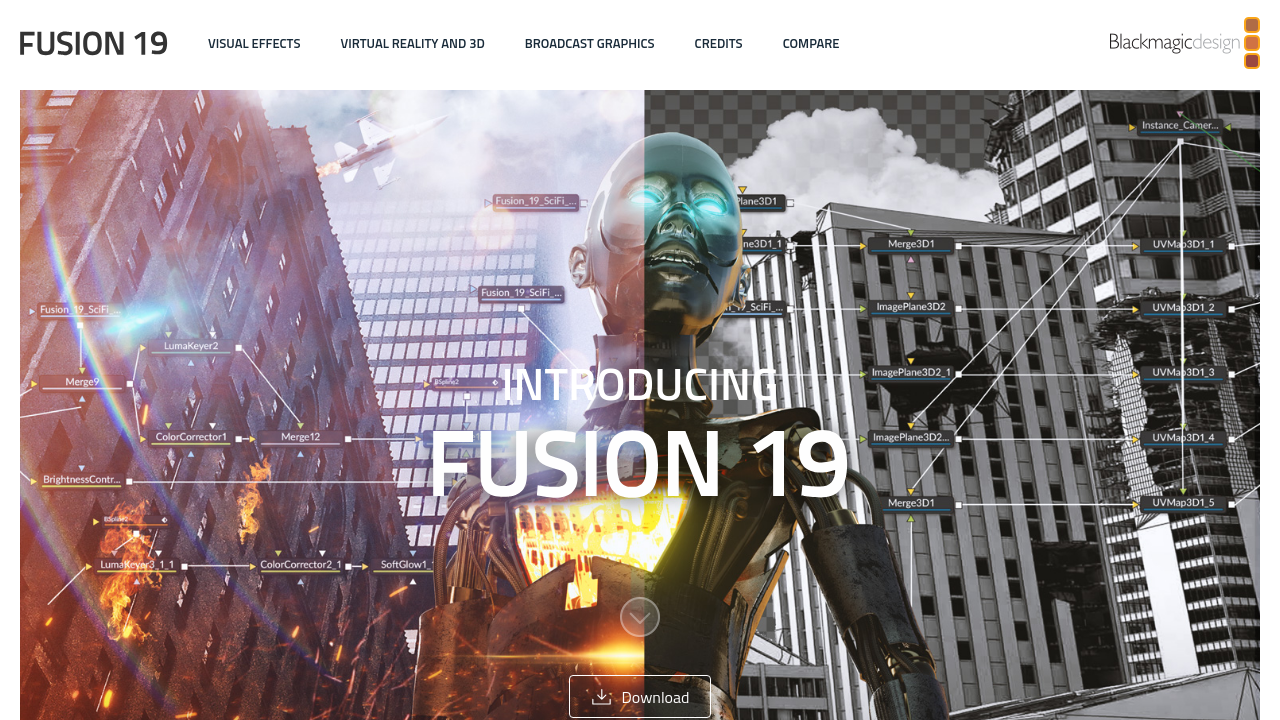
Fusion in action
info Icon

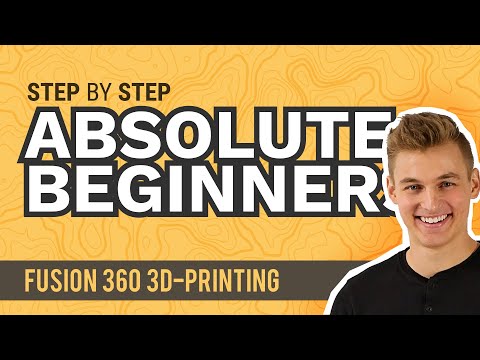
A curated gallery of real screenshots and use cases from the product, so you can see how it works before trying it.

Fusion screenshot 1 Full Screen Icon
https://www.youtube.com/watch?v=qvrHuaHhqHI
Full Screen Icon
https://www.youtube.com/watch?v=d3qGQ2utl2A
Full Screen Icon
Fusion screenshot 1
Video thumbnail
Video thumbnail
Fusion screenshot 1

Alternatives to Fusion
info Icon

A list of platforms similar to Fusion, helping you evaluate which tool best matches your needs.

How to cancel Fusion

Need to cancel Fusion? Here is how
info Icon

Thinking about how to cancel Fusion this is how you do it!

To cancel a Fusion product, note that Blackmagic Design software is typically purchased outright, not subscribed. However, for cloud services, log into your account, navigate to settings, and manage your plan to adjust or cancel. For specific subscriptions, contact Blackmagic Design support for assistance.

How to Cancel the Fusion

To cancel a Fusion product, note that Blackmagic Design software is typically purchased outright, not subscribed. However, for cloud services, log into your account, navigate to settings, and manage your plan to adjust or cancel. For specific subscriptions, contact Blackmagic Design support for assistance.

Manage your Fusion profile

Create profile

Want to list your product on Subscribed.fyi? Create a profile to reach more buyers.

Pricing Range
info Icon

This only an estimated pricing range, visit Fusion pricing page to access all the information by clicking “Visit Now”.

$295 / Month
Visit Now
Deals Available

This product comes with a special deal, see details

This product comes with a special deal, see details