Galileo AI Reviews 2026: Details, Pricing, & Features | Subscribed.fyi
Sign in to review
Join our community of software reviewers on Subscribed.fyi

Continue With Google
Continue With LinkedIn
Continue Review with Email
Continue with Email
Enter your email to continue.
Continue
Enter your password
Enter your password to finish setting up your account.
Continue
Activate your email
Enter activation code we sent to your email.
Submit
Reset your password
Enter activation code we sent to your email.
Submit
Set your new password
Enter a new password for your account.
Submit
Categories
For Business
Log in
Provide My Insights

Galileo AI Reviews, Pricing, Features & Alternatives (2026)

4/5
(2)
Mohan Shil Invitation
QA Speacialist
See My Portfolio
2 months ago
Share
What feature do you use most often?
It is an app that uses AI to turn simple text prompt into UI design screens and app layouts quickly. It is give easy idea about product and design.
Have you experienced any bugs or errors?
But it can be a struggle with highly specific design requirements or complex user .
What’s still missing for your needs?
It's need to add deeper editing tools would make it more production ready.
Final thoughts, wrap up what you think
It is recommend for AI-assisted UI design and prototyping.
Upvote (15)

AI-powered design tool that converts text prompts into high-fidelity UI designs and product interfaces, streamlining the product design workflow.

Galileo AI Overview

What is Galileo AI?

4
β˜… β˜… β˜… β˜… β˜…
2
Reviews
59%
Subscribed Score

Available for Claim - This listing is available to be claimed
Claim Profile For Free

Unclaimed

Manage profile with subsig, and unlock 23+ social and review monitoring. Get partnership options with

Claim Profile For Free

Why teams choose Galileo AI

Key Features

Data-Driven Insights
Make better decisions with analytics.
Plug & Play Setup
Plug & Play Setup
Get started in minutes, not weeks.
Seamless Integrations
Connect easily with your favorite tools.

Who is Galileo AI for?

Galileo AI is an AI-driven design platform that transforms natural language prompts into fully realized user interface designs. It is built to accelerate the early stages of product development by allowing users to generate app screens, layouts, and components without starting from scratch. By combining generative AI with UI/UX best practices, it aims to reduce the time between idea and prototype.

The platform is particularly positioned for startups, product teams, and designers who need to quickly visualize ideas or iterate on concepts. Instead of manually crafting layouts, users describe what they want, and the system generates structured, visually coherent designs that can be refined further.

Galileo AI fits into the broader category of AI-assisted design tools, complementing traditional design software rather than fully replacing it. It is commonly used for ideation, prototyping, and concept validation before moving into detailed design and development workflows.

Key Features and Benefits

  • Text-to-UI generation: Converts written prompts into complete interface designs instantly
  • High-fidelity outputs: Produces polished, realistic UI screens suitable for presentations
  • Rapid iteration: Enables quick exploration of multiple design directions
  • Design assistance: Suggests layouts and patterns aligned with UX best practices
  • Editable designs: Outputs can be refined and adapted within existing workflows
  • Component structuring: Generates organized UI elements for easier development handoff

Who Can Benefit from Galileo AI

  • Product managers: Quickly visualize product ideas without waiting for design resources
  • UI/UX designers: Speed up ideation and explore multiple design directions
  • Startups and founders: Create prototypes for pitching or MVP validation
  • Developers: Gain visual references for frontend implementation
  • Marketing teams: Generate mockups for campaigns or landing pages

Looking for alternative solutions?
Other tools in the AI design and prototyping space include Figma AI, Uizard, Framer AI, and Adobe Firefly. These platforms offer similar capabilities such as text-to-design generation, rapid prototyping, and AI-assisted workflows, with varying levels of control and integration.


Galileo AI Summary

Galileo AI is an AI-driven design platform that transforms natural language prompts into fully realized user interface designs. It is built to accelerate the early stages of product development by allowing users to generate app screens, layouts, and components without starting from scratch. By combining generative AI with UI/UX best practices, it aims to reduce the time between idea and prototype.

The platform is particularly positioned for startups, product teams, and designers who need to quickly visualize ideas or iterate on concepts. Instead of manually crafting layouts, users describe what they want, and the system generates structured, visually coherent designs that can be refined further.

Galileo AI fits into the broader category of AI-assisted design tools, complementing traditional design software rather than fully replacing it. It is commonly used for ideation, prototyping, and concept validation before moving into detailed design and development workflows.

Key Features and Benefits

  • Text-to-UI generation: Converts written prompts into complete interface designs instantly
  • High-fidelity outputs: Produces polished, realistic UI screens suitable for presentations
  • Rapid iteration: Enables quick exploration of multiple design directions
  • Design assistance: Suggests layouts and patterns aligned with UX best practices
  • Editable designs: Outputs can be refined and adapted within existing workflows
  • Component structuring: Generates organized UI elements for easier development handoff

Who Can Benefit from Galileo AI

  • Product managers: Quickly visualize product ideas without waiting for design resources
  • UI/UX designers: Speed up ideation and explore multiple design directions
  • Startups and founders: Create prototypes for pitching or MVP validation
  • Developers: Gain visual references for frontend implementation
  • Marketing teams: Generate mockups for campaigns or landing pages

Looking for alternative solutions?
Other tools in the AI design and prototyping space include Figma AI, Uizard, Framer AI, and Adobe Firefly. These platforms offer similar capabilities such as text-to-design generation, rapid prototyping, and AI-assisted workflows, with varying levels of control and integration.

Galileo AI reviews and insights

Learn what people say about Galileo AI

4 β˜… β˜… β˜… β˜… β˜…
2 Reviews
59%
Subscribed Score

Lear more here about the Subscribed score on how it is composed. Learn more Click here

Overall rating

5
4
3
2
1
CX 3/6

How good is the customer support based on subscribed’s assessment

CX Icon
Security 3/6

How secure is the product based on Subscribed’s assessment?

Security Icon
Ease of Use 4/6

How easy is the product to use, based on Subscribed’s assessment?

EOU Icon
Value 4/6

What is the value for money based on Subscribed’s assessment?

coin Icon
Integration 3/6

How many integrations does the product offer?

gear Icon
Popularity 4/6

How popular is the product?

star
Mohan Shil Invitation
QA Speacialist
See My Portfolio
2 months ago
Share
What feature do you use most often?
It is an app that uses AI to turn simple text prompt into UI design screens and app layouts quickly. It is give easy idea about product and design.
Have you experienced any bugs or errors?
But it can be a struggle with highly specific design requirements or complex user .
What’s still missing for your needs?
It's need to add deeper editing tools would make it more production ready.
Final thoughts, wrap up what you think
It is recommend for AI-assisted UI design and prototyping.
Upvote (15)
Arbab Qayyum Invitation
2 months ago
Share
What do you like best about this product?
I love Galileo. It is very helpful for brainstorming, and it can quickly turn ideas into visual UI concepts. It can save a lot of time when you need rough layouts without needing to design from scratch. It's actually a very good starting point if you are not a very design-heavy person.
What do you dislike about this product?
The designs can sometimes feel generic or lack originality. There is limited control on customization, and since you rely on prompts to generate designs, the results can be a hit or a miss. More often than not, the results need post-editing to refine and meet the standards.
What new feature would you love to see added?
Having more control over the design elements and customization, as there is limited control over fine details. So having the ability to refine and edit generated designs would be very helpful. Also, sometimes there is an inconsistency in the output quality.
Final thoughts, wrap up what you think
It's great for quick inspiration and speeding up early ideas. Definitely recommended.
Upvote

Galileo AI User Reviews

2 User Reviews

Reviews from G2, Capterra, Trustpilot
info Icon

These ratings come directly from third-party platforms like G2, Capterra, and Trustpilot. They reflect real user feedback collected independently on those sites.

Galileo AI pricing

Pricing model

Pricing Range
info Icon

This only an estimated pricing range, visit Galileo AI pricing page to access all the information by clicking β€œVisit Now”.

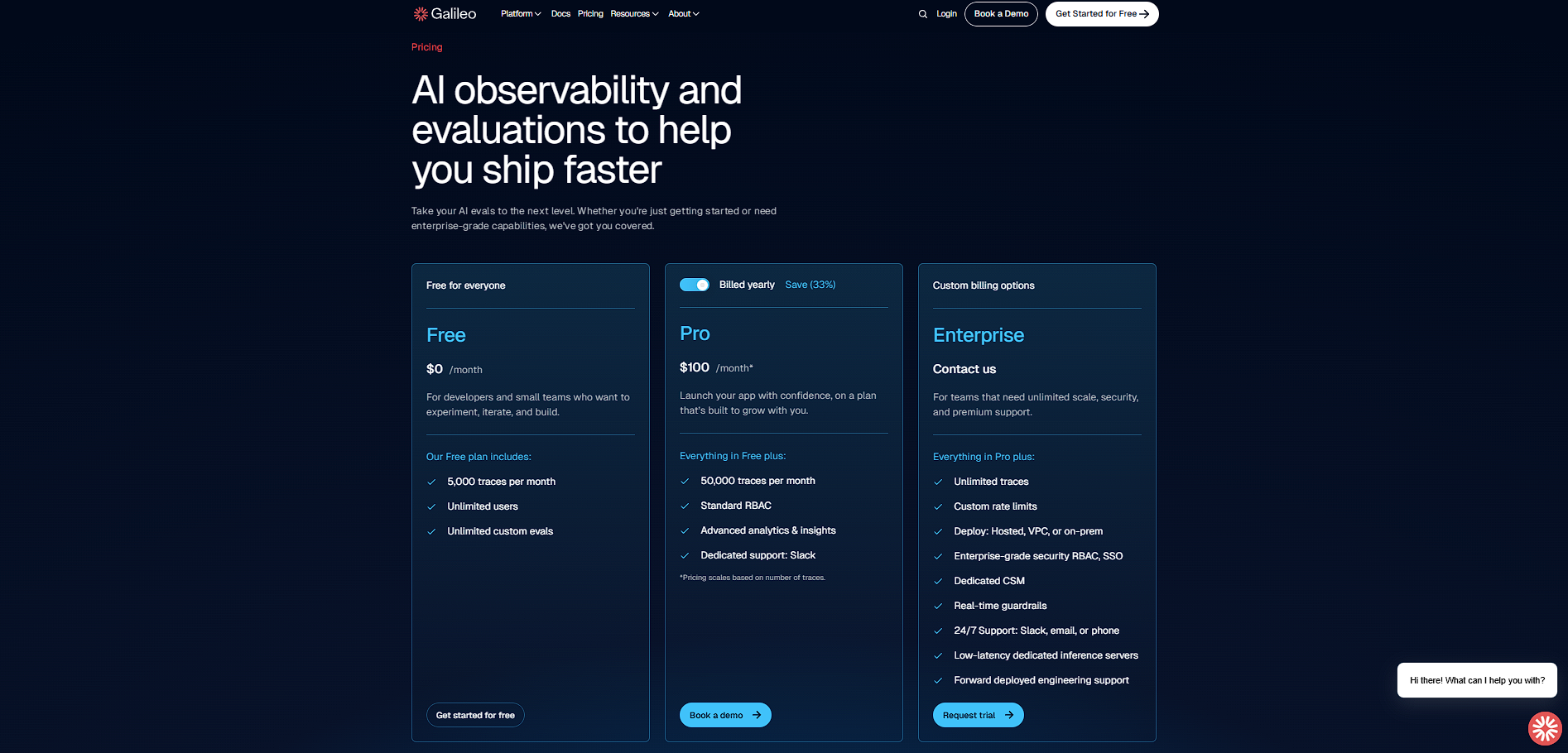
$0–$19 / Month
Visit Now
✨ Ask AI about pricing
59% Subscribed Score
info Icon

The Subscribed Score is an independent rating that combines user reviews, features, and value-for-money from multiple trusted sources. It’s designed as a quick benchmark, not a guarantee of individual experience.

Overview

Galileo AI is an AI-driven design platform that transforms natural language prompts into fully realized user interface designs. It is built to accelerate the early stages of product development by allowing users to generate app screens, layouts, and components without starting from scratch. By combining generative AI with UI/UX best practices, it aims to reduce the time between idea and prototype.

The platform is particularly positioned for startups, product teams, and designers who need to quickly visualize ideas or iterate on concepts. Instead of manually crafting layouts, users describe what they want, and the system generates structured, visually coherent designs that can be refined further.

Galileo AI fits into the broader category of AI-assisted design tools, complementing traditional design software rather than fully replacing it. It is commonly used for ideation, prototyping, and concept validation before moving into detailed design and development workflows.

Key Features and Benefits

  • Text-to-UI generation: Converts written prompts into complete interface designs instantly
  • High-fidelity outputs: Produces polished, realistic UI screens suitable for presentations
  • Rapid iteration: Enables quick exploration of multiple design directions
  • Design assistance: Suggests layouts and patterns aligned with UX best practices
  • Editable designs: Outputs can be refined and adapted within existing workflows
  • Component structuring: Generates organized UI elements for easier development handoff

Who Can Benefit from Galileo AI

  • Product managers: Quickly visualize product ideas without waiting for design resources
  • UI/UX designers: Speed up ideation and explore multiple design directions
  • Startups and founders: Create prototypes for pitching or MVP validation
  • Developers: Gain visual references for frontend implementation
  • Marketing teams: Generate mockups for campaigns or landing pages

Looking for alternative solutions?
Other tools in the AI design and prototyping space include Figma AI, Uizard, Framer AI, and Adobe Firefly. These platforms offer similar capabilities such as text-to-design generation, rapid prototyping, and AI-assisted workflows, with varying levels of control and integration.

Where Galileo AI performs best

What users like
  • Generates complete UI designs from simple text prompts, reducing manual design time
  • Produces high-fidelity, editable design outputs compatible with modern workflows
  • Supports rapid ideation and iteration for product teams and designers
  • Helps non-designers visualize product concepts without deep design skills
  • Continuously improves outputs using AI models trained on UI/UX patterns

Where Galileo AI falls short

What users dislike
  • Output quality may vary depending on prompt clarity and specificity
  • Limited fine-grained control compared to manual design tools like Figma
  • Still evolving, with occasional inconsistencies in layouts or usability
  • May require post-editing to meet production-ready design standards
Subscribed Score Metrics
21/36 Metric achieved
MetricsScore
Customer Support3/6
Security3/6
Ease of Use4/6
Value of Money4/6
Integration3/6
Popularity4/6
Radar Chart Table View
Ease of Use
Measures how simple and intuitive the product is to use, including setup, navigation, and overall user experience
4/6 Metric Checks
Security
Compares the product`s features, quality, and pricing to determine its overall cost-effectiveness.
3/6 Metric Checks
Value of Money
Assesses the product`s ability to protect data, prevent breaches, and comply with industry standards.
4/6 Metric Checks
Customer Support
Reflects the responsiveness, helpfulness, and quality of assistance provided by the product`s support team.
3/6 Metric Checks
Integrations
Evaluates how well the product connects with other tools and platforms, enabling seamless workflows.
3/6 Metric Checks
Galileo AI Pricing Range
$0–$19 / Month

Galileo AI in action
info Icon

A curated gallery of real screenshots and use cases from the product, so you can see how it works before trying it.

Galileo AI Full Screen Icon
https://www.youtube.com/watch?v=N_TsQ0sdV5k
Full Screen Icon
Galileo AI
Galileo AI
Video thumbnail
Galileo AI
Galileo AI

Alternatives to Galileo AI
info Icon

A list of platforms similar to Galileo AI, helping you evaluate which tool best matches your needs.

How to cancel Galileo AI

Need to cancel Galileo AI? Here is how
info Icon

Thinking about how to cancel Galileo AI this is how you do it!

  1. Log in to your Galileo AI account
  2. Navigate to account or billing settings
  3. Select subscription management
  4. Click cancel subscription and confirm
  5. Ensure cancellation is completed before the next billing cycle

How to Cancel the Galileo AI

  1. Log in to your Galileo AI account
  2. Navigate to account or billing settings
  3. Select subscription management
  4. Click cancel subscription and confirm
  5. Ensure cancellation is completed before the next billing cycle

FAQs about Galileo AI

Every else you need to know about Galileo AI
info Icon

A collection of FAQs, guides, alternatives, and comparisons to help you quickly understand if Galileo AI is right for you.

Manage your Galileo AI profile

Create profile

Want to list your product on Subscribed.fyi? Create a profile to reach more buyers.

Pricing Range
info Icon

This only an estimated pricing range, visit Galileo AI pricing page to access all the information by clicking β€œVisit Now”.

$0–$19 / Month
Visit Now