Sign in to review
Join our community of software reviewers on Subscribed.fyi

Continue With Google
Continue With LinkedIn
Continue Review with Email
Continue with Email
Enter your email to continue.
Continue
Enter your password
Enter your password to finish setting up your account.
Continue
Activate your email
Enter activation code we sent to your email.
Submit
Reset your password
Enter activation code we sent to your email.
Submit
Set your new password
Enter a new password for your account.
Submit
Log in
Provide My Insights
Git logo
Git logo

Git Reviews, Pricing, Features & Alternatives (2026)

Git is a powerful, distributed version control system designed to track code changes and manage multiple project versions efficiently. Renowned for its speed, lightweight design, and flexible branching, Git supports seamless collaboration among developers. With tools for merging, branching, and handling complex workflows, it ensures robust version control for software development.

Git logo
Git logo
Git logo

Git Overview

What is Git?

N/A
★ ★ ★ ★ ★
0
Reviews

Available for Claim - This listing is available to be claimed
Claim Profile

Unclaimed

Claim this profile to manage it.

Claim Profile

Why teams choose Git

Key Features

Eco-Friendly
Eco-Friendly
Designed with sustainability in mind.
Plug & Play Setup
Plug & Play Setup
Get started in minutes, not weeks.
Exclusive Perks
Exclusive Perks
Special offers and discounts available.

Who is Git for?

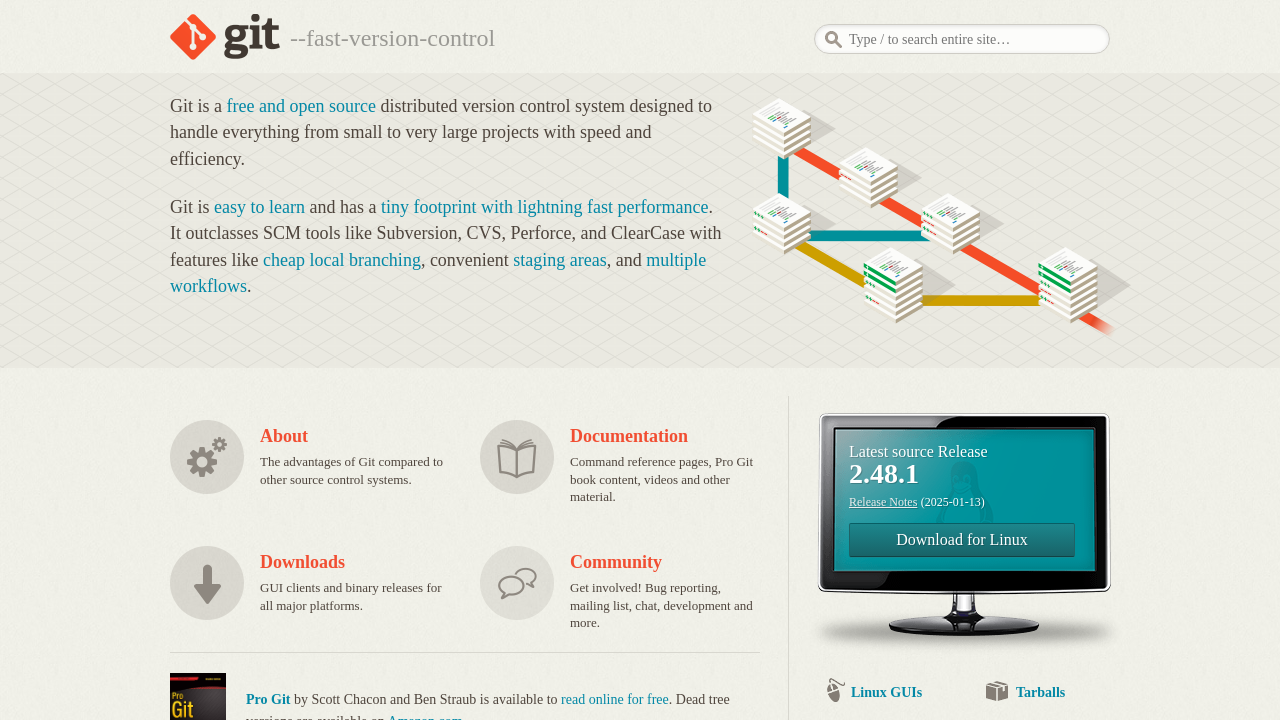
Git is a free and open-source distributed source control system that empowers software developers to track and manage multiple revisions of projects with ease. With its tiny footprint and lightning fast performance, Git has become the standard choice for version control among development teams of all sizes. Its robust features and intuitive command-line interface make it an essential tool in the Version Control Systems category.

Product Highlights

  • Easy Learning Curve: Designed with simplicity in mind, Git is straightforward for beginners while offering advanced functionality for experienced developers.
  • Efficient Branching: Git’s lightweight branch management allows developers to experiment freely by creating local branches without consuming hefty resources.
  • Flexible Workflows: Supporting multiple workflows, Git facilitates collaboration through features like convenient staging areas and efficient merge mechanisms.
  • High Performance: The system’s distributed nature and emphasis on performance ensure that even large code repositories are handled swiftly.

Git’s unique design provides an effective solution that outclasses other source control tools. It enables teams to work on independent features in parallel, consolidating changes when necessary without disrupting the main codebase. This approach not only improves productivity but also safeguards the integrity of the project’s complete history. Its decentralized model means every user’s working copy is a full-fledged repository with complete history and full version tracking capabilities.

Why Developers Choose Git

Opting for Git means choosing a system that is built to simplify complex code management tasks. The tool plays a critical role in continuous integration and delivery pipelines, allowing developers to synchronize changes and revert to previous iterations effortlessly. Its powerful command-line tools and extensive ecosystem of third-party integrations further expand its capabilities, making it a versatile solution for a wide range of development scenarios.

For those looking to get started or improve their deployment processes, Git’s homepage offers extensive documentation and resources. Additionally, exclusive deals and offers are available on the Git deals page to help teams equip themselves with the best version control tool available.

Explore Alternatives

Git remains an invaluable asset for developers seeking to maintain code integrity, streamline collaboration, and enhance software development workflows. Its powerful features and widespread industry adoption underscore its status as the ultimate tool for version control.

Git Summary

Git is a free and open-source distributed source control system that empowers software developers to track and manage multiple revisions of projects with ease. With its tiny footprint and lightning fast performance, Git has become the standard choice for version control among development teams of all sizes. Its robust features and intuitive command-line interface make it an essential tool in the Version Control Systems category.

Product Highlights

  • Easy Learning Curve: Designed with simplicity in mind, Git is straightforward for beginners while offering advanced functionality for experienced developers.
  • Efficient Branching: Git’s lightweight branch management allows developers to experiment freely by creating local branches without consuming hefty resources.
  • Flexible Workflows: Supporting multiple workflows, Git facilitates collaboration through features like convenient staging areas and efficient merge mechanisms.
  • High Performance: The system’s distributed nature and emphasis on performance ensure that even large code repositories are handled swiftly.

Git’s unique design provides an effective solution that outclasses other source control tools. It enables teams to work on independent features in parallel, consolidating changes when necessary without disrupting the main codebase. This approach not only improves productivity but also safeguards the integrity of the project’s complete history. Its decentralized model means every user’s working copy is a full-fledged repository with complete history and full version tracking capabilities.

Why Developers Choose Git

Opting for Git means choosing a system that is built to simplify complex code management tasks. The tool plays a critical role in continuous integration and delivery pipelines, allowing developers to synchronize changes and revert to previous iterations effortlessly. Its powerful command-line tools and extensive ecosystem of third-party integrations further expand its capabilities, making it a versatile solution for a wide range of development scenarios.

For those looking to get started or improve their deployment processes, Git’s homepage offers extensive documentation and resources. Additionally, exclusive deals and offers are available on the Git deals page to help teams equip themselves with the best version control tool available.

Explore Alternatives

Git remains an invaluable asset for developers seeking to maintain code integrity, streamline collaboration, and enhance software development workflows. Its powerful features and widespread industry adoption underscore its status as the ultimate tool for version control.

Git reviews and insights

Learn what people say about Git

N/A ★ ★ ★ ★ ★
0 Reviews

No Reviews Yet!

Be the first to share your experience and help others in the community.

Git logo

Git User Reviews

0 User Reviews

Reviews from G2, Capterra, Trustpilot
info Icon

These ratings come directly from third-party platforms like G2, Capterra, and Trustpilot. They reflect real user feedback collected independently on those sites.

Git pricing

Pricing model

Git logo
Pricing Range
info Icon

This only an estimated pricing range, visit Git pricing page to access all the information by clicking “Visit Now”.

Not specified
Deals Available

This product comes with a special deal, see details

Visit Now

Overview

Git is a free and open-source distributed source control system that empowers software developers to track and manage multiple revisions of projects with ease. With its tiny footprint and lightning fast performance, Git has become the standard choice for version control among development teams of all sizes. Its robust features and intuitive command-line interface make it an essential tool in the Version Control Systems category.

Product Highlights

  • Easy Learning Curve: Designed with simplicity in mind, Git is straightforward for beginners while offering advanced functionality for experienced developers.
  • Efficient Branching: Git’s lightweight branch management allows developers to experiment freely by creating local branches without consuming hefty resources.
  • Flexible Workflows: Supporting multiple workflows, Git facilitates collaboration through features like convenient staging areas and efficient merge mechanisms.
  • High Performance: The system’s distributed nature and emphasis on performance ensure that even large code repositories are handled swiftly.

Git’s unique design provides an effective solution that outclasses other source control tools. It enables teams to work on independent features in parallel, consolidating changes when necessary without disrupting the main codebase. This approach not only improves productivity but also safeguards the integrity of the project’s complete history. Its decentralized model means every user’s working copy is a full-fledged repository with complete history and full version tracking capabilities.

Why Developers Choose Git

Opting for Git means choosing a system that is built to simplify complex code management tasks. The tool plays a critical role in continuous integration and delivery pipelines, allowing developers to synchronize changes and revert to previous iterations effortlessly. Its powerful command-line tools and extensive ecosystem of third-party integrations further expand its capabilities, making it a versatile solution for a wide range of development scenarios.

For those looking to get started or improve their deployment processes, Git’s homepage offers extensive documentation and resources. Additionally, exclusive deals and offers are available on the Git deals page to help teams equip themselves with the best version control tool available.

Explore Alternatives

Git remains an invaluable asset for developers seeking to maintain code integrity, streamline collaboration, and enhance software development workflows. Its powerful features and widespread industry adoption underscore its status as the ultimate tool for version control.

Where Git performs best

What users like
  • Powerful version control tool
  • Supports collaboration and branching
  • Efficient for managing code history
  • Free and widely adopted

Where Git falls short

What users dislike
  • Steep learning curve for beginners
  • Conflict resolution can be complex
  • Limited GUI options
  • Can be slow with large codebases
Git Pricing Range
Not specified

Git in action
info Icon

A curated gallery of real screenshots and use cases from the product, so you can see how it works before trying it.

Git screenshot 1 Full Screen Icon
https://www.youtube.com/watch?v=RGOj5yH7evk
Full Screen Icon
https://www.youtube.com/watch?v=zTjRZNkhiEU
Full Screen Icon
Git screenshot 1
Video thumbnail
Video thumbnail
Git screenshot 1

Alternatives to Git
info Icon

A list of platforms similar to Git, helping you evaluate which tool best matches your needs.

How to cancel Git

Need to cancel Git? Here is how
info Icon

Thinking about how to cancel Git this is how you do it!

To cancel a Git product preview, check if it’s a third-party tool or service offering the preview. For Git itself, there are no built-in previews to cancel. For tools like GitLens, try disabling features or uninstalling the extension. If using a Git hosting service, check their settings for preview controls.

How to Cancel the Git

To cancel a Git product preview, check if it’s a third-party tool or service offering the preview. For Git itself, there are no built-in previews to cancel. For tools like GitLens, try disabling features or uninstalling the extension. If using a Git hosting service, check their settings for preview controls.

Manage your Git profile

Create profile

Want to list your product on Subscribed.fyi? Create a profile to reach more buyers.

Pricing Range
info Icon

This only an estimated pricing range, visit Git pricing page to access all the information by clicking “Visit Now”.

Not specified
Visit Now
Deals Available

This product comes with a special deal, see details

This product comes with a special deal, see details