Google Cloud Text to Speech Reviews 2026: Details, Pricing, & Features | Subscribed.fyi
Sign in to review
Join our community of software reviewers on Subscribed.fyi

Continue With Google
Continue With LinkedIn
Continue Review with Email
Continue with Email
Enter your email to continue.
Continue
Enter your password
Enter your password to finish setting up your account.
Continue
Activate your email
Enter activation code we sent to your email.
Submit
Reset your password
Enter activation code we sent to your email.
Submit
Set your new password
Enter a new password for your account.
Submit
✨ Ask AI Search
Categories
For Business
Log in
Provide My Insights

Google Cloud Text to Speech

4.7/5
(6)

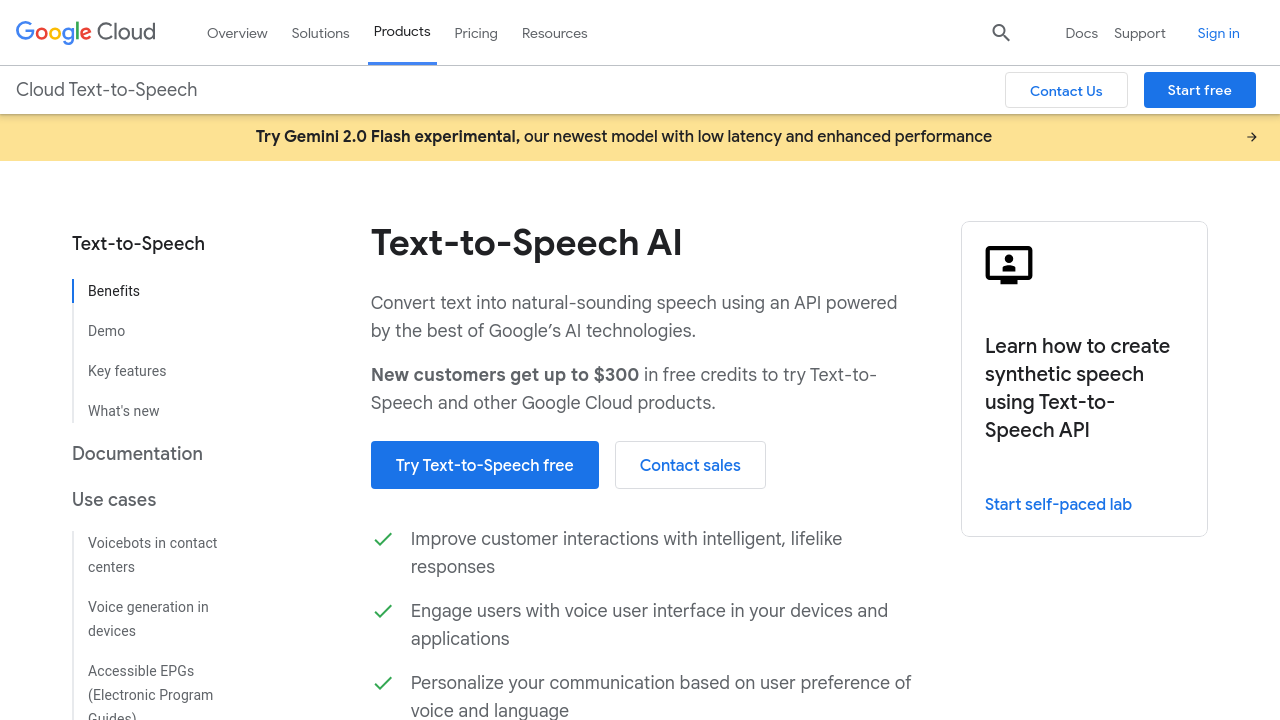
Google Cloud Text-to-Speech enables developers to generate lifelike speech in over 100 voices, across multiple languages and accents. With advanced WaveNet technology and Google’s neural networks, it delivers high-quality audio for a variety of applications. The service allows customization of pitch, speed, and emotion, offering seamless integration with other tools via an easy-to-use API.

Google Cloud Text to Speech

4.7
6
Reviews
85%
Subscribed Score

Available for Claim - This listing is available to be claimed
Claim For Free

Unclaimed

Curated and listed by Subscribed Team

Claim For Free
No-Code Simplicity
No-Code Simplicity
Launch without writing a single line of code.
Seamless Integrations
Connect easily with your favorite tools.
Collaborate Easily
Collaborate Easily
Built for teams and communication.

Google Cloud Text-to-Speech is a leading solution in the Cloud Computing category, offering advanced capabilities for converting text into lifelike speech using cutting-edge AI technologies, including DeepMind’s WaveNet. With support for 100+ voices across multiple languages and accents, this tool empowers developers to create human-like voice outputs seamlessly integrated into diverse applications and devices. Build intuitive user experiences across a wide spectrum of industries with its highly flexible API. Explore exclusive deals. Alternatives include Amazon Polly and HeyGen.

Why Use Google Cloud Text-to-Speech?

With Google Cloud Text-to-Speech, developers can enjoy numerous advantages:

  • Advanced AI Features: Powered by WaveNet, this solution ensures high-quality, human-like voice generation for applications ranging from virtual assistants to educational tools.
  • Vocal Customization: Modify key vocal aspects such as pitch, speaking rate, emotion, and accent for tailored outputs.
  • Language Versatility: Access multiple languages and dialects, enhancing localization for global audiences.
  • Flexible Audio Formats: Support for multiple formats like MP3, Linear16, and Ogg Opus ensures adaptability for various use cases.
  • Seamless Integration: Easily connect with existing applications and services for real-time speech synthesis.

Features and Functionality

The product offers a comprehensive range of features to deliver an unparalleled experience:

  • Speech Output: Customize volume, pitch, pronunciation, accent, and speaking styles to fit your specific needs.
  • Audio Optimization: Fine-tune the audio output for devices like headphones, phones, or loudspeakers.
  • Real-Time Streaming: Synthesize speech on-the-go through its robust API.

Who is Google Cloud Text-to-Speech For?

This powerful tool is ideal for:

  • Developers: Easily implement speech synthesis in apps, enhancing interactivity and accessibility.
  • Content Creators: Produce natural-sounding voiceovers for videos and podcasts.
  • Global Enterprises: Reach diverse audiences by localizing content through multilingual capabilities.
  • Assistive Technologies: Empower users with disabilities through accessible voice-based interfaces.

Google Cloud Text-to-Speech is a versatile solution crafted for developers, businesses, and creators aiming to enhance user engagement with high-quality, human-like voice outputs. This robust tool simplifies complex tasks while ensuring seamless integration across multiple platforms, making it an essential choice for companies seeking innovative and scalable solutions.


Google Cloud Text to Speech Summary

Google Cloud Text-to-Speech is a leading solution in the Cloud Computing category, offering advanced capabilities for converting text into lifelike speech using cutting-edge AI technologies, including DeepMind’s WaveNet. With support for 100+ voices across multiple languages and accents, this tool empowers developers to create human-like voice outputs seamlessly integrated into diverse applications and devices. Build intuitive user experiences across a wide spectrum of industries with its highly flexible API. Explore exclusive deals. Alternatives include Amazon Polly and HeyGen.

Why Use Google Cloud Text-to-Speech?

With Google Cloud Text-to-Speech, developers can enjoy numerous advantages:

  • Advanced AI Features: Powered by WaveNet, this solution ensures high-quality, human-like voice generation for applications ranging from virtual assistants to educational tools.
  • Vocal Customization: Modify key vocal aspects such as pitch, speaking rate, emotion, and accent for tailored outputs.
  • Language Versatility: Access multiple languages and dialects, enhancing localization for global audiences.
  • Flexible Audio Formats: Support for multiple formats like MP3, Linear16, and Ogg Opus ensures adaptability for various use cases.
  • Seamless Integration: Easily connect with existing applications and services for real-time speech synthesis.

Features and Functionality

The product offers a comprehensive range of features to deliver an unparalleled experience:

  • Speech Output: Customize volume, pitch, pronunciation, accent, and speaking styles to fit your specific needs.
  • Audio Optimization: Fine-tune the audio output for devices like headphones, phones, or loudspeakers.
  • Real-Time Streaming: Synthesize speech on-the-go through its robust API.

Who is Google Cloud Text-to-Speech For?

This powerful tool is ideal for:

  • Developers: Easily implement speech synthesis in apps, enhancing interactivity and accessibility.
  • Content Creators: Produce natural-sounding voiceovers for videos and podcasts.
  • Global Enterprises: Reach diverse audiences by localizing content through multilingual capabilities.
  • Assistive Technologies: Empower users with disabilities through accessible voice-based interfaces.

Google Cloud Text-to-Speech is a versatile solution crafted for developers, businesses, and creators aiming to enhance user engagement with high-quality, human-like voice outputs. This robust tool simplifies complex tasks while ensuring seamless integration across multiple platforms, making it an essential choice for companies seeking innovative and scalable solutions.

Google Cloud Text to Speech reviews

Learn what people say about Google Cloud Text to Speech

4.7
6 Reviews
85%
Subscribed Score

Lear more here about the Subscribed score on how it is composed. Learn more Click here

Overall rating

5
4
3
2
1
CX 4/6

How good is the customer support based on subscribed’s assessment

CX Icon
Security 4/6

How secure is the product based on Subscribed’s assessment?

Security Icon
Ease of Use 6/6

How easy is the product to use, based on Subscribed’s assessment?

EOU Icon
Value 5/6

What is the value for money based on Subscribed’s assessment?

coin Icon
Integration 5/6

How many integrations does the product offer?

gear Icon
Popularity 6/6

How popular is the product?

star
ben hammouda mouhamed ali Invitation
Full-Stack Developer
See My Portfolio
5 days ago
Share
What exceeded your expectations?
The quality of the voices exceeded my expectations. The WaveNet voices sound very natural and realistic compared to many other text-to-speech tools.
What slows you down when using it?
Sometimes configuring the API and authentication can take time for new users. Also, testing different voice settings may require several attempts to find the perfect output.
How could the product save you more time or money?
It could save more time by offering ready-to-use voice templates for common use cases like videos, assistants, or tutorials. This would reduce the time needed to test different settings.
Final thoughts, wrap up what you think
I would recommend Google Cloud Text-to-Speech to developers and content creators who need realistic voice generation.
Upvote
Hamza Rauf Organic
Full Stack Developer
See My Portfolio
7 days ago
Share
What exceeded your expectations?
The low-latency streaming exceeded my expectations by handling real-time responses so fast that there’s virtually no lag, which makes it amazing for interactive voice agents.
What feels confusing or hard to use?
The biggest headache is the convoluted pricing UI and infrastructure "fees"; you can’t just buy voices instead, you have to navigate a complex GCP console where accidentally enabling the wrong model can trigger massive hosting fees.
What problem did this product solve for you?
Google Cloud Text-to-Speech is saving us thousands in voice actor fees by generating studio-quality narration in dozens of languages instantly.
Final thoughts, wrap up what you think
8/10. It is the ultimate "utility" tool. If you are building a global app or a high-traffic support bot, this is the safest choice. If you want a cool voice for a TikTok video, save yourself the headache and use a simpler tool.
Upvote
Irfan Ali Invitation
Developer
1 week ago
Share
What exceeded your expectations?
Helps search things quickly, instead of reading long sentences, just write text and it correctly converts them to speech, love this feature for quick searches and voice generation, another good things is that it provides their api which can integrated easily in different devices
What do you dislike about this product?
Most of the times it works correctly but sometimes it generates wrong voice, it should work well with accurate pronunciation and tone, and should feel like human because it sounds like a rebot mostly, it can't run offline needs proper internet connections for converting text into speech
What’s still missing for your needs?
the text to speech should have native like voice and accent for different languages, and should have tone according the environment or situation, expanding free tier will definitely attract more users, adding offline support will be best if added support for that
Final thoughts, wrap up what you think
good for explaining long lengthy paragraphs, improves listening skills pretty well , and can be use for improving listening skills with different accent, also helpful for developers who build voice enabled applications by using api and integrate it in their application
Upvote
Kit Irvin Mationg Organic
Virtual Assistant | AI Operations | Admin & Workflow Coordination
See My Portfolio
1 week ago
Share
How has it made your work/life easier?
Google Cloud Text to Speech offered me highly natural voices , strong support for multiple languages, which makes it useful for apps, videos, and accessibility tools. It is also easy to use with other Google Cloud services.
What do you dislike about this product?
What I know is, It can be costly and requires technical set up for beginners. I also experienced customization limitations compared to other specialized voice platforms.
What could make it even better?
There are strong potentials to expand real time voice customization, emotional tone control, and easier use of no code tools for wider adaptation. Also, enhancing voice personalization and conversational capabilities could make it more valuable for me.
Final thoughts, wrap up what you think
9/10. Google Cloud Text to Speech provided me a very natural voice quality and powerful scale for developers who's building AI and voice applications. With further improvement in voice customization, it could become even more widely used.
Upvote

Google Cloud Text to Speech User Reviews

6 User Reviews

ben hammouda mouhamed ali Invitation
Full-Stack Developer
See My Portfolio
5 days ago
Share
What exceeded your expectations?
The quality of the voices exceeded my expectations. The WaveNet voices sound very natural and realistic compared to many other text-to-speech tools.
What slows you down when using it?
Sometimes configuring the API and authentication can take time for new users. Also, testing different voice settings may require several attempts to find the perfect output.
How could the product save you more time or money?
It could save more time by offering ready-to-use voice templates for common use cases like videos, assistants, or tutorials. This would reduce the time needed to test different settings.
Final thoughts, wrap up what you think
I would recommend Google Cloud Text-to-Speech to developers and content creators who need realistic voice generation.
Upvote
Hamza Rauf Organic
Full Stack Developer
See My Portfolio
7 days ago
Share
What exceeded your expectations?
The low-latency streaming exceeded my expectations by handling real-time responses so fast that there’s virtually no lag, which makes it amazing for interactive voice agents.
What feels confusing or hard to use?
The biggest headache is the convoluted pricing UI and infrastructure "fees"; you can’t just buy voices instead, you have to navigate a complex GCP console where accidentally enabling the wrong model can trigger massive hosting fees.
What problem did this product solve for you?
Google Cloud Text-to-Speech is saving us thousands in voice actor fees by generating studio-quality narration in dozens of languages instantly.
Final thoughts, wrap up what you think
8/10. It is the ultimate "utility" tool. If you are building a global app or a high-traffic support bot, this is the safest choice. If you want a cool voice for a TikTok video, save yourself the headache and use a simpler tool.
Upvote
Irfan Ali Invitation
Developer
1 week ago
Share
What exceeded your expectations?
Helps search things quickly, instead of reading long sentences, just write text and it correctly converts them to speech, love this feature for quick searches and voice generation, another good things is that it provides their api which can integrated easily in different devices
What do you dislike about this product?
Most of the times it works correctly but sometimes it generates wrong voice, it should work well with accurate pronunciation and tone, and should feel like human because it sounds like a rebot mostly, it can't run offline needs proper internet connections for converting text into speech
What’s still missing for your needs?
the text to speech should have native like voice and accent for different languages, and should have tone according the environment or situation, expanding free tier will definitely attract more users, adding offline support will be best if added support for that
Final thoughts, wrap up what you think
good for explaining long lengthy paragraphs, improves listening skills pretty well , and can be use for improving listening skills with different accent, also helpful for developers who build voice enabled applications by using api and integrate it in their application
Upvote
Kit Irvin Mationg Organic
Virtual Assistant | AI Operations | Admin & Workflow Coordination
See My Portfolio
1 week ago
Share
How has it made your work/life easier?
Google Cloud Text to Speech offered me highly natural voices , strong support for multiple languages, which makes it useful for apps, videos, and accessibility tools. It is also easy to use with other Google Cloud services.
What do you dislike about this product?
What I know is, It can be costly and requires technical set up for beginners. I also experienced customization limitations compared to other specialized voice platforms.
What could make it even better?
There are strong potentials to expand real time voice customization, emotional tone control, and easier use of no code tools for wider adaptation. Also, enhancing voice personalization and conversational capabilities could make it more valuable for me.
Final thoughts, wrap up what you think
9/10. Google Cloud Text to Speech provided me a very natural voice quality and powerful scale for developers who's building AI and voice applications. With further improvement in voice customization, it could become even more widely used.
Upvote
M Raza Akhter Organic
QA Engineer
1 week ago
Share
How has it made your work/life easier?
Google Cloud Text to Speech is notable for its robust language support and voices that sound natural. It has made work easier by facilitating the rapid generation of clear audio for automation tasks, apps, and content.
What do you dislike about this product?
As usage increases, prices may rise, particularly for large-scale projects. Additionally, in some use cases, some voice options continue to feel less natural than anticipated.
What problem did this product solve for you?
Better emotional tone customisation and more expressive voice controls would enhance Google Cloud Text-to-Speech. It resolved the issue of swiftly transforming text into scalable, clear audio for content and apps.
Final thoughts, wrap up what you think
Because it produces voices that sound natural and is suitable for scalable audio requirements, I would give it a high rating. I would suggest it to friends and coworkers who require dependable text-to-speech for automation, apps, or content.
Upvote
Kavinda Aludeniya Organic
Software Engineer
See My Portfolio
1 week ago
Share
What do you like best about this product?
Google Cloud TTS have various natural voices. It supports multiple languages and voices. It is easy to integrate to apps.
What slows you down when using it?
Some languages does not support Google Cloud TTS. Also, some languages need accent to pronounce correctly. This platform can't 100% correctly pronounce that accent, tone and speed.
What new feature would you love to see added?
It could be more valuable if support more languages with their real tone. This could help in creating audio content effectively.
Final thoughts, wrap up what you think
Google Cloud TTS produces high quality speech. Easy to integrate to the apps. Very scalable and reliable.
Upvote
Reviews from G2, Capterra, Trustpilot
info Icon

These ratings come directly from third-party platforms like G2, Capterra, and Trustpilot. They reflect real user feedback collected independently on those sites.

Google Cloud Text to Speech

Pricing Range
info Icon

This only an estimated pricing range, visit Google Cloud Text to Speech pricing page to access all the information by clicking “Visit Now”.

Not specified.
Deals Available

This product comes with a special deal, see details

Visit Now
✨ Ask AI about pricing
85% Subscribed Score
info Icon

The Subscribed Score is an independent rating that combines user reviews, features, and value-for-money from multiple trusted sources. It’s designed as a quick benchmark, not a guarantee of individual experience.

Analysis

Google Cloud Text-to-Speech is a leading solution in the Cloud Computing category, offering advanced capabilities for converting text into lifelike speech using cutting-edge AI technologies, including DeepMind’s WaveNet. With support for 100+ voices across multiple languages and accents, this tool empowers developers to create human-like voice outputs seamlessly integrated into diverse applications and devices. Build intuitive user experiences across a wide spectrum of industries with its highly flexible API. Explore exclusive deals. Alternatives include Amazon Polly and HeyGen.

Why Use Google Cloud Text-to-Speech?

With Google Cloud Text-to-Speech, developers can enjoy numerous advantages:

  • Advanced AI Features: Powered by WaveNet, this solution ensures high-quality, human-like voice generation for applications ranging from virtual assistants to educational tools.
  • Vocal Customization: Modify key vocal aspects such as pitch, speaking rate, emotion, and accent for tailored outputs.
  • Language Versatility: Access multiple languages and dialects, enhancing localization for global audiences.
  • Flexible Audio Formats: Support for multiple formats like MP3, Linear16, and Ogg Opus ensures adaptability for various use cases.
  • Seamless Integration: Easily connect with existing applications and services for real-time speech synthesis.

Features and Functionality

The product offers a comprehensive range of features to deliver an unparalleled experience:

  • Speech Output: Customize volume, pitch, pronunciation, accent, and speaking styles to fit your specific needs.
  • Audio Optimization: Fine-tune the audio output for devices like headphones, phones, or loudspeakers.
  • Real-Time Streaming: Synthesize speech on-the-go through its robust API.

Who is Google Cloud Text-to-Speech For?

This powerful tool is ideal for:

  • Developers: Easily implement speech synthesis in apps, enhancing interactivity and accessibility.
  • Content Creators: Produce natural-sounding voiceovers for videos and podcasts.
  • Global Enterprises: Reach diverse audiences by localizing content through multilingual capabilities.
  • Assistive Technologies: Empower users with disabilities through accessible voice-based interfaces.

Google Cloud Text-to-Speech is a versatile solution crafted for developers, businesses, and creators aiming to enhance user engagement with high-quality, human-like voice outputs. This robust tool simplifies complex tasks while ensuring seamless integration across multiple platforms, making it an essential choice for companies seeking innovative and scalable solutions.

Pros
  • Natural human-like voices with variety.
  • Easy integration with Google Cloud APIs.
  • Supports multiple languages and accents.
  • Helpful for accessibility and time-saving.
Cons
  • Pronunciation issues in some languages.
  • Requires technical skills to operate fully.
  • Complex navigation to access features.
  • Random API errors disrupt usability.
Subscribed Score Metrics
30/36 Metric achieved
MetricsScore
Customer Support4/6
Security4/6
Ease of Use6/6
Value of Money5/6
Integration5/6
Popularity6/6
Radar Chart Table View
Ease of Use
Measures how simple and intuitive the product is to use, including setup, navigation, and overall user experience
6/6 Metric Checks
Security
Compares the product`s features, quality, and pricing to determine its overall cost-effectiveness.
4/6 Metric Checks
Value of Money
Assesses the product`s ability to protect data, prevent breaches, and comply with industry standards.
5/6 Metric Checks
Customer Support
Reflects the responsiveness, helpfulness, and quality of assistance provided by the product`s support team.
4/6 Metric Checks
Integrations
Evaluates how well the product connects with other tools and platforms, enabling seamless workflows.
5/6 Metric Checks
Google Cloud Text to Speech Pricing Range
Not specified.

Google Cloud Text to Speech Showcase
info Icon

A curated gallery of real screenshots and use cases from the product, so you can see how it works before trying it.

Google Cloud Text to Speech Full Screen Icon
https://www.youtube.com/watch?v=ZI5K9Jz2woI
Full Screen Icon
https://www.youtube.com/watch?v=GVPWz-nhJhg
Full Screen Icon
Google Cloud Text to Speech

What else exists next to Google Cloud Text to Speech
info Icon

A list of platforms similar to Google Cloud Text to Speech, helping you evaluate which tool best matches your needs.

Need to cancel Google Cloud Text to Speech? Here is how
info Icon

Thinking about how to cancel Google Cloud Text to Speech this is how you do it!

To cancel a Google Cloud Text-to-Speech product:

  • Navigate to the Google Cloud Platform dashboard.
  • Go to the APIs overview and select the Text-to-Speech API.
  • Click the DISABLE API button at the top of the page.
  • This will disable the Text-to-Speech API, stopping further usage and billing.

How to Cancel the Google Cloud Text to Speech

To cancel a Google Cloud Text-to-Speech product:

  • Navigate to the Google Cloud Platform dashboard.
  • Go to the APIs overview and select the Text-to-Speech API.
  • Click the DISABLE API button at the top of the page.
  • This will disable the Text-to-Speech API, stopping further usage and billing.
Every else you need to know about Google Cloud Text to Speech
info Icon

A collection of FAQs, guides, alternatives, and comparisons to help you quickly understand if Google Cloud Text to Speech is right for you.

Pricing Range
info Icon

This only an estimated pricing range, visit Google Cloud Text to Speech pricing page to access all the information by clicking “Visit Now”.

Not specified.
Visit Now
Deals Available

This product comes with a special deal, see details

This product comes with a special deal, see details