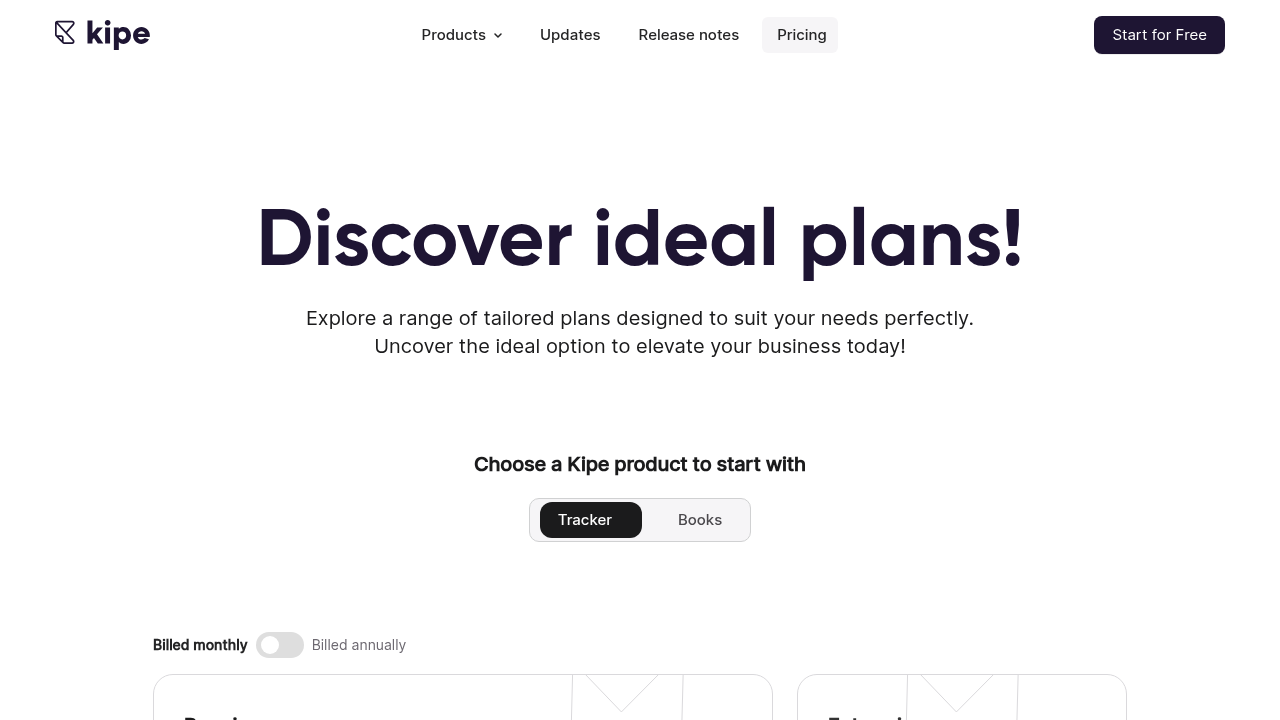
Kipe Reviews 2026: Details, Pricing, & Features | Subscribed.fyi
Sign in to review
Join our community of software reviewers on Subscribed.fyi

Continue With Google
Continue With LinkedIn
Continue Review with Email
Continue with Email
Enter your email to continue.
Continue
Enter your password
Enter your password to finish setting up your account.
Continue
Activate your email
Enter activation code we sent to your email.
Submit
Reset your password
Enter activation code we sent to your email.
Submit
Set your new password
Enter a new password for your account.
Submit
Categories
For Business
Log in
Provide My Insights

Kipe Reviews, Pricing, Features & Alternatives (2026)

3.7/5
(3)
Quineybel Mag-usara Organic
Marketing
3 months ago
Share
What’s the biggest benefit you’ve noticed?
This tool is very convenient since evrything is all in one. It makes managing business tasks much easier and more organized.
What feels confusing or hard to use?
Some features can feel overwhelming at first because everything is packed into one system. It takes a bit of time to learn where everything is located.
If you could change one thing, what would it be?
I would simplify the onboarding process with clearer guides for each feature. A more beginner-friendly setup would make it easier to start using right away.
Final thoughts, wrap up what you think
A 8/10, since it's all in one. But there's a room for improvement.
Upvote (1)

Kipe is a unified business management platform combining time tracking, CRM, and invoicing tools designed to streamline workforce operations and financial processes. The all-in-one solution helps businesses manage customer relationships, track employee time, and handle accounting in a single integrated interface. Ideal for small to medium-sized businesses seeking to consolidate multiple software tools into one cohesive system.

Kipe Overview

What is Kipe?

3.7
3
Reviews
51%
Subscribed Score

Available for Claim - This listing is available to be claimed
Claim Profile For Free

Unclaimed

Manage profile with subsig, and unlock 23+ social and review monitoring. Get partnership options with

Claim Profile For Free

Why teams choose Kipe

Key Features

Works Anywhere
Works Anywhere
Accessible from any device, anytime.
Seamless Integrations
Connect easily with your favorite tools.
Eco-Friendly
Eco-Friendly
Designed with sustainability in mind.

Who is Kipe for?

Kipe is a comprehensive business management software that unifies essential operational functions including time tracking, customer relationship management (CRM), and invoicing. Designed to eliminate the need for multiple disparate tools, Kipe provides a streamlined platform where businesses can manage all critical workflows from a single dashboard.

Why Use Kipe?

Kipe addresses the common challenge of tool fragmentation by integrating core business functions into one platform. Rather than switching between separate applications for time tracking, customer management, and financial administration, users can access everything they need in one unified environment. This reduces complexity, improves data consistency, and accelerates operational workflows.

Who is Kipe For?

Key target users: Small to medium-sized businesses, freelancers, and professional service firms that require integrated workforce and financial management capabilities. Teams looking to consolidate multiple subscriptions and reduce software overhead will particularly benefit from Kipe’s all-in-one approach.

Key Features and Benefits

Time Tracking: Monitor employee hours, project time allocation, and billable activities with precision
CRM Platform: Manage leads, automate sales tasks, and track customer interactions throughout the sales pipeline
Invoicing and Accounting: Generate invoices, track payments, and streamline financial processes automatically
Unified Dashboard: Access all business functions from a centralized interface for improved workflow efficiency
Task Automation: Reduce manual work by automating repetitive administrative and sales tasks
Lead Management: Organize and nurture leads with built-in customer management tools designed to boost sales performance

Kipe Summary

Kipe is a comprehensive business management software that unifies essential operational functions including time tracking, customer relationship management (CRM), and invoicing. Designed to eliminate the need for multiple disparate tools, Kipe provides a streamlined platform where businesses can manage all critical workflows from a single dashboard.

Why Use Kipe?

Kipe addresses the common challenge of tool fragmentation by integrating core business functions into one platform. Rather than switching between separate applications for time tracking, customer management, and financial administration, users can access everything they need in one unified environment. This reduces complexity, improves data consistency, and accelerates operational workflows.

Who is Kipe For?

Key target users: Small to medium-sized businesses, freelancers, and professional service firms that require integrated workforce and financial management capabilities. Teams looking to consolidate multiple subscriptions and reduce software overhead will particularly benefit from Kipe’s all-in-one approach.

Key Features and Benefits

Time Tracking: Monitor employee hours, project time allocation, and billable activities with precision
CRM Platform: Manage leads, automate sales tasks, and track customer interactions throughout the sales pipeline
Invoicing and Accounting: Generate invoices, track payments, and streamline financial processes automatically
Unified Dashboard: Access all business functions from a centralized interface for improved workflow efficiency
Task Automation: Reduce manual work by automating repetitive administrative and sales tasks
Lead Management: Organize and nurture leads with built-in customer management tools designed to boost sales performance

Kipe reviews and insights

Learn what people say about Kipe

3.7
3 Reviews
51%
Subscribed Score

Lear more here about the Subscribed score on how it is composed. Learn more Click here

Overall rating

5
4
3
2
1
CX 3/6

How good is the customer support based on subscribed’s assessment

CX Icon
Security 3/6

How secure is the product based on Subscribed’s assessment?

Security Icon
Ease of Use 4/6

How easy is the product to use, based on Subscribed’s assessment?

EOU Icon
Value 4/6

What is the value for money based on Subscribed’s assessment?

coin Icon
Integration 3/6

How many integrations does the product offer?

gear Icon
Popularity 2/6

How popular is the product?

star
Quineybel Mag-usara Organic
Marketing
3 months ago
Share
What’s the biggest benefit you’ve noticed?
This tool is very convenient since evrything is all in one. It makes managing business tasks much easier and more organized.
What feels confusing or hard to use?
Some features can feel overwhelming at first because everything is packed into one system. It takes a bit of time to learn where everything is located.
If you could change one thing, what would it be?
I would simplify the onboarding process with clearer guides for each feature. A more beginner-friendly setup would make it easier to start using right away.
Final thoughts, wrap up what you think
A 8/10, since it's all in one. But there's a room for improvement.
Upvote (1)
Perch Arnel II Montefalcon User Test Enabled
Freelance Software Developer
See My Portfolio
3 months ago
Share
What feature do you use most often?
I use most often in Kipe is definitely the Kipe Track timer. The real-time insights are actually super useful, and being able to do easy PDF/CSV exports for client billing is a total lifesaver; it keeps my hours accurate without any of the usual hassle.
What feature doesn’t work as expected?
The weekly view in Kipe Track is still a total dumpster fire. It doesn't always load entries smoothly, and trying to add multiples reliably is basically a game of Russian roulette, even after their “recent fixes.” It still feels super buggy when I’m rushing to log client hours.
What’s still missing for your needs?
Kipe Track still hasn't dropped a native mobile app, and it’s honestly a major oversight, constantly need to log billable hours while I'm out and about, but the mobile browser experience is absolute garbage, just much too clunky without a dedicated app. Having one would make client billing so much more seamless during travel or meetings.
Final thoughts, wrap up what you think
The timer functionality, data exports, and insights are the best for knocking out client billing without a headache. That being said, the lack of a native mobile app is a bit of a dealbreaker, and the weekly editing UI feels pretty clunky.
Upvote (1)
Khim Cincoflores User Test Enabled
Customer Success
See My Portfolio
3 months ago
Share
How has it made your work/life easier?
It track my teams work hours and monitor team productivity and workload. It also helps in planning resources and manages schedules among my team.
What do you dislike about this product?
It might seem to know it all but it has limitations. It's not as dedicated as the other popular and modern tools. It also integrates with fewer ecosystem.
How could the product save you more time or money?
More dedicated tools that can integrate with any other apps. More guide or steps on learning its CRM and finance tracking system.
Final thoughts, wrap up what you think
Highly recommended. Totally realiable.
Upvote (1)

Kipe User Reviews

3 User Reviews

Reviews from G2, Capterra, Trustpilot
info Icon

These ratings come directly from third-party platforms like G2, Capterra, and Trustpilot. They reflect real user feedback collected independently on those sites.

Kipe pricing

Pricing model

Pricing Range
info Icon

This only an estimated pricing range, visit Kipe pricing page to access all the information by clicking “Visit Now”.

-
Deals Available

This product comes with a special deal, see details

Visit Now
✨ Ask AI about pricing
51% Subscribed Score
info Icon

The Subscribed Score is an independent rating that combines user reviews, features, and value-for-money from multiple trusted sources. It’s designed as a quick benchmark, not a guarantee of individual experience.

Overview

Kipe is a comprehensive business management software that unifies essential operational functions including time tracking, customer relationship management (CRM), and invoicing. Designed to eliminate the need for multiple disparate tools, Kipe provides a streamlined platform where businesses can manage all critical workflows from a single dashboard.

Why Use Kipe?

Kipe addresses the common challenge of tool fragmentation by integrating core business functions into one platform. Rather than switching between separate applications for time tracking, customer management, and financial administration, users can access everything they need in one unified environment. This reduces complexity, improves data consistency, and accelerates operational workflows.

Who is Kipe For?

Key target users: Small to medium-sized businesses, freelancers, and professional service firms that require integrated workforce and financial management capabilities. Teams looking to consolidate multiple subscriptions and reduce software overhead will particularly benefit from Kipe’s all-in-one approach.

Key Features and Benefits

Time Tracking: Monitor employee hours, project time allocation, and billable activities with precision
CRM Platform: Manage leads, automate sales tasks, and track customer interactions throughout the sales pipeline
Invoicing and Accounting: Generate invoices, track payments, and streamline financial processes automatically
Unified Dashboard: Access all business functions from a centralized interface for improved workflow efficiency
Task Automation: Reduce manual work by automating repetitive administrative and sales tasks
Lead Management: Organize and nurture leads with built-in customer management tools designed to boost sales performance

Where Kipe performs best

What users like
  • Unified platform eliminates need for multiple subscriptions
  • Integrated CRM with automation for lead management
  • Comprehensive time tracking for accurate billing
  • All-in-one solution reduces tool switching and complexity

Where Kipe falls short

What users dislike
  • Pricing information not publicly available
  • Limited information on advanced integrations
  • No visible free tier or trial details
  • Customization options unclear from available information
Subscribed Score Metrics
19/36 Metric achieved
MetricsScore
Customer Support3/6
Security3/6
Ease of Use4/6
Value of Money4/6
Integration3/6
Popularity2/6
Radar Chart Table View
Ease of Use
Measures how simple and intuitive the product is to use, including setup, navigation, and overall user experience
4/6 Metric Checks
Security
Compares the product`s features, quality, and pricing to determine its overall cost-effectiveness.
3/6 Metric Checks
Value of Money
Assesses the product`s ability to protect data, prevent breaches, and comply with industry standards.
4/6 Metric Checks
Customer Support
Reflects the responsiveness, helpfulness, and quality of assistance provided by the product`s support team.
3/6 Metric Checks
Integrations
Evaluates how well the product connects with other tools and platforms, enabling seamless workflows.
3/6 Metric Checks
Kipe Pricing Range
-

Kipe in action
info Icon

A curated gallery of real screenshots and use cases from the product, so you can see how it works before trying it.

Kipe Full Screen Icon
Kipe
Kipe
Kipe
Kipe

Alternatives to Kipe
info Icon

A list of platforms similar to Kipe, helping you evaluate which tool best matches your needs.

How to cancel Kipe

Need to cancel Kipe? Here is how
info Icon

Thinking about how to cancel Kipe this is how you do it!

To cancel your Kipe subscription, log into your account, navigate to the subscription or billing settings, and select the cancel option. If self-service cancellation isn’t available, contact Kipe’s customer support team directly through their website. Confirm cancellation timing to avoid additional charges.

How to Cancel the Kipe

To cancel your Kipe subscription, log into your account, navigate to the subscription or billing settings, and select the cancel option. If self-service cancellation isn’t available, contact Kipe’s customer support team directly through their website. Confirm cancellation timing to avoid additional charges.

FAQs about Kipe

Every else you need to know about Kipe
info Icon

A collection of FAQs, guides, alternatives, and comparisons to help you quickly understand if Kipe is right for you.

Manage your Kipe profile

Create profile

Want to list your product on Subscribed.fyi? Create a profile to reach more buyers.

Pricing Range
info Icon

This only an estimated pricing range, visit Kipe pricing page to access all the information by clicking “Visit Now”.

-
Visit Now
Deals Available

This product comes with a special deal, see details

This product comes with a special deal, see details