ProWorkflow Reviews 2026: Details, Pricing, & Features | Subscribed.fyi
Sign in to review
Join our community of software reviewers on Subscribed.fyi

Continue With Google
Continue With LinkedIn
Continue Review with Email
Continue with Email
Enter your email to continue.
Continue
Enter your password
Enter your password to finish setting up your account.
Continue
Activate your email
Enter activation code we sent to your email.
Submit
Reset your password
Enter activation code we sent to your email.
Submit
Set your new password
Enter a new password for your account.
Submit
✨ Ask AI Search
Categories
For Business
Log in
Provide My Insights

ProWorkflow

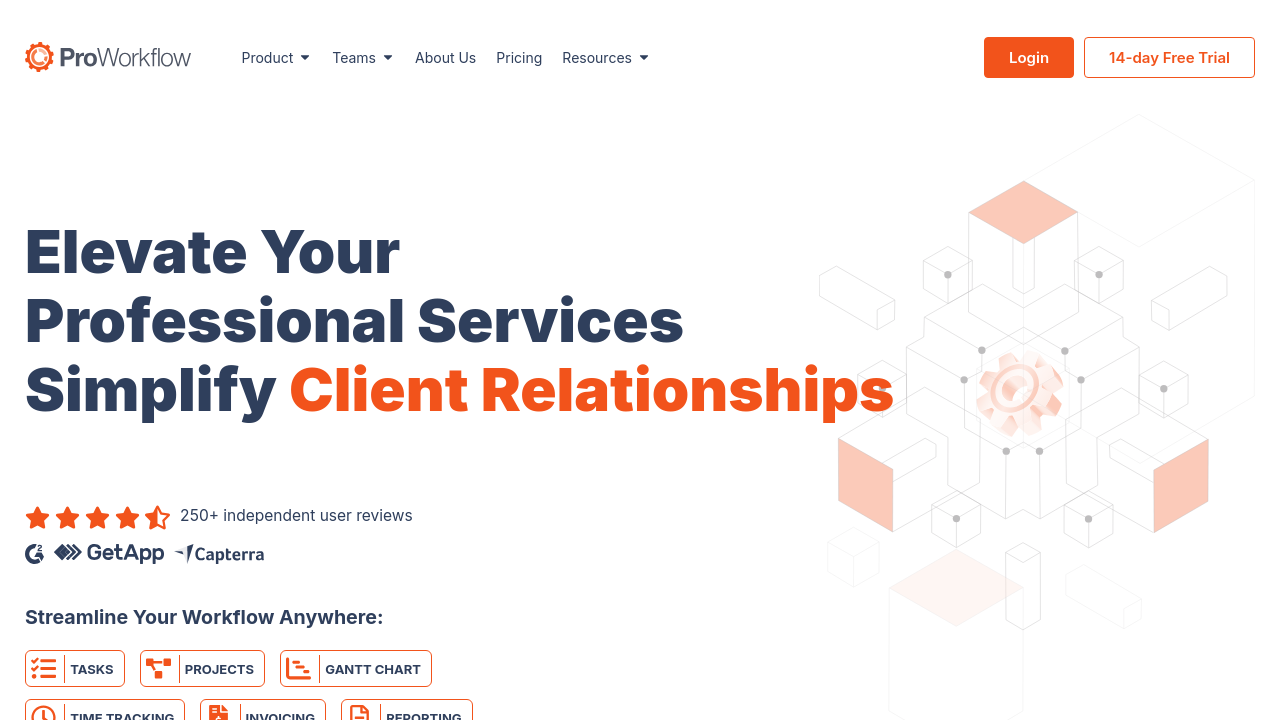
ProWorkflow is a versatile project management solution designed for teams of all sizes, offering robust features like Gantt charts, Kanban boards, time tracking, and invoicing. It supports task prioritization, resource allocation, and project monitoring, with customizable templates and powerful integrations. Easy to use, it enhances collaboration, streamlines workflows, and ensures efficient project execution with excellent customer support.

ProWorkflow

N/A
0
Reviews
77%
Subscribed Score

Available for Claim - This listing is available to be claimed
Claim For Free

Unclaimed

Curated and listed by Subscribed Team

Claim For Free
Collaborate Easily
Collaborate Easily
Built for teams and communication.
Plug & Play Setup
Plug & Play Setup
Get started in minutes, not weeks.
Seamless Integrations
Connect easily with your favorite tools.

ProWorkflow is a comprehensive project management solution that empowers teams—from small businesses to large enterprises—to effectively plan, track, and complete projects. Designed with modern project management needs in mind, ProWorkflow provides a versatile platform for organizing tasks, managing resources, and monitoring project progress. With over 17 years of experience and millions of projects completed, it streamlines workflows and brings order to even the busiest teams. It also integrates seamlessly into various work environments, making it an ideal choice for teams looking to boost productivity.

Operating in the Project Management category, ProWorkflow offers powerful modules for task assignment, time tracking, budgeting, and reporting. The system’s flexible structure allows users to customize workflows and tailor management processes to suit unique business requirements. In addition, its mobile capability ensures that teams can stay connected and updated on the go.

Key Features

  • Task Management: Create, assign, and prioritize tasks easily while setting deadlines and dependencies with a user-friendly drag and drop interface.
  • Project Planning: Use features such as GANTT charts, project calendars, and work breakdown structures to visually map out projects and track milestones.
  • Resource Allocation: Efficiently schedule and manage both human and material resources, ensuring optimal capacity utilization.
  • Customization: Adapt the platform to your business by creating custom fields, templates, and workflows that match your internal processes.
  • Time & Expense Tracking: Monitor time spent on tasks and project expenses, enabling more accurate invoicing and budget management.

Why Use ProWorkflow?

  • Simplicity and Flexibility: ProWorkflow delivers an intuitive interface that makes complex project management processes easier and accessible for every team member.
  • Efficient Collaboration: With features designed to improve internal and client communication, teams can quickly share updates, files, and important details to keep projects moving smoothly.
  • Cost-Effectiveness: The platform provides scalable plans that allow businesses to pay for only what they need without compromising on quality or functionality.
  • Proven Track Record: With nearly two decades of industry experience and a solid reputation for customer support and reliability, you can trust ProWorkflow to be the backbone of your project organization.

ProWorkflow is built for project managers, team leaders, and professionals who require a central hub to manage complex projects and streamline operational efficiency. Its robust feature set and customizable interface make it an invaluable tool for professionals looking to optimize their workflow. Explore exclusive deals to get started with ProWorkflow.

For those considering alternatives, leading solutions include JIRA, Monday.com, and Clockify. Each offers unique approaches to project management, ensuring that you can find the right fit for your team’s needs.


ProWorkflow Summary

ProWorkflow is a comprehensive project management solution that empowers teams—from small businesses to large enterprises—to effectively plan, track, and complete projects. Designed with modern project management needs in mind, ProWorkflow provides a versatile platform for organizing tasks, managing resources, and monitoring project progress. With over 17 years of experience and millions of projects completed, it streamlines workflows and brings order to even the busiest teams. It also integrates seamlessly into various work environments, making it an ideal choice for teams looking to boost productivity.

Operating in the Project Management category, ProWorkflow offers powerful modules for task assignment, time tracking, budgeting, and reporting. The system’s flexible structure allows users to customize workflows and tailor management processes to suit unique business requirements. In addition, its mobile capability ensures that teams can stay connected and updated on the go.

Key Features

  • Task Management: Create, assign, and prioritize tasks easily while setting deadlines and dependencies with a user-friendly drag and drop interface.
  • Project Planning: Use features such as GANTT charts, project calendars, and work breakdown structures to visually map out projects and track milestones.
  • Resource Allocation: Efficiently schedule and manage both human and material resources, ensuring optimal capacity utilization.
  • Customization: Adapt the platform to your business by creating custom fields, templates, and workflows that match your internal processes.
  • Time & Expense Tracking: Monitor time spent on tasks and project expenses, enabling more accurate invoicing and budget management.

Why Use ProWorkflow?

  • Simplicity and Flexibility: ProWorkflow delivers an intuitive interface that makes complex project management processes easier and accessible for every team member.
  • Efficient Collaboration: With features designed to improve internal and client communication, teams can quickly share updates, files, and important details to keep projects moving smoothly.
  • Cost-Effectiveness: The platform provides scalable plans that allow businesses to pay for only what they need without compromising on quality or functionality.
  • Proven Track Record: With nearly two decades of industry experience and a solid reputation for customer support and reliability, you can trust ProWorkflow to be the backbone of your project organization.

ProWorkflow is built for project managers, team leaders, and professionals who require a central hub to manage complex projects and streamline operational efficiency. Its robust feature set and customizable interface make it an invaluable tool for professionals looking to optimize their workflow. Explore exclusive deals to get started with ProWorkflow.

For those considering alternatives, leading solutions include JIRA, Monday.com, and Clockify. Each offers unique approaches to project management, ensuring that you can find the right fit for your team’s needs.

ProWorkflow reviews

Learn what people say about ProWorkflow

N/A
0 Reviews
77%
Subscribed Score

Lear more here about the Subscribed score on how it is composed. Learn more Click here

Overall rating

5
4
3
2
1
CX 6/6

How good is the customer support based on subscribed’s assessment

CX Icon
Security 4/6

How secure is the product based on Subscribed’s assessment?

Security Icon
Ease of Use 5/6

How easy is the product to use, based on Subscribed’s assessment?

EOU Icon
Value 5/6

What is the value for money based on Subscribed’s assessment?

coin Icon
Integration 4/6

How many integrations does the product offer?

gear Icon
Popularity 4/6

How popular is the product?

star

No Reviews Yet!

Be the first to share your experience and help others in the community.

ProWorkflow User Reviews

0 User Reviews

Reviews from G2, Capterra, Trustpilot
info Icon

These ratings come directly from third-party platforms like G2, Capterra, and Trustpilot. They reflect real user feedback collected independently on those sites.

ProWorkflow

Pricing Range
info Icon

This only an estimated pricing range, visit ProWorkflow pricing page to access all the information by clicking “Visit Now”.

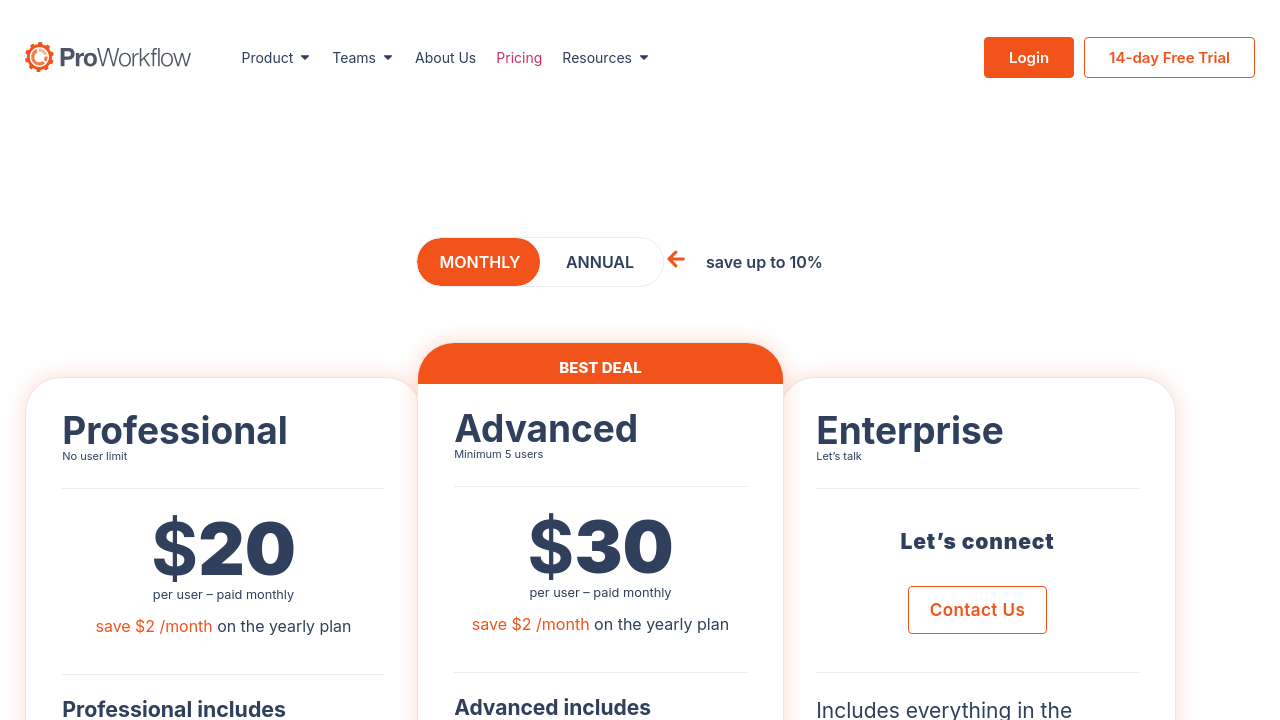
$20-$750 / Month
Deals Available

This product comes with a special deal, see details

Visit Now
✨ Ask AI about pricing
77% Subscribed Score
info Icon

The Subscribed Score is an independent rating that combines user reviews, features, and value-for-money from multiple trusted sources. It’s designed as a quick benchmark, not a guarantee of individual experience.

Analysis

ProWorkflow is a comprehensive project management solution that empowers teams—from small businesses to large enterprises—to effectively plan, track, and complete projects. Designed with modern project management needs in mind, ProWorkflow provides a versatile platform for organizing tasks, managing resources, and monitoring project progress. With over 17 years of experience and millions of projects completed, it streamlines workflows and brings order to even the busiest teams. It also integrates seamlessly into various work environments, making it an ideal choice for teams looking to boost productivity.

Operating in the Project Management category, ProWorkflow offers powerful modules for task assignment, time tracking, budgeting, and reporting. The system’s flexible structure allows users to customize workflows and tailor management processes to suit unique business requirements. In addition, its mobile capability ensures that teams can stay connected and updated on the go.

Key Features

  • Task Management: Create, assign, and prioritize tasks easily while setting deadlines and dependencies with a user-friendly drag and drop interface.
  • Project Planning: Use features such as GANTT charts, project calendars, and work breakdown structures to visually map out projects and track milestones.
  • Resource Allocation: Efficiently schedule and manage both human and material resources, ensuring optimal capacity utilization.
  • Customization: Adapt the platform to your business by creating custom fields, templates, and workflows that match your internal processes.
  • Time & Expense Tracking: Monitor time spent on tasks and project expenses, enabling more accurate invoicing and budget management.

Why Use ProWorkflow?

  • Simplicity and Flexibility: ProWorkflow delivers an intuitive interface that makes complex project management processes easier and accessible for every team member.
  • Efficient Collaboration: With features designed to improve internal and client communication, teams can quickly share updates, files, and important details to keep projects moving smoothly.
  • Cost-Effectiveness: The platform provides scalable plans that allow businesses to pay for only what they need without compromising on quality or functionality.
  • Proven Track Record: With nearly two decades of industry experience and a solid reputation for customer support and reliability, you can trust ProWorkflow to be the backbone of your project organization.

ProWorkflow is built for project managers, team leaders, and professionals who require a central hub to manage complex projects and streamline operational efficiency. Its robust feature set and customizable interface make it an invaluable tool for professionals looking to optimize their workflow. Explore exclusive deals to get started with ProWorkflow.

For those considering alternatives, leading solutions include JIRA, Monday.com, and Clockify. Each offers unique approaches to project management, ensuring that you can find the right fit for your team’s needs.

Pros
  • Customizable templates enhance workflow
  • Time tracking is efficient and flexible
  • User interface is intuitive and simple
  • Excellent customer support and assistance
Cons
  • Limited mobile functionality and app availability
  • Client viewing and task tracking features could expand
  • Occasional connectivity and performance issues
  • Fewer automation and advanced integration options
Subscribed Score Metrics
28/36 Metric achieved
MetricsScore
Customer Support6/6
Security4/6
Ease of Use5/6
Value of Money5/6
Integration4/6
Popularity4/6
Radar Chart Table View
Ease of Use
Measures how simple and intuitive the product is to use, including setup, navigation, and overall user experience
5/6 Metric Checks
Security
Compares the product`s features, quality, and pricing to determine its overall cost-effectiveness.
4/6 Metric Checks
Value of Money
Assesses the product`s ability to protect data, prevent breaches, and comply with industry standards.
5/6 Metric Checks
Customer Support
Reflects the responsiveness, helpfulness, and quality of assistance provided by the product`s support team.
6/6 Metric Checks
Integrations
Evaluates how well the product connects with other tools and platforms, enabling seamless workflows.
4/6 Metric Checks
ProWorkflow Pricing Range
$20-$750 / Month

ProWorkflow Showcase
info Icon

A curated gallery of real screenshots and use cases from the product, so you can see how it works before trying it.

ProWorkflow Full Screen Icon
https://www.youtube.com/watch?v=CWAzVyBI-V0
Full Screen Icon
https://www.youtube.com/watch?v=7B1orDHnPfI
Full Screen Icon
ProWorkflow
ProWorkflow

What else exists next to ProWorkflow
info Icon

A list of platforms similar to ProWorkflow, helping you evaluate which tool best matches your needs.

Need to cancel ProWorkflow? Here is how
info Icon

Thinking about how to cancel ProWorkflow this is how you do it!

To cancel a ProWorkflow subscription:

  • If subscribed through the website, contact ProWorkflow support directly.
  • If through the Apple App Store or Google Play Store, manage the subscription through the respective store’s settings.
  • Confirm cancellation to maintain access until the end of the billing period.

How to Cancel the ProWorkflow

To cancel a ProWorkflow subscription:

  • If subscribed through the website, contact ProWorkflow support directly.
  • If through the Apple App Store or Google Play Store, manage the subscription through the respective store’s settings.
  • Confirm cancellation to maintain access until the end of the billing period.
Every else you need to know about ProWorkflow
info Icon

A collection of FAQs, guides, alternatives, and comparisons to help you quickly understand if ProWorkflow is right for you.

Pricing Range
info Icon

This only an estimated pricing range, visit ProWorkflow pricing page to access all the information by clicking “Visit Now”.

$20-$750 / Month
Visit Now
Deals Available

This product comes with a special deal, see details

This product comes with a special deal, see details