Sign in to review
Join our community of software reviewers on Subscribed.fyi

Continue With Google
Continue With LinkedIn
Continue Review with Email
Continue with Email
Enter your email to continue.
Continue
Enter your password
Enter your password to finish setting up your account.
Continue
Activate your email
Enter activation code we sent to your email.
Submit
Reset your password
Enter activation code we sent to your email.
Submit
Set your new password
Enter a new password for your account.
Submit
Log in
Provide My Insights
Wrike logo
Wrike logo

Wrike Reviews, Pricing, Features & Alternatives (2026)

4/5
(1)

Wrike is a leading bug feedback tracking software that enhances project management and collaboration through comprehensive task management, real-time collaboration, customizable workflows, and advanced reporting. Ideal for project managers, marketing, IT, and remote teams.

Wrike logo
Wrike logo
Wrike logo

Wrike Overview

What is Wrike?

4
★ ★ ★ ★ ★
1
Reviews

Available for Claim - This listing is available to be claimed
Claim Profile

Unclaimed

Claim this profile to manage it.

Claim Profile

Why teams choose Wrike

Key Features

Built for Flexibility
Adaptable for multiple use cases.
Data-Driven Insights
Make better decisions with analytics.
No-Code Simplicity
No-Code Simplicity
Launch without writing a single line of code.

Who is Wrike for?

Wrike, a leading solution in the Bug Feedback Tracking Software category, empowers teams to optimize project management and collaboration. With robust features like task management and real-time collaboration, Wrike enhances productivity and streamlines workflows for teams of all sizes. Ready to elevate your team’s efficiency? Explore exclusive deals. For more tools in this category, check out Jira, ClickUp, and GitHub.

Why Use Wrike?

In the realm of collaborative work management, Wrike stands out by:

  1. Comprehensive Task Management: Wrike offers a robust task management system that allows teams to create, assign, and track tasks with ease, ensuring that projects stay on schedule and within scope.
  2. Real-Time Collaboration: With real-time collaboration features, Wrike enables team members to work together seamlessly, regardless of their physical location, fostering a more connected and efficient work environment.
  3. Customizable Workflows: Wrike provides customizable workflows that adapt to the unique needs of each team, allowing for greater flexibility and control over project processes.
  4. Advanced Reporting and Analytics: Wrike’s advanced reporting tools offer valuable insights into project performance, helping teams make data-driven decisions and optimize their workflows.

Who is Wrike For?

Wrike caters to a wide range of users:

  1. Project Managers: Project managers use Wrike to plan, execute, and monitor projects efficiently, ensuring that all team members are aligned and project goals are met.
  2. Marketing Teams: Marketing teams leverage Wrike for campaign planning, content creation, and collaboration, streamlining processes and enhancing productivity.
  3. IT Teams: IT teams utilize Wrike for managing IT projects, tracking issues, and coordinating tasks, ensuring smooth operations and timely delivery.
  4. Remote Teams: With features designed for remote collaboration, Wrike is ideal for teams working across different locations, providing a centralized platform for communication and project management.

In conclusion, Wrike is a powerful tool for enhancing collaboration and productivity in any team setting. Whether you’re a project manager, part of a marketing or IT team, or working remotely, Wrike offers the features needed to streamline workflows and achieve project success.

Wrike Summary

Wrike, a leading solution in the Bug Feedback Tracking Software category, empowers teams to optimize project management and collaboration. With robust features like task management and real-time collaboration, Wrike enhances productivity and streamlines workflows for teams of all sizes. Ready to elevate your team’s efficiency? Explore exclusive deals. For more tools in this category, check out Jira, ClickUp, and GitHub.

Why Use Wrike?

In the realm of collaborative work management, Wrike stands out by:

  1. Comprehensive Task Management: Wrike offers a robust task management system that allows teams to create, assign, and track tasks with ease, ensuring that projects stay on schedule and within scope.
  2. Real-Time Collaboration: With real-time collaboration features, Wrike enables team members to work together seamlessly, regardless of their physical location, fostering a more connected and efficient work environment.
  3. Customizable Workflows: Wrike provides customizable workflows that adapt to the unique needs of each team, allowing for greater flexibility and control over project processes.
  4. Advanced Reporting and Analytics: Wrike’s advanced reporting tools offer valuable insights into project performance, helping teams make data-driven decisions and optimize their workflows.

Who is Wrike For?

Wrike caters to a wide range of users:

  1. Project Managers: Project managers use Wrike to plan, execute, and monitor projects efficiently, ensuring that all team members are aligned and project goals are met.
  2. Marketing Teams: Marketing teams leverage Wrike for campaign planning, content creation, and collaboration, streamlining processes and enhancing productivity.
  3. IT Teams: IT teams utilize Wrike for managing IT projects, tracking issues, and coordinating tasks, ensuring smooth operations and timely delivery.
  4. Remote Teams: With features designed for remote collaboration, Wrike is ideal for teams working across different locations, providing a centralized platform for communication and project management.

In conclusion, Wrike is a powerful tool for enhancing collaboration and productivity in any team setting. Whether you’re a project manager, part of a marketing or IT team, or working remotely, Wrike offers the features needed to streamline workflows and achieve project success.

Wrike reviews and insights

Learn what people say about Wrike

4 ★ ★ ★ ★ ★
1 Reviews
Melville Organic
10 months ago
Share
What exceeded your expectations?
The Gantt view updates reliably when dates shift. It feels more robust than lighter tools. Good fit for long running projects
Have you experienced any bugs or errors?
Nothing critical, but the UI can lag on larger projects.
What’s still missing for your needs?
Reporting across projects is still clunky.
Final thoughts, wrap up what you think
7/10. Strong for complex, dependency heavy work.
Upvote
Wrike logo

Wrike User Reviews

1 User Reviews

Wrike pricing

Pricing model

Wrike logo
Pricing Range
info Icon

This only an estimated pricing range, visit Wrike pricing page to access all the information by clicking “Visit Now”.

$9.80-$24.80 / Month
Deals Available

This product comes with a special deal, see details

Visit Now

Overview

Wrike, a leading solution in the Bug Feedback Tracking Software category, empowers teams to optimize project management and collaboration. With robust features like task management and real-time collaboration, Wrike enhances productivity and streamlines workflows for teams of all sizes. Ready to elevate your team’s efficiency? Explore exclusive deals. For more tools in this category, check out Jira, ClickUp, and GitHub.

Why Use Wrike?

In the realm of collaborative work management, Wrike stands out by:

  1. Comprehensive Task Management: Wrike offers a robust task management system that allows teams to create, assign, and track tasks with ease, ensuring that projects stay on schedule and within scope.
  2. Real-Time Collaboration: With real-time collaboration features, Wrike enables team members to work together seamlessly, regardless of their physical location, fostering a more connected and efficient work environment.
  3. Customizable Workflows: Wrike provides customizable workflows that adapt to the unique needs of each team, allowing for greater flexibility and control over project processes.
  4. Advanced Reporting and Analytics: Wrike’s advanced reporting tools offer valuable insights into project performance, helping teams make data-driven decisions and optimize their workflows.

Who is Wrike For?

Wrike caters to a wide range of users:

  1. Project Managers: Project managers use Wrike to plan, execute, and monitor projects efficiently, ensuring that all team members are aligned and project goals are met.
  2. Marketing Teams: Marketing teams leverage Wrike for campaign planning, content creation, and collaboration, streamlining processes and enhancing productivity.
  3. IT Teams: IT teams utilize Wrike for managing IT projects, tracking issues, and coordinating tasks, ensuring smooth operations and timely delivery.
  4. Remote Teams: With features designed for remote collaboration, Wrike is ideal for teams working across different locations, providing a centralized platform for communication and project management.

In conclusion, Wrike is a powerful tool for enhancing collaboration and productivity in any team setting. Whether you’re a project manager, part of a marketing or IT team, or working remotely, Wrike offers the features needed to streamline workflows and achieve project success.

Where Wrike performs best

What users like
  • Highly customizable for workflows
  • Robust collaboration features
  • Efficient reporting and dashboards
  • Automation saves time on tasks

Where Wrike falls short

What users dislike
  • Complex interface and learning curve
  • High pricing for smaller teams
  • Occasional performance issues
  • Limited offline access capabilities
Wrike Pricing Range
$9.80-$24.80 / Month

Wrike in action
info Icon

A curated gallery of real screenshots and use cases from the product, so you can see how it works before trying it.

Wrike screenshot 1 Full Screen Icon
Wrike screenshot 2 Full Screen Icon
https://www.youtube.com/watch?v=Yxt2j6CQtjw?feature=oembed
Full Screen Icon
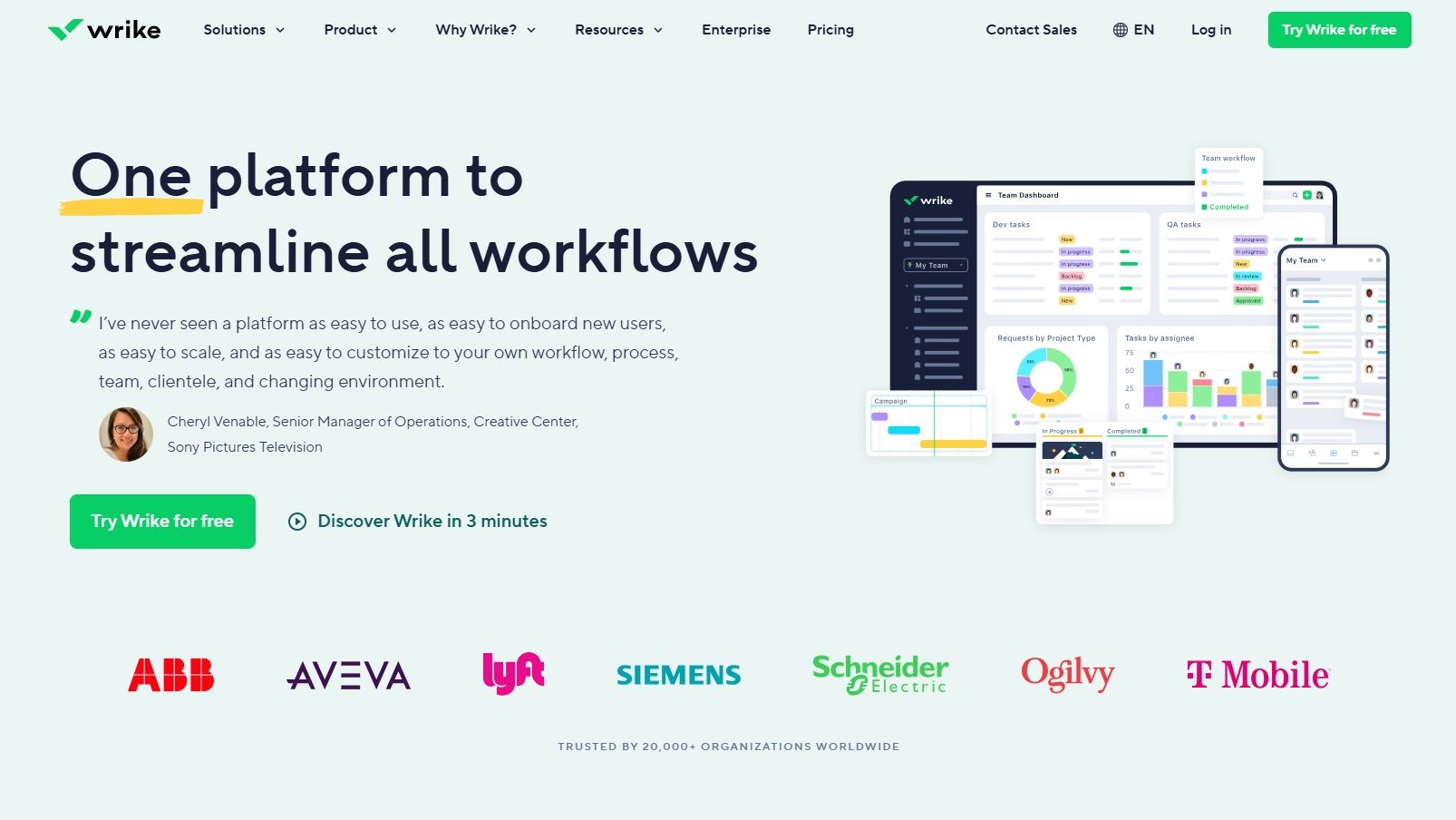
Wrike screenshot 1
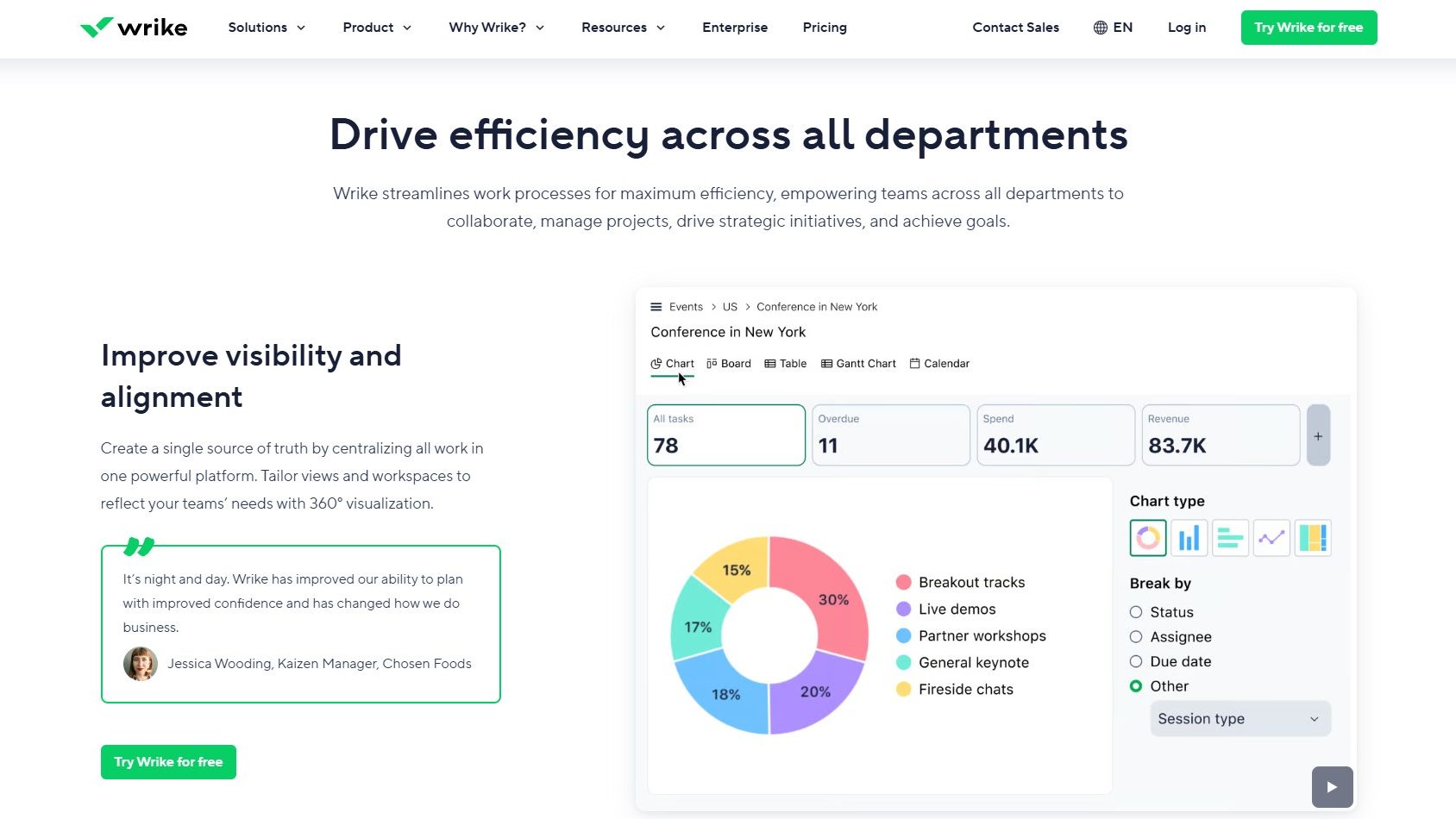
Wrike screenshot 2
Video thumbnail
Wrike screenshot 1
Wrike screenshot 2

Alternatives to Wrike
info Icon

A list of platforms similar to Wrike, helping you evaluate which tool best matches your needs.

How to cancel Wrike

Need to cancel Wrike? Here is how
info Icon

Thinking about how to cancel Wrike this is how you do it!

Steps to Cancel Wrike Subscription.

Canceling your Wrike Subscription is a straightforward process. You can follow a few simple steps to initiate the cancellation or explore options to switch to a different plan. For detailed instructions, refer to Wrike Cancellation Guide.

How to Cancel the Wrike

Steps to Cancel Wrike Subscription.

Canceling your Wrike Subscription is a straightforward process. You can follow a few simple steps to initiate the cancellation or explore options to switch to a different plan. For detailed instructions, refer to Wrike Cancellation Guide.

Manage your Wrike profile

Create profile

Want to list your product on Subscribed.fyi? Create a profile to reach more buyers.

Pricing Range
info Icon

This only an estimated pricing range, visit Wrike pricing page to access all the information by clicking “Visit Now”.

$9.80-$24.80 / Month
Visit Now
Deals Available

This product comes with a special deal, see details

This product comes with a special deal, see details