Restpack Screenshot API Reviews 2026: Details, Pricing, & Features | Subscribed.fyi
Sign in to review
Join our community of software reviewers on Subscribed.fyi

Continue With Google
Continue With LinkedIn
Continue Review with Email
Continue with Email
Enter your email to continue.
Continue
Enter your password
Enter your password to finish setting up your account.
Continue
Activate your email
Enter activation code we sent to your email.
Submit
Reset your password
Enter activation code we sent to your email.
Submit
Set your new password
Enter a new password for your account.
Submit
✨ Ask AI Search
Categories
For Business
Log in
Provide My Insights

Restpack Screenshot API

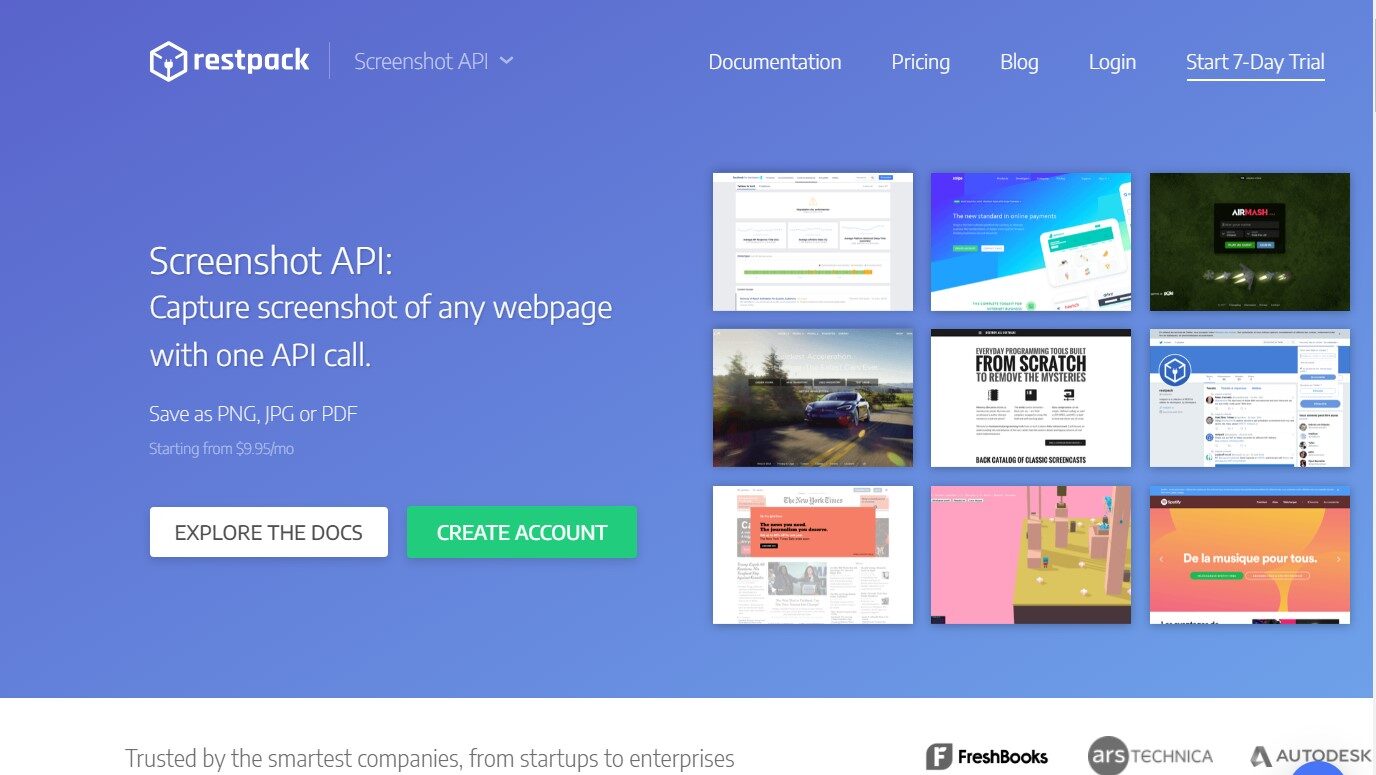
Restpack Screenshot API swiftly delivers high-quality webpage captures. Its flexible formats, customization, seamless API integration, and cost-effectiveness suit web developers, marketers, SEO professionals, e-commerce, and diverse users seeking efficient screenshot solutions.

Restpack Screenshot API

N/A
0
Reviews
77%
Subscribed Score

Available for Claim - This listing is available to be claimed
Claim For Free

Unclaimed

Curated and listed by Subscribed Team

Claim For Free
Fast & Efficient
Fast & Efficient
Optimized for speed and performance.
Seamless Integrations
Connect easily with your favorite tools.
No-Code Simplicity
No-Code Simplicity
Launch without writing a single line of code.

Capture Stunning Screenshots with Restpack Screenshot API – The Ultimate Web Visual Tool

Restpack Screenshot API, a top solution in the Web Development & Design category, makes capturing high-quality screenshots effortless and efficient. Forget unreliable browser extensions—Restpack lets you generate beautiful visuals of live web pages in various formats with ease. Ready to streamline your workflow? Check out exclusive deals. For more design and development tools, explore FigmaAdobe Creative Cloud, and Editor X.

Why Use Restpack Screenshot API?

Struggling with low-quality screenshots, limited customization options, and time-consuming manual processes? Restpack Screenshot API offers a compelling solution:

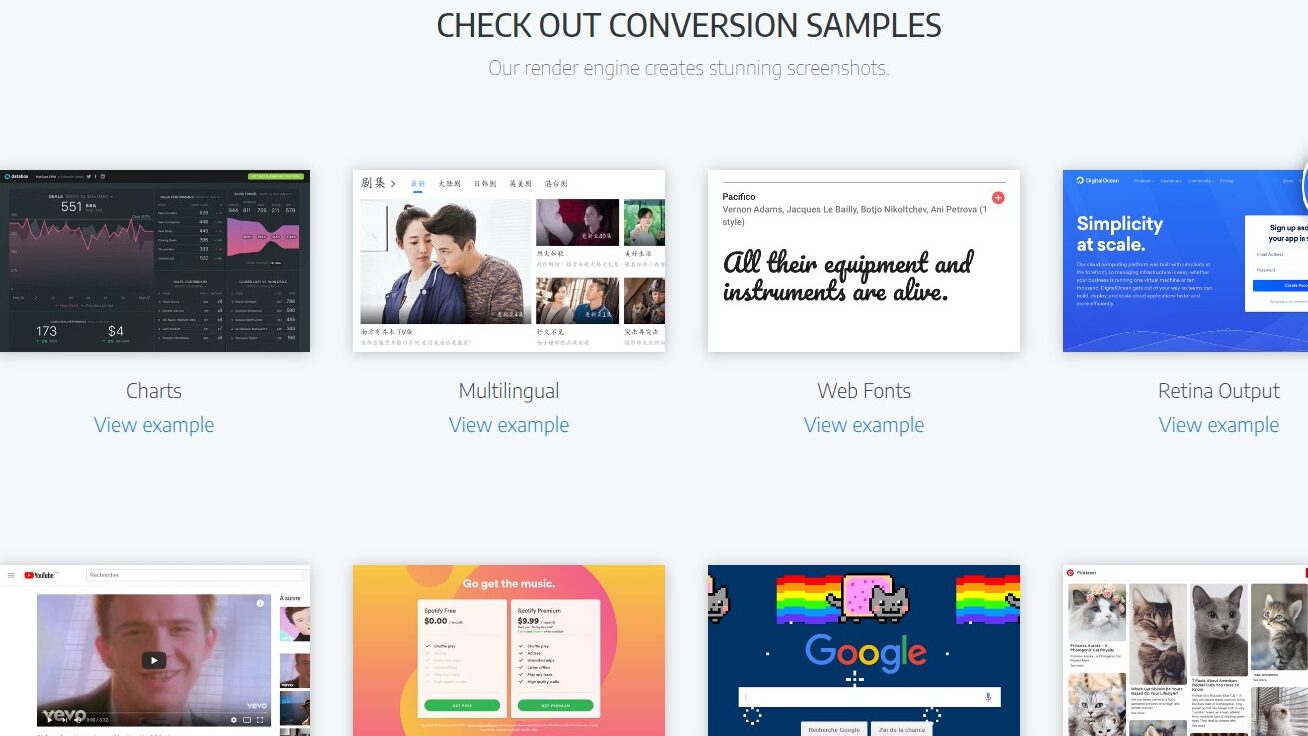
  • Capture High-Resolution Screenshots: Generate pixel-perfect screenshots of any webpage, ensuring your visuals are crisp and clear.
  • Multiple Format Support: Choose from various output formats like JPG, PNG, and PDF to cater to your specific needs and integrations.
  • Advanced Customization Options: Tailor your screenshots with options like delay, lazy-loading images, thumbnail output, and custom HTTP headers.
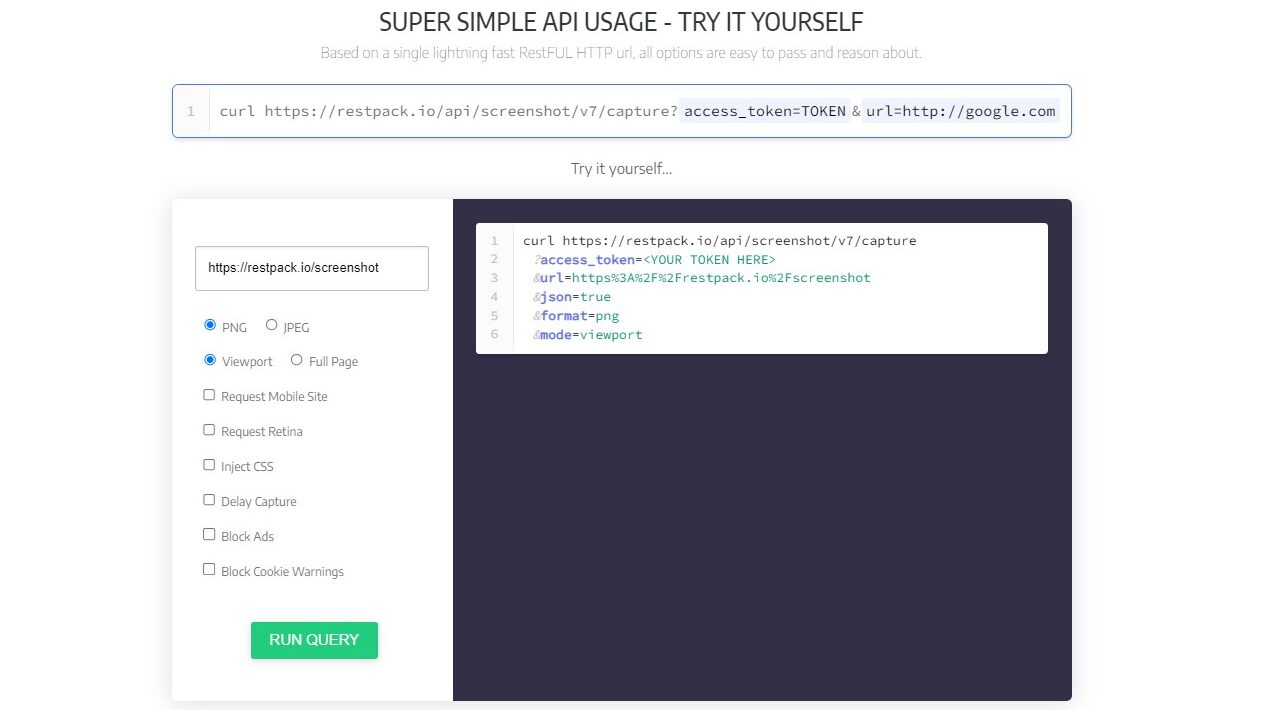
  • Efficient API Integration: Integrate Restpack seamlessly into your existing workflows using a simple and well-documented RESTful API.
  • Reliable and Scalable: Enjoy high uptime and scalability to handle any volume of screenshot requests, ensuring your needs are met.
  • Cost-Effective Solution: Choose a pricing plan that fits your usage, making Restpack an affordable option for individuals and businesses alike.

Who is Restpack Screenshot API For?

Restpack Screenshot API empowers various users and applications:

  • Web Developers and Designers: Capture screenshots for testing purposes, generating visual assets, and creating documentation.
  • Marketing and Content Creators: Create visually appealing content for blog posts, social media channels, and marketing materials.
  • SEO and Web Analytics Professionals: Analyze website visuals and track website changes over time.
  • E-commerce Businesses: Generate product thumbnails and showcase website visuals in customer communications.
  • Anyone Needing Webpage Captures: From research purposes to personal archiving, Restpack simplifies screenshot capture.

Restpack Screenshot API stands out as an essential tool in the web development and content creation landscape. Its commitment to high-quality output, diverse format options, efficient API integration, and cost-effectiveness makes it an attractive choice for individuals and businesses seeking to capture website visuals effortlessly and seamlessly within their existing workflows. Whether you’re a developer, designer, marketer, or anyone needing website screenshots, Restpack empowers you to ditch the manual work and focus on achieving your goals.


Restpack Screenshot API Summary

Capture Stunning Screenshots with Restpack Screenshot API – The Ultimate Web Visual Tool

Restpack Screenshot API, a top solution in the Web Development & Design category, makes capturing high-quality screenshots effortless and efficient. Forget unreliable browser extensions—Restpack lets you generate beautiful visuals of live web pages in various formats with ease. Ready to streamline your workflow? Check out exclusive deals. For more design and development tools, explore FigmaAdobe Creative Cloud, and Editor X.

Why Use Restpack Screenshot API?

Struggling with low-quality screenshots, limited customization options, and time-consuming manual processes? Restpack Screenshot API offers a compelling solution:

  • Capture High-Resolution Screenshots: Generate pixel-perfect screenshots of any webpage, ensuring your visuals are crisp and clear.
  • Multiple Format Support: Choose from various output formats like JPG, PNG, and PDF to cater to your specific needs and integrations.
  • Advanced Customization Options: Tailor your screenshots with options like delay, lazy-loading images, thumbnail output, and custom HTTP headers.
  • Efficient API Integration: Integrate Restpack seamlessly into your existing workflows using a simple and well-documented RESTful API.
  • Reliable and Scalable: Enjoy high uptime and scalability to handle any volume of screenshot requests, ensuring your needs are met.
  • Cost-Effective Solution: Choose a pricing plan that fits your usage, making Restpack an affordable option for individuals and businesses alike.

Who is Restpack Screenshot API For?

Restpack Screenshot API empowers various users and applications:

  • Web Developers and Designers: Capture screenshots for testing purposes, generating visual assets, and creating documentation.
  • Marketing and Content Creators: Create visually appealing content for blog posts, social media channels, and marketing materials.
  • SEO and Web Analytics Professionals: Analyze website visuals and track website changes over time.
  • E-commerce Businesses: Generate product thumbnails and showcase website visuals in customer communications.
  • Anyone Needing Webpage Captures: From research purposes to personal archiving, Restpack simplifies screenshot capture.

Restpack Screenshot API stands out as an essential tool in the web development and content creation landscape. Its commitment to high-quality output, diverse format options, efficient API integration, and cost-effectiveness makes it an attractive choice for individuals and businesses seeking to capture website visuals effortlessly and seamlessly within their existing workflows. Whether you’re a developer, designer, marketer, or anyone needing website screenshots, Restpack empowers you to ditch the manual work and focus on achieving your goals.

Restpack Screenshot API reviews

Learn what people say about Restpack Screenshot API

N/A
0 Reviews
77%
Subscribed Score

Lear more here about the Subscribed score on how it is composed. Learn more Click here

Overall rating

5
4
3
2
1
CX 4/6

How good is the customer support based on subscribed’s assessment

CX Icon
Security 5/6

How secure is the product based on Subscribed’s assessment?

Security Icon
Ease of Use 5/6

How easy is the product to use, based on Subscribed’s assessment?

EOU Icon
Value 4/6

What is the value for money based on Subscribed’s assessment?

coin Icon
Integration 5/6

How many integrations does the product offer?

gear Icon
Popularity 4/6

How popular is the product?

star

No Reviews Yet!

Be the first to share your experience and help others in the community.

Restpack Screenshot API User Reviews

0 User Reviews

Reviews from G2, Capterra, Trustpilot
info Icon

These ratings come directly from third-party platforms like G2, Capterra, and Trustpilot. They reflect real user feedback collected independently on those sites.

Restpack Screenshot API

No Pricing Yet

We’re still collecting pricing info for this product, Check the website for the latest details.

Deals Available

This product comes with a special deal, see details

Visit Now
✨ Ask AI about pricing
77% Subscribed Score
info Icon

The Subscribed Score is an independent rating that combines user reviews, features, and value-for-money from multiple trusted sources. It’s designed as a quick benchmark, not a guarantee of individual experience.

Analysis

Capture Stunning Screenshots with Restpack Screenshot API – The Ultimate Web Visual Tool

Restpack Screenshot API, a top solution in the Web Development & Design category, makes capturing high-quality screenshots effortless and efficient. Forget unreliable browser extensions—Restpack lets you generate beautiful visuals of live web pages in various formats with ease. Ready to streamline your workflow? Check out exclusive deals. For more design and development tools, explore FigmaAdobe Creative Cloud, and Editor X.

Why Use Restpack Screenshot API?

Struggling with low-quality screenshots, limited customization options, and time-consuming manual processes? Restpack Screenshot API offers a compelling solution:

  • Capture High-Resolution Screenshots: Generate pixel-perfect screenshots of any webpage, ensuring your visuals are crisp and clear.
  • Multiple Format Support: Choose from various output formats like JPG, PNG, and PDF to cater to your specific needs and integrations.
  • Advanced Customization Options: Tailor your screenshots with options like delay, lazy-loading images, thumbnail output, and custom HTTP headers.
  • Efficient API Integration: Integrate Restpack seamlessly into your existing workflows using a simple and well-documented RESTful API.
  • Reliable and Scalable: Enjoy high uptime and scalability to handle any volume of screenshot requests, ensuring your needs are met.
  • Cost-Effective Solution: Choose a pricing plan that fits your usage, making Restpack an affordable option for individuals and businesses alike.

Who is Restpack Screenshot API For?

Restpack Screenshot API empowers various users and applications:

  • Web Developers and Designers: Capture screenshots for testing purposes, generating visual assets, and creating documentation.
  • Marketing and Content Creators: Create visually appealing content for blog posts, social media channels, and marketing materials.
  • SEO and Web Analytics Professionals: Analyze website visuals and track website changes over time.
  • E-commerce Businesses: Generate product thumbnails and showcase website visuals in customer communications.
  • Anyone Needing Webpage Captures: From research purposes to personal archiving, Restpack simplifies screenshot capture.

Restpack Screenshot API stands out as an essential tool in the web development and content creation landscape. Its commitment to high-quality output, diverse format options, efficient API integration, and cost-effectiveness makes it an attractive choice for individuals and businesses seeking to capture website visuals effortlessly and seamlessly within their existing workflows. Whether you’re a developer, designer, marketer, or anyone needing website screenshots, Restpack empowers you to ditch the manual work and focus on achieving your goals.

Subscribed Score Metrics
27/36 Metric achieved
MetricsScore
Customer Support4/6
Security5/6
Ease of Use5/6
Value of Money4/6
Integration5/6
Popularity4/6
Radar Chart Table View
Ease of Use
Measures how simple and intuitive the product is to use, including setup, navigation, and overall user experience
5/6 Metric Checks
Security
Compares the product`s features, quality, and pricing to determine its overall cost-effectiveness.
5/6 Metric Checks
Value of Money
Assesses the product`s ability to protect data, prevent breaches, and comply with industry standards.
4/6 Metric Checks
Customer Support
Reflects the responsiveness, helpfulness, and quality of assistance provided by the product`s support team.
4/6 Metric Checks
Integrations
Evaluates how well the product connects with other tools and platforms, enabling seamless workflows.
5/6 Metric Checks
Restpack Screenshot API Pricing Range
No Pricing Yet

Restpack Screenshot API Showcase
info Icon

A curated gallery of real screenshots and use cases from the product, so you can see how it works before trying it.

Full Screen Icon
Full Screen Icon
Full Screen Icon

What else exists next to Restpack Screenshot API
info Icon

A list of platforms similar to Restpack Screenshot API, helping you evaluate which tool best matches your needs.

Need to cancel Restpack Screenshot API? Here is how
info Icon

Thinking about how to cancel Restpack Screenshot API this is how you do it!

Concluding Your Restpack API Usage

If your screenshot capture needs change or you explore alternative solutions, Restpack offers a clear and efficient process to discontinue your API usage. To ensure a smooth transition and avoid future charges, kindly visit this page.

How to Cancel the Restpack Screenshot API

Concluding Your Restpack API Usage

If your screenshot capture needs change or you explore alternative solutions, Restpack offers a clear and efficient process to discontinue your API usage. To ensure a smooth transition and avoid future charges, kindly visit this page.

Every else you need to know about Restpack Screenshot API
info Icon

A collection of FAQs, guides, alternatives, and comparisons to help you quickly understand if Restpack Screenshot API is right for you.

No Pricing Yet

Ask Curious AI
Visit Now
Deals Available

This product comes with a special deal, see details

This product comes with a special deal, see details