Project management tools like , Notion, Basecamp, Lark, Slack, Asana and Trello.
AI chatbot tools like ChatGPT, Grok, Perplexity, Claude, Gemini and Copilot.
Marketing analytics platforms like Google Analytics, Similarweb and Semrush.
CRM systems like HubSpot, Apollo.io Pipedrive, Zoho CRM, and Salesforce.
VPNs, SSO providers, and password managers like NordVPN, Okta, and LastPass.
Email marketing and campaign tools like MailerLite, Instantly, and Mailchimp.
Website builders, hosting tools like Hostinger, Webflow, Framer, and Shopify
HR and recruiting software like ATS platforms, BambooHR, Workday, and Lever.
Automate finances with confidence like Quickbooks, Stripe, Brex, and Mercury.
Design and editing tools like Figma, Canva, Adobe Creative Cloud, CapCut.
Workflow automation tools like Zapier, Make, Clay, and Reclaim.ai.
No-code and AI-native dev tools like Cursor, Windsurf, Lovable and Bubble.
Chat to find tools, compare options,
Discover the best-performing
Curated and listed by Subscribed Team
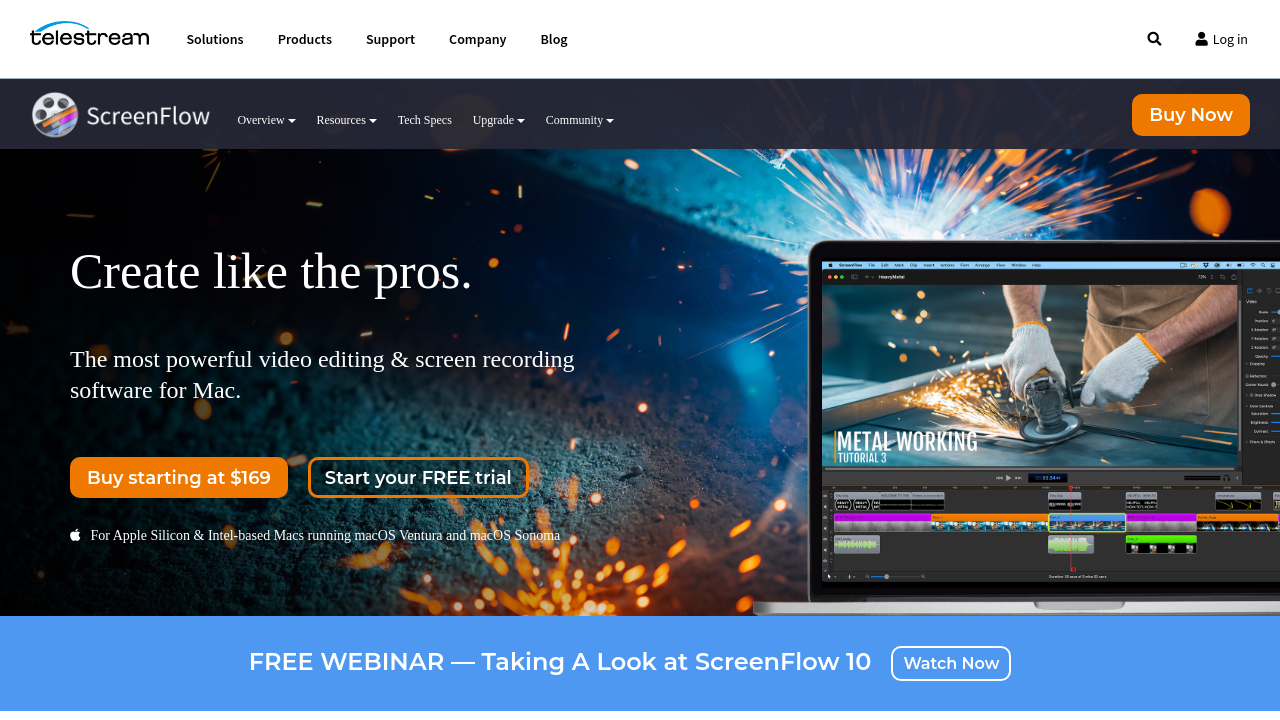
ScreenFlow is a robust tool in the Video Editing category, focused on seamless screen recording and video editing for Mac. Ideal for content creators, educators, marketers, and businesses, ScreenFlow enables users to easily create high-quality videos with its full array of screen capture, video editing, and export features. Take advantage of exclusive deals. For alternatives, explore ScreenPal, Camtasia, and Snagit.
Why Use ScreenFlow?
ScreenFlow offers comprehensive features designed for professional-grade video production:
Who is ScreenFlow For?
Designed with versatility, ScreenFlow caters to a wide audience:
ScreenFlow brings simplicity and power together, making it an essential choice for high-quality video creation on Mac. Whether for content creation, marketing, or instructional purposes, ScreenFlow offers an efficient and user-friendly solution. Explore its features and take advantage of exclusive offers today.
ScreenFlow is a robust tool in the Video Editing category, focused on seamless screen recording and video editing for Mac. Ideal for content creators, educators, marketers, and businesses, ScreenFlow enables users to easily create high-quality videos with its full array of screen capture, video editing, and export features. Take advantage of exclusive deals. For alternatives, explore ScreenPal, Camtasia, and Snagit.
Why Use ScreenFlow?
ScreenFlow offers comprehensive features designed for professional-grade video production:
Who is ScreenFlow For?
Designed with versatility, ScreenFlow caters to a wide audience:
ScreenFlow brings simplicity and power together, making it an essential choice for high-quality video creation on Mac. Whether for content creation, marketing, or instructional purposes, ScreenFlow offers an efficient and user-friendly solution. Explore its features and take advantage of exclusive offers today.
Learn what people say about ScreenFlow
Be the first to share your experience and help others in the community.
ScreenFlow is a robust tool in the Video Editing category, focused on seamless screen recording and video editing for Mac. Ideal for content creators, educators, marketers, and businesses, ScreenFlow enables users to easily create high-quality videos with its full array of screen capture, video editing, and export features. Take advantage of exclusive deals. For alternatives, explore ScreenPal, Camtasia, and Snagit.
Why Use ScreenFlow?
ScreenFlow offers comprehensive features designed for professional-grade video production:
Who is ScreenFlow For?
Designed with versatility, ScreenFlow caters to a wide audience:
ScreenFlow brings simplicity and power together, making it an essential choice for high-quality video creation on Mac. Whether for content creation, marketing, or instructional purposes, ScreenFlow offers an efficient and user-friendly solution. Explore its features and take advantage of exclusive offers today.
To cancel a ScreenFlow subscription, check your account settings or subscription management platform for cancellation options. If purchased through the Mac App Store, manage subscriptions via Apple’s settings. For direct purchases, contact Telestream support for assistance.