ScreenFlow Reviews 2026: Details, Pricing, & Features | Subscribed.fyi
Sign in to review
Join our community of software reviewers on Subscribed.fyi

Continue With Google
Continue With LinkedIn
Continue Review with Email
Continue with Email
Enter your email to continue.
Continue
Enter your password
Enter your password to finish setting up your account.
Continue
Activate your email
Enter activation code we sent to your email.
Submit
Reset your password
Enter activation code we sent to your email.
Submit
Set your new password
Enter a new password for your account.
Submit
✨ Ask AI Search
Categories
For Business
Log in
Provide My Insights

ScreenFlow

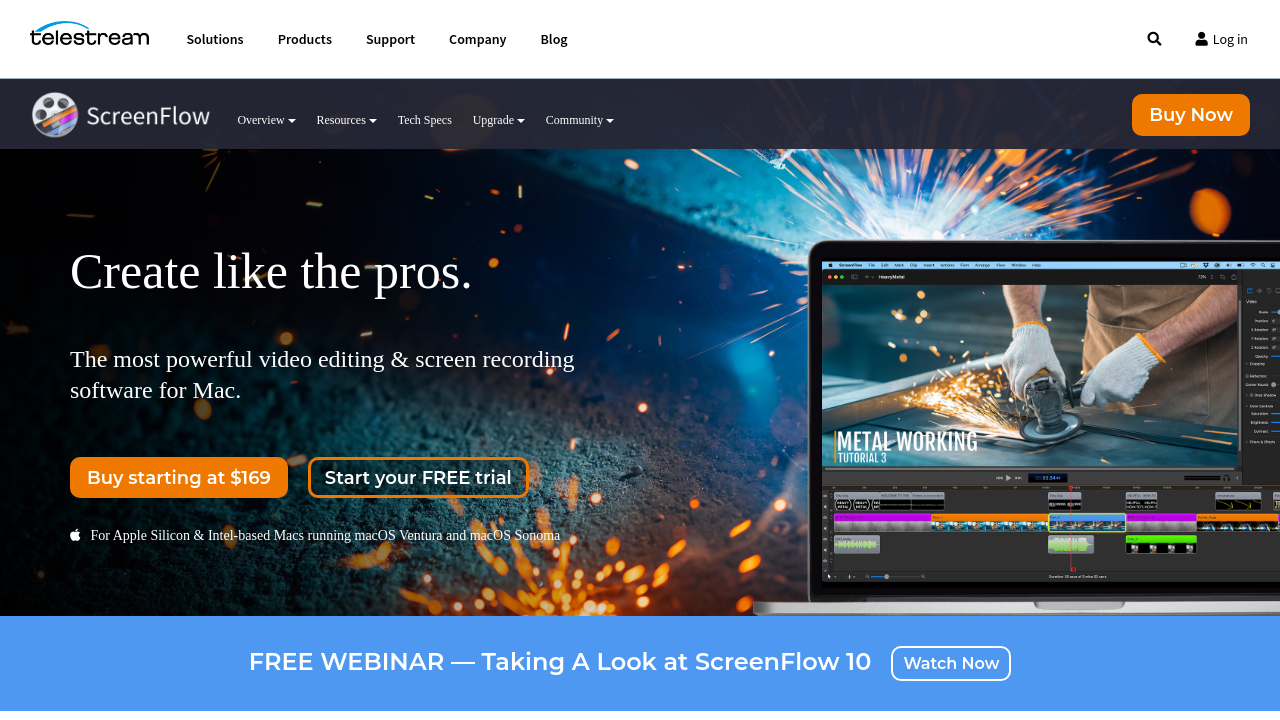
ScreenFlow is a versatile screen recording and video editing software designed for Mac users. It allows simultaneous recording of your screen, camera, iOS device, and audio, providing high-quality video production tools. With an intuitive interface, robust editing features, and export options like MP4, GIF, or direct uploads to major platforms, it’s ideal for creating professional tutorials, online courses, and marketing videos. Streamline your workflow with customizable templates, animations, and built-in media library options.

ScreenFlow

N/A
0
Reviews
61%
Subscribed Score

Available for Claim - This listing is available to be claimed
Claim For Free

Unclaimed

Curated and listed by Subscribed Team

Claim For Free
Plug & Play Setup
Plug & Play Setup
Get started in minutes, not weeks.
Fast & Efficient
Fast & Efficient
Optimized for speed and performance.
Exclusive Perks
Exclusive Perks
Special offers and discounts available.

ScreenFlow is a robust tool in the Video Editing category, focused on seamless screen recording and video editing for Mac. Ideal for content creators, educators, marketers, and businesses, ScreenFlow enables users to easily create high-quality videos with its full array of screen capture, video editing, and export features. Take advantage of exclusive deals. For alternatives, explore ScreenPalCamtasia, and Snagit.

Why Use ScreenFlow?

ScreenFlow offers comprehensive features designed for professional-grade video production:

  • High-Quality Screen Recording: Capture your entire screen, specific regions, video camera, or iOS devices simultaneously with top-notch resolution for smooth results.
  • Intuitive Video Editing: An easy-to-use editor allows users to trim, add transitions, animations, stock media, and effects conveniently within its clean interface.
  • Multi-Track Management: Support for multiple video and audio layers ensures precise control over your projects.
  • Export Flexibility: Produce custom MP4, ProRes, and even animated GIFs/PNGs or publish directly to platforms like YouTube, Vimeo, or Google Drive.

Who is ScreenFlow For?

Designed with versatility, ScreenFlow caters to a wide audience:

  • Content Creators: Perfect for YouTubers, vloggers, and educators needing refined screen recordings with impactful edits and effects.
  • Marketing and Training Teams: Ideal for promotional content, tutorials, demo videos, and explainer videos with tools to enhance professional presentation.
  • Businesses: Simplifies employee training and presentations through screen captures, step-by-step guides, and polished visuals.
  • Educators and Trainers: Create dynamic and engaging e-learning material with tools like dynamic overlays and annotations.

ScreenFlow brings simplicity and power together, making it an essential choice for high-quality video creation on Mac. Whether for content creation, marketing, or instructional purposes, ScreenFlow offers an efficient and user-friendly solution. Explore its features and take advantage of exclusive offers today.

ScreenFlow Summary

ScreenFlow is a robust tool in the Video Editing category, focused on seamless screen recording and video editing for Mac. Ideal for content creators, educators, marketers, and businesses, ScreenFlow enables users to easily create high-quality videos with its full array of screen capture, video editing, and export features. Take advantage of exclusive deals. For alternatives, explore ScreenPalCamtasia, and Snagit.

Why Use ScreenFlow?

ScreenFlow offers comprehensive features designed for professional-grade video production:

  • High-Quality Screen Recording: Capture your entire screen, specific regions, video camera, or iOS devices simultaneously with top-notch resolution for smooth results.
  • Intuitive Video Editing: An easy-to-use editor allows users to trim, add transitions, animations, stock media, and effects conveniently within its clean interface.
  • Multi-Track Management: Support for multiple video and audio layers ensures precise control over your projects.
  • Export Flexibility: Produce custom MP4, ProRes, and even animated GIFs/PNGs or publish directly to platforms like YouTube, Vimeo, or Google Drive.

Who is ScreenFlow For?

Designed with versatility, ScreenFlow caters to a wide audience:

  • Content Creators: Perfect for YouTubers, vloggers, and educators needing refined screen recordings with impactful edits and effects.
  • Marketing and Training Teams: Ideal for promotional content, tutorials, demo videos, and explainer videos with tools to enhance professional presentation.
  • Businesses: Simplifies employee training and presentations through screen captures, step-by-step guides, and polished visuals.
  • Educators and Trainers: Create dynamic and engaging e-learning material with tools like dynamic overlays and annotations.

ScreenFlow brings simplicity and power together, making it an essential choice for high-quality video creation on Mac. Whether for content creation, marketing, or instructional purposes, ScreenFlow offers an efficient and user-friendly solution. Explore its features and take advantage of exclusive offers today.

ScreenFlow reviews

Learn what people say about ScreenFlow

N/A
0 Reviews
61%
Subscribed Score

Lear more here about the Subscribed score on how it is composed. Learn more Click here

Overall rating

5
4
3
2
1
CX 4/6

How good is the customer support based on subscribed’s assessment

CX Icon
Security 0/6

How secure is the product based on Subscribed’s assessment?

Security Icon
Ease of Use 5/6

How easy is the product to use, based on Subscribed’s assessment?

EOU Icon
Value 4/6

What is the value for money based on Subscribed’s assessment?

coin Icon
Integration 3/6

How many integrations does the product offer?

gear Icon
Popularity 5/6

How popular is the product?

star

No Reviews Yet!

Be the first to share your experience and help others in the community.

ScreenFlow User Reviews

0 User Reviews

Reviews from G2, Capterra, Trustpilot
info Icon

These ratings come directly from third-party platforms like G2, Capterra, and Trustpilot. They reflect real user feedback collected independently on those sites.

ScreenFlow

Pricing Range
info Icon

This only an estimated pricing range, visit ScreenFlow pricing page to access all the information by clicking “Visit Now”.

$169-$287 / Month
Deals Available

This product comes with a special deal, see details

Visit Now
✨ Ask AI about pricing
61% Subscribed Score
info Icon

The Subscribed Score is an independent rating that combines user reviews, features, and value-for-money from multiple trusted sources. It’s designed as a quick benchmark, not a guarantee of individual experience.

Analysis

ScreenFlow is a robust tool in the Video Editing category, focused on seamless screen recording and video editing for Mac. Ideal for content creators, educators, marketers, and businesses, ScreenFlow enables users to easily create high-quality videos with its full array of screen capture, video editing, and export features. Take advantage of exclusive deals. For alternatives, explore ScreenPalCamtasia, and Snagit.

Why Use ScreenFlow?

ScreenFlow offers comprehensive features designed for professional-grade video production:

  • High-Quality Screen Recording: Capture your entire screen, specific regions, video camera, or iOS devices simultaneously with top-notch resolution for smooth results.
  • Intuitive Video Editing: An easy-to-use editor allows users to trim, add transitions, animations, stock media, and effects conveniently within its clean interface.
  • Multi-Track Management: Support for multiple video and audio layers ensures precise control over your projects.
  • Export Flexibility: Produce custom MP4, ProRes, and even animated GIFs/PNGs or publish directly to platforms like YouTube, Vimeo, or Google Drive.

Who is ScreenFlow For?

Designed with versatility, ScreenFlow caters to a wide audience:

  • Content Creators: Perfect for YouTubers, vloggers, and educators needing refined screen recordings with impactful edits and effects.
  • Marketing and Training Teams: Ideal for promotional content, tutorials, demo videos, and explainer videos with tools to enhance professional presentation.
  • Businesses: Simplifies employee training and presentations through screen captures, step-by-step guides, and polished visuals.
  • Educators and Trainers: Create dynamic and engaging e-learning material with tools like dynamic overlays and annotations.

ScreenFlow brings simplicity and power together, making it an essential choice for high-quality video creation on Mac. Whether for content creation, marketing, or instructional purposes, ScreenFlow offers an efficient and user-friendly solution. Explore its features and take advantage of exclusive offers today.

Pros
  • High-quality screen recording and editing
  • User-friendly interface, minimalistic design
  • Versatile tools for tutorials and e-learning
  • Professional and clean export options
Cons
  • Frequent crashes and occasional bugs
  • Paid upgrades required for new features
  • Limited editing features compared to competitors
  • Available only for Mac users
Subscribed Score Metrics
21/36 Metric achieved
MetricsScore
Customer Support4/6
Security0/6
Ease of Use5/6
Value of Money4/6
Integration3/6
Popularity5/6
Radar Chart Table View
Ease of Use
Measures how simple and intuitive the product is to use, including setup, navigation, and overall user experience
5/6 Metric Checks
Security
Compares the product`s features, quality, and pricing to determine its overall cost-effectiveness.
0/6 Metric Checks
Value of Money
Assesses the product`s ability to protect data, prevent breaches, and comply with industry standards.
4/6 Metric Checks
Customer Support
Reflects the responsiveness, helpfulness, and quality of assistance provided by the product`s support team.
4/6 Metric Checks
Integrations
Evaluates how well the product connects with other tools and platforms, enabling seamless workflows.
3/6 Metric Checks
ScreenFlow Pricing Range
$169-$287 / Month

ScreenFlow Showcase
info Icon

A curated gallery of real screenshots and use cases from the product, so you can see how it works before trying it.

ScreenFlow Full Screen Icon
https://www.youtube.com/watch?v=wC1UWCAaqj8
Full Screen Icon
https://www.youtube.com/watch?v=Ogewj86nYB4
Full Screen Icon
ScreenFlow
ScreenFlow

What else exists next to ScreenFlow
info Icon

A list of platforms similar to ScreenFlow, helping you evaluate which tool best matches your needs.

Need to cancel ScreenFlow? Here is how
info Icon

Thinking about how to cancel ScreenFlow this is how you do it!

To cancel a ScreenFlow subscription, check your account settings or subscription management platform for cancellation options. If purchased through the Mac App Store, manage subscriptions via Apple’s settings. For direct purchases, contact Telestream support for assistance.

How to Cancel the ScreenFlow

To cancel a ScreenFlow subscription, check your account settings or subscription management platform for cancellation options. If purchased through the Mac App Store, manage subscriptions via Apple’s settings. For direct purchases, contact Telestream support for assistance.

Every else you need to know about ScreenFlow
info Icon

A collection of FAQs, guides, alternatives, and comparisons to help you quickly understand if ScreenFlow is right for you.

Pricing Range
info Icon

This only an estimated pricing range, visit ScreenFlow pricing page to access all the information by clicking “Visit Now”.

$169-$287 / Month
Visit Now
Deals Available

This product comes with a special deal, see details

This product comes with a special deal, see details