Smallpdf Reviews 2026: Details, Pricing, & Features | Subscribed.fyi
Sign in to review
Join our community of software reviewers on Subscribed.fyi

Continue With Google
Continue With LinkedIn
Continue Review with Email
Continue with Email
Enter your email to continue.
Continue
Enter your password
Enter your password to finish setting up your account.
Continue
Activate your email
Enter activation code we sent to your email.
Submit
Reset your password
Enter activation code we sent to your email.
Submit
Set your new password
Enter a new password for your account.
Submit
✨ Ask AI Search
Categories
For Business
Log in
Provide My Insights

Smallpdf

4/5
(3)

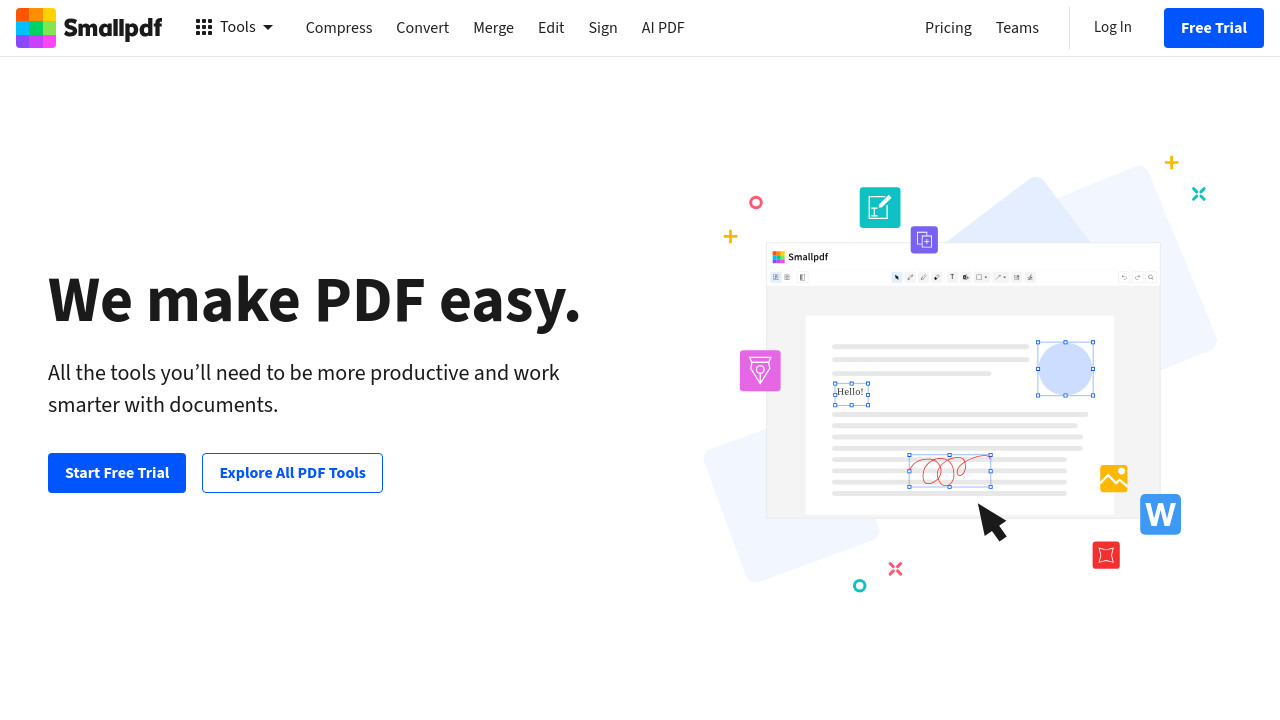
Smallpdf is an intuitive, cloud-based solution for managing and editing PDFs. It offers tools to compress, convert, edit, merge, split, and e-sign documents while ensuring compatibility with various formats like Word, Excel, and JPG. Designed for ease of use, Smallpdf enhances productivity with its lightweight, user-friendly platform accessible online and offline. Trusted globally, it simplifies document workflows for individuals and teams.

Smallpdf

4
3
Reviews
80%
Subscribed Score

Available for Claim - This listing is available to be claimed
Claim For Free

Unclaimed

Curated and listed by Subscribed Team

Claim For Free
Save Time
Save Time
Focus on impact, not repetitive tasks.
Fully Customizable
Fully Customizable
Tailor it to your brand and workflow.
Seamless Integrations
Connect easily with your favorite tools.

Smallpdf is a powerful solution in the PDF Editing and Management category, designed to simplify working with PDF files. Established in Switzerland in 2013, Smallpdf offers an efficient, user-focused platform to compress, convert, edit, sign, and organize PDF documents seamlessly, eliminating the complexities of bulky software. Trusted by over 500 million users globally, this tool is available across 24 languages, catering to professionals, businesses, and students alike. Explore exclusive deals. For alternatives, consider Foxit PDF Editor.

Why Use Smallpdf?

Choosing Smallpdf brings a suite of benefits for handling PDFs efficiently:

  • Comprehensive Features: Access 21 tools to compress, edit, merge, split, convert to/from formats like Word, PPT, Excel, convert images, eSign, and secure PDFs. It’s a one-stop solution for all PDF-related tasks.
  • Cross-Platform Access: Work both online and offline through the web, desktop, and mobile app versions, maintaining flexibility regardless of the device.
  • Effortless E-Signatures: Easily sign contracts and fill forms, streamlining the signing process for business or personal purposes.
  • Batch Processing: Handle multiple files simultaneously, making it ideal for businesses dealing with large volumes of documentation.
  • Supports Multiple Languages: Includes Arabic, Spanish, Chinese, and many more, ensuring accessibility across diverse user bases.

Who is Smallpdf For?

Smallpdf is an ideal choice for:

  • Individual Professionals: Freelancers and small business owners can compress files, convert formats, or secure PDFs with ease.
  • Corporate Teams: Manage document workflows, utilize collaborative functions, and ensure consistent and secure file management.
  • Students and Educators: Convert textbooks, annotate notes, and merge multiple documents effortlessly for academic needs.
  • Legal or Contract Professionals: Secure, edit, and sign contracts digitally for faster transaction workflows.

Smallpdf is a practical choice for anyone seeking streamlined and versatile PDF management tools. Designed for simplicity and efficiency, it empowers users to work smarter while saving time and effort.

Smallpdf Summary

Smallpdf is a powerful solution in the PDF Editing and Management category, designed to simplify working with PDF files. Established in Switzerland in 2013, Smallpdf offers an efficient, user-focused platform to compress, convert, edit, sign, and organize PDF documents seamlessly, eliminating the complexities of bulky software. Trusted by over 500 million users globally, this tool is available across 24 languages, catering to professionals, businesses, and students alike. Explore exclusive deals. For alternatives, consider Foxit PDF Editor.

Why Use Smallpdf?

Choosing Smallpdf brings a suite of benefits for handling PDFs efficiently:

  • Comprehensive Features: Access 21 tools to compress, edit, merge, split, convert to/from formats like Word, PPT, Excel, convert images, eSign, and secure PDFs. It’s a one-stop solution for all PDF-related tasks.
  • Cross-Platform Access: Work both online and offline through the web, desktop, and mobile app versions, maintaining flexibility regardless of the device.
  • Effortless E-Signatures: Easily sign contracts and fill forms, streamlining the signing process for business or personal purposes.
  • Batch Processing: Handle multiple files simultaneously, making it ideal for businesses dealing with large volumes of documentation.
  • Supports Multiple Languages: Includes Arabic, Spanish, Chinese, and many more, ensuring accessibility across diverse user bases.

Who is Smallpdf For?

Smallpdf is an ideal choice for:

  • Individual Professionals: Freelancers and small business owners can compress files, convert formats, or secure PDFs with ease.
  • Corporate Teams: Manage document workflows, utilize collaborative functions, and ensure consistent and secure file management.
  • Students and Educators: Convert textbooks, annotate notes, and merge multiple documents effortlessly for academic needs.
  • Legal or Contract Professionals: Secure, edit, and sign contracts digitally for faster transaction workflows.

Smallpdf is a practical choice for anyone seeking streamlined and versatile PDF management tools. Designed for simplicity and efficiency, it empowers users to work smarter while saving time and effort.

Smallpdf reviews

Learn what people say about Smallpdf

4
3 Reviews
80%
Subscribed Score

Lear more here about the Subscribed score on how it is composed. Learn more Click here

Overall rating

5
4
3
2
1
CX 3/6

How good is the customer support based on subscribed’s assessment

CX Icon
Security 4/6

How secure is the product based on Subscribed’s assessment?

Security Icon
Ease of Use 6/6

How easy is the product to use, based on Subscribed’s assessment?

EOU Icon
Value 5/6

What is the value for money based on Subscribed’s assessment?

coin Icon
Integration 4/6

How many integrations does the product offer?

gear Icon
Popularity 6/6

How popular is the product?

star
Elizabeth Hermance Invitation
Wordpress developer
See My Portfolio
1 day ago
Share
What’s the biggest benefit you’ve noticed?
Very quick for simple PDF tasks. Clean interface and easy to use right away
What feels confusing or hard to use?
Free version has limits. You hit restrictions pretty fast.
How could the product save you more time or money?
Would like a bit more flexibility without upgrading. Basic features could be less restricted.
Final thoughts, wrap up what you think
It is fast, simple, and does the job well. Limits are the only real downside.
Upvote
Irfan Ali Invitation
Developer
1 day ago
Share
What exceeded your expectations?
I can do most common PDF tasks for free. I found the interface intuitive just drag and drop a file, choose an action, and it’s done. It handles simple tasks, edits without installing software, which is convenient when i’m not on my computer.
What do you dislike about this product?
the free version limits how many tasks you can do per day and the file size, this is frustrating when i have a many files after a few things it stops you unless you upgrade. also, some features aren’t available unless you pay. another minor gripe: since it’s web based, it needs internet functioning
What new feature would you love to see added?
more features and options in the free tier would be great even a daily quota boost or no limit on page count would help. An offline or desktop app version would be awesome for those times i’m offline. adding more features like batch OCR in the free plan or better compression options could keep me from having to look elsewhere.
Final thoughts, wrap up what you think
if you only need a few merges or conversions, it’s great. It doesn’t overwhelm with options, so beginners can get things done fast. But if you need to work on many files or big documents regularly, you will run out off its limits. heavy users will need to upgrade or find alternatives.
Upvote
M Raza Akhter Invitation
QA Engineer
2 days ago
Share
What was your first impression when you started using it?
My first impression of Smallpdf was really good because the platform looked clean and easy to understand. I was able to start using the tools right away without any confusion, which made the experience smooth from the beginning.
What feature doesn’t work as expected?
At times, the file conversion or compression does not keep the formatting exactly the way I expect, especially with more detailed documents. It can also feel a little limiting when I need to handle bigger files or work on several files together.
What’s still missing for your needs?
I think it would be even more useful with better editing options and more control over file quality after conversion. A better bulk processing option would also make things faster and more convenient.
Final thoughts, wrap up what you think
I would recommend Smallpdf because it is easy to use and saves time for normal PDF tasks. It is great when I need to quickly convert, compress, or edit a file without using complicated software.
Upvote

Smallpdf User Reviews

3 User Reviews

Elizabeth Hermance Invitation
Wordpress developer
See My Portfolio
1 day ago
Share
What’s the biggest benefit you’ve noticed?
Very quick for simple PDF tasks. Clean interface and easy to use right away
What feels confusing or hard to use?
Free version has limits. You hit restrictions pretty fast.
How could the product save you more time or money?
Would like a bit more flexibility without upgrading. Basic features could be less restricted.
Final thoughts, wrap up what you think
It is fast, simple, and does the job well. Limits are the only real downside.
Upvote
Irfan Ali Invitation
Developer
1 day ago
Share
What exceeded your expectations?
I can do most common PDF tasks for free. I found the interface intuitive just drag and drop a file, choose an action, and it’s done. It handles simple tasks, edits without installing software, which is convenient when i’m not on my computer.
What do you dislike about this product?
the free version limits how many tasks you can do per day and the file size, this is frustrating when i have a many files after a few things it stops you unless you upgrade. also, some features aren’t available unless you pay. another minor gripe: since it’s web based, it needs internet functioning
What new feature would you love to see added?
more features and options in the free tier would be great even a daily quota boost or no limit on page count would help. An offline or desktop app version would be awesome for those times i’m offline. adding more features like batch OCR in the free plan or better compression options could keep me from having to look elsewhere.
Final thoughts, wrap up what you think
if you only need a few merges or conversions, it’s great. It doesn’t overwhelm with options, so beginners can get things done fast. But if you need to work on many files or big documents regularly, you will run out off its limits. heavy users will need to upgrade or find alternatives.
Upvote
M Raza Akhter Invitation
QA Engineer
2 days ago
Share
What was your first impression when you started using it?
My first impression of Smallpdf was really good because the platform looked clean and easy to understand. I was able to start using the tools right away without any confusion, which made the experience smooth from the beginning.
What feature doesn’t work as expected?
At times, the file conversion or compression does not keep the formatting exactly the way I expect, especially with more detailed documents. It can also feel a little limiting when I need to handle bigger files or work on several files together.
What’s still missing for your needs?
I think it would be even more useful with better editing options and more control over file quality after conversion. A better bulk processing option would also make things faster and more convenient.
Final thoughts, wrap up what you think
I would recommend Smallpdf because it is easy to use and saves time for normal PDF tasks. It is great when I need to quickly convert, compress, or edit a file without using complicated software.
Upvote
Reviews from G2, Capterra, Trustpilot
info Icon

These ratings come directly from third-party platforms like G2, Capterra, and Trustpilot. They reflect real user feedback collected independently on those sites.

Smallpdf

Pricing Range
info Icon

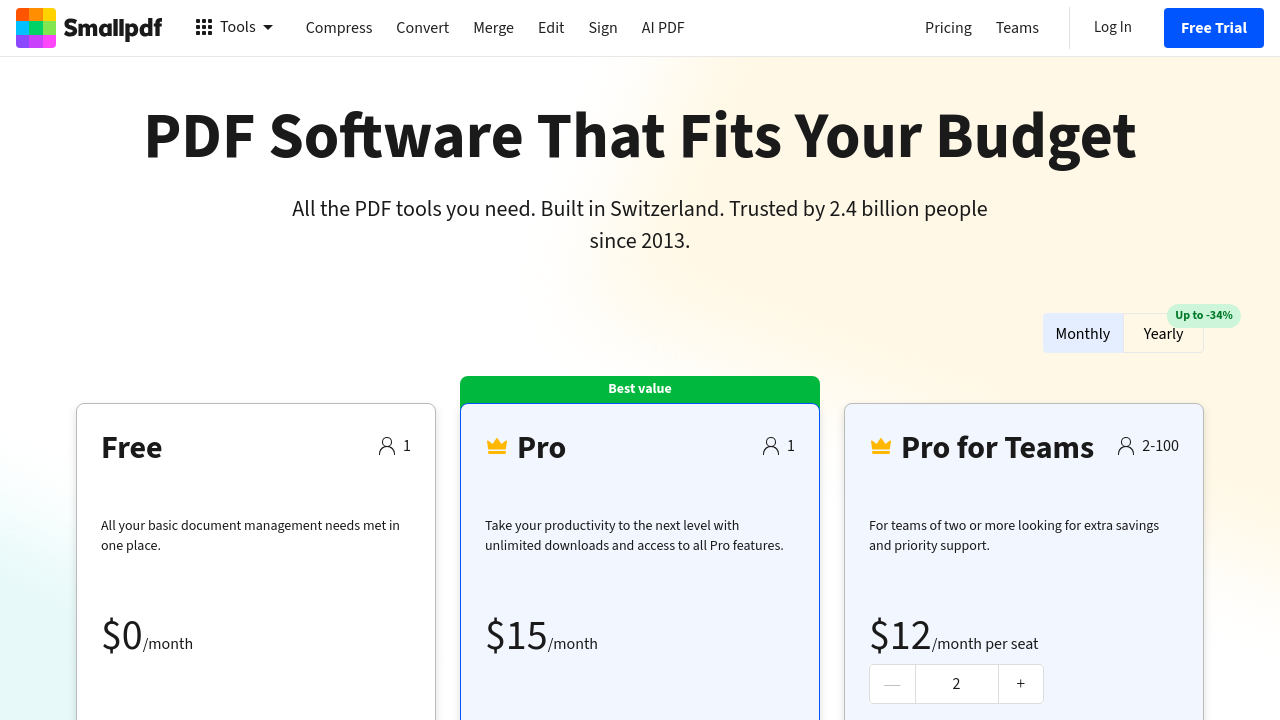
This only an estimated pricing range, visit Smallpdf pricing page to access all the information by clicking “Visit Now”.

Not specified
Deals Available

This product comes with a special deal, see details

Visit Now
✨ Ask AI about pricing
80% Subscribed Score
info Icon

The Subscribed Score is an independent rating that combines user reviews, features, and value-for-money from multiple trusted sources. It’s designed as a quick benchmark, not a guarantee of individual experience.

Analysis

Smallpdf is a powerful solution in the PDF Editing and Management category, designed to simplify working with PDF files. Established in Switzerland in 2013, Smallpdf offers an efficient, user-focused platform to compress, convert, edit, sign, and organize PDF documents seamlessly, eliminating the complexities of bulky software. Trusted by over 500 million users globally, this tool is available across 24 languages, catering to professionals, businesses, and students alike. Explore exclusive deals. For alternatives, consider Foxit PDF Editor.

Why Use Smallpdf?

Choosing Smallpdf brings a suite of benefits for handling PDFs efficiently:

  • Comprehensive Features: Access 21 tools to compress, edit, merge, split, convert to/from formats like Word, PPT, Excel, convert images, eSign, and secure PDFs. It’s a one-stop solution for all PDF-related tasks.
  • Cross-Platform Access: Work both online and offline through the web, desktop, and mobile app versions, maintaining flexibility regardless of the device.
  • Effortless E-Signatures: Easily sign contracts and fill forms, streamlining the signing process for business or personal purposes.
  • Batch Processing: Handle multiple files simultaneously, making it ideal for businesses dealing with large volumes of documentation.
  • Supports Multiple Languages: Includes Arabic, Spanish, Chinese, and many more, ensuring accessibility across diverse user bases.

Who is Smallpdf For?

Smallpdf is an ideal choice for:

  • Individual Professionals: Freelancers and small business owners can compress files, convert formats, or secure PDFs with ease.
  • Corporate Teams: Manage document workflows, utilize collaborative functions, and ensure consistent and secure file management.
  • Students and Educators: Convert textbooks, annotate notes, and merge multiple documents effortlessly for academic needs.
  • Legal or Contract Professionals: Secure, edit, and sign contracts digitally for faster transaction workflows.

Smallpdf is a practical choice for anyone seeking streamlined and versatile PDF management tools. Designed for simplicity and efficiency, it empowers users to work smarter while saving time and effort.

Pros
  • Versatile tools for editing and converting PDFs
  • User-friendly interface across versions
  • Supports multiple operating systems
  • Improves efficiency in document management
Cons
  • Some features locked behind a paywall
  • File size and task limits in free version
  • Formatting issues when converting files
  • Pro subscription considered expensive
Subscribed Score Metrics
28/36 Metric achieved
MetricsScore
Customer Support3/6
Security4/6
Ease of Use6/6
Value of Money5/6
Integration4/6
Popularity6/6
Radar Chart Table View
Ease of Use
Measures how simple and intuitive the product is to use, including setup, navigation, and overall user experience
6/6 Metric Checks
Security
Compares the product`s features, quality, and pricing to determine its overall cost-effectiveness.
4/6 Metric Checks
Value of Money
Assesses the product`s ability to protect data, prevent breaches, and comply with industry standards.
5/6 Metric Checks
Customer Support
Reflects the responsiveness, helpfulness, and quality of assistance provided by the product`s support team.
3/6 Metric Checks
Integrations
Evaluates how well the product connects with other tools and platforms, enabling seamless workflows.
4/6 Metric Checks
Smallpdf Pricing Range
Not specified

Smallpdf Showcase
info Icon

A curated gallery of real screenshots and use cases from the product, so you can see how it works before trying it.

Smallpdf Full Screen Icon
https://www.youtube.com/watch?v=3vhQsVjaO78
Full Screen Icon
https://www.youtube.com/watch?v=RJfakjLA7VQ
Full Screen Icon
Smallpdf
Smallpdf

What else exists next to Smallpdf
info Icon

A list of platforms similar to Smallpdf, helping you evaluate which tool best matches your needs.

Need to cancel Smallpdf? Here is how
info Icon

Thinking about how to cancel Smallpdf this is how you do it!

To cancel a Smallpdf subscription:

  • Log in to your account.
  • Go to Account > Manage Subscription.
  • Click "Cancel Subscription" twice to confirm.

How to Cancel the Smallpdf

To cancel a Smallpdf subscription:

  • Log in to your account.
  • Go to Account > Manage Subscription.
  • Click "Cancel Subscription" twice to confirm.
Every else you need to know about Smallpdf
info Icon

A collection of FAQs, guides, alternatives, and comparisons to help you quickly understand if Smallpdf is right for you.

Pricing Range
info Icon

This only an estimated pricing range, visit Smallpdf pricing page to access all the information by clicking “Visit Now”.

Not specified
Visit Now
Deals Available

This product comes with a special deal, see details

This product comes with a special deal, see details