What is SmartTask?
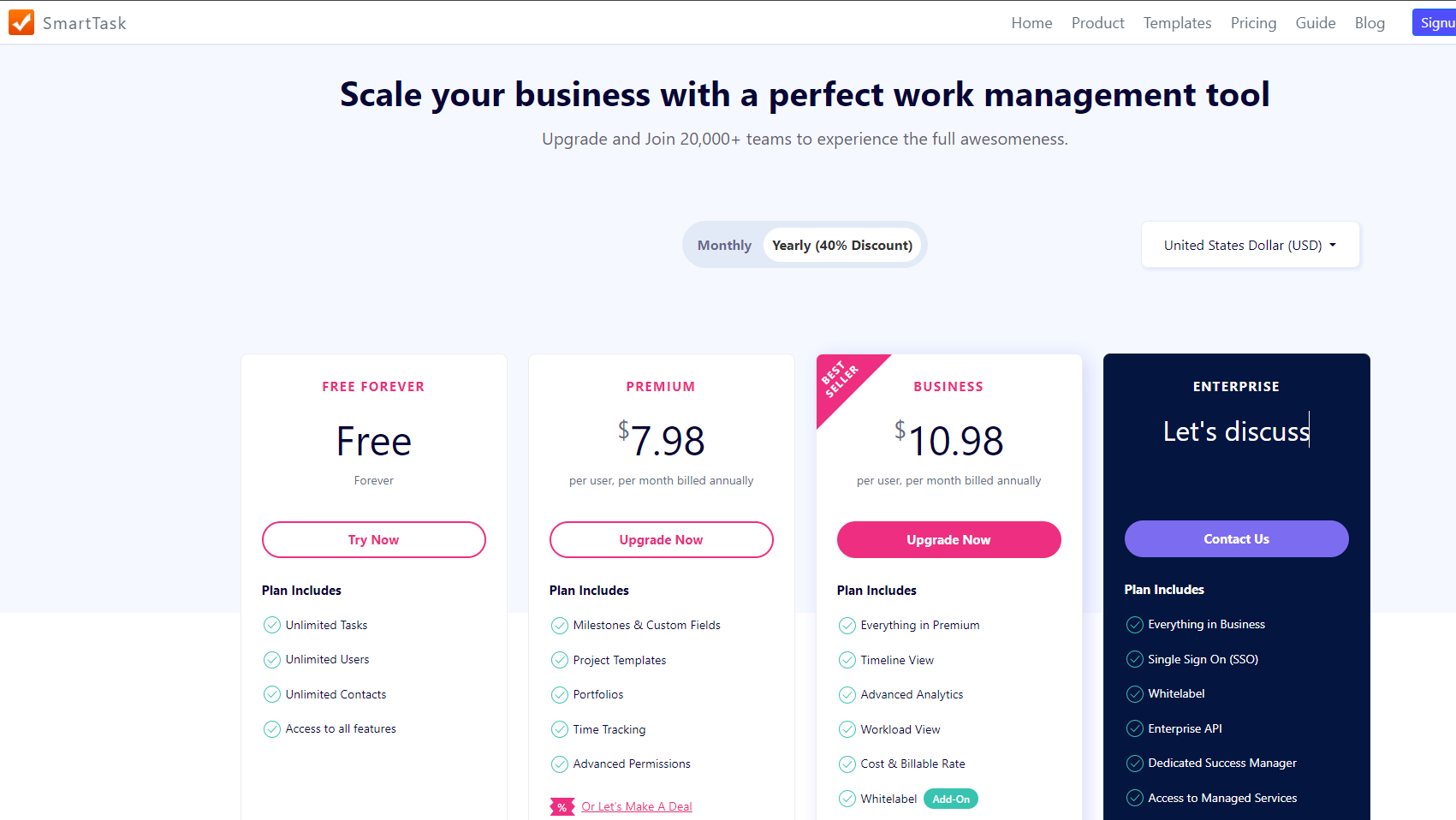
SmartTask is a comprehensive project management and collaboration platform designed to streamline work processes and enhance team productivity. Offering a range of features, SmartTask enables teams to plan, execute, and track projects with ease, fostering effective communication and collaboration.
Why Use SmartTask?
In the realm of project management and collaboration, SmartTask excels by:
- Task and Project Management: SmartTask provides robust tools for creating, assigning, and tracking tasks, as well as managing entire projects with features like task dependencies and timelines.
- Collaboration and Communication: The platform fosters collaboration through features such as task comments, file attachments, and real-time updates, ensuring that team members stay connected and informed.
- Time Tracking: SmartTask includes time tracking functionality, allowing teams to monitor the time spent on tasks and projects, aiding in accurate project estimation and billing.
- Automation: SmartTask supports automation features to streamline repetitive tasks, automate workflows, and reduce manual efforts, improving overall efficiency.
Who is SmartTask For?
SmartTask caters to a diverse range of users, including:
- Project Managers: Project managers leverage SmartTask for end-to-end project management, from task planning and assignment to tracking progress and ensuring project deadlines are met.
- Teams and Departments: Teams and departments utilize SmartTask for task collaboration, project coordination, and efficient communication, enhancing overall team productivity.
- Freelancers and Small Businesses: Freelancers and small businesses benefit from SmartTask’s intuitive tools for managing projects, tasks, and client collaborations in a centralized platform.
- Remote Teams: SmartTask is well-suited for remote teams, providing a digital workspace where team members can collaborate on tasks and projects regardless of their physical location.
SmartTask stands as a user-friendly project management and collaboration platform, ideal for teams and businesses looking to streamline work processes and boost productivity. Whether you’re a project manager, part of a team, a freelancer, or a small business owner, SmartTask provides the necessary features to efficiently manage tasks and projects.