Gmail Reviews 2026: Details, Pricing, & Features | Subscribed.fyi
Sign in to review
Join our community of software reviewers on Subscribed.fyi

Continue With Google
Continue With LinkedIn
Continue Review with Email
Continue with Email
Enter your email to continue.
Continue
Enter your password
Enter your password to finish setting up your account.
Continue
Activate your email
Enter activation code we sent to your email.
Submit
Reset your password
Enter activation code we sent to your email.
Submit
Set your new password
Enter a new password for your account.
Submit
Categories
For Business
Log in
Provide My Insights

Gmail Reviews, Pricing, Features & Alternatives (2026)

4.5/5
(2)

Gmail by Google Workspace offers secure communication, integrated business applications, collaborative features, and customization for professionals, remote teams, small businesses, and educators to enhance productivity and streamline communication.

Gmail Overview

What is Gmail?

4.5
2
Reviews
83%
Subscribed Score

Available for Claim - This listing is available to be claimed
Claim Profile For Free

Unclaimed

Manage profile with subsig, and unlock 23+ social and review monitoring. Get partnership options with

Claim Profile For Free

Why teams choose Gmail

Key Features

Seamless Integrations
Connect easily with your favorite tools.
No-Code Simplicity
No-Code Simplicity
Launch without writing a single line of code.
Smart Automation
Smart Automation
Save time with AI-powered workflows.

Who is Gmail for?

What is Gmail?

Gmail is a popular email service provided by Google Workspace, offering a secure and efficient way for businesses to communicate. With a range of integrated business applications, Gmail helps teams collaborate effectively and boost productivity.

Why Use Gmail?

In the realm of email services, Gmail stands out by:

  1. Secure Communication: Gmail offers robust security features to protect sensitive information and prevent unauthorized access to emails and attachments.
  2. Integrated Business Applications: Google Workspace includes a suite of business applications such as Google Drive, Google Docs, Google Sheets, and more, seamlessly integrated with Gmail for enhanced productivity.
  3. Collaborative Features: Gmail enables teams to collaborate in real time, share files, and communicate efficiently through email threads and chat options.
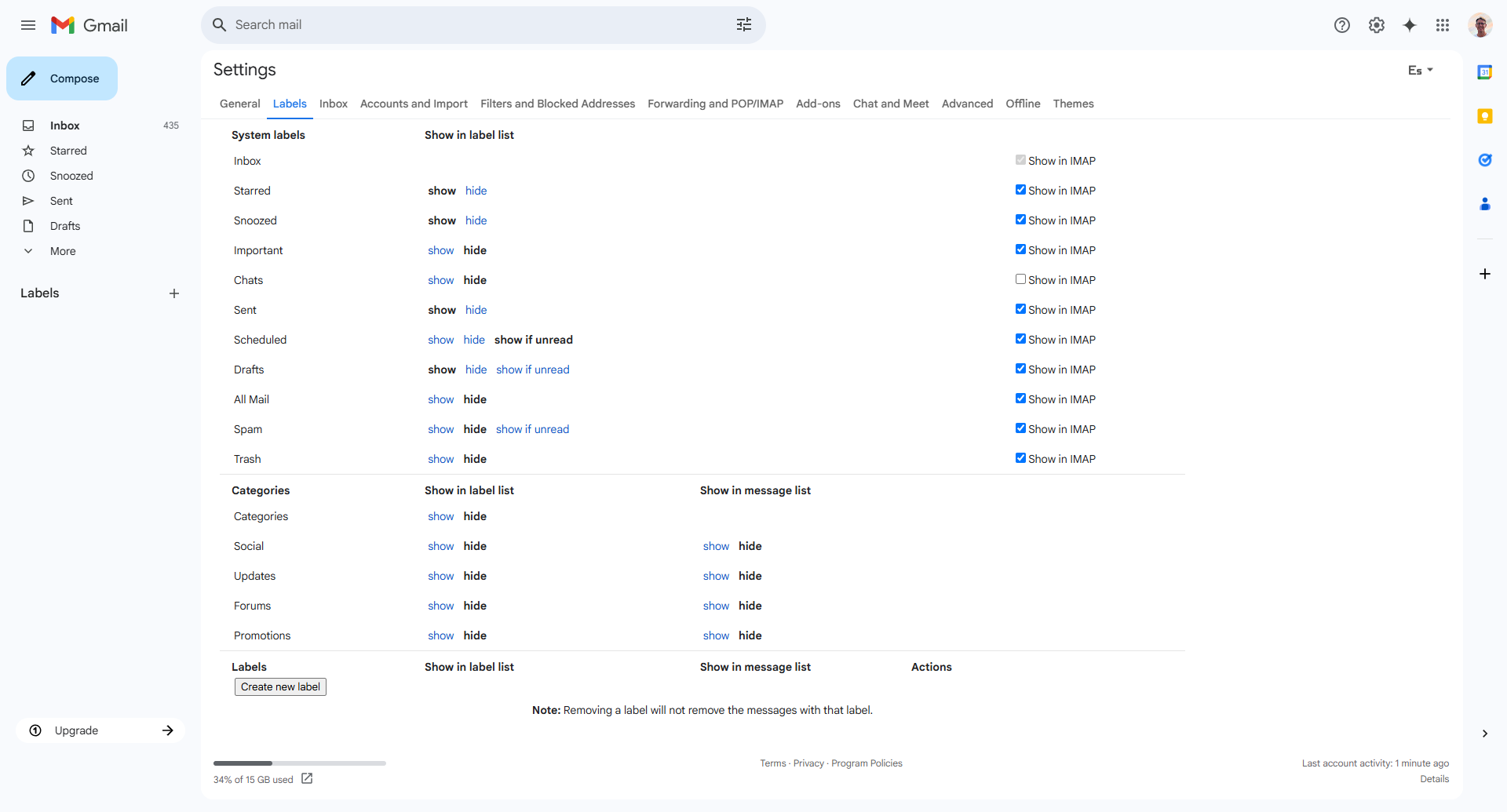
  4. Customization and Organization: Users can customize their Gmail interface, organize emails into folders, apply filters, and use labels to streamline their inbox management.

Who is Gmail For?

Gmail caters to a wide range of users:

  1. Business Professionals: Business professionals rely on Gmail for secure communication, collaboration with colleagues, and efficient organization of emails and attachments.
  2. Remote Teams: Remote teams benefit from Gmail’s real-time collaboration features, enabling seamless communication and file sharing across different locations.
  3. Small Businesses: Small businesses utilize Gmail for cost-effective email solutions, integrated business applications, and easy scalability as their business grows.
  4. Educators: Educators leverage Gmail for communication with students, sharing educational resources, and collaborating on projects and assignments.

In summary, Gmail is a versatile email service that goes beyond basic communication, offering a comprehensive platform for businesses, remote teams, small businesses, and educators to collaborate effectively and boost productivity.

Gmail Summary

What is Gmail?

Gmail is a popular email service provided by Google Workspace, offering a secure and efficient way for businesses to communicate. With a range of integrated business applications, Gmail helps teams collaborate effectively and boost productivity.

Why Use Gmail?

In the realm of email services, Gmail stands out by:

  1. Secure Communication: Gmail offers robust security features to protect sensitive information and prevent unauthorized access to emails and attachments.
  2. Integrated Business Applications: Google Workspace includes a suite of business applications such as Google Drive, Google Docs, Google Sheets, and more, seamlessly integrated with Gmail for enhanced productivity.
  3. Collaborative Features: Gmail enables teams to collaborate in real time, share files, and communicate efficiently through email threads and chat options.
  4. Customization and Organization: Users can customize their Gmail interface, organize emails into folders, apply filters, and use labels to streamline their inbox management.

Who is Gmail For?

Gmail caters to a wide range of users:

  1. Business Professionals: Business professionals rely on Gmail for secure communication, collaboration with colleagues, and efficient organization of emails and attachments.
  2. Remote Teams: Remote teams benefit from Gmail’s real-time collaboration features, enabling seamless communication and file sharing across different locations.
  3. Small Businesses: Small businesses utilize Gmail for cost-effective email solutions, integrated business applications, and easy scalability as their business grows.
  4. Educators: Educators leverage Gmail for communication with students, sharing educational resources, and collaborating on projects and assignments.

In summary, Gmail is a versatile email service that goes beyond basic communication, offering a comprehensive platform for businesses, remote teams, small businesses, and educators to collaborate effectively and boost productivity.

Gmail reviews and insights

Learn what people say about Gmail

4.5
2 Reviews
83%
Subscribed Score

Lear more here about the Subscribed score on how it is composed. Learn more Click here

Overall rating

5
4
3
2
1
CX 4/6

How good is the customer support based on subscribed’s assessment

CX Icon
Security 5/6

How secure is the product based on Subscribed’s assessment?

Security Icon
Ease of Use 5/6

How easy is the product to use, based on Subscribed’s assessment?

EOU Icon
Value 5/6

What is the value for money based on Subscribed’s assessment?

coin Icon
Integration 6/6

How many integrations does the product offer?

gear Icon
Popularity 6/6

How popular is the product?

star
Kris Castillo Invitation
Quality Assurance Engineer
See My Portfolio
4 months ago
Share
What feature do you use most often?
I use labels to keep work and personal emails separate. Other than thst, I use the product like any other person, to read emails
What feature doesn’t work as expected?
The spam filter is usually good, but it sometimes hides my important emails. Threaded conversations can get confusing when multiple topics are mixed
What’s still missing for your needs?
Make thread splitting easier/clearer, because sometimes threads get too long and are collapsed in a non-intuitive way.
Final thoughts, wrap up what you think
Most used and best email provider, no issues.
Upvote
7 months ago
Share
What do you like best about this product?
It does its job. In an intuitive, trouble- and bug-free way. I like the search (with one caveat, you have to know how to search for things to find them). That's a very important feature, since a lot of your life ends up in Emails
What do you dislike about this product?
1. It is hard to understand the sequence of conversations because of the way it is rendered (mobile). The sequence of messages mixes replies, cc'd messages, attachments. 2. Features like "delete all in folder" are missing (mobile app). When selecting and deleting all from "General" folder, for example, more (undeleted) messages will keep loading after that
Is there a workflow that could be simpler?
For example, the "select and delete all from folder" workflow as described under Cons
Final thoughts, wrap up what you think
It's good and does its job, but from experience with Google products, there is a danger Google will start turning up the price lever in the future. Also, you are probably being spied on. Check alternatives
Upvote (5)

Gmail User Reviews

2 User Reviews

Reviews from G2, Capterra, Trustpilot
info Icon

These ratings come directly from third-party platforms like G2, Capterra, and Trustpilot. They reflect real user feedback collected independently on those sites.

Gmail pricing

Pricing model

No Pricing Yet

We’re still collecting pricing info for this product, Check the website for the latest details.

Deals Available

This product comes with a special deal, see details

Visit Now
✨ Ask AI about pricing
83% Subscribed Score
info Icon

The Subscribed Score is an independent rating that combines user reviews, features, and value-for-money from multiple trusted sources. It’s designed as a quick benchmark, not a guarantee of individual experience.

Overview

What is Gmail?

Gmail is a popular email service provided by Google Workspace, offering a secure and efficient way for businesses to communicate. With a range of integrated business applications, Gmail helps teams collaborate effectively and boost productivity.

Why Use Gmail?

In the realm of email services, Gmail stands out by:

  1. Secure Communication: Gmail offers robust security features to protect sensitive information and prevent unauthorized access to emails and attachments.
  2. Integrated Business Applications: Google Workspace includes a suite of business applications such as Google Drive, Google Docs, Google Sheets, and more, seamlessly integrated with Gmail for enhanced productivity.
  3. Collaborative Features: Gmail enables teams to collaborate in real time, share files, and communicate efficiently through email threads and chat options.
  4. Customization and Organization: Users can customize their Gmail interface, organize emails into folders, apply filters, and use labels to streamline their inbox management.

Who is Gmail For?

Gmail caters to a wide range of users:

  1. Business Professionals: Business professionals rely on Gmail for secure communication, collaboration with colleagues, and efficient organization of emails and attachments.
  2. Remote Teams: Remote teams benefit from Gmail’s real-time collaboration features, enabling seamless communication and file sharing across different locations.
  3. Small Businesses: Small businesses utilize Gmail for cost-effective email solutions, integrated business applications, and easy scalability as their business grows.
  4. Educators: Educators leverage Gmail for communication with students, sharing educational resources, and collaborating on projects and assignments.

In summary, Gmail is a versatile email service that goes beyond basic communication, offering a comprehensive platform for businesses, remote teams, small businesses, and educators to collaborate effectively and boost productivity.

Subscribed Score Metrics
31/36 Metric achieved
MetricsScore
Customer Support4/6
Security5/6
Ease of Use5/6
Value of Money5/6
Integration6/6
Popularity6/6
Radar Chart Table View
Ease of Use
Measures how simple and intuitive the product is to use, including setup, navigation, and overall user experience
5/6 Metric Checks
Security
Compares the product`s features, quality, and pricing to determine its overall cost-effectiveness.
5/6 Metric Checks
Value of Money
Assesses the product`s ability to protect data, prevent breaches, and comply with industry standards.
5/6 Metric Checks
Customer Support
Reflects the responsiveness, helpfulness, and quality of assistance provided by the product`s support team.
4/6 Metric Checks
Integrations
Evaluates how well the product connects with other tools and platforms, enabling seamless workflows.
6/6 Metric Checks
Gmail Pricing Range
No Pricing Yet

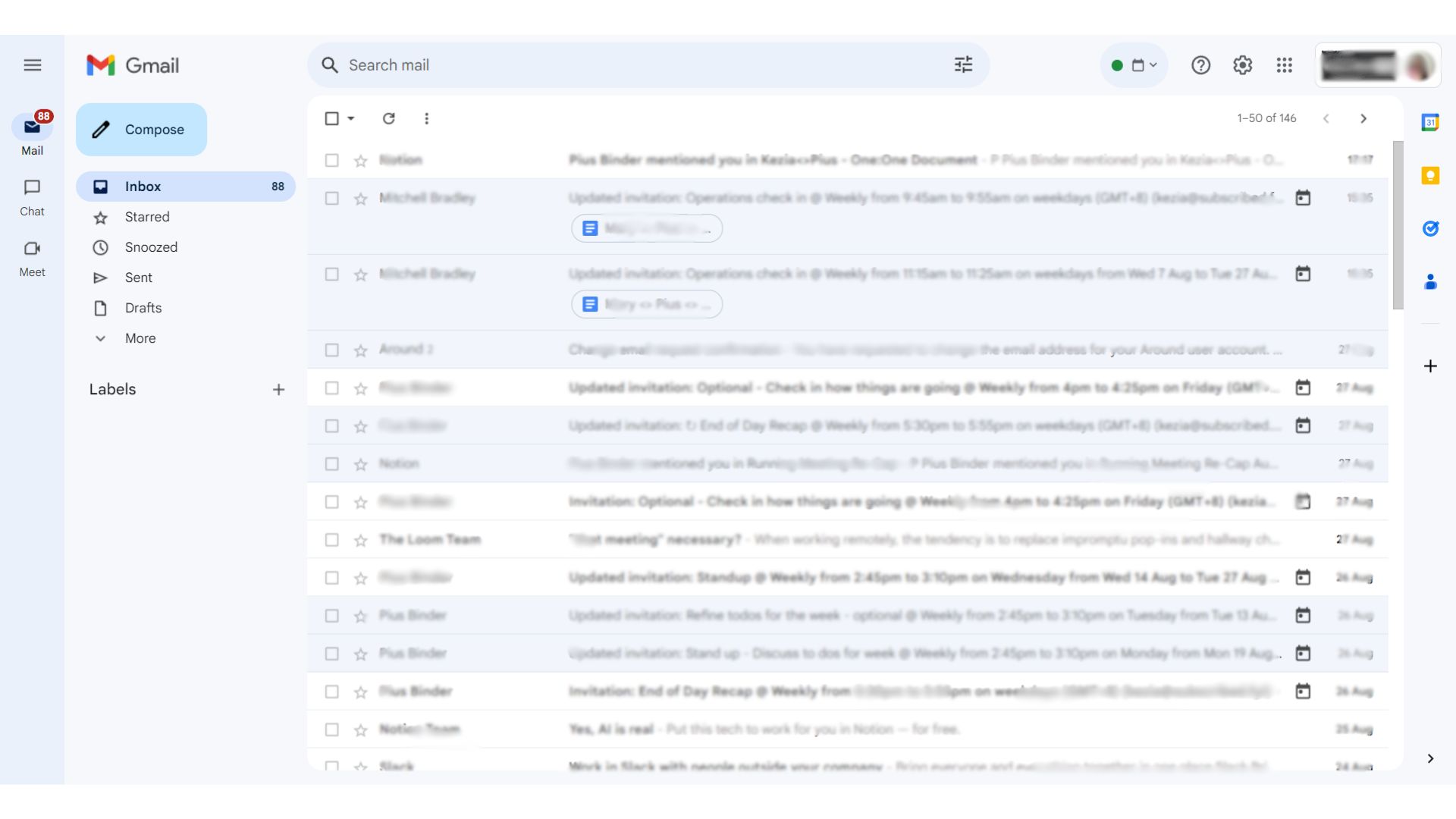
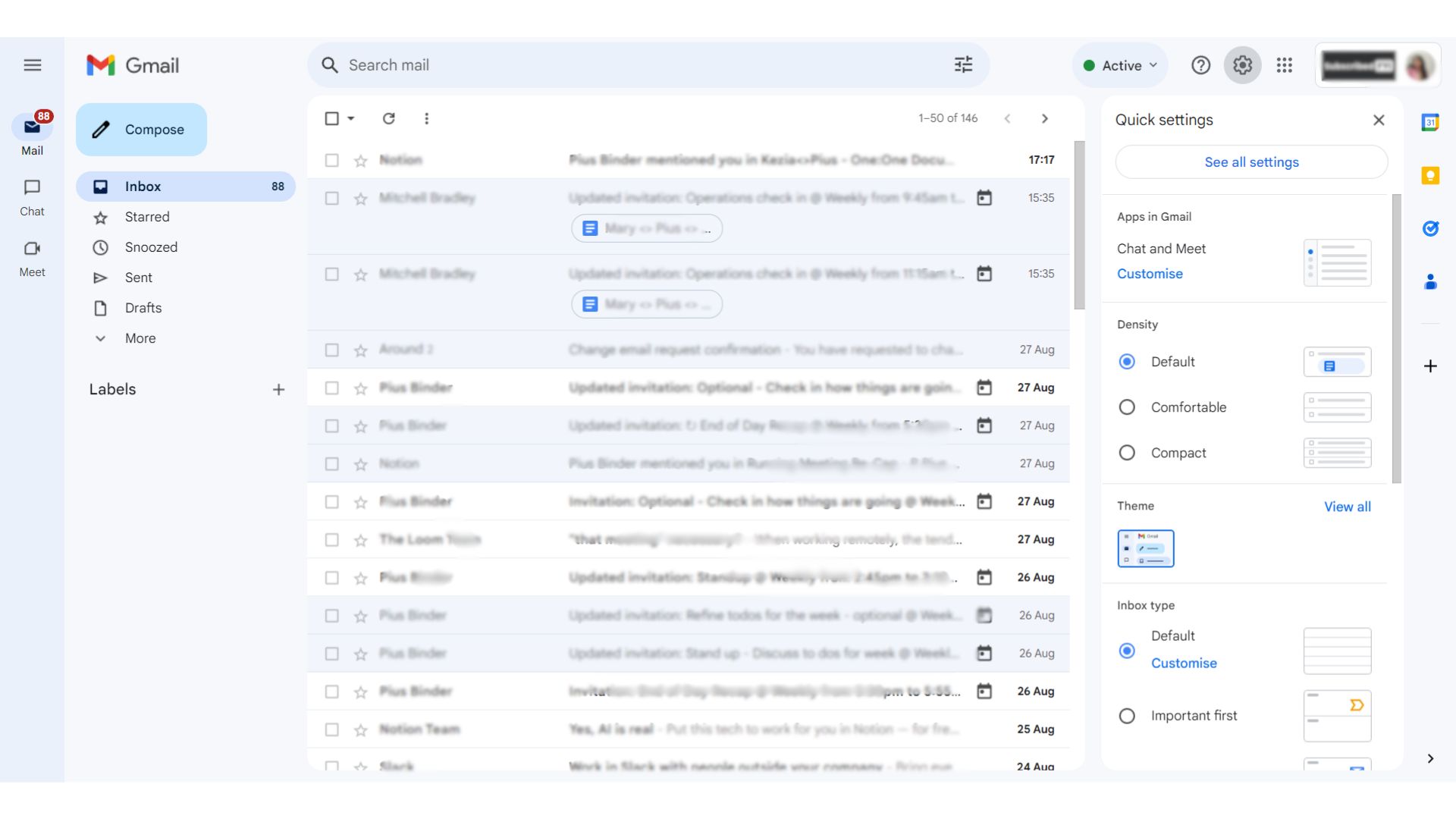
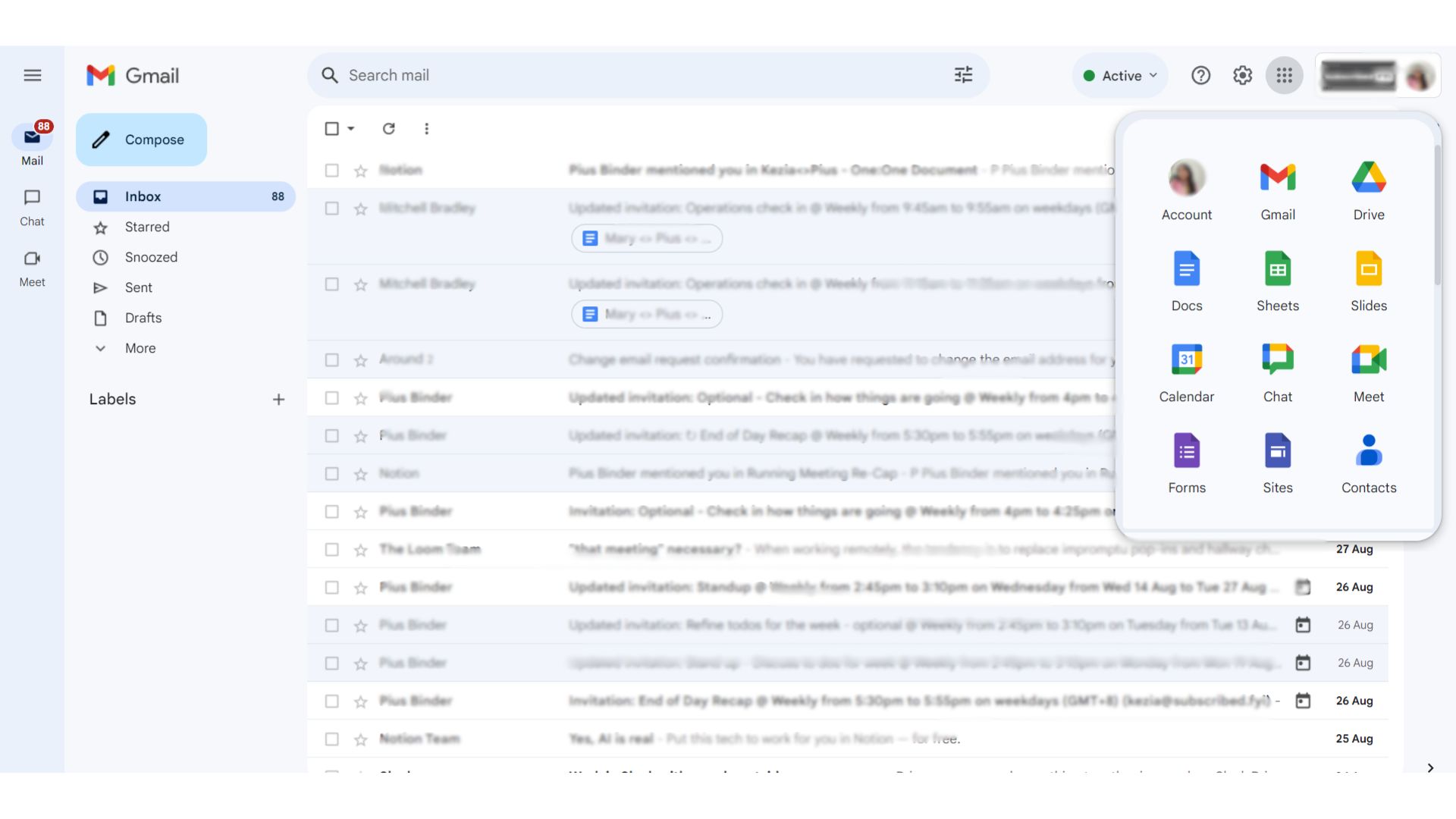
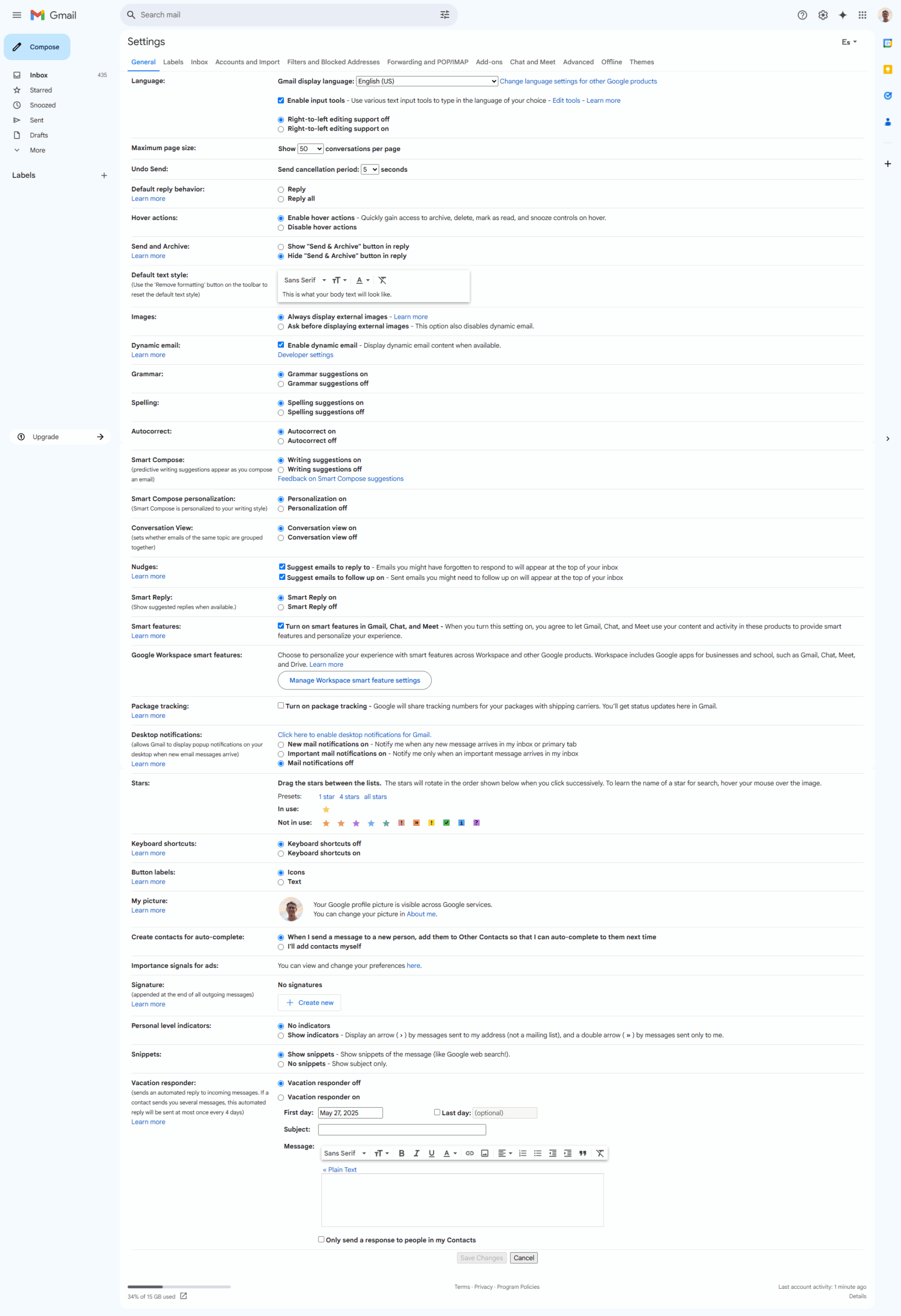
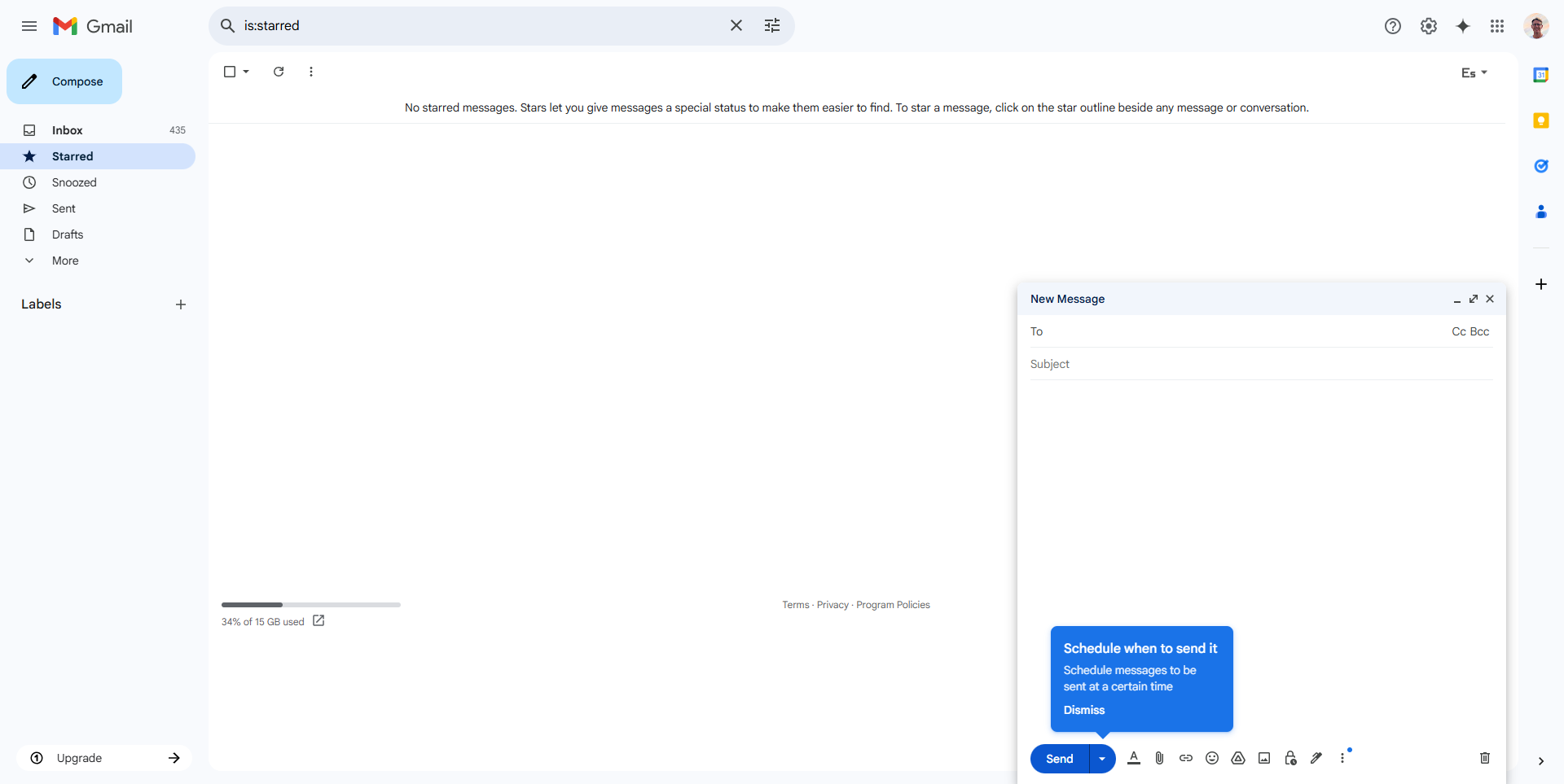
Gmail in action
info Icon

A curated gallery of real screenshots and use cases from the product, so you can see how it works before trying it.

Gmail screenshot Full Screen Icon
https://www.youtube.com/watch?v=AbuQ3rXgrfg?feature=oembed
Full Screen Icon
Video thumbnail
Gmail screenshot
Gmail screenshot
Gmail screenshot
Gmail screenshot
Gmail screenshot
Gmail screenshot
Gmail screenshot
Gmail screenshot
Gmail screenshot
Gmail screenshot

Alternatives to Gmail
info Icon

A list of platforms similar to Gmail, helping you evaluate which tool best matches your needs.

How to cancel Gmail

Need to cancel Gmail? Here is how
info Icon

Thinking about how to cancel Gmail this is how you do it!

Steps to Cancel Gmail Subscription.

Canceling your Gmail Subscription is a straightforward process. You can follow a few simple steps to initiate the cancellation or explore options to switch to a different plan. For detailed instructions, refer to Gmail Cancellation Guide.

How to Cancel the Gmail

Steps to Cancel Gmail Subscription.

Canceling your Gmail Subscription is a straightforward process. You can follow a few simple steps to initiate the cancellation or explore options to switch to a different plan. For detailed instructions, refer to Gmail Cancellation Guide.

FAQs about Gmail

Every else you need to know about Gmail
info Icon

A collection of FAQs, guides, alternatives, and comparisons to help you quickly understand if Gmail is right for you.

Manage your Gmail profile

Create profile

Want to list your product on Subscribed.fyi? Create a profile to reach more buyers.

No Pricing Yet

Ask Curious AI
Visit Now
Deals Available

This product comes with a special deal, see details

This product comes with a special deal, see details