Sign in to review
Join our community of software reviewers on Subscribed.fyi

Continue With Google
Continue With LinkedIn
Continue Review with Email
Continue with Email
Enter your email to continue.
Continue
Enter your password
Enter your password to finish setting up your account.
Continue
Activate your email
Enter activation code we sent to your email.
Submit
Reset your password
Enter activation code we sent to your email.
Submit
Set your new password
Enter a new password for your account.
Submit
Log in
Provide My Insights
CocoDoc logo
CocoDoc logo

CocoDoc Reviews, Pricing, Features & Alternatives (2026)

CocoDoc is an intuitive online PDF editor offering advanced tools for seamless document management. It allows users to easily edit, convert, merge, and e-sign PDFs with bank-level security and HIPAA compliance. Its user-friendly interface enhances productivity for both individuals and teams, making it an essential tool for efficient PDF handling.

CocoDoc logo
CocoDoc logo
CocoDoc logo

CocoDoc Overview

What is CocoDoc?

N/A
★ ★ ★ ★ ★
0
Reviews

Available for Claim - This listing is available to be claimed
Claim Profile

Unclaimed

Claim this profile to manage it.

Claim Profile

Why teams choose CocoDoc

Key Features

Fast & Efficient
Fast & Efficient
Optimized for speed and performance.
Built for Flexibility
Adaptable for multiple use cases.
Works Anywhere
Works Anywhere
Accessible from any device, anytime.

Who is CocoDoc for?

CocoDoc is an innovative online PDF editor designed for efficient PDF editing and management. With its fully interactive interface, CocoDoc streamlines tasks such as creating, editing, converting, and electronically signing PDF documents. Its intuitive design minimizes the learning curve while maximizing productivity, making it simple for both new users and seasoned professionals.

CocoDoc empowers users to customize PDFs in multiple ways. Its robust toolset allows you to add or remove text, adjust fonts and styles, insert images, and add watermarks effortlessly. The platform supports advanced functionalities like page numbering, Bates numbering for legal documents, and comprehensive file conversion options, enabling conversion between popular file formats. In addition, CocoDoc integrates an efficient e-signature feature, ensuring that documents remain secure and legally compliant. The platform’s stringent security measures, including bank-grade 256-bit SSL encryption and HIPAA compliance, provide peace of mind while handling sensitive data.

Serving the PDF Editing and Management sector, CocoDoc is ideally suited for busy professionals, academic institutions, small businesses, and large teams alike. It offers flexible pricing plans – from a Free version with basic features to advanced Business plans – making it easy for organizations of any size to adopt a solution that fits their workflow and budget. For exclusive deals, visit the CocoDoc deals page.

Why Use CocoDoc?

  • Enhanced Productivity: The user-friendly interface and diverse editing tools help reduce time spent on document processing.
  • Robust Security: Enjoy confidential document handling with secure gateways and advanced encryption protocols.
  • Versatility: Whether you need to convert files, merge PDFs, or annotate documents, CocoDoc delivers a complete suite of features.
  • Flexible Solutions: With a range of plans, from free basic access to comprehensive business solutions, you can select the level of service best suited for your needs.

Who is CocoDoc For?

  • Professionals and Enterprises: Streamline document management and secure confidential files with advanced security features and e-sign functionalities.
  • Educators and Students: Quickly produce, edit, and convert academic documents while ensuring that important files remain easily accessible and error-free.
  • Small Business Teams: Collaborate efficiently by sharing and editing documents in real time using an online platform that supports multi-device access.

CocoDoc is a comprehensive tool for anyone engaged in routine document handling. It not only simplifies traditional PDF tasks but also provides powerful conversion and e-signature capabilities, making it an indispensable solution within the PDF Editing and Management category. For users seeking further options, consider these alternatives: Smallpdf, Foxit PDF Editor, and PDFCreator.

CocoDoc Summary

CocoDoc is an innovative online PDF editor designed for efficient PDF editing and management. With its fully interactive interface, CocoDoc streamlines tasks such as creating, editing, converting, and electronically signing PDF documents. Its intuitive design minimizes the learning curve while maximizing productivity, making it simple for both new users and seasoned professionals.

CocoDoc empowers users to customize PDFs in multiple ways. Its robust toolset allows you to add or remove text, adjust fonts and styles, insert images, and add watermarks effortlessly. The platform supports advanced functionalities like page numbering, Bates numbering for legal documents, and comprehensive file conversion options, enabling conversion between popular file formats. In addition, CocoDoc integrates an efficient e-signature feature, ensuring that documents remain secure and legally compliant. The platform’s stringent security measures, including bank-grade 256-bit SSL encryption and HIPAA compliance, provide peace of mind while handling sensitive data.

Serving the PDF Editing and Management sector, CocoDoc is ideally suited for busy professionals, academic institutions, small businesses, and large teams alike. It offers flexible pricing plans – from a Free version with basic features to advanced Business plans – making it easy for organizations of any size to adopt a solution that fits their workflow and budget. For exclusive deals, visit the CocoDoc deals page.

Why Use CocoDoc?

  • Enhanced Productivity: The user-friendly interface and diverse editing tools help reduce time spent on document processing.
  • Robust Security: Enjoy confidential document handling with secure gateways and advanced encryption protocols.
  • Versatility: Whether you need to convert files, merge PDFs, or annotate documents, CocoDoc delivers a complete suite of features.
  • Flexible Solutions: With a range of plans, from free basic access to comprehensive business solutions, you can select the level of service best suited for your needs.

Who is CocoDoc For?

  • Professionals and Enterprises: Streamline document management and secure confidential files with advanced security features and e-sign functionalities.
  • Educators and Students: Quickly produce, edit, and convert academic documents while ensuring that important files remain easily accessible and error-free.
  • Small Business Teams: Collaborate efficiently by sharing and editing documents in real time using an online platform that supports multi-device access.

CocoDoc is a comprehensive tool for anyone engaged in routine document handling. It not only simplifies traditional PDF tasks but also provides powerful conversion and e-signature capabilities, making it an indispensable solution within the PDF Editing and Management category. For users seeking further options, consider these alternatives: Smallpdf, Foxit PDF Editor, and PDFCreator.

CocoDoc reviews and insights

Learn what people say about CocoDoc

N/A ★ ★ ★ ★ ★
0 Reviews

No Reviews Yet!

Be the first to share your experience and help others in the community.

CocoDoc logo

CocoDoc User Reviews

0 User Reviews

Reviews from G2, Capterra, Trustpilot
info Icon

These ratings come directly from third-party platforms like G2, Capterra, and Trustpilot. They reflect real user feedback collected independently on those sites.

CocoDoc pricing

Pricing model

CocoDoc logo
Pricing Range
info Icon

This only an estimated pricing range, visit CocoDoc pricing page to access all the information by clicking “Visit Now”.

$9-$25 / Month
Deals Available

This product comes with a special deal, see details

Visit Now

Overview

CocoDoc is an innovative online PDF editor designed for efficient PDF editing and management. With its fully interactive interface, CocoDoc streamlines tasks such as creating, editing, converting, and electronically signing PDF documents. Its intuitive design minimizes the learning curve while maximizing productivity, making it simple for both new users and seasoned professionals.

CocoDoc empowers users to customize PDFs in multiple ways. Its robust toolset allows you to add or remove text, adjust fonts and styles, insert images, and add watermarks effortlessly. The platform supports advanced functionalities like page numbering, Bates numbering for legal documents, and comprehensive file conversion options, enabling conversion between popular file formats. In addition, CocoDoc integrates an efficient e-signature feature, ensuring that documents remain secure and legally compliant. The platform’s stringent security measures, including bank-grade 256-bit SSL encryption and HIPAA compliance, provide peace of mind while handling sensitive data.

Serving the PDF Editing and Management sector, CocoDoc is ideally suited for busy professionals, academic institutions, small businesses, and large teams alike. It offers flexible pricing plans – from a Free version with basic features to advanced Business plans – making it easy for organizations of any size to adopt a solution that fits their workflow and budget. For exclusive deals, visit the CocoDoc deals page.

Why Use CocoDoc?

  • Enhanced Productivity: The user-friendly interface and diverse editing tools help reduce time spent on document processing.
  • Robust Security: Enjoy confidential document handling with secure gateways and advanced encryption protocols.
  • Versatility: Whether you need to convert files, merge PDFs, or annotate documents, CocoDoc delivers a complete suite of features.
  • Flexible Solutions: With a range of plans, from free basic access to comprehensive business solutions, you can select the level of service best suited for your needs.

Who is CocoDoc For?

  • Professionals and Enterprises: Streamline document management and secure confidential files with advanced security features and e-sign functionalities.
  • Educators and Students: Quickly produce, edit, and convert academic documents while ensuring that important files remain easily accessible and error-free.
  • Small Business Teams: Collaborate efficiently by sharing and editing documents in real time using an online platform that supports multi-device access.

CocoDoc is a comprehensive tool for anyone engaged in routine document handling. It not only simplifies traditional PDF tasks but also provides powerful conversion and e-signature capabilities, making it an indispensable solution within the PDF Editing and Management category. For users seeking further options, consider these alternatives: Smallpdf, Foxit PDF Editor, and PDFCreator.

Where CocoDoc performs best

What users like
  • User-friendly interface and easy to use.
  • Wide range of PDF editing features.
  • Secure with 256-bit SSL encryption.
  • Affordable pricing options.

Where CocoDoc falls short

What users dislike
  • Requires stable internet connection.
  • Free trial permits limited usage.
  • No dedicated mobile application.
  • Integration with third-party tools is limited.
CocoDoc Pricing Range
$9-$25 / Month

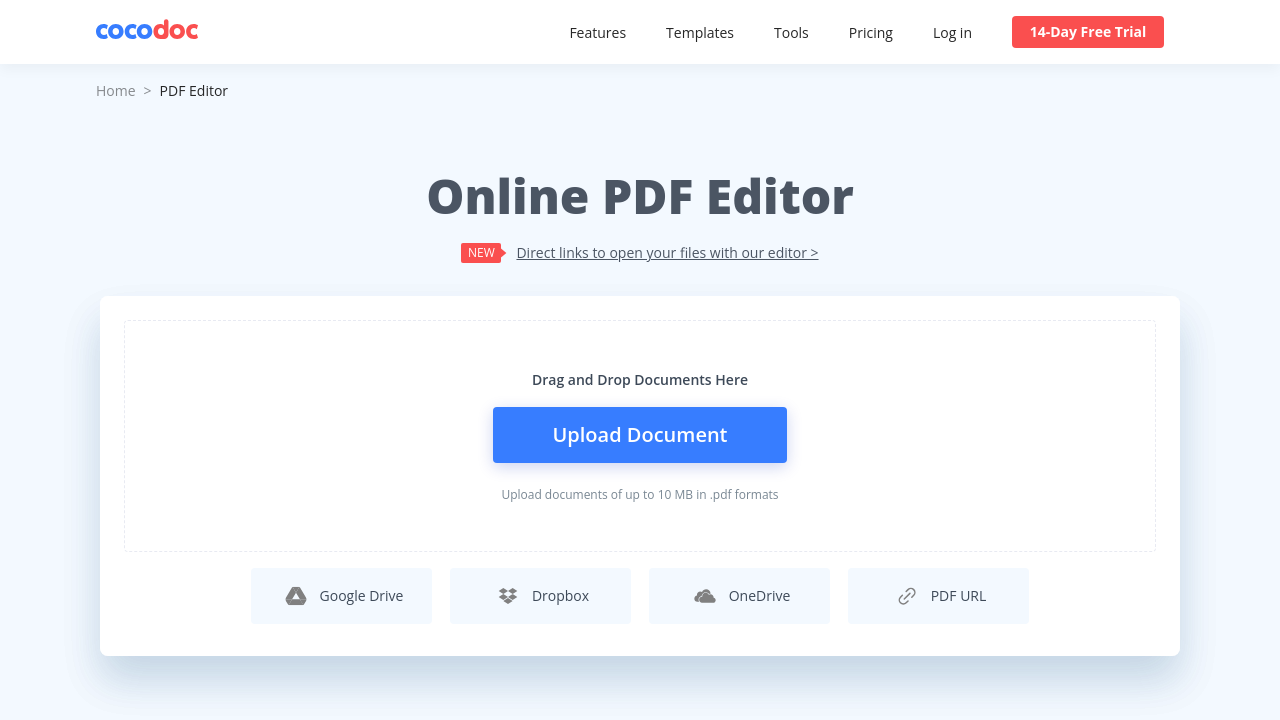
CocoDoc in action
info Icon

A curated gallery of real screenshots and use cases from the product, so you can see how it works before trying it.

CocoDoc screenshot 1 Full Screen Icon
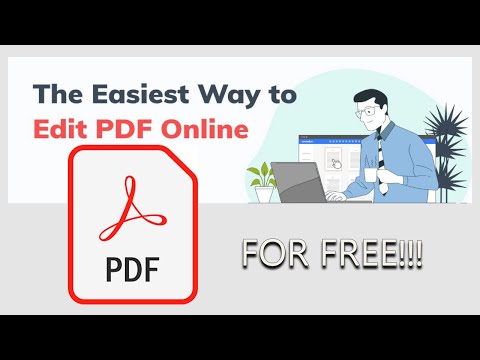
https://www.youtube.com/watch?v=94DX_OmzYUk
Full Screen Icon
CocoDoc screenshot 1
Video thumbnail
CocoDoc screenshot 1

Alternatives to CocoDoc
info Icon

A list of platforms similar to CocoDoc, helping you evaluate which tool best matches your needs.

How to cancel CocoDoc

Need to cancel CocoDoc? Here is how
info Icon

Thinking about how to cancel CocoDoc this is how you do it!

To cancel a CocoDoc product:

  • Access your account on the CocoDoc website.
  • Navigate to the subscription or account settings.
  • Select the option to cancel your subscription or entire account.
  • Fill out the cancellation form if required.
  • Submit the form and await confirmation of cancellation.

How to Cancel the CocoDoc

To cancel a CocoDoc product:

  • Access your account on the CocoDoc website.
  • Navigate to the subscription or account settings.
  • Select the option to cancel your subscription or entire account.
  • Fill out the cancellation form if required.
  • Submit the form and await confirmation of cancellation.

Manage your CocoDoc profile

Create profile

Want to list your product on Subscribed.fyi? Create a profile to reach more buyers.

Pricing Range
info Icon

This only an estimated pricing range, visit CocoDoc pricing page to access all the information by clicking “Visit Now”.

$9-$25 / Month
Visit Now
Deals Available

This product comes with a special deal, see details

This product comes with a special deal, see details