Top software categories
Business Intelligence, Data Integration and SEO Analytics.
Fintech and Banking and Financial Management.
Project Management, Time Tracking and Collaboration Tools.
AI Tools, Video Editing, AI Writing Assistant and Audio Editing Software.
CRM, Call Center Software and Customer Feedback Software.
Web Development & Design, Software Testing Tools and API Tools.
Medical Practice Management and Digital Health Solutions.
HR Management, Recruiting and Payroll Software.
Marketing Automation, Email Marketing and SMS Marketing.
Cybersecurity, Data Protection and Email Security.
Create Your Product Profile
Buyers and AI assistants check what others say about your product long before they talk to sales. Own that reputation and turn it into pipeline.
Want help? we set it up with you, Book a call
Top service categories
Oracle Cloud, AWS and Azure partners for migration, DevOps and managed cloud.
Webflow, Framer and Shopify agencies, and UX/UI studios.
Oracle, NetSuite, SAP and Microsoft Dynamics implementation partners.
Workday and BambooHR implementers, payroll and HR outsourcing.
AI implementation, data engineering and BI teams.
Fractional CFOs, bookkeeping and QuickBooks or Xero advisors.
Salesforce, HubSpot and Zoho partners for setup, migration and RevOps.
Branding, design and video production studios.
Cybersecurity, SOC 2 and ISO 27001 consultants.
Zapier, Make and n8n experts who build and maintain workflows.
SEO, paid ads, content and marketing automation agencies.
Custom software, mobile apps, QA and low-code builds.

Create Your Company Profile
Show up as the verified expert on the products you work with, and get calls booked by teams ready to buy.
Want help? we set it up with you, Book a call

Claim this profile to manage it.
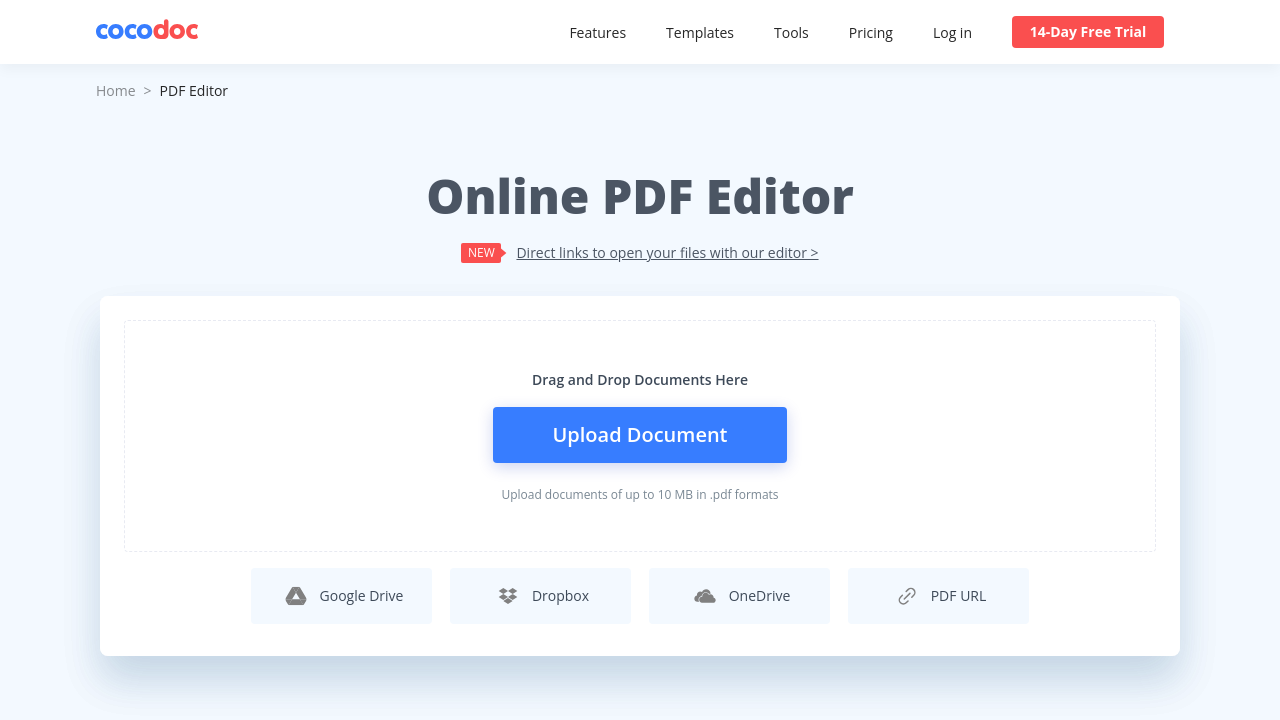
CocoDoc is an innovative online PDF editor designed for efficient PDF editing and management. With its fully interactive interface, CocoDoc streamlines tasks such as creating, editing, converting, and electronically signing PDF documents. Its intuitive design minimizes the learning curve while maximizing productivity, making it simple for both new users and seasoned professionals.
CocoDoc empowers users to customize PDFs in multiple ways. Its robust toolset allows you to add or remove text, adjust fonts and styles, insert images, and add watermarks effortlessly. The platform supports advanced functionalities like page numbering, Bates numbering for legal documents, and comprehensive file conversion options, enabling conversion between popular file formats. In addition, CocoDoc integrates an efficient e-signature feature, ensuring that documents remain secure and legally compliant. The platform’s stringent security measures, including bank-grade 256-bit SSL encryption and HIPAA compliance, provide peace of mind while handling sensitive data.
Serving the PDF Editing and Management sector, CocoDoc is ideally suited for busy professionals, academic institutions, small businesses, and large teams alike. It offers flexible pricing plans – from a Free version with basic features to advanced Business plans – making it easy for organizations of any size to adopt a solution that fits their workflow and budget. For exclusive deals, visit the CocoDoc deals page.
Why Use CocoDoc?
Who is CocoDoc For?
CocoDoc is a comprehensive tool for anyone engaged in routine document handling. It not only simplifies traditional PDF tasks but also provides powerful conversion and e-signature capabilities, making it an indispensable solution within the PDF Editing and Management category. For users seeking further options, consider these alternatives: Smallpdf, Foxit PDF Editor, and PDFCreator.
Learn what people say about CocoDoc
Be the first to share your experience and help others in the community.
CocoDoc is an innovative online PDF editor designed for efficient PDF editing and management. With its fully interactive interface, CocoDoc streamlines tasks such as creating, editing, converting, and electronically signing PDF documents. Its intuitive design minimizes the learning curve while maximizing productivity, making it simple for both new users and seasoned professionals.
CocoDoc empowers users to customize PDFs in multiple ways. Its robust toolset allows you to add or remove text, adjust fonts and styles, insert images, and add watermarks effortlessly. The platform supports advanced functionalities like page numbering, Bates numbering for legal documents, and comprehensive file conversion options, enabling conversion between popular file formats. In addition, CocoDoc integrates an efficient e-signature feature, ensuring that documents remain secure and legally compliant. The platform’s stringent security measures, including bank-grade 256-bit SSL encryption and HIPAA compliance, provide peace of mind while handling sensitive data.
Serving the PDF Editing and Management sector, CocoDoc is ideally suited for busy professionals, academic institutions, small businesses, and large teams alike. It offers flexible pricing plans – from a Free version with basic features to advanced Business plans – making it easy for organizations of any size to adopt a solution that fits their workflow and budget. For exclusive deals, visit the CocoDoc deals page.
Why Use CocoDoc?
Who is CocoDoc For?
CocoDoc is a comprehensive tool for anyone engaged in routine document handling. It not only simplifies traditional PDF tasks but also provides powerful conversion and e-signature capabilities, making it an indispensable solution within the PDF Editing and Management category. For users seeking further options, consider these alternatives: Smallpdf, Foxit PDF Editor, and PDFCreator.
To cancel a CocoDoc product:
Want to list your product on Subscribed.fyi? Create a profile to reach more buyers.