Sign in to review
Join our community of software reviewers on Subscribed.fyi

Continue With Google
Continue With LinkedIn
Continue Review with Email
Continue with Email
Enter your email to continue.
Continue
Enter your password
Enter your password to finish setting up your account.
Continue
Activate your email
Enter activation code we sent to your email.
Submit
Reset your password
Enter activation code we sent to your email.
Submit
Set your new password
Enter a new password for your account.
Submit
Log in
Provide My Insights
Timing logo
Timing logo

Timing Reviews, Pricing, Features & Alternatives (2026)

Timing is an automatic time tracking application for macOS designed to simplify productivity management. It tracks time spent on apps, websites, and documents without requiring manual timers, offering detailed insights for better task allocation. With features like automated categorization, custom rules, and comprehensive reporting, Timing ensures effortless time tracking. Perfect for freelancers and professionals, it helps optimize workflow and improve billing accuracy.

Timing logo
Timing logo
Timing logo

Timing Overview

What is Timing?

N/A
★ ★ ★ ★ ★
0
Reviews

Available for Claim - This listing is available to be claimed
Claim Profile

Unclaimed

Claim this profile to manage it.

Claim Profile

Why teams choose Timing

Key Features

Collaborate Easily
Collaborate Easily
Built for teams and communication.
Data-Driven Insights
Make better decisions with analytics.
Plug & Play Setup
Plug & Play Setup
Get started in minutes, not weeks.

Who is Timing for?

Timing is an innovative solution in the Time Tracking category, designed to automate time measurement on macOS devices. Unlike traditional manual-start timers, Timing intelligently records your activity, tracking which apps, websites, files, and projects you spent time on. This ensures precise time logs and boosts productivity without manual intervention. Timing’s features include robust categorization for activities (manual and automatic), comprehensive reporting capabilities, and exporting options tailored for professionals needing detailed insights or invoicing data. Discover exclusive deals. For more time-tracking options, consider Monday.com, ClickUp, and Clockify.

Why Use Timing?

Choosing Timing offers several standout advantages:

  • Automatic Time Tracking: Timing eliminates the need for manual timers, automatically logging every interaction with apps, documents, and websites on your Mac. This ensures accurate, hassle-free tracking.
  • Customization and Rules: Users can define custom rules to categorize activities, making tracking even more relevant to their unique workflows.
  • Advanced Reporting and Exporting: Generate detailed reports and eksport data for professional use like invoicing or productivity reviews.
  • Productivity Insights: Gain an overview of how your time is spent daily, weekly, or monthly, including productivity scores for evaluating performance.
  • Seamless Integration: Timing effectively runs in the background, syncing across multiple devices and requiring minimal user intervention.

Who is Timing For?

Timing serves diverse users looking to enhance time management:

  • Freelancers and Contractors: Billing clients becomes easier with reliable time records and professional reporting tools.
  • Creative Professionals: Designers, developers, and writers can evaluate project costs and time investments seamlessly.
  • Business Owners: Gain insights into individual or team productivity (manual workarounds for teams required for now) and time allocation.
  • Knowledge Workers: Perfect for anyone balancing multiple projects, Timing helps maximize focus and accountability.

Timing is a game-changer for anyone seeking smarter, technology-driven time management. Whether you’re a freelancer, business manager, or creative professional, Timing provides an elegant, fully automated approach to tracking and evaluating your time usage. Explore today to unlock its potential.

Timing Summary

Timing is an innovative solution in the Time Tracking category, designed to automate time measurement on macOS devices. Unlike traditional manual-start timers, Timing intelligently records your activity, tracking which apps, websites, files, and projects you spent time on. This ensures precise time logs and boosts productivity without manual intervention. Timing’s features include robust categorization for activities (manual and automatic), comprehensive reporting capabilities, and exporting options tailored for professionals needing detailed insights or invoicing data. Discover exclusive deals. For more time-tracking options, consider Monday.com, ClickUp, and Clockify.

Why Use Timing?

Choosing Timing offers several standout advantages:

  • Automatic Time Tracking: Timing eliminates the need for manual timers, automatically logging every interaction with apps, documents, and websites on your Mac. This ensures accurate, hassle-free tracking.
  • Customization and Rules: Users can define custom rules to categorize activities, making tracking even more relevant to their unique workflows.
  • Advanced Reporting and Exporting: Generate detailed reports and eksport data for professional use like invoicing or productivity reviews.
  • Productivity Insights: Gain an overview of how your time is spent daily, weekly, or monthly, including productivity scores for evaluating performance.
  • Seamless Integration: Timing effectively runs in the background, syncing across multiple devices and requiring minimal user intervention.

Who is Timing For?

Timing serves diverse users looking to enhance time management:

  • Freelancers and Contractors: Billing clients becomes easier with reliable time records and professional reporting tools.
  • Creative Professionals: Designers, developers, and writers can evaluate project costs and time investments seamlessly.
  • Business Owners: Gain insights into individual or team productivity (manual workarounds for teams required for now) and time allocation.
  • Knowledge Workers: Perfect for anyone balancing multiple projects, Timing helps maximize focus and accountability.

Timing is a game-changer for anyone seeking smarter, technology-driven time management. Whether you’re a freelancer, business manager, or creative professional, Timing provides an elegant, fully automated approach to tracking and evaluating your time usage. Explore today to unlock its potential.

Timing reviews and insights

Learn what people say about Timing

N/A ★ ★ ★ ★ ★
0 Reviews

No Reviews Yet!

Be the first to share your experience and help others in the community.

Timing logo

Timing User Reviews

0 User Reviews

Reviews from G2, Capterra, Trustpilot
info Icon

These ratings come directly from third-party platforms like G2, Capterra, and Trustpilot. They reflect real user feedback collected independently on those sites.

Timing pricing

Pricing model

Timing logo
Pricing Range
info Icon

This only an estimated pricing range, visit Timing pricing page to access all the information by clicking “Visit Now”.

Not specified.
Deals Available

This product comes with a special deal, see details

Visit Now

Overview

Timing is an innovative solution in the Time Tracking category, designed to automate time measurement on macOS devices. Unlike traditional manual-start timers, Timing intelligently records your activity, tracking which apps, websites, files, and projects you spent time on. This ensures precise time logs and boosts productivity without manual intervention. Timing’s features include robust categorization for activities (manual and automatic), comprehensive reporting capabilities, and exporting options tailored for professionals needing detailed insights or invoicing data. Discover exclusive deals. For more time-tracking options, consider Monday.com, ClickUp, and Clockify.

Why Use Timing?

Choosing Timing offers several standout advantages:

  • Automatic Time Tracking: Timing eliminates the need for manual timers, automatically logging every interaction with apps, documents, and websites on your Mac. This ensures accurate, hassle-free tracking.
  • Customization and Rules: Users can define custom rules to categorize activities, making tracking even more relevant to their unique workflows.
  • Advanced Reporting and Exporting: Generate detailed reports and eksport data for professional use like invoicing or productivity reviews.
  • Productivity Insights: Gain an overview of how your time is spent daily, weekly, or monthly, including productivity scores for evaluating performance.
  • Seamless Integration: Timing effectively runs in the background, syncing across multiple devices and requiring minimal user intervention.

Who is Timing For?

Timing serves diverse users looking to enhance time management:

  • Freelancers and Contractors: Billing clients becomes easier with reliable time records and professional reporting tools.
  • Creative Professionals: Designers, developers, and writers can evaluate project costs and time investments seamlessly.
  • Business Owners: Gain insights into individual or team productivity (manual workarounds for teams required for now) and time allocation.
  • Knowledge Workers: Perfect for anyone balancing multiple projects, Timing helps maximize focus and accountability.

Timing is a game-changer for anyone seeking smarter, technology-driven time management. Whether you’re a freelancer, business manager, or creative professional, Timing provides an elegant, fully automated approach to tracking and evaluating your time usage. Explore today to unlock its potential.

Where Timing performs best

What users like
  • Automatic and accurate time tracking
  • Highly customizable rules and categories
  • Detailed reporting and export options
  • Syncs across multiple devices

Where Timing falls short

What users dislike
  • Takes time to set up and customize
  • Not friendly for new users initially
  • Interface can feel overwhelming
  • Some apps not fully supported
Timing Pricing Range
Not specified.

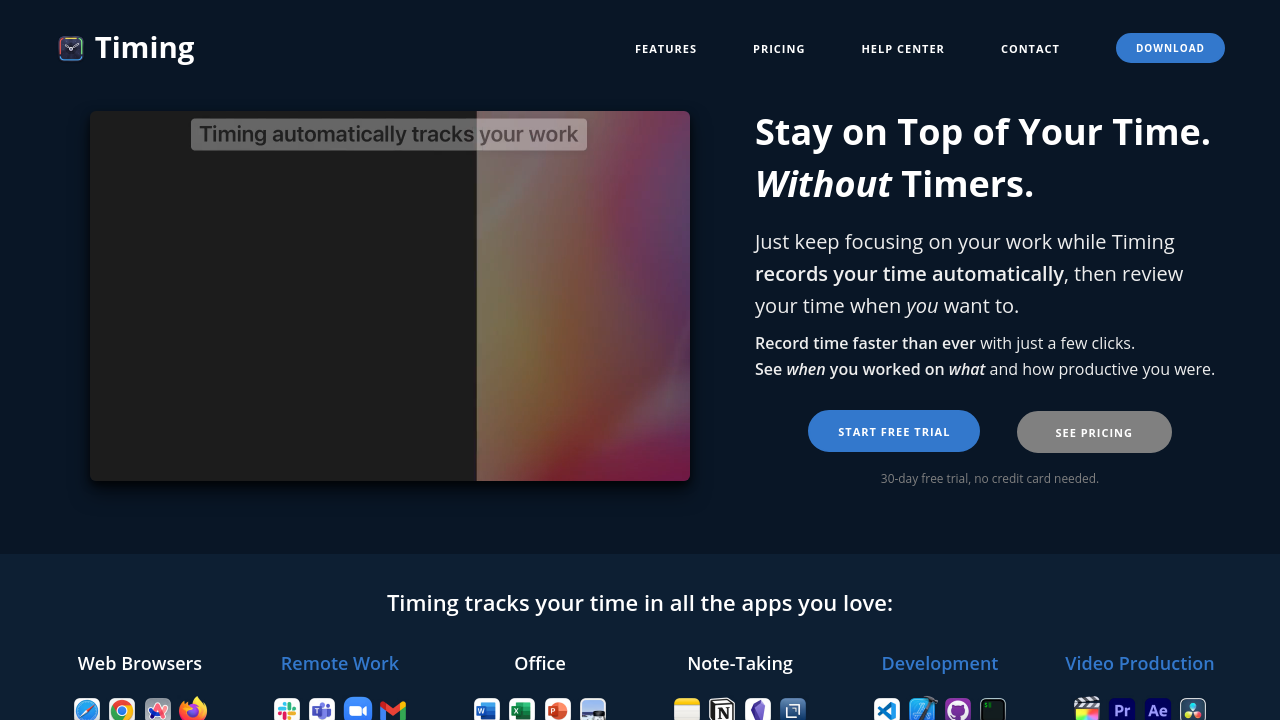
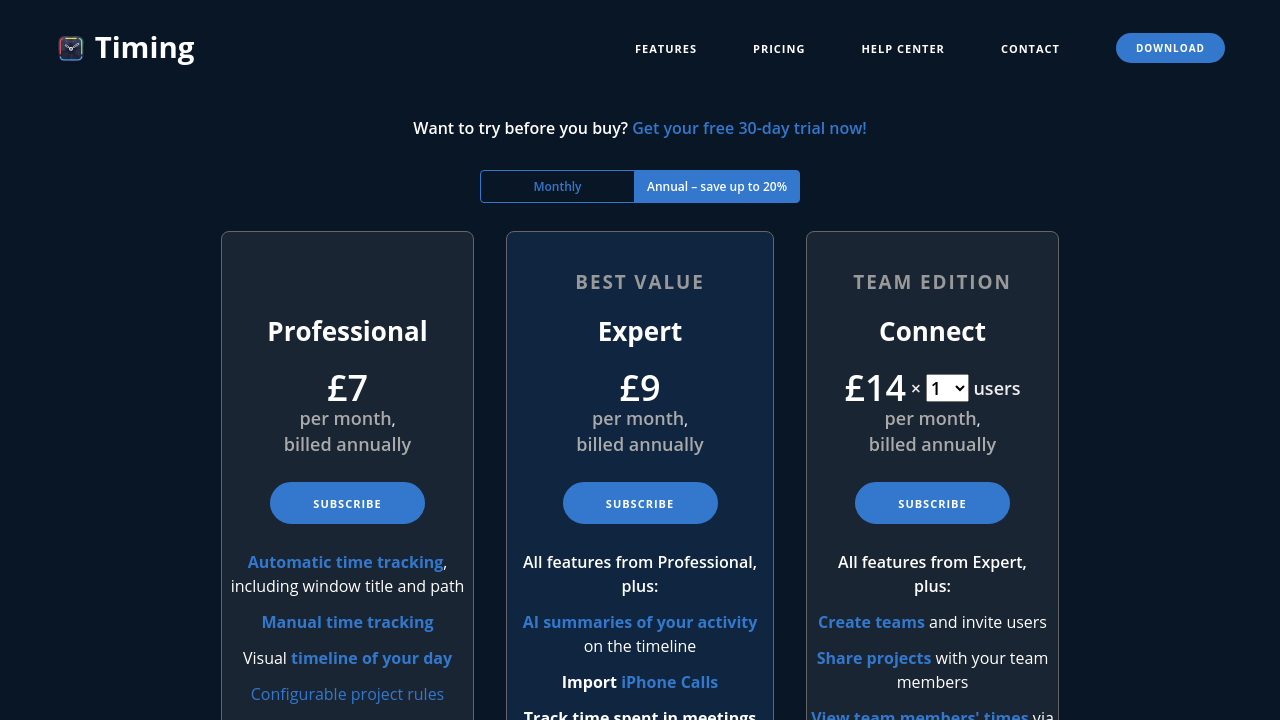
Timing in action
info Icon

A curated gallery of real screenshots and use cases from the product, so you can see how it works before trying it.

Timing screenshot 1 Full Screen Icon
Timing screenshot 2 Full Screen Icon
https://www.youtube.com/watch?v=ZAq8Iw0mwYk
Full Screen Icon
https://www.youtube.com/watch?v=zc5DVJeN3wc
Full Screen Icon
Timing screenshot 1
Timing screenshot 2
Video thumbnail
Video thumbnail
Timing screenshot 1
Timing screenshot 2

Alternatives to Timing
info Icon

A list of platforms similar to Timing, helping you evaluate which tool best matches your needs.

How to cancel Timing

Need to cancel Timing? Here is how
info Icon

Thinking about how to cancel Timing this is how you do it!

To cancel a Timing subscription:

  • Receive and use the subscription management link from your initial email.
  • Access the subscription management link through the Timing app’s menu.
  • Enter your email on the license activation page to get the link if needed.
  • Contact support if you can’t find the link.
  • Cancelation allows full access until the end of the current billing period.

How to Cancel the Timing

To cancel a Timing subscription:

  • Receive and use the subscription management link from your initial email.
  • Access the subscription management link through the Timing app’s menu.
  • Enter your email on the license activation page to get the link if needed.
  • Contact support if you can’t find the link.
  • Cancelation allows full access until the end of the current billing period.

Manage your Timing profile

Create profile

Want to list your product on Subscribed.fyi? Create a profile to reach more buyers.

Pricing Range
info Icon

This only an estimated pricing range, visit Timing pricing page to access all the information by clicking “Visit Now”.

Not specified.
Visit Now
Deals Available

This product comes with a special deal, see details

This product comes with a special deal, see details