Sign in to review
Join our community of software reviewers on Subscribed.fyi

Continue With Google
Continue With LinkedIn
Continue Review with Email
Continue with Email
Enter your email to continue.
Continue
Enter your password
Enter your password to finish setting up your account.
Continue
Activate your email
Enter activation code we sent to your email.
Submit
Reset your password
Enter activation code we sent to your email.
Submit
Set your new password
Enter a new password for your account.
Submit
Log in
Provide My Insights
pgAdmin logo
pgAdmin logo

pgAdmin Reviews, Pricing, Features & Alternatives (2026)

pgAdmin is an open-source database management and development tool designed for PostgreSQL and EDB Advanced Server. It provides a user-friendly interface with features like a schema designer, query tool, and server configuration, enabling efficient database administration. Compatible with multiple operating systems, it offers robust functionality for managing multiple databases seamlessly. Best of all, it is free and regularly updated to enhance user experience.

pgAdmin logo
pgAdmin logo
pgAdmin logo

pgAdmin Overview

What is pgAdmin?

N/A
★ ★ ★ ★ ★
0
Reviews

Available for Claim - This listing is available to be claimed
Claim Profile

Unclaimed

Claim this profile to manage it.

Claim Profile

Why teams choose pgAdmin

Key Features

Exclusive Perks
Exclusive Perks
Special offers and discounts available.
Expert Support
Expert Support
Help available when you need it.
Affordable Pricing
Affordable Pricing
Transparent plans to fit any budget.

Who is pgAdmin for?

pgAdmin is a powerful, open source administration and development platform designed specifically for PostgreSQL. It offers a desktop-like experience across multiple operating systems including Linux, macOS, Windows, and Unix. Ideal for developers and database administrators, pgAdmin delivers an intuitive interface for managing databases, building queries, designing schemas, and configuring servers.

Positioned within the Database Development category, pgAdmin provides a comprehensive suite of tools that cater to both beginners and advanced users. Whether you’re designing a new database schema or managing multiple environments, pgAdmin simplifies complex tasks with its feature-rich interface and ease of use. This platform allows users to interact with their PostgreSQL databases through a graphical interface that streamlines everyday workflows and minimizes the need for command-line interventions.

Features and Benefits

  • Intuitive User Interface: pgAdmin offers a clean and clear interface that allows users to quickly navigate through database objects and perform CRUD operations with ease.
  • Cross-Platform Compatibility: The tool runs seamlessly on various operating systems, making it accessible for teams with diverse technical environments.
  • Powerful Query Tool: With its built-in query editor, pgAdmin ensures that writing, executing, and analyzing SQL queries is both efficient and straightforward.
  • Advanced Administrative Capabilities: Access multiple databases from one place, manage user permissions, and monitor server health via an integrated visual dashboard.
  • Open Source and Secure: pgAdmin is built on open source principles, ensuring transparency, community collaboration, and robust security measures.

pgAdmin’s flexibility and robust feature set make it the go-to tool for managing PostgreSQL databases. For organizations looking to streamline database development and administration, this platform offers an ideal mix of functionality and usability with minimal setup complexity. Its support for multiple database connections and integrated tools for query history, live editing, and data export further solidify its position as an indispensable resource for database professionals.

Explore exclusive deals and maximize your database management efficiency with pgAdmin. For those seeking alternative solutions in similar spaces, consider these options:

Designed to meet the needs of both individual developers and enterprise teams, pgAdmin is a reliable choice for anyone managing a PostgreSQL environment. With its intuitive design, cross-platform capabilities, and comprehensive feature set, pgAdmin continually evolves to support modern database development processes.

pgAdmin Summary

pgAdmin is a powerful, open source administration and development platform designed specifically for PostgreSQL. It offers a desktop-like experience across multiple operating systems including Linux, macOS, Windows, and Unix. Ideal for developers and database administrators, pgAdmin delivers an intuitive interface for managing databases, building queries, designing schemas, and configuring servers.

Positioned within the Database Development category, pgAdmin provides a comprehensive suite of tools that cater to both beginners and advanced users. Whether you’re designing a new database schema or managing multiple environments, pgAdmin simplifies complex tasks with its feature-rich interface and ease of use. This platform allows users to interact with their PostgreSQL databases through a graphical interface that streamlines everyday workflows and minimizes the need for command-line interventions.

Features and Benefits

  • Intuitive User Interface: pgAdmin offers a clean and clear interface that allows users to quickly navigate through database objects and perform CRUD operations with ease.
  • Cross-Platform Compatibility: The tool runs seamlessly on various operating systems, making it accessible for teams with diverse technical environments.
  • Powerful Query Tool: With its built-in query editor, pgAdmin ensures that writing, executing, and analyzing SQL queries is both efficient and straightforward.
  • Advanced Administrative Capabilities: Access multiple databases from one place, manage user permissions, and monitor server health via an integrated visual dashboard.
  • Open Source and Secure: pgAdmin is built on open source principles, ensuring transparency, community collaboration, and robust security measures.

pgAdmin’s flexibility and robust feature set make it the go-to tool for managing PostgreSQL databases. For organizations looking to streamline database development and administration, this platform offers an ideal mix of functionality and usability with minimal setup complexity. Its support for multiple database connections and integrated tools for query history, live editing, and data export further solidify its position as an indispensable resource for database professionals.

Explore exclusive deals and maximize your database management efficiency with pgAdmin. For those seeking alternative solutions in similar spaces, consider these options:

Designed to meet the needs of both individual developers and enterprise teams, pgAdmin is a reliable choice for anyone managing a PostgreSQL environment. With its intuitive design, cross-platform capabilities, and comprehensive feature set, pgAdmin continually evolves to support modern database development processes.

pgAdmin reviews and insights

Learn what people say about pgAdmin

N/A ★ ★ ★ ★ ★
0 Reviews

No Reviews Yet!

Be the first to share your experience and help others in the community.

pgAdmin logo

pgAdmin User Reviews

0 User Reviews

Reviews from G2, Capterra, Trustpilot
info Icon

These ratings come directly from third-party platforms like G2, Capterra, and Trustpilot. They reflect real user feedback collected independently on those sites.

pgAdmin pricing

Pricing model

pgAdmin logo
Pricing Range
info Icon

This only an estimated pricing range, visit pgAdmin pricing page to access all the information by clicking “Visit Now”.

Not specified
Deals Available

This product comes with a special deal, see details

Visit Now

Overview

pgAdmin is a powerful, open source administration and development platform designed specifically for PostgreSQL. It offers a desktop-like experience across multiple operating systems including Linux, macOS, Windows, and Unix. Ideal for developers and database administrators, pgAdmin delivers an intuitive interface for managing databases, building queries, designing schemas, and configuring servers.

Positioned within the Database Development category, pgAdmin provides a comprehensive suite of tools that cater to both beginners and advanced users. Whether you’re designing a new database schema or managing multiple environments, pgAdmin simplifies complex tasks with its feature-rich interface and ease of use. This platform allows users to interact with their PostgreSQL databases through a graphical interface that streamlines everyday workflows and minimizes the need for command-line interventions.

Features and Benefits

  • Intuitive User Interface: pgAdmin offers a clean and clear interface that allows users to quickly navigate through database objects and perform CRUD operations with ease.
  • Cross-Platform Compatibility: The tool runs seamlessly on various operating systems, making it accessible for teams with diverse technical environments.
  • Powerful Query Tool: With its built-in query editor, pgAdmin ensures that writing, executing, and analyzing SQL queries is both efficient and straightforward.
  • Advanced Administrative Capabilities: Access multiple databases from one place, manage user permissions, and monitor server health via an integrated visual dashboard.
  • Open Source and Secure: pgAdmin is built on open source principles, ensuring transparency, community collaboration, and robust security measures.

pgAdmin’s flexibility and robust feature set make it the go-to tool for managing PostgreSQL databases. For organizations looking to streamline database development and administration, this platform offers an ideal mix of functionality and usability with minimal setup complexity. Its support for multiple database connections and integrated tools for query history, live editing, and data export further solidify its position as an indispensable resource for database professionals.

Explore exclusive deals and maximize your database management efficiency with pgAdmin. For those seeking alternative solutions in similar spaces, consider these options:

Designed to meet the needs of both individual developers and enterprise teams, pgAdmin is a reliable choice for anyone managing a PostgreSQL environment. With its intuitive design, cross-platform capabilities, and comprehensive feature set, pgAdmin continually evolves to support modern database development processes.

Where pgAdmin performs best

What users like
  • Easy to use for PostgreSQL management
  • Allows access to multiple databases
  • Clear query results and export functionality
  • Compatible across multiple platforms

Where pgAdmin falls short

What users dislike
  • UI not very intuitive for some users
  • Autocomplete in query typing can be disruptive
  • Frequent crashes when handling large data
  • Connectivity issues with some databases
pgAdmin Pricing Range
Not specified

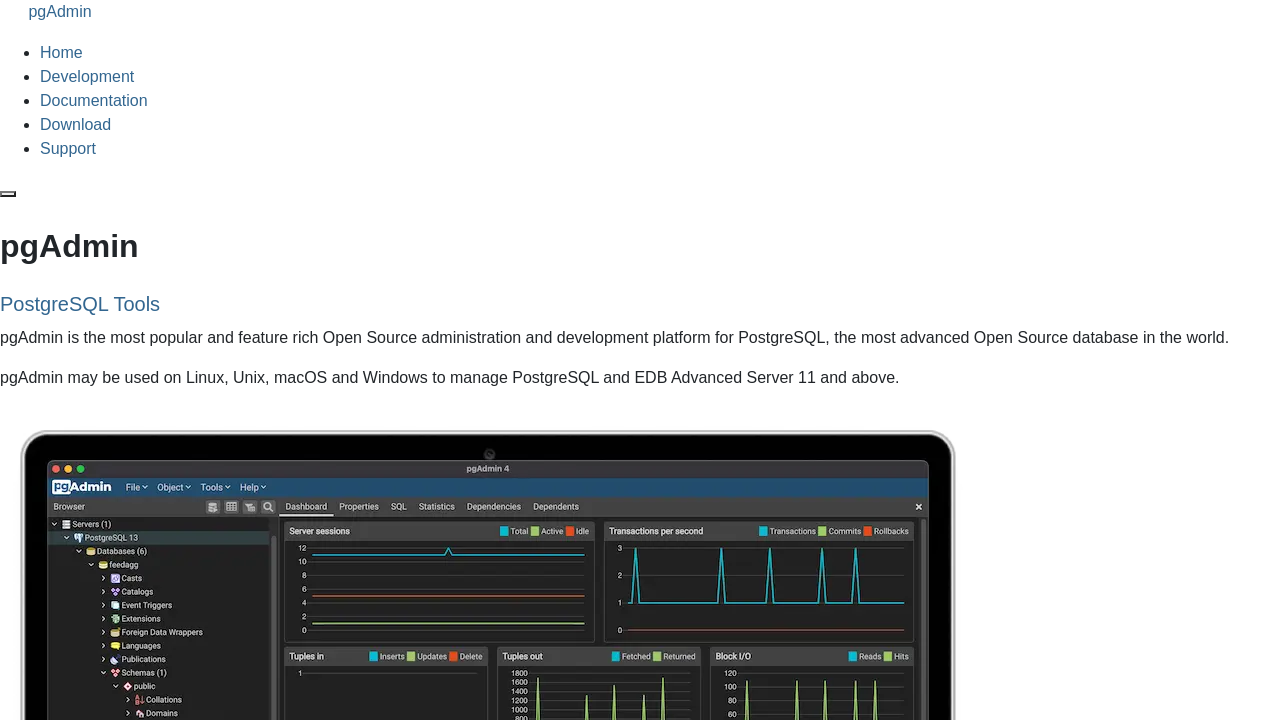
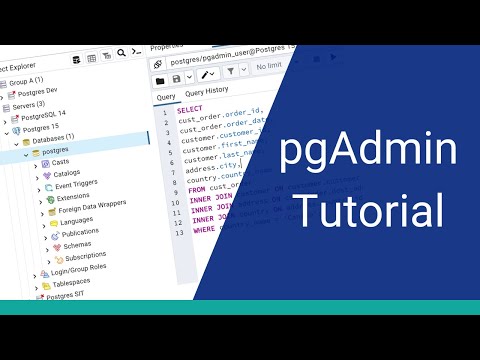
pgAdmin in action
info Icon

A curated gallery of real screenshots and use cases from the product, so you can see how it works before trying it.

pgAdmin screenshot 1 Full Screen Icon
https://www.youtube.com/watch?v=WFT5MaZN6g4
Full Screen Icon
https://www.youtube.com/watch?v=DD7lYSc4EsY
Full Screen Icon
pgAdmin screenshot 1
Video thumbnail
Video thumbnail
pgAdmin screenshot 1

Alternatives to pgAdmin
info Icon

A list of platforms similar to pgAdmin, helping you evaluate which tool best matches your needs.

How to cancel pgAdmin

Need to cancel pgAdmin? Here is how
info Icon

Thinking about how to cancel pgAdmin this is how you do it!

To cancel a pgAdmin product, you typically don’t "cancel" it but rather uninstall or stop using it. Here’s a quick outline:

  • Uninstallation: Remove pgAdmin from your system via the control panel or package manager.
  • Stopping Services: If pgAdmin is running as a service, stop it through system services management.
  • Closing Application: Simply close the pgAdmin application if it’s running.

How to Cancel the pgAdmin

To cancel a pgAdmin product, you typically don’t "cancel" it but rather uninstall or stop using it. Here’s a quick outline:

  • Uninstallation: Remove pgAdmin from your system via the control panel or package manager.
  • Stopping Services: If pgAdmin is running as a service, stop it through system services management.
  • Closing Application: Simply close the pgAdmin application if it’s running.

Manage your pgAdmin profile

Create profile

Want to list your product on Subscribed.fyi? Create a profile to reach more buyers.

Pricing Range
info Icon

This only an estimated pricing range, visit pgAdmin pricing page to access all the information by clicking “Visit Now”.

Not specified
Visit Now
Deals Available

This product comes with a special deal, see details

This product comes with a special deal, see details