Clip Studio Paint Reviews 2026: Details, Pricing, & Features | Subscribed.fyi
Sign in to review
Join our community of software reviewers on Subscribed.fyi

Continue With Google
Continue With LinkedIn
Continue Review with Email
Continue with Email
Enter your email to continue.
Continue
Enter your password
Enter your password to finish setting up your account.
Continue
Activate your email
Enter activation code we sent to your email.
Submit
Reset your password
Enter activation code we sent to your email.
Submit
Set your new password
Enter a new password for your account.
Submit
Categories
For Business
Log in
Provide My Insights

Clip Studio Paint Reviews, Pricing, Features & Alternatives (2026)

4.3/5
(3)

Clip Studio Paint is a versatile digital art software suited for illustrators, comic artists, and animators. It features customizable brushes, 3D models, vector layers, and comic creation tools, providing an all-in-one solution for digital art projects. Compatible with multiple devices, it offers both one-time purchase and subscription plans, catering to professionals and beginners alike.

Clip Studio Paint Overview

What is Clip Studio Paint?

4.3
3
Reviews
70%
Subscribed Score

Available for Claim - This listing is available to be claimed
Claim Profile For Free

Unclaimed

Manage profile with subsig, and unlock 23+ social and review monitoring. Get partnership options with

Claim Profile For Free

Why teams choose Clip Studio Paint

Key Features

Fast & Efficient
Fast & Efficient
Optimized for speed and performance.
Expert Support
Expert Support
Help available when you need it.
Exclusive Perks
Exclusive Perks
Special offers and discounts available.

Who is Clip Studio Paint for?

Clip Studio Paint is the ultimate digital art studio designed for creators who demand professional-quality tools in a single, intuitive application. Built for illustrators, comic artists, animators, manga creators, and concept artists alike, this software delivers a comprehensive suite of customizable brushes, vector tools, and dynamic animation features that empower you to bring your creative vision to life without compromise.

Positioned in the Digital Design category, Clip Studio Paint seamlessly blends the robust functionality of desktop software with the portability of mobile creativity. Whether you are working on a detailed comic page layout or vibrant digital paintings, the platform adapts to your workflow on a range of devices including Windows, macOS, iPad, iPhone, Galaxy, Android, and Chromebook.

Key Features and Benefits

  • Customizable Tools: Enjoy a natural drawing experience with an extensive collection of customizable pen and brush tools that mimic traditional media such as watercolors, oils, and pattern brushes.
  • 3D Models and References: Use integrated 3D assets and figure models to improve composition and perspective in your illustrations and comics.
  • Asset Library and Community Support: Gain access to a vast library of downloadable brushes, textures, and materials contributed by a global community of artists, helping you expand your creative possibilities.
  • Comic and Animation Capabilities: Benefit from specialized comic tools for paneling, speech bubbles, and even multi-page management, as well as features for creating detailed animations—from storyboard to final render.
  • Cross-Platform Flexibility: Experience the freedom to create anywhere with a uniform interface that works across desktop and mobile, ensuring your art is never limited by location.

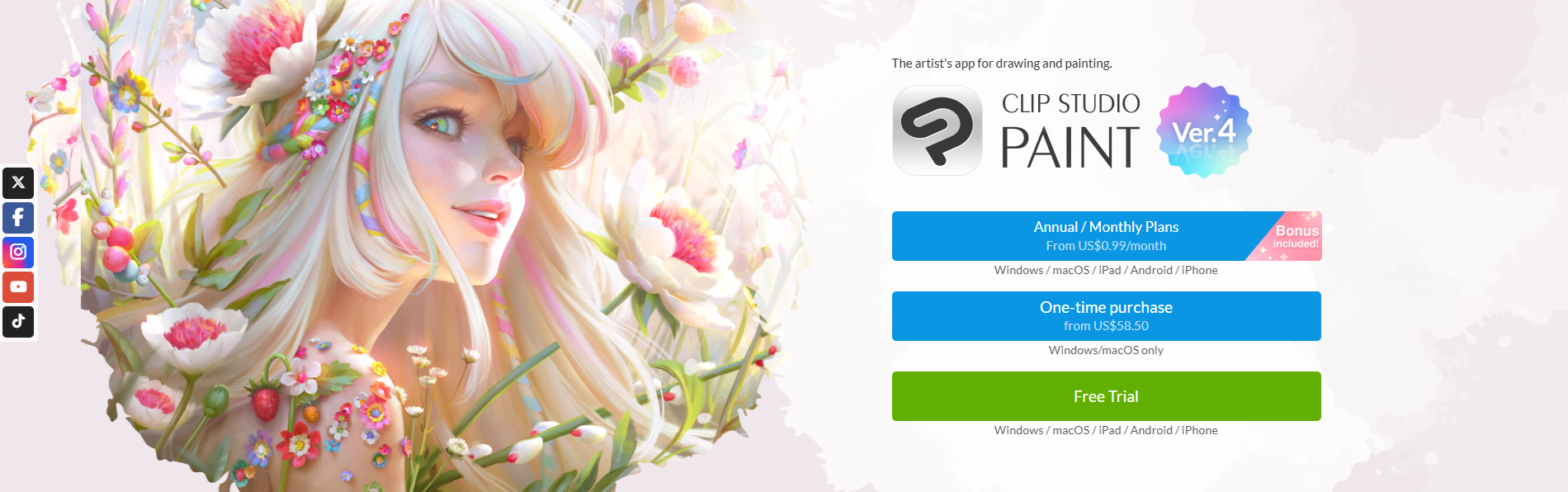
Clip Studio Paint’s flexible pricing options include both one-time purchase plans for its PRO and EX versions and a monthly or annual subscription plan, ensuring that professionals and beginners can choose the package that best suits their needs. For exclusive deals and special offers, visit the deal page and enjoy great savings while investing in your creative potential.

Why Choose Clip Studio Paint?

With its expansive toolset and user-friendly interface, Clip Studio Paint is engineered to boost your productivity and nurture your creativity. The precision offered by its pen stabilization and intuitive layering system helps reduce time spent on tedious adjustments, allowing you to focus more on what you love—creating art. Its seamless integration with industry-standard file formats ensures that your workflow remains uninterrupted, no matter which creative tools you use.

Alternatives to Consider

Whether you are an emerging artist or a seasoned professional, Clip Studio Paint offers everything you need to turn your creative ideas into reality. Explore its powerful features today and elevate your work to new heights.


Clip Studio Paint Summary

Clip Studio Paint is the ultimate digital art studio designed for creators who demand professional-quality tools in a single, intuitive application. Built for illustrators, comic artists, animators, manga creators, and concept artists alike, this software delivers a comprehensive suite of customizable brushes, vector tools, and dynamic animation features that empower you to bring your creative vision to life without compromise.

Positioned in the Digital Design category, Clip Studio Paint seamlessly blends the robust functionality of desktop software with the portability of mobile creativity. Whether you are working on a detailed comic page layout or vibrant digital paintings, the platform adapts to your workflow on a range of devices including Windows, macOS, iPad, iPhone, Galaxy, Android, and Chromebook.

Key Features and Benefits

  • Customizable Tools: Enjoy a natural drawing experience with an extensive collection of customizable pen and brush tools that mimic traditional media such as watercolors, oils, and pattern brushes.
  • 3D Models and References: Use integrated 3D assets and figure models to improve composition and perspective in your illustrations and comics.
  • Asset Library and Community Support: Gain access to a vast library of downloadable brushes, textures, and materials contributed by a global community of artists, helping you expand your creative possibilities.
  • Comic and Animation Capabilities: Benefit from specialized comic tools for paneling, speech bubbles, and even multi-page management, as well as features for creating detailed animations—from storyboard to final render.
  • Cross-Platform Flexibility: Experience the freedom to create anywhere with a uniform interface that works across desktop and mobile, ensuring your art is never limited by location.

Clip Studio Paint’s flexible pricing options include both one-time purchase plans for its PRO and EX versions and a monthly or annual subscription plan, ensuring that professionals and beginners can choose the package that best suits their needs. For exclusive deals and special offers, visit the deal page and enjoy great savings while investing in your creative potential.

Why Choose Clip Studio Paint?

With its expansive toolset and user-friendly interface, Clip Studio Paint is engineered to boost your productivity and nurture your creativity. The precision offered by its pen stabilization and intuitive layering system helps reduce time spent on tedious adjustments, allowing you to focus more on what you love—creating art. Its seamless integration with industry-standard file formats ensures that your workflow remains uninterrupted, no matter which creative tools you use.

Alternatives to Consider

Whether you are an emerging artist or a seasoned professional, Clip Studio Paint offers everything you need to turn your creative ideas into reality. Explore its powerful features today and elevate your work to new heights.

Clip Studio Paint reviews and insights

Learn what people say about Clip Studio Paint

4.3
3 Reviews
70%
Subscribed Score

Lear more here about the Subscribed score on how it is composed. Learn more Click here

Overall rating

5
4
3
2
1
CX 4/6

How good is the customer support based on subscribed’s assessment

CX Icon
Security 0/6

How secure is the product based on Subscribed’s assessment?

Security Icon
Ease of Use 5/6

How easy is the product to use, based on Subscribed’s assessment?

EOU Icon
Value 5/6

What is the value for money based on Subscribed’s assessment?

coin Icon
Integration 4/6

How many integrations does the product offer?

gear Icon
Popularity 6/6

How popular is the product?

star
Denniel Gerald Taloyo Organic
Full-Stack Developer
See My Portfolio
2 weeks ago
Share
What was your first impression when you started using it?
First time seeing it made me intimidated to use the tool. There were many tools and features, but I didn't know how to use it so that could affect the overall experience of beginners.
What feels confusing or hard to use?
The user interface can be improved to be more accommodating for new users as well. This way it can interest them to learn about the platform and its tools that they can user to improve their artistic experience.
If you could change one thing, what would it be?
Definitely the UI. Apart from guided articles, maybe video tutorials as well, so it helps guide the user's visually as well.
Final thoughts, wrap up what you think
I would recommend this to my artistic friends and colleagues. However, some might struggle understanding how to work it at first.
Upvote
Jenivia Selvarajah User Test Enabled
2 weeks ago
Share
How has it made your work/life easier?
Clean and professional painting that is easy to work with. I like how organized it is to use the software.
What’s been frustrating in your experience?
There is a lot of features that make the software overwhelming. I would need to do some research to navigate through the platform.
How could the product save you more time or money?
The software saves me time by organizing my brushes. There are lots of resources that would help when using the software.
Final thoughts, wrap up what you think
I would highly recommend this product for its software. Also if you use this for organization it has many different features.
Upvote
Hans Benson Dy Tuan Organic
Cyber and Information Security Associate
See My Portfolio
2 months ago
Share
What was your first impression when you started using it?
Some taught me how to do digital art and recommended this application. The first impression while using this is it's not easy to navigate for a beginner.
What feels confusing or hard to use?
Its overwhelming and some features are limited too. It's CPU intensive too.
What could make it even better?
Enhance the UI, make it easier to user or maybe better make a separate settings for a beginner.
Final thoughts, wrap up what you think
Overwhelming experience to transfer from traditional to digital.
Upvote (2)

Clip Studio Paint User Reviews

3 User Reviews

Reviews from G2, Capterra, Trustpilot
info Icon

These ratings come directly from third-party platforms like G2, Capterra, and Trustpilot. They reflect real user feedback collected independently on those sites.

Clip Studio Paint pricing

Pricing model

Pricing Range
info Icon

This only an estimated pricing range, visit Clip Studio Paint pricing page to access all the information by clicking “Visit Now”.

$0.99-$14.99 / Month
Deals Available

This product comes with a special deal, see details

Visit Now
✨ Ask AI about pricing
70% Subscribed Score
info Icon

The Subscribed Score is an independent rating that combines user reviews, features, and value-for-money from multiple trusted sources. It’s designed as a quick benchmark, not a guarantee of individual experience.

Overview

Clip Studio Paint is the ultimate digital art studio designed for creators who demand professional-quality tools in a single, intuitive application. Built for illustrators, comic artists, animators, manga creators, and concept artists alike, this software delivers a comprehensive suite of customizable brushes, vector tools, and dynamic animation features that empower you to bring your creative vision to life without compromise.

Positioned in the Digital Design category, Clip Studio Paint seamlessly blends the robust functionality of desktop software with the portability of mobile creativity. Whether you are working on a detailed comic page layout or vibrant digital paintings, the platform adapts to your workflow on a range of devices including Windows, macOS, iPad, iPhone, Galaxy, Android, and Chromebook.

Key Features and Benefits

  • Customizable Tools: Enjoy a natural drawing experience with an extensive collection of customizable pen and brush tools that mimic traditional media such as watercolors, oils, and pattern brushes.
  • 3D Models and References: Use integrated 3D assets and figure models to improve composition and perspective in your illustrations and comics.
  • Asset Library and Community Support: Gain access to a vast library of downloadable brushes, textures, and materials contributed by a global community of artists, helping you expand your creative possibilities.
  • Comic and Animation Capabilities: Benefit from specialized comic tools for paneling, speech bubbles, and even multi-page management, as well as features for creating detailed animations—from storyboard to final render.
  • Cross-Platform Flexibility: Experience the freedom to create anywhere with a uniform interface that works across desktop and mobile, ensuring your art is never limited by location.

Clip Studio Paint’s flexible pricing options include both one-time purchase plans for its PRO and EX versions and a monthly or annual subscription plan, ensuring that professionals and beginners can choose the package that best suits their needs. For exclusive deals and special offers, visit the deal page and enjoy great savings while investing in your creative potential.

Why Choose Clip Studio Paint?

With its expansive toolset and user-friendly interface, Clip Studio Paint is engineered to boost your productivity and nurture your creativity. The precision offered by its pen stabilization and intuitive layering system helps reduce time spent on tedious adjustments, allowing you to focus more on what you love—creating art. Its seamless integration with industry-standard file formats ensures that your workflow remains uninterrupted, no matter which creative tools you use.

Alternatives to Consider

Whether you are an emerging artist or a seasoned professional, Clip Studio Paint offers everything you need to turn your creative ideas into reality. Explore its powerful features today and elevate your work to new heights.

Where Clip Studio Paint performs best

What users like
  • Wide variety of brushes and tools.
  • Great for comic creation with paneling features.
  • Supports seamless PSD file integration.
  • Excellent pen stabilization for clean artwork.

Where Clip Studio Paint falls short

What users dislike
  • Interface is overwhelming for beginners.
  • Imported text and font options are limited.
  • Subscription model criticized by users.
  • CPU-heavy features may lag on older machines.
Subscribed Score Metrics
24/36 Metric achieved
MetricsScore
Customer Support4/6
Security0/6
Ease of Use5/6
Value of Money5/6
Integration4/6
Popularity6/6
Radar Chart Table View
Ease of Use
Measures how simple and intuitive the product is to use, including setup, navigation, and overall user experience
5/6 Metric Checks
Security
Compares the product`s features, quality, and pricing to determine its overall cost-effectiveness.
0/6 Metric Checks
Value of Money
Assesses the product`s ability to protect data, prevent breaches, and comply with industry standards.
5/6 Metric Checks
Customer Support
Reflects the responsiveness, helpfulness, and quality of assistance provided by the product`s support team.
4/6 Metric Checks
Integrations
Evaluates how well the product connects with other tools and platforms, enabling seamless workflows.
4/6 Metric Checks
Clip Studio Paint Pricing Range
$0.99-$14.99 / Month

Clip Studio Paint in action
info Icon

A curated gallery of real screenshots and use cases from the product, so you can see how it works before trying it.

Clip Studio Paint screenshot Full Screen Icon
https://www.youtube.com/watch?v=Zp4KDLMsQcY
Full Screen Icon
https://www.youtube.com/watch?v=HNaKamtSlB0
Full Screen Icon
Video thumbnail
Video thumbnail
Clip Studio Paint screenshot

Alternatives to Clip Studio Paint
info Icon

A list of platforms similar to Clip Studio Paint, helping you evaluate which tool best matches your needs.

How to cancel Clip Studio Paint

Need to cancel Clip Studio Paint? Here is how
info Icon

Thinking about how to cancel Clip Studio Paint this is how you do it!

To cancel Clip Studio Paint, log in to your account on the official website, navigate to the "Manage Plans" section, and select the "Cancel" option for your subscription. Confirm the cancellation and receive a confirmation email. Subscriptions remain active until the end of the billing cycle.

How to Cancel the Clip Studio Paint

To cancel Clip Studio Paint, log in to your account on the official website, navigate to the "Manage Plans" section, and select the "Cancel" option for your subscription. Confirm the cancellation and receive a confirmation email. Subscriptions remain active until the end of the billing cycle.

FAQs about Clip Studio Paint

Every else you need to know about Clip Studio Paint
info Icon

A collection of FAQs, guides, alternatives, and comparisons to help you quickly understand if Clip Studio Paint is right for you.

Manage your Clip Studio Paint profile

Create profile

Want to list your product on Subscribed.fyi? Create a profile to reach more buyers.

Pricing Range
info Icon

This only an estimated pricing range, visit Clip Studio Paint pricing page to access all the information by clicking “Visit Now”.

$0.99-$14.99 / Month
Visit Now
Deals Available

This product comes with a special deal, see details

This product comes with a special deal, see details