Air Reviews 2026: Details, Pricing, & Features | Subscribed.fyi
Sign in to review
Join our community of software reviewers on Subscribed.fyi

Continue With Google
Continue With LinkedIn
Continue Review with Email
Continue with Email
Enter your email to continue.
Continue
Enter your password
Enter your password to finish setting up your account.
Continue
Activate your email
Enter activation code we sent to your email.
Submit
Reset your password
Enter activation code we sent to your email.
Submit
Set your new password
Enter a new password for your account.
Submit
Categories
For Business
Log in
Provide My Insights
Air
Air

Air Reviews, Pricing, Features & Alternatives (2026)

4.3/5
(3)

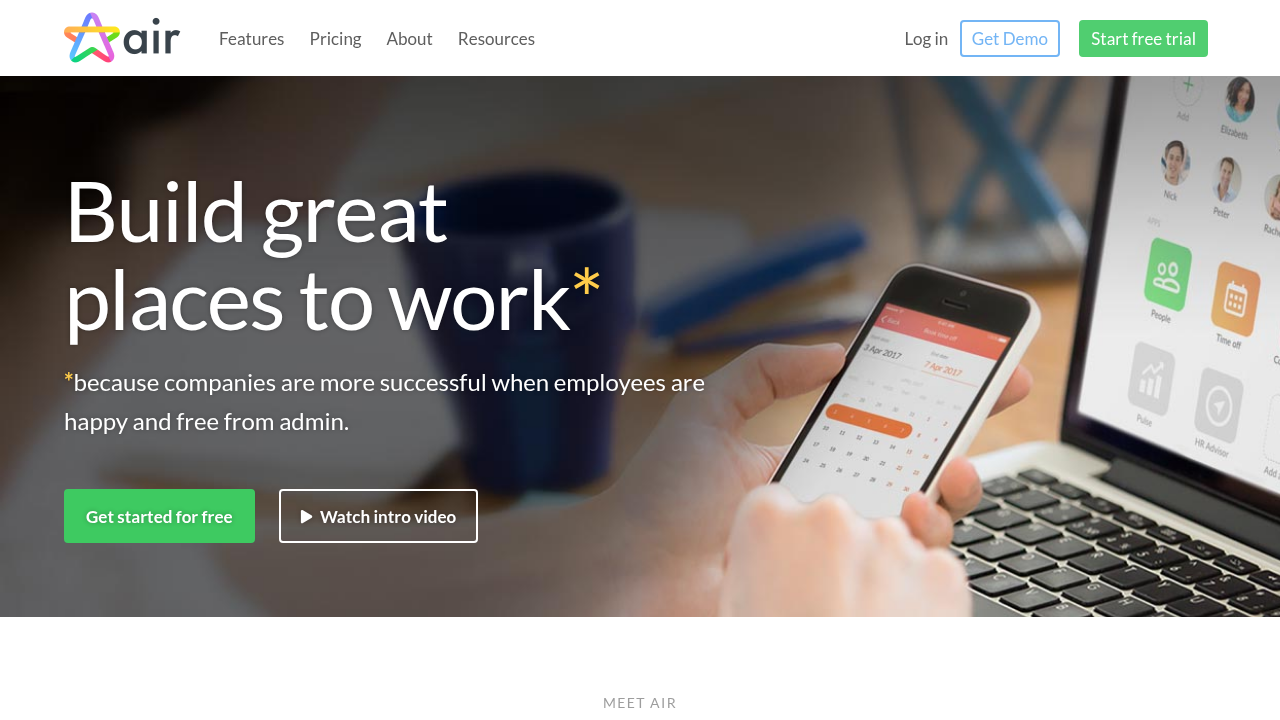
Air is smart, simple HR software designed for small and medium businesses. It centralizes employee information, automates HR processes like onboarding and time off, and eliminates messy spreadsheets. Extend functionality via an app store for seamless integrations.

Air
Air
Air

Air Overview

What is Air?

4.3
3
Reviews
68%
Subscribed Score

Available for Claim - This listing is available to be claimed
Claim Profile For Free

Unclaimed

Manage profile with subsig, and unlock 23+ social and review monitoring. Get partnership options with

Claim Profile For Free

Why teams choose Air

Key Features

Exclusive Perks
Exclusive Perks
Special offers and discounts available.
Fully Customizable
Fully Customizable
Tailor it to your brand and workflow.
Built for Flexibility
Adaptable for multiple use cases.

Who is Air for?

Air

Air is an intuitive HR platform tailored for small and medium businesses, offering a centralized hub for all essential HR functions. It replaces disorganized spreadsheets with a secure, accessible database for employee records, policies, and company information. Automation features handle reminders for tasks, onboarding, birthdays, and holidays, freeing teams to focus on growth.

Why Use Air?

  • Centralized HR Hub: Store team details, documents, and policies in one secure location for quick access.
  • Automation: Automatic reminders and workflows for onboarding, time off, and key dates reduce manual work.
  • Extensible Platform: App store integrates best-in-class tools seamlessly without complex setups.

Who is Air For?

  • Small & Medium Businesses: Ideal for teams up to 100 employees managing core HR without dedicated specialists.
  • HR Admins & Managers: Simplifies admin tasks, enabling focus on employee engagement and culture.

Key Features and Benefits

  • HR Dashboard: Beautiful interface to view records, tasks, and assigned apps instantly.
  • People Directory: Track employee info like contact details, job roles, and custom fields (e.g., Employee ID, t-shirt size).
  • Employee Onboarding: Customizable processes with fields and privileges for admins/employees.
  • Time Off Management: Handles requests, approvals, and part-time support.
  • Org Charts: Visualize team structure dynamically.
  • Company Profile: Manage handbooks, policies, and files centrally.

Air’s hub-and-spoke model keeps the core simple while allowing extensions for payroll, performance, and more. It’s mobile-accessible, with self-service options boosting efficiency. Businesses report less admin burden and happier teams.

Air Summary

Air

Air is an intuitive HR platform tailored for small and medium businesses, offering a centralized hub for all essential HR functions. It replaces disorganized spreadsheets with a secure, accessible database for employee records, policies, and company information. Automation features handle reminders for tasks, onboarding, birthdays, and holidays, freeing teams to focus on growth.

Why Use Air?

  • Centralized HR Hub: Store team details, documents, and policies in one secure location for quick access.
  • Automation: Automatic reminders and workflows for onboarding, time off, and key dates reduce manual work.
  • Extensible Platform: App store integrates best-in-class tools seamlessly without complex setups.

Who is Air For?

  • Small & Medium Businesses: Ideal for teams up to 100 employees managing core HR without dedicated specialists.
  • HR Admins & Managers: Simplifies admin tasks, enabling focus on employee engagement and culture.

Key Features and Benefits

  • HR Dashboard: Beautiful interface to view records, tasks, and assigned apps instantly.
  • People Directory: Track employee info like contact details, job roles, and custom fields (e.g., Employee ID, t-shirt size).
  • Employee Onboarding: Customizable processes with fields and privileges for admins/employees.
  • Time Off Management: Handles requests, approvals, and part-time support.
  • Org Charts: Visualize team structure dynamically.
  • Company Profile: Manage handbooks, policies, and files centrally.

Air’s hub-and-spoke model keeps the core simple while allowing extensions for payroll, performance, and more. It’s mobile-accessible, with self-service options boosting efficiency. Businesses report less admin burden and happier teams.

Air reviews and insights

Learn what people say about Air

4.3
3 Reviews
68%
Subscribed Score

Lear more here about the Subscribed score on how it is composed. Learn more Click here

Overall rating

5
4
3
2
1
CX 4/6

How good is the customer support based on subscribed’s assessment

CX Icon
Security 4/6

How secure is the product based on Subscribed’s assessment?

Security Icon
Ease of Use 5/6

How easy is the product to use, based on Subscribed’s assessment?

EOU Icon
Value 5/6

What is the value for money based on Subscribed’s assessment?

coin Icon
Integration 4/6

How many integrations does the product offer?

gear Icon
Popularity 3/6

How popular is the product?

star
Shyane Novelle User Test Enabled
3 months ago
Share
What do you like best about this product?
All information of the team is stored in a secure location for quick access. Unlike to other platform it has clean and modern design. I love it on how you can visualize the whole team structure and it also has user friendly interface.
Is there something that almost made you stop using it?
None, because this platform offers everything my team needs, but the problem I often encounter is when syncing between the hub and external apps can sometimes fail.
What new feature would you love to see added?
Due to its simplicity maybe they can add features that handle a company when it started to grow complex. Improve API stability to prevent data matching errors.
Final thoughts, wrap up what you think
It turns a disorganized data into a centralized hub, I you want to have a tech forward company. This platform is for you
Upvote (1)
Jackie Liezel Jane Broniola Organic
Social Media Manager | Graphic Designer | Content Creator | Coding Instructor | Digital Marketing Specialist
See My Portfolio
3 months ago
Share
What exceeded your expectations?
Honestly did not think Air would be this good at keeping all our creative assets organized but it just does it so naturally without us having to think too hard. the visual layout alone already beat every other DAM tool we tested before.
Have you experienced any bugs or errors?
Had one instance where a folder took forever to load but that was probably on our internet connection that day and not really on Air. everything else has been running clean since we set it up.
Is there a workflow that could be simpler?
Moving large batches of assets between boards takes a few more clicks than i would like but you get used to the flow pretty quick. once you figure out the shortcuts it stops feeling like a hassle.
Final thoughts, wrap up what you think
Already got two people on my network to try it out after i showed them how our team uses it and they both loved it. when something works this well the rec basically sells itself
Upvote (2)
Khim Cincoflores User Test Enabled
Customer Success
See My Portfolio
3 months ago
Share
How has it made your work/life easier?
Very convenient to use in a team settings as it organize and store files in one place. It allows us to use AI to auto organize and tag content as well and let the whole team review and approve the content through the app. It improves team collabs and made it easier to share files with clients or within the team.
Have you experienced any bugs or errors?
None. It's very smooth to use and doesn't have any errors or bugs while we used it. Very convenient. I'm totally waiting for the the next software updates and is very excited to see a new feature we can potentially use.
What problem did this product solve for you?
It saved us the time and effort to look out for files and send out manually to each team members. This one can store and organize them and let all team memeber has access on it.
Final thoughts, wrap up what you think
Highly recommended. Every team needs this software. Really does its job.
Upvote (3)
Air

Air User Reviews

3 User Reviews

Reviews from G2, Capterra, Trustpilot
info Icon

These ratings come directly from third-party platforms like G2, Capterra, and Trustpilot. They reflect real user feedback collected independently on those sites.

Air pricing

Pricing model

Air
Pricing Range
info Icon

This only an estimated pricing range, visit Air pricing page to access all the information by clicking “Visit Now”.

Free - $0+ / user
Deals Available

This product comes with a special deal, see details

Visit Now
✨ Ask AI about pricing
68% Subscribed Score
info Icon

The Subscribed Score is an independent rating that combines user reviews, features, and value-for-money from multiple trusted sources. It’s designed as a quick benchmark, not a guarantee of individual experience.

Overview

Air

Air is an intuitive HR platform tailored for small and medium businesses, offering a centralized hub for all essential HR functions. It replaces disorganized spreadsheets with a secure, accessible database for employee records, policies, and company information. Automation features handle reminders for tasks, onboarding, birthdays, and holidays, freeing teams to focus on growth.

Why Use Air?

  • Centralized HR Hub: Store team details, documents, and policies in one secure location for quick access.
  • Automation: Automatic reminders and workflows for onboarding, time off, and key dates reduce manual work.
  • Extensible Platform: App store integrates best-in-class tools seamlessly without complex setups.

Who is Air For?

  • Small & Medium Businesses: Ideal for teams up to 100 employees managing core HR without dedicated specialists.
  • HR Admins & Managers: Simplifies admin tasks, enabling focus on employee engagement and culture.

Key Features and Benefits

  • HR Dashboard: Beautiful interface to view records, tasks, and assigned apps instantly.
  • People Directory: Track employee info like contact details, job roles, and custom fields (e.g., Employee ID, t-shirt size).
  • Employee Onboarding: Customizable processes with fields and privileges for admins/employees.
  • Time Off Management: Handles requests, approvals, and part-time support.
  • Org Charts: Visualize team structure dynamically.
  • Company Profile: Manage handbooks, policies, and files centrally.

Air’s hub-and-spoke model keeps the core simple while allowing extensions for payroll, performance, and more. It’s mobile-accessible, with self-service options boosting efficiency. Businesses report less admin burden and happier teams.

Where Air performs best

What users like
  • Simple and intuitive UI
  • Automates HR tasks
  • Free starting plan
  • App store integrations

Where Air falls short

What users dislike
  • Limited to SMBs
  • Basic payroll features
  • No advanced analytics
  • UK-focused
Subscribed Score Metrics
25/36 Metric achieved
MetricsScore
Customer Support4/6
Security4/6
Ease of Use5/6
Value of Money5/6
Integration4/6
Popularity3/6
Radar Chart Table View
Ease of Use
Measures how simple and intuitive the product is to use, including setup, navigation, and overall user experience
5/6 Metric Checks
Security
Compares the product`s features, quality, and pricing to determine its overall cost-effectiveness.
4/6 Metric Checks
Value of Money
Assesses the product`s ability to protect data, prevent breaches, and comply with industry standards.
5/6 Metric Checks
Customer Support
Reflects the responsiveness, helpfulness, and quality of assistance provided by the product`s support team.
4/6 Metric Checks
Integrations
Evaluates how well the product connects with other tools and platforms, enabling seamless workflows.
4/6 Metric Checks
Air Pricing Range
Free - $0+ / user/mo

Air in action
info Icon

A curated gallery of real screenshots and use cases from the product, so you can see how it works before trying it.

Air Full Screen Icon
Air
Air

Alternatives to Air
info Icon

A list of platforms similar to Air, helping you evaluate which tool best matches your needs.

How to cancel Air

Need to cancel Air? Here is how
info Icon

Thinking about how to cancel Air this is how you do it!

Log into your Air dashboard, navigate to billing settings, select cancel subscription, and confirm. Cancellation takes effect at the end of the billing period with data access retained briefly. Use help.joinair.com for assistance.

How to Cancel the Air

Log into your Air dashboard, navigate to billing settings, select cancel subscription, and confirm. Cancellation takes effect at the end of the billing period with data access retained briefly. Use help.joinair.com for assistance.

FAQs about Air

Every else you need to know about Air
info Icon

A collection of FAQs, guides, alternatives, and comparisons to help you quickly understand if Air is right for you.

Manage your Air profile

Create profile

Want to list your product on Subscribed.fyi? Create a profile to reach more buyers.

Pricing Range
info Icon

This only an estimated pricing range, visit Air pricing page to access all the information by clicking “Visit Now”.

Free - $0+ / user
Visit Now
Deals Available

This product comes with a special deal, see details

This product comes with a special deal, see details