Altair HyperWorks Reviews 2026: Details, Pricing, & Features | Subscribed.fyi
Sign in to review
Join our community of software reviewers on Subscribed.fyi

Continue With Google
Continue With LinkedIn
Continue Review with Email
Continue with Email
Enter your email to continue.
Continue
Enter your password
Enter your password to finish setting up your account.
Continue
Activate your email
Enter activation code we sent to your email.
Submit
Reset your password
Enter activation code we sent to your email.
Submit
Set your new password
Enter a new password for your account.
Submit
Categories
For Business
Log in
Provide My Insights

Altair HyperWorks Reviews, Pricing, Features & Alternatives (2026)

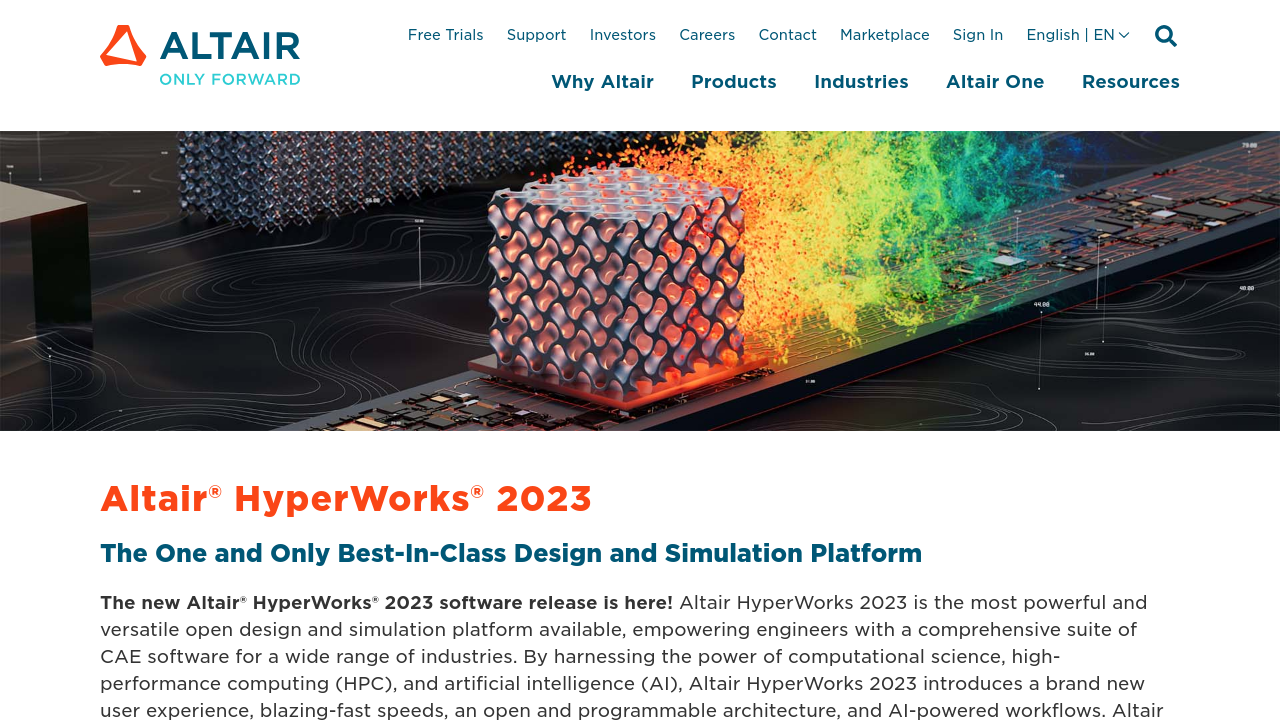
Altair HyperWorks is a multi-disciplinary simulation and AI-powered platform for modeling, analysis, and optimization in engineering. It integrates tools like HyperMesh, HyperView, and HyperGraph, covering the entire product lifecycle from concept design to digital twin creation. With robust capabilities in computational fluid dynamics, structural optimization, and simulation, it enhances accuracy and efficiency for industries like automotive, aerospace, and manufacturing. The platform is ideal for tasks such as meshing, morphing, NVH tests, and collision simulations.

Altair HyperWorks Overview

What is Altair HyperWorks?

N/A
0
Reviews
66%
Subscribed Score

Available for Claim - This listing is available to be claimed
Claim Profile For Free

Unclaimed

Manage profile with subsig, and unlock 23+ social and review monitoring. Get partnership options with

Claim Profile For Free

Why teams choose Altair HyperWorks

Key Features

Data-Driven Insights
Make better decisions with analytics.
No-Code Simplicity
No-Code Simplicity
Launch without writing a single line of code.
Works Anywhere
Works Anywhere
Accessible from any device, anytime.

Who is Altair HyperWorks for?

Altair HyperWorks is a premier offering in the Simulation Software category. Designed with multi-discipline simulation capabilities, HyperWorks integrates advanced modeling tools like HyperMesh, HyperView, and HyperGraph, all on one streamlined interface. The software serves engineers by addressing various stages of the product development lifecycle, including concept design, manufacturing simulation, and digital twin modeling. Its advanced pre-post operation features, supported by AI, make it an effective tool for handling complex analyses across aerodynamics, hydrodynamics, NVH testing, collision simulations, and computational fluid dynamics (CFD).

Why Use Altair HyperWorks?

Choosing Altair HyperWorks offers significant advantages for users across engineering and manufacturing industries:

  • Comprehensive Multi-Physics Capabilities: HyperWorks allows seamless integration of multiple physical disciplines in simulations, enhancing the accuracy and efficiency of designs.
  • Advanced Mesh and Morphing Tools: With features like batch meshing and geometry morphing, it optimizes workflows for both beginner and experienced users.
  • Customizable Solutions: The platform supports custom tool creation with scripting, enabling users to adapt it to specific project needs.
  • Efficient Model Building and Report Generation: It simplifies building large, complex models and streamlines reporting for clear, actionable insights.
  • Application Versatility: Applicable across industries like automotive, aerospace, and mechanical engineering, it supports both structural optimizations and lifecycle analyses from design to production.

Who is Altair HyperWorks For?

Altair HyperWorks is well-suited for:

  • Simulation Engineers: Ideal for running complex simulations using CFD, NVH, and structural analysis tools.
  • Product Designers: Supports design optimization with minimal material usage and maximized efficiency.
  • Manufacturers: Perfect for simulation of manufacturing processes and testing digital twins.
  • Academia: A great tool for teaching advanced simulation techniques in mechanical and industrial engineering domains.

Explore exclusive deals on Altair HyperWorks. For related solutions, consider ANSYS Fluent, KiCad EDA, and Slic3r. Tailor your simulation software choices for better efficiency and productivity with Altair HyperWorks.


Altair HyperWorks Summary

Altair HyperWorks is a premier offering in the Simulation Software category. Designed with multi-discipline simulation capabilities, HyperWorks integrates advanced modeling tools like HyperMesh, HyperView, and HyperGraph, all on one streamlined interface. The software serves engineers by addressing various stages of the product development lifecycle, including concept design, manufacturing simulation, and digital twin modeling. Its advanced pre-post operation features, supported by AI, make it an effective tool for handling complex analyses across aerodynamics, hydrodynamics, NVH testing, collision simulations, and computational fluid dynamics (CFD).

Why Use Altair HyperWorks?

Choosing Altair HyperWorks offers significant advantages for users across engineering and manufacturing industries:

  • Comprehensive Multi-Physics Capabilities: HyperWorks allows seamless integration of multiple physical disciplines in simulations, enhancing the accuracy and efficiency of designs.
  • Advanced Mesh and Morphing Tools: With features like batch meshing and geometry morphing, it optimizes workflows for both beginner and experienced users.
  • Customizable Solutions: The platform supports custom tool creation with scripting, enabling users to adapt it to specific project needs.
  • Efficient Model Building and Report Generation: It simplifies building large, complex models and streamlines reporting for clear, actionable insights.
  • Application Versatility: Applicable across industries like automotive, aerospace, and mechanical engineering, it supports both structural optimizations and lifecycle analyses from design to production.

Who is Altair HyperWorks For?

Altair HyperWorks is well-suited for:

  • Simulation Engineers: Ideal for running complex simulations using CFD, NVH, and structural analysis tools.
  • Product Designers: Supports design optimization with minimal material usage and maximized efficiency.
  • Manufacturers: Perfect for simulation of manufacturing processes and testing digital twins.
  • Academia: A great tool for teaching advanced simulation techniques in mechanical and industrial engineering domains.

Explore exclusive deals on Altair HyperWorks. For related solutions, consider ANSYS Fluent, KiCad EDA, and Slic3r. Tailor your simulation software choices for better efficiency and productivity with Altair HyperWorks.

Altair HyperWorks reviews and insights

Learn what people say about Altair HyperWorks

N/A
0 Reviews
66%
Subscribed Score

Lear more here about the Subscribed score on how it is composed. Learn more Click here

Overall rating

5
4
3
2
1
CX 3/6

How good is the customer support based on subscribed’s assessment

CX Icon
Security 3/6

How secure is the product based on Subscribed’s assessment?

Security Icon
Ease of Use 4/6

How easy is the product to use, based on Subscribed’s assessment?

EOU Icon
Value 5/6

What is the value for money based on Subscribed’s assessment?

coin Icon
Integration 3/6

How many integrations does the product offer?

gear Icon
Popularity 5/6

How popular is the product?

star

No Reviews Yet!

Be the first to share your experience and help others in the community.

Altair HyperWorks User Reviews

0 User Reviews

Reviews from G2, Capterra, Trustpilot
info Icon

These ratings come directly from third-party platforms like G2, Capterra, and Trustpilot. They reflect real user feedback collected independently on those sites.

Altair HyperWorks pricing

Pricing model

Pricing Range
info Icon

This only an estimated pricing range, visit Altair HyperWorks pricing page to access all the information by clicking “Visit Now”.

Not specified
Deals Available

This product comes with a special deal, see details

Visit Now
✨ Ask AI about pricing
66% Subscribed Score
info Icon

The Subscribed Score is an independent rating that combines user reviews, features, and value-for-money from multiple trusted sources. It’s designed as a quick benchmark, not a guarantee of individual experience.

Overview

Altair HyperWorks is a premier offering in the Simulation Software category. Designed with multi-discipline simulation capabilities, HyperWorks integrates advanced modeling tools like HyperMesh, HyperView, and HyperGraph, all on one streamlined interface. The software serves engineers by addressing various stages of the product development lifecycle, including concept design, manufacturing simulation, and digital twin modeling. Its advanced pre-post operation features, supported by AI, make it an effective tool for handling complex analyses across aerodynamics, hydrodynamics, NVH testing, collision simulations, and computational fluid dynamics (CFD).

Why Use Altair HyperWorks?

Choosing Altair HyperWorks offers significant advantages for users across engineering and manufacturing industries:

  • Comprehensive Multi-Physics Capabilities: HyperWorks allows seamless integration of multiple physical disciplines in simulations, enhancing the accuracy and efficiency of designs.
  • Advanced Mesh and Morphing Tools: With features like batch meshing and geometry morphing, it optimizes workflows for both beginner and experienced users.
  • Customizable Solutions: The platform supports custom tool creation with scripting, enabling users to adapt it to specific project needs.
  • Efficient Model Building and Report Generation: It simplifies building large, complex models and streamlines reporting for clear, actionable insights.
  • Application Versatility: Applicable across industries like automotive, aerospace, and mechanical engineering, it supports both structural optimizations and lifecycle analyses from design to production.

Who is Altair HyperWorks For?

Altair HyperWorks is well-suited for:

  • Simulation Engineers: Ideal for running complex simulations using CFD, NVH, and structural analysis tools.
  • Product Designers: Supports design optimization with minimal material usage and maximized efficiency.
  • Manufacturers: Perfect for simulation of manufacturing processes and testing digital twins.
  • Academia: A great tool for teaching advanced simulation techniques in mechanical and industrial engineering domains.

Explore exclusive deals on Altair HyperWorks. For related solutions, consider ANSYS Fluent, KiCad EDA, and Slic3r. Tailor your simulation software choices for better efficiency and productivity with Altair HyperWorks.

Where Altair HyperWorks performs best

What users like
  • Powerful analysis features for engineers.
  • New interface improves usability.
  • Efficient for structural optimization.
  • Fast meshing and simulation capabilities.

Where Altair HyperWorks falls short

What users dislike
  • Interface can be complex to learn.
  • Limited undo functionality.
  • Slower on medium-tier computers.
  • Occasional software bugs.
Subscribed Score Metrics
23/36 Metric achieved
MetricsScore
Customer Support3/6
Security3/6
Ease of Use4/6
Value of Money5/6
Integration3/6
Popularity5/6
Radar Chart Table View
Ease of Use
Measures how simple and intuitive the product is to use, including setup, navigation, and overall user experience
4/6 Metric Checks
Security
Compares the product`s features, quality, and pricing to determine its overall cost-effectiveness.
3/6 Metric Checks
Value of Money
Assesses the product`s ability to protect data, prevent breaches, and comply with industry standards.
5/6 Metric Checks
Customer Support
Reflects the responsiveness, helpfulness, and quality of assistance provided by the product`s support team.
3/6 Metric Checks
Integrations
Evaluates how well the product connects with other tools and platforms, enabling seamless workflows.
3/6 Metric Checks
Altair HyperWorks Pricing Range
Not specified

Altair HyperWorks in action
info Icon

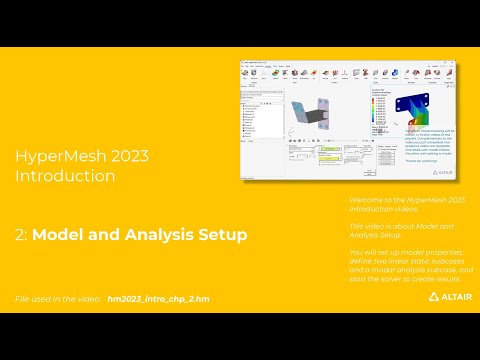
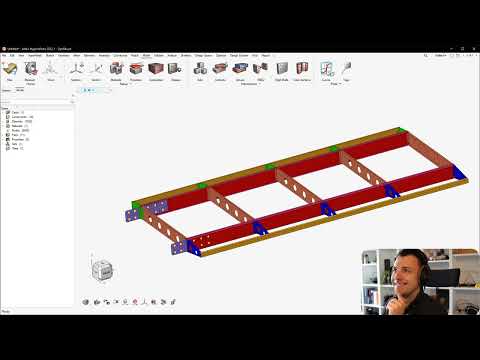
A curated gallery of real screenshots and use cases from the product, so you can see how it works before trying it.

Altair HyperWorks Full Screen Icon
https://www.youtube.com/watch?v=AhQikkbdIxs
Full Screen Icon
https://www.youtube.com/watch?v=hlHwb3J9H9g
Full Screen Icon
Altair HyperWorks
Video thumbnail
Video thumbnail
Altair HyperWorks

Alternatives to Altair HyperWorks
info Icon

A list of platforms similar to Altair HyperWorks, helping you evaluate which tool best matches your needs.

How to cancel Altair HyperWorks

Need to cancel Altair HyperWorks? Here is how
info Icon

Thinking about how to cancel Altair HyperWorks this is how you do it!

To uninstall Altair HyperWorks:

  • Go to Start menu, select Altair , then Tools.
  • Select the appropriate uninstaller (e.g., Uninstall_SimulationProductsInstaller).
  • Follow the prompts to complete the uninstall.
  • Back up any files you want to save before running the uninstaller.

How to Cancel the Altair HyperWorks

To uninstall Altair HyperWorks:

  • Go to Start menu, select Altair , then Tools.
  • Select the appropriate uninstaller (e.g., Uninstall_SimulationProductsInstaller).
  • Follow the prompts to complete the uninstall.
  • Back up any files you want to save before running the uninstaller.

FAQs about Altair HyperWorks

Every else you need to know about Altair HyperWorks
info Icon

A collection of FAQs, guides, alternatives, and comparisons to help you quickly understand if Altair HyperWorks is right for you.

Manage your Altair HyperWorks profile

Create profile

Want to list your product on Subscribed.fyi? Create a profile to reach more buyers.

Pricing Range
info Icon

This only an estimated pricing range, visit Altair HyperWorks pricing page to access all the information by clicking “Visit Now”.

Not specified
Visit Now
Deals Available

This product comes with a special deal, see details

This product comes with a special deal, see details