Sign in to review
Join our community of software reviewers on Subscribed.fyi

Continue With Google
Continue With LinkedIn
Continue Review with Email
Continue with Email
Enter your email to continue.
Continue
Enter your password
Enter your password to finish setting up your account.
Continue
Activate your email
Enter activation code we sent to your email.
Submit
Reset your password
Enter activation code we sent to your email.
Submit
Set your new password
Enter a new password for your account.
Submit
Log in
Provide My Insights
Canvanizer logo
Canvanizer logo

Canvanizer Reviews, Pricing, Features & Alternatives (2026)

Canvanizer is a cloud-based collaboration tool designed to help teams brainstorm and visualize concepts effectively. It offers a variety of customizable canvas templates, such as business model canvas, customer journey maps, and SWOT analysis, to streamline idea generation and planning. Users can collaborate in real-time, making it a practical solution for project management and strategy development.

Canvanizer logo
Canvanizer logo
Canvanizer logo

Canvanizer Overview

What is Canvanizer?

N/A
★ ★ ★ ★ ★
0
Reviews

Available for Claim - This listing is available to be claimed
Claim Profile

Unclaimed

Claim this profile to manage it.

Claim Profile

Why teams choose Canvanizer

Key Features

Collaborate Easily
Collaborate Easily
Built for teams and communication.
No-Code Simplicity
No-Code Simplicity
Launch without writing a single line of code.
Secure by Design
Secure by Design
Data protection and compliance built in.

Who is Canvanizer for?

Canvanizer is a versatile solution in the Collaborative Planning category, offering an intuitive platform that enables teams to create and collaborate on various canvas templates efficiently. Empowering businesses with tools such as Business Model Canvases, Customer Journey Canvases, and SWOT Analysis, Canvanizer transforms brainstorming processes and strategic planning into effective, real-time team efforts. Explore exclusive deals. For additional collaborative tools, consider Zoho Sprints and Gmelius.

Why Use Canvanizer?

Choosing Canvanizer offers numerous advantages that streamline team collaboration and ideation:

  • Extensive Canvas Templates: Provides pre-designed templates for business modeling, strategic thinking, and problem-solving, allowing teams to focus on content rather than formatting.
  • Real-Time Collaboration: Multiple users can simultaneously edit canvases, fostering teamwork and ensuring alignment across stakeholders.
  • Ease of Use: Canvanizer’s user-friendly interface ensures accessibility for users of all technical abilities, reducing the learning curve and increasing productivity.
  • Visual Ideation: Simplifies complex concepts by visualizing ideas via movable digital post-its on the canvas, enhancing understanding and creativity.
  • Export Functionality: Enables users to share finalized models as PDF or image files, ensuring smooth communication with external parties.

Who is Canvanizer For?

Canvanizer caters to a broad audience, making it an excellent fit for various professionals and industries:

  • Entrepreneurs: Build and refine business models, present ideas to stakeholders, and strategize growth and innovation.
  • Marketing Teams: Plan and execute customer journey mapping and target audience analysis efficiently.
  • Project Managers: Organize team collaborations and manage workflows effectively to ensure timely project execution.
  • Educational Institutions: Facilitate workshops, brainstorming sessions, and strategic planning for students and educators.

Canvanizer is ideal for businesses and individuals aiming to boost creativity, foster collaboration, and simplify complex planning processes, making it a valuable addition to any team-driven environment.

Canvanizer Summary

Canvanizer is a versatile solution in the Collaborative Planning category, offering an intuitive platform that enables teams to create and collaborate on various canvas templates efficiently. Empowering businesses with tools such as Business Model Canvases, Customer Journey Canvases, and SWOT Analysis, Canvanizer transforms brainstorming processes and strategic planning into effective, real-time team efforts. Explore exclusive deals. For additional collaborative tools, consider Zoho Sprints and Gmelius.

Why Use Canvanizer?

Choosing Canvanizer offers numerous advantages that streamline team collaboration and ideation:

  • Extensive Canvas Templates: Provides pre-designed templates for business modeling, strategic thinking, and problem-solving, allowing teams to focus on content rather than formatting.
  • Real-Time Collaboration: Multiple users can simultaneously edit canvases, fostering teamwork and ensuring alignment across stakeholders.
  • Ease of Use: Canvanizer’s user-friendly interface ensures accessibility for users of all technical abilities, reducing the learning curve and increasing productivity.
  • Visual Ideation: Simplifies complex concepts by visualizing ideas via movable digital post-its on the canvas, enhancing understanding and creativity.
  • Export Functionality: Enables users to share finalized models as PDF or image files, ensuring smooth communication with external parties.

Who is Canvanizer For?

Canvanizer caters to a broad audience, making it an excellent fit for various professionals and industries:

  • Entrepreneurs: Build and refine business models, present ideas to stakeholders, and strategize growth and innovation.
  • Marketing Teams: Plan and execute customer journey mapping and target audience analysis efficiently.
  • Project Managers: Organize team collaborations and manage workflows effectively to ensure timely project execution.
  • Educational Institutions: Facilitate workshops, brainstorming sessions, and strategic planning for students and educators.

Canvanizer is ideal for businesses and individuals aiming to boost creativity, foster collaboration, and simplify complex planning processes, making it a valuable addition to any team-driven environment.

Canvanizer reviews and insights

Learn what people say about Canvanizer

N/A ★ ★ ★ ★ ★
0 Reviews

No Reviews Yet!

Be the first to share your experience and help others in the community.

Canvanizer logo

Canvanizer User Reviews

0 User Reviews

Reviews from G2, Capterra, Trustpilot
info Icon

These ratings come directly from third-party platforms like G2, Capterra, and Trustpilot. They reflect real user feedback collected independently on those sites.

Canvanizer pricing

Pricing model

Canvanizer logo
Pricing Range
info Icon

This only an estimated pricing range, visit Canvanizer pricing page to access all the information by clicking “Visit Now”.

Not specified.
Deals Available

This product comes with a special deal, see details

Visit Now

Overview

Canvanizer is a versatile solution in the Collaborative Planning category, offering an intuitive platform that enables teams to create and collaborate on various canvas templates efficiently. Empowering businesses with tools such as Business Model Canvases, Customer Journey Canvases, and SWOT Analysis, Canvanizer transforms brainstorming processes and strategic planning into effective, real-time team efforts. Explore exclusive deals. For additional collaborative tools, consider Zoho Sprints and Gmelius.

Why Use Canvanizer?

Choosing Canvanizer offers numerous advantages that streamline team collaboration and ideation:

  • Extensive Canvas Templates: Provides pre-designed templates for business modeling, strategic thinking, and problem-solving, allowing teams to focus on content rather than formatting.
  • Real-Time Collaboration: Multiple users can simultaneously edit canvases, fostering teamwork and ensuring alignment across stakeholders.
  • Ease of Use: Canvanizer’s user-friendly interface ensures accessibility for users of all technical abilities, reducing the learning curve and increasing productivity.
  • Visual Ideation: Simplifies complex concepts by visualizing ideas via movable digital post-its on the canvas, enhancing understanding and creativity.
  • Export Functionality: Enables users to share finalized models as PDF or image files, ensuring smooth communication with external parties.

Who is Canvanizer For?

Canvanizer caters to a broad audience, making it an excellent fit for various professionals and industries:

  • Entrepreneurs: Build and refine business models, present ideas to stakeholders, and strategize growth and innovation.
  • Marketing Teams: Plan and execute customer journey mapping and target audience analysis efficiently.
  • Project Managers: Organize team collaborations and manage workflows effectively to ensure timely project execution.
  • Educational Institutions: Facilitate workshops, brainstorming sessions, and strategic planning for students and educators.

Canvanizer is ideal for businesses and individuals aiming to boost creativity, foster collaboration, and simplify complex planning processes, making it a valuable addition to any team-driven environment.

Where Canvanizer performs best

What users like
  • User-friendly interface
  • Supports real-time collaboration
  • Versatile with various templates
  • Easy PDF and image conversion

Where Canvanizer falls short

What users dislike
  • Limited features in free mode
  • Occasional app crashes
  • Lacks custom canvas options
  • Overwhelmed by many post-its
Canvanizer Pricing Range
Not specified.

Canvanizer in action
info Icon

A curated gallery of real screenshots and use cases from the product, so you can see how it works before trying it.

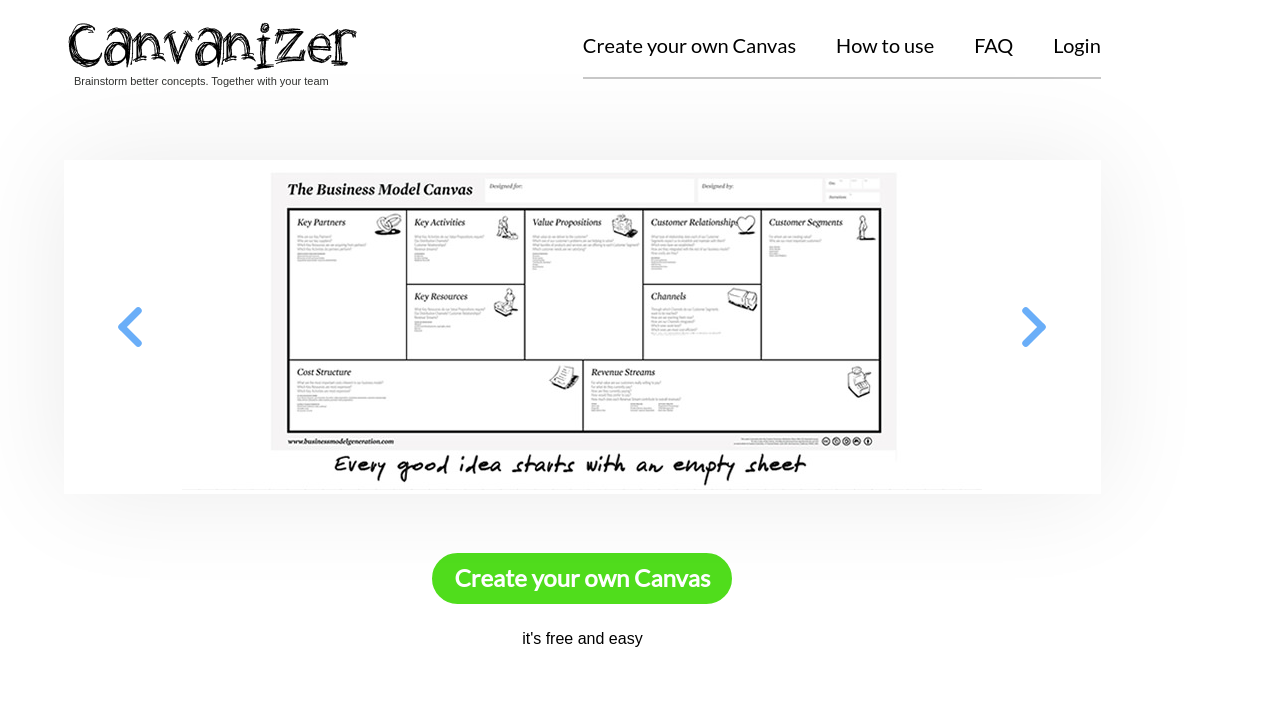
Canvanizer screenshot 1 Full Screen Icon
Canvanizer screenshot 1

Alternatives to Canvanizer
info Icon

A list of platforms similar to Canvanizer, helping you evaluate which tool best matches your needs.

How to cancel Canvanizer

Need to cancel Canvanizer? Here is how
info Icon

Thinking about how to cancel Canvanizer this is how you do it!

To cancel a Canvanizer product, simply contact their support via email. You can choose to keep your account in read-only mode or delete all data and close the account completely. This process allows for flexible management of your subscription at any time during the year.

How to Cancel the Canvanizer

To cancel a Canvanizer product, simply contact their support via email. You can choose to keep your account in read-only mode or delete all data and close the account completely. This process allows for flexible management of your subscription at any time during the year.

Manage your Canvanizer profile

Create profile

Want to list your product on Subscribed.fyi? Create a profile to reach more buyers.

Pricing Range
info Icon

This only an estimated pricing range, visit Canvanizer pricing page to access all the information by clicking “Visit Now”.

Not specified.
Visit Now
Deals Available

This product comes with a special deal, see details

This product comes with a special deal, see details