Chroma Reviews 2026: Details, Pricing, & Features | Subscribed.fyi
Sign in to review
Join our community of software reviewers on Subscribed.fyi

Continue With Google
Continue With LinkedIn
Continue Review with Email
Continue with Email
Enter your email to continue.
Continue
Enter your password
Enter your password to finish setting up your account.
Continue
Activate your email
Enter activation code we sent to your email.
Submit
Reset your password
Enter activation code we sent to your email.
Submit
Set your new password
Enter a new password for your account.
Submit
Categories
For Business
Log in
Provide My Insights

Chroma Reviews, Pricing, Features & Alternatives (2026)

1/5
(1)

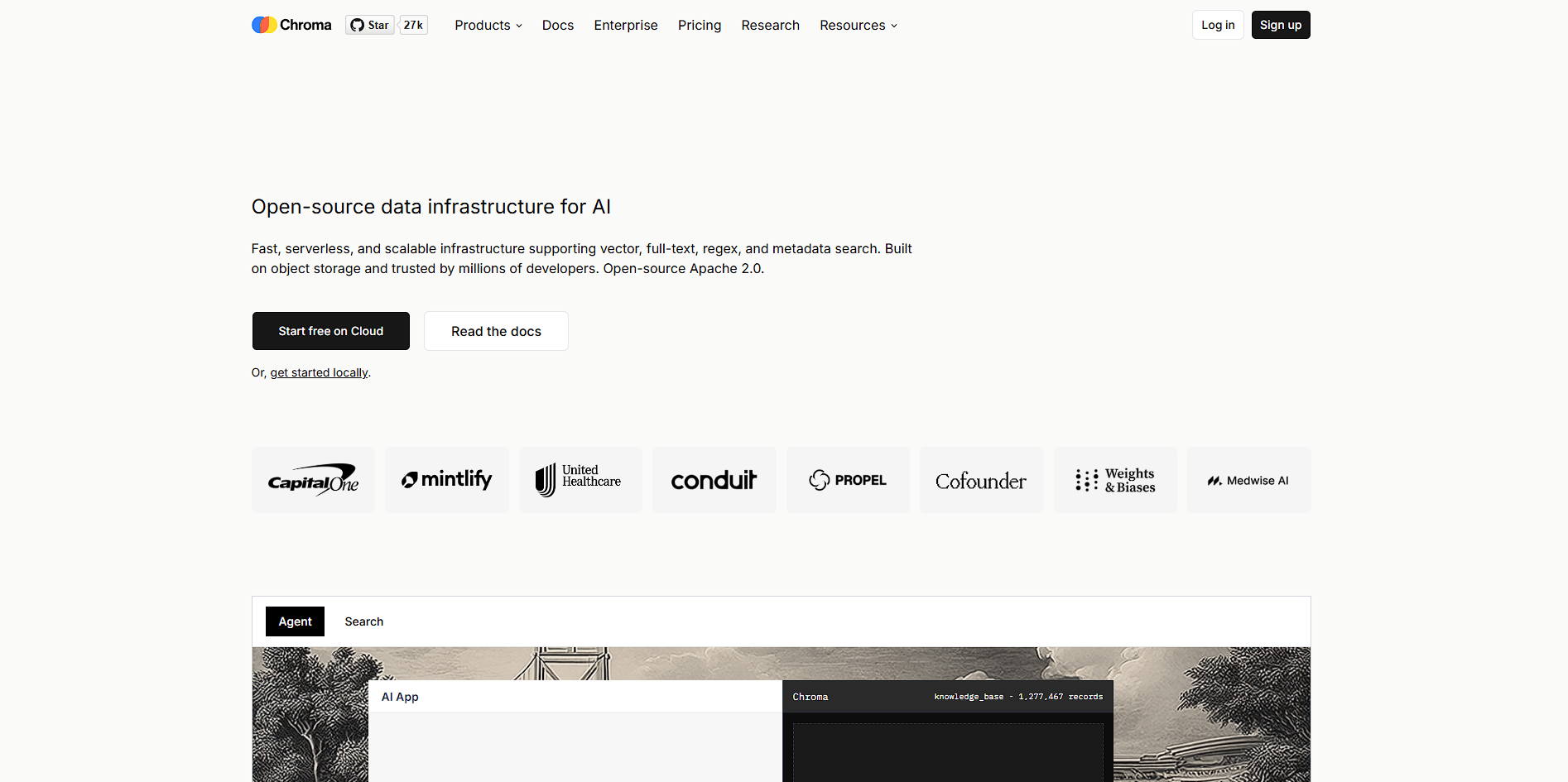
Chroma is an AI-native vector database designed to store, search, and retrieve embeddings for building LLM-powered applications like RAG systems and semantic search.

Chroma Overview

What is Chroma?

1
1
Reviews
67%
Subscribed Score

Available for Claim - This listing is available to be claimed
Claim Profile For Free

Unclaimed

Manage profile with subsig, and unlock 23+ social and review monitoring. Get partnership options with

Claim Profile For Free

Why teams choose Chroma

Key Features

No-Code Simplicity
No-Code Simplicity
Launch without writing a single line of code.
Fast & Efficient
Fast & Efficient
Optimized for speed and performance.
Data-Driven Insights
Make better decisions with analytics.

Who is Chroma for?

Chroma is an AI-native vector database built to power modern applications that rely on large language models. It stores embeddings, documents, and metadata, enabling fast semantic search and retrieval across large datasets. This makes it a core component in systems like retrieval-augmented generation (RAG), where external knowledge is injected into AI responses to improve accuracy.

The platform is available as both an open-source database and a managed cloud service (Chroma Cloud). Developers can run it locally with minimal setup or use the serverless cloud version to scale automatically without managing infrastructure. Its architecture is optimized for performance, using object storage, caching, and distributed systems to handle large-scale workloads efficiently.

Chroma positions itself as a “retrieval layer” for AI applications rather than a full AI platform. It integrates into broader stacks alongside LLM providers, orchestration tools, and APIs, helping developers build systems that can search, retrieve, and reason over custom data at scale.

Key Features and Benefits

  • Vector Database Core: Stores embeddings for semantic similarity search and retrieval. 
  • Hybrid Search: Combines vector, keyword, and metadata filtering in one query system. 
  • Chroma Cloud (Serverless): Fully managed, auto-scaling infrastructure with no ops overhead. 
  • Open-Source Flexibility: Self-host locally or deploy in custom environments with no vendor lock-in. 
  • RAG Optimization: Designed specifically for LLM retrieval workflows to reduce hallucinations. 
  • Web Sync Ingestion: Automatically crawl and index websites into searchable datasets. 
  • High Performance Engine: Rust-based architecture improves speed for queries and ingestion. 

Who Can Benefit from Chroma

  • AI Developers: Build RAG systems, chatbots, and semantic search apps.
  • Startups: Add AI-powered retrieval without heavy infrastructure setup.
  • Data Engineers: Manage embeddings and large-scale searchable datasets.
  • AI Product Teams: Enable context-aware AI features using internal data.
  • Enterprises: Deploy scalable retrieval systems with cloud or BYOC setups.

Looking for alternative solutions?
Alternatives include Pinecone, Weaviate, Milvus, and FAISS. These platforms also provide vector search and embedding storage, often with stronger enterprise ecosystems or specialized performance optimizations depending on the use case.


Chroma Summary

Chroma is an AI-native vector database built to power modern applications that rely on large language models. It stores embeddings, documents, and metadata, enabling fast semantic search and retrieval across large datasets. This makes it a core component in systems like retrieval-augmented generation (RAG), where external knowledge is injected into AI responses to improve accuracy.

The platform is available as both an open-source database and a managed cloud service (Chroma Cloud). Developers can run it locally with minimal setup or use the serverless cloud version to scale automatically without managing infrastructure. Its architecture is optimized for performance, using object storage, caching, and distributed systems to handle large-scale workloads efficiently.

Chroma positions itself as a “retrieval layer” for AI applications rather than a full AI platform. It integrates into broader stacks alongside LLM providers, orchestration tools, and APIs, helping developers build systems that can search, retrieve, and reason over custom data at scale.

Key Features and Benefits

  • Vector Database Core: Stores embeddings for semantic similarity search and retrieval. 
  • Hybrid Search: Combines vector, keyword, and metadata filtering in one query system. 
  • Chroma Cloud (Serverless): Fully managed, auto-scaling infrastructure with no ops overhead. 
  • Open-Source Flexibility: Self-host locally or deploy in custom environments with no vendor lock-in. 
  • RAG Optimization: Designed specifically for LLM retrieval workflows to reduce hallucinations. 
  • Web Sync Ingestion: Automatically crawl and index websites into searchable datasets. 
  • High Performance Engine: Rust-based architecture improves speed for queries and ingestion. 

Who Can Benefit from Chroma

  • AI Developers: Build RAG systems, chatbots, and semantic search apps.
  • Startups: Add AI-powered retrieval without heavy infrastructure setup.
  • Data Engineers: Manage embeddings and large-scale searchable datasets.
  • AI Product Teams: Enable context-aware AI features using internal data.
  • Enterprises: Deploy scalable retrieval systems with cloud or BYOC setups.

Looking for alternative solutions?
Alternatives include Pinecone, Weaviate, Milvus, and FAISS. These platforms also provide vector search and embedding storage, often with stronger enterprise ecosystems or specialized performance optimizations depending on the use case.

Chroma reviews and insights

Learn what people say about Chroma

1
1 Reviews
67%
Subscribed Score

Lear more here about the Subscribed score on how it is composed. Learn more Click here

Overall rating

5
4
3
2
1
CX 3/6

How good is the customer support based on subscribed’s assessment

CX Icon
Security 4/6

How secure is the product based on Subscribed’s assessment?

Security Icon
Ease of Use 4/6

How easy is the product to use, based on Subscribed’s assessment?

EOU Icon
Value 5/6

What is the value for money based on Subscribed’s assessment?

coin Icon
Integration 4/6

How many integrations does the product offer?

gear Icon
Popularity 4/6

How popular is the product?

star
(Aus) Aya Odeh Invitation
Medical Receptionist
2 months ago
Share
How has it made your work/life easier?
No I have other apps I could use that would be better than this
Have you experienced any bugs or errors?
Yes there were errors and freezes nd it has not found the appropriate documents
What problem did this product solve for you?
Didn’t solve much and I don’t like it.
Final thoughts, wrap up what you think
It’s very confusing and hard to navigate. I’ve lost some files and would not recommend it to any friends or colleagues
Upvote

Chroma User Reviews

1 User Reviews

Reviews from G2, Capterra, Trustpilot
info Icon

These ratings come directly from third-party platforms like G2, Capterra, and Trustpilot. They reflect real user feedback collected independently on those sites.

Chroma pricing

Pricing model

Pricing Range
info Icon

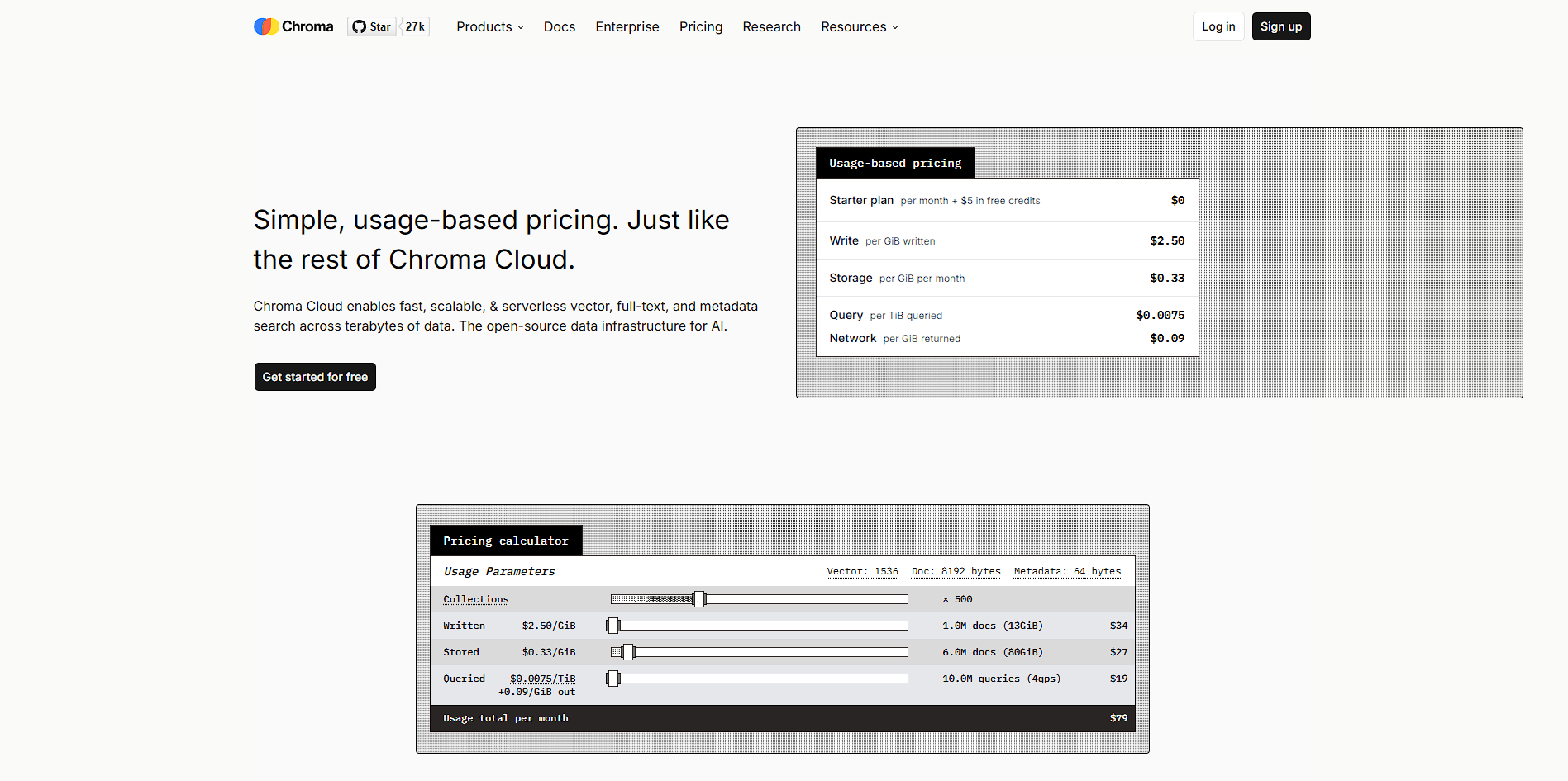
This only an estimated pricing range, visit Chroma pricing page to access all the information by clicking “Visit Now”.

Free
Visit Now
✨ Ask AI about pricing
67% Subscribed Score
info Icon

The Subscribed Score is an independent rating that combines user reviews, features, and value-for-money from multiple trusted sources. It’s designed as a quick benchmark, not a guarantee of individual experience.

Overview

Chroma is an AI-native vector database built to power modern applications that rely on large language models. It stores embeddings, documents, and metadata, enabling fast semantic search and retrieval across large datasets. This makes it a core component in systems like retrieval-augmented generation (RAG), where external knowledge is injected into AI responses to improve accuracy.

The platform is available as both an open-source database and a managed cloud service (Chroma Cloud). Developers can run it locally with minimal setup or use the serverless cloud version to scale automatically without managing infrastructure. Its architecture is optimized for performance, using object storage, caching, and distributed systems to handle large-scale workloads efficiently.

Chroma positions itself as a “retrieval layer” for AI applications rather than a full AI platform. It integrates into broader stacks alongside LLM providers, orchestration tools, and APIs, helping developers build systems that can search, retrieve, and reason over custom data at scale.

Key Features and Benefits

  • Vector Database Core: Stores embeddings for semantic similarity search and retrieval. 
  • Hybrid Search: Combines vector, keyword, and metadata filtering in one query system. 
  • Chroma Cloud (Serverless): Fully managed, auto-scaling infrastructure with no ops overhead. 
  • Open-Source Flexibility: Self-host locally or deploy in custom environments with no vendor lock-in. 
  • RAG Optimization: Designed specifically for LLM retrieval workflows to reduce hallucinations. 
  • Web Sync Ingestion: Automatically crawl and index websites into searchable datasets. 
  • High Performance Engine: Rust-based architecture improves speed for queries and ingestion. 

Who Can Benefit from Chroma

  • AI Developers: Build RAG systems, chatbots, and semantic search apps.
  • Startups: Add AI-powered retrieval without heavy infrastructure setup.
  • Data Engineers: Manage embeddings and large-scale searchable datasets.
  • AI Product Teams: Enable context-aware AI features using internal data.
  • Enterprises: Deploy scalable retrieval systems with cloud or BYOC setups.

Looking for alternative solutions?
Alternatives include Pinecone, Weaviate, Milvus, and FAISS. These platforms also provide vector search and embedding storage, often with stronger enterprise ecosystems or specialized performance optimizations depending on the use case.

Where Chroma performs best

What users like
  • Open-source vector database with strong adoption in AI and LLM ecosystems
  • Designed specifically for retrieval-augmented generation (RAG) and semantic search
  • Serverless cloud offering with automatic scaling and no infrastructure management
  • Supports hybrid search including vector, full-text, and metadata queries
  • Flexible deployment with both local self-hosting and managed cloud options

Where Chroma falls short

What users dislike
  • Requires technical expertise in embeddings, vector search, and AI pipelines
  • Not a full MLOps platform, focused mainly on retrieval and storage
  • Memory constraints can impact performance for large datasets in local deployments
  • Ecosystem and enterprise tooling are still evolving compared to larger platforms
Subscribed Score Metrics
24/36 Metric achieved
MetricsScore
Customer Support3/6
Security4/6
Ease of Use4/6
Value of Money5/6
Integration4/6
Popularity4/6
Radar Chart Table View
Ease of Use
Measures how simple and intuitive the product is to use, including setup, navigation, and overall user experience
4/6 Metric Checks
Security
Compares the product`s features, quality, and pricing to determine its overall cost-effectiveness.
4/6 Metric Checks
Value of Money
Assesses the product`s ability to protect data, prevent breaches, and comply with industry standards.
5/6 Metric Checks
Customer Support
Reflects the responsiveness, helpfulness, and quality of assistance provided by the product`s support team.
3/6 Metric Checks
Integrations
Evaluates how well the product connects with other tools and platforms, enabling seamless workflows.
4/6 Metric Checks
Chroma Pricing Range
Free

Chroma in action
info Icon

A curated gallery of real screenshots and use cases from the product, so you can see how it works before trying it.

Chroma Full Screen Icon
https://www.youtube.com/watch?v=RkI1SORvxdI
Full Screen Icon
Chroma
Chroma
Video thumbnail
Chroma
Chroma

Alternatives to Chroma
info Icon

A list of platforms similar to Chroma, helping you evaluate which tool best matches your needs.

How to cancel Chroma

Need to cancel Chroma? Here is how
info Icon

Thinking about how to cancel Chroma this is how you do it!

  1. Log in to your Chroma Cloud account
  2. Navigate to billing or subscription settings
  3. Cancel your active plan or disable auto-renewal
  4. Delete databases or stop API usage
  5. Confirm no active usage to prevent further charges

How to Cancel the Chroma

  1. Log in to your Chroma Cloud account
  2. Navigate to billing or subscription settings
  3. Cancel your active plan or disable auto-renewal
  4. Delete databases or stop API usage
  5. Confirm no active usage to prevent further charges

FAQs about Chroma

Every else you need to know about Chroma
info Icon

A collection of FAQs, guides, alternatives, and comparisons to help you quickly understand if Chroma is right for you.

Manage your Chroma profile

Create profile

Want to list your product on Subscribed.fyi? Create a profile to reach more buyers.

Pricing Range
info Icon

This only an estimated pricing range, visit Chroma pricing page to access all the information by clicking “Visit Now”.

Free
Visit Now