Chrome Reviews 2026: Details, Pricing, & Features | Subscribed.fyi
Sign in to review
Join our community of software reviewers on Subscribed.fyi

Continue With Google
Continue With LinkedIn
Continue Review with Email
Continue with Email
Enter your email to continue.
Continue
Enter your password
Enter your password to finish setting up your account.
Continue
Activate your email
Enter activation code we sent to your email.
Submit
Reset your password
Enter activation code we sent to your email.
Submit
Set your new password
Enter a new password for your account.
Submit
Categories
For Business
Log in
Provide My Insights

Chrome Reviews, Pricing, Features & Alternatives (2026)

5/5
(1)
Batrisyia K Invitation
Product Owner
See My Portfolio
4 months ago
Share
What was your first impression when you started using it?
Chrome felt fast and dependable right away. Most tools I needed for work just worked perfectly fine. Syncing across devices is effortless. It became the default without much thought.
What slows you down when using it?
Performance drops once too many tabs are open, which happens alot during research or product reviews. Memory usage can get heavy, especially with tools like Figma, Claude, vercel, and dashboards.
What problem did this product solve for you?
It handles complex web apps, dev tools, and extensions reliably. I rarely worry about sites behaving differently across environments/other browsers.
Final thoughts, wrap up what you think
reliable, familiar, and fits naturally into my workflow. To me, it's the most frictionless option for daily use
Upvote

Google Chrome is a fast, free, and reliable web browser designed for seamless cross-platform browsing. It offers features like tabbed browsing, auto-complete, and robust extension support, ensuring a user-friendly experience. Integrated with Google services, it provides efficient syncing of bookmarks, history, and passwords across devices. Chrome emphasizes modern web compatibility, speed, and consistent updates for optimal security.

Chrome Overview

What is Chrome?

5
β˜… β˜… β˜… β˜… β˜…
1
Reviews
88%
Subscribed Score

Available for Claim - This listing is available to be claimed
Claim Profile For Free

Unclaimed

Manage profile with subsig, and unlock 23+ social and review monitoring. Get partnership options with

Claim Profile For Free

Why teams choose Chrome

Key Features

Secure by Design
Secure by Design
Data protection and compliance built in.
Trusted by Thousands
Proven by professionals worldwide.
Eco-Friendly
Eco-Friendly
Designed with sustainability in mind.

Who is Chrome for?

Google Chrome is a leading choice in the Electronics > Computers > Software category. Designed for speed, simplicity, and user accessibility, Chrome offers a powerful browsing experience across various platforms, including Windows, macOS, Linux, and Android. It stands out for features like tabbed browsing, bookmark management, integrated auto-complete, and advanced developer tools. Explore exclusive deals. For alternatives, consider Microsoft EdgeDoiT, and Brave.

Why Use Google Chrome?

Google Chrome offers a robust package designed to meet diverse user needs with several key advantages:

  • Seamless Cross-Platform Integration: Chrome allows users to sync bookmarks, browsing history, and settings across multiple devices for a consistent experience.
  • Speed and Performance: The browser delivers quick loading times and smooth navigation, even with multiple tabs open.
  • Security and Regular Updates: Built-in malware protection and consistent updates ensure user safety and optimal performance.
  • Extensive Customization: A rich library of extensions enables users to tailor their browsing experience to suit both professional and personal needs.
  • Developer Features: Tools like the Chrome DevTools provide a comprehensive suite for developers to debug and test online projects efficiently.

Who is Google Chrome For?

Google Chrome serves a wide range of users across industries and usage scenarios:

  • Everyday Users: Perfect for accessing websites, managing cloud-based resources, and enjoying seamless web browsing.
  • Professionals: Ideal for multitasking users who rely on organized tabs, faster performance, and integrations with productivity tools like Google Workspace.
  • Developers: Essential for those looking to utilize robust developer tools to create, test, and optimize projects.
  • Students and Researchers: Highly effective for bookmarking resources, managing web-based tools, and conducting information searches.
  • Businesses: Recommended for smooth integration with enterprise tools, reliable browsing, and maintaining security.

Google Chrome is a trusted browser that excels in speed, functionality, and adaptability. Reliable for both casual users and professionals, it remains a top contender for anyone seeking an optimized, secure, and feature-packed browsing solution. Whether you’re focused on business tasks or personal efficiency, Chrome ensures seamless workflow and adaptability across platforms.


Chrome Summary

Google Chrome is a leading choice in the Electronics > Computers > Software category. Designed for speed, simplicity, and user accessibility, Chrome offers a powerful browsing experience across various platforms, including Windows, macOS, Linux, and Android. It stands out for features like tabbed browsing, bookmark management, integrated auto-complete, and advanced developer tools. Explore exclusive deals. For alternatives, consider Microsoft EdgeDoiT, and Brave.

Why Use Google Chrome?

Google Chrome offers a robust package designed to meet diverse user needs with several key advantages:

  • Seamless Cross-Platform Integration: Chrome allows users to sync bookmarks, browsing history, and settings across multiple devices for a consistent experience.
  • Speed and Performance: The browser delivers quick loading times and smooth navigation, even with multiple tabs open.
  • Security and Regular Updates: Built-in malware protection and consistent updates ensure user safety and optimal performance.
  • Extensive Customization: A rich library of extensions enables users to tailor their browsing experience to suit both professional and personal needs.
  • Developer Features: Tools like the Chrome DevTools provide a comprehensive suite for developers to debug and test online projects efficiently.

Who is Google Chrome For?

Google Chrome serves a wide range of users across industries and usage scenarios:

  • Everyday Users: Perfect for accessing websites, managing cloud-based resources, and enjoying seamless web browsing.
  • Professionals: Ideal for multitasking users who rely on organized tabs, faster performance, and integrations with productivity tools like Google Workspace.
  • Developers: Essential for those looking to utilize robust developer tools to create, test, and optimize projects.
  • Students and Researchers: Highly effective for bookmarking resources, managing web-based tools, and conducting information searches.
  • Businesses: Recommended for smooth integration with enterprise tools, reliable browsing, and maintaining security.

Google Chrome is a trusted browser that excels in speed, functionality, and adaptability. Reliable for both casual users and professionals, it remains a top contender for anyone seeking an optimized, secure, and feature-packed browsing solution. Whether you’re focused on business tasks or personal efficiency, Chrome ensures seamless workflow and adaptability across platforms.

Chrome reviews and insights

Learn what people say about Chrome

5 β˜… β˜… β˜… β˜… β˜…
1 Reviews
88%
Subscribed Score

Lear more here about the Subscribed score on how it is composed. Learn more Click here

Overall rating

5
4
3
2
1
CX 4/6

How good is the customer support based on subscribed’s assessment

CX Icon
Security 4/6

How secure is the product based on Subscribed’s assessment?

Security Icon
Ease of Use 6/6

How easy is the product to use, based on Subscribed’s assessment?

EOU Icon
Value 5/6

What is the value for money based on Subscribed’s assessment?

coin Icon
Integration 6/6

How many integrations does the product offer?

gear Icon
Popularity 6/6

How popular is the product?

star
Batrisyia K Invitation
Product Owner
See My Portfolio
4 months ago
Share
What was your first impression when you started using it?
Chrome felt fast and dependable right away. Most tools I needed for work just worked perfectly fine. Syncing across devices is effortless. It became the default without much thought.
What slows you down when using it?
Performance drops once too many tabs are open, which happens alot during research or product reviews. Memory usage can get heavy, especially with tools like Figma, Claude, vercel, and dashboards.
What problem did this product solve for you?
It handles complex web apps, dev tools, and extensions reliably. I rarely worry about sites behaving differently across environments/other browsers.
Final thoughts, wrap up what you think
reliable, familiar, and fits naturally into my workflow. To me, it's the most frictionless option for daily use
Upvote

Chrome User Reviews

1 User Reviews

Reviews from G2, Capterra, Trustpilot
info Icon

These ratings come directly from third-party platforms like G2, Capterra, and Trustpilot. They reflect real user feedback collected independently on those sites.

Chrome pricing

Pricing model

Pricing Range
info Icon

This only an estimated pricing range, visit Chrome pricing page to access all the information by clicking β€œVisit Now”.

Not specified.
Deals Available

This product comes with a special deal, see details

Visit Now
✨ Ask AI about pricing
88% Subscribed Score
info Icon

The Subscribed Score is an independent rating that combines user reviews, features, and value-for-money from multiple trusted sources. It’s designed as a quick benchmark, not a guarantee of individual experience.

Overview

Google Chrome is a leading choice in the Electronics > Computers > Software category. Designed for speed, simplicity, and user accessibility, Chrome offers a powerful browsing experience across various platforms, including Windows, macOS, Linux, and Android. It stands out for features like tabbed browsing, bookmark management, integrated auto-complete, and advanced developer tools. Explore exclusive deals. For alternatives, consider Microsoft EdgeDoiT, and Brave.

Why Use Google Chrome?

Google Chrome offers a robust package designed to meet diverse user needs with several key advantages:

  • Seamless Cross-Platform Integration: Chrome allows users to sync bookmarks, browsing history, and settings across multiple devices for a consistent experience.
  • Speed and Performance: The browser delivers quick loading times and smooth navigation, even with multiple tabs open.
  • Security and Regular Updates: Built-in malware protection and consistent updates ensure user safety and optimal performance.
  • Extensive Customization: A rich library of extensions enables users to tailor their browsing experience to suit both professional and personal needs.
  • Developer Features: Tools like the Chrome DevTools provide a comprehensive suite for developers to debug and test online projects efficiently.

Who is Google Chrome For?

Google Chrome serves a wide range of users across industries and usage scenarios:

  • Everyday Users: Perfect for accessing websites, managing cloud-based resources, and enjoying seamless web browsing.
  • Professionals: Ideal for multitasking users who rely on organized tabs, faster performance, and integrations with productivity tools like Google Workspace.
  • Developers: Essential for those looking to utilize robust developer tools to create, test, and optimize projects.
  • Students and Researchers: Highly effective for bookmarking resources, managing web-based tools, and conducting information searches.
  • Businesses: Recommended for smooth integration with enterprise tools, reliable browsing, and maintaining security.

Google Chrome is a trusted browser that excels in speed, functionality, and adaptability. Reliable for both casual users and professionals, it remains a top contender for anyone seeking an optimized, secure, and feature-packed browsing solution. Whether you’re focused on business tasks or personal efficiency, Chrome ensures seamless workflow and adaptability across platforms.

Where Chrome performs best

What users like
  • Fast and reliable browsing experience
  • Seamless syncing across devices
  • Extensive extension library
  • User-friendly interface

Where Chrome falls short

What users dislike
  • High memory usage with multiple tabs
  • Consumes significant battery power
  • Collects substantial user data
  • Limited built-in ad-blocking on mobile
Subscribed Score Metrics
31/36 Metric achieved
MetricsScore
Customer Support4/6
Security4/6
Ease of Use6/6
Value of Money5/6
Integration6/6
Popularity6/6
Radar Chart Table View
Ease of Use
Measures how simple and intuitive the product is to use, including setup, navigation, and overall user experience
6/6 Metric Checks
Security
Compares the product`s features, quality, and pricing to determine its overall cost-effectiveness.
4/6 Metric Checks
Value of Money
Assesses the product`s ability to protect data, prevent breaches, and comply with industry standards.
5/6 Metric Checks
Customer Support
Reflects the responsiveness, helpfulness, and quality of assistance provided by the product`s support team.
4/6 Metric Checks
Integrations
Evaluates how well the product connects with other tools and platforms, enabling seamless workflows.
6/6 Metric Checks
Chrome Pricing Range
Not specified.

Chrome in action
info Icon

A curated gallery of real screenshots and use cases from the product, so you can see how it works before trying it.

Chrome Full Screen Icon
https://www.youtube.com/watch?v=JWPO_V09WKg
Full Screen Icon
https://www.youtube.com/watch?v=bXuOZOSYnzs
Full Screen Icon
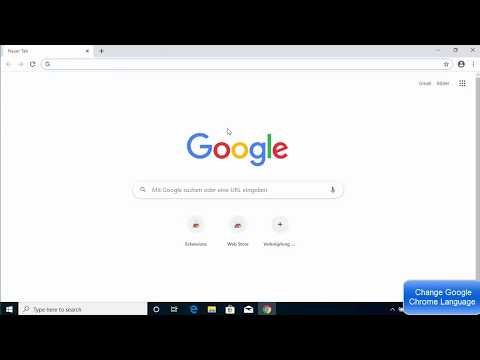
Chrome
Video thumbnail
Video thumbnail
Chrome

Alternatives to Chrome
info Icon

A list of platforms similar to Chrome, helping you evaluate which tool best matches your needs.

How to cancel Chrome

Need to cancel Chrome? Here is how
info Icon

Thinking about how to cancel Chrome this is how you do it!

To cancel a Chrome upgrade subscription:

  • Contact Google Workspace Support.
  • Request to cancel the subscription.
  • Deprovision the devices if necessary.
  • Alternatively, go to Billing > Subscriptions > Cancel your subscription if not purchased through a reseller.

How to Cancel the Chrome

To cancel a Chrome upgrade subscription:

  • Contact Google Workspace Support.
  • Request to cancel the subscription.
  • Deprovision the devices if necessary.
  • Alternatively, go to Billing > Subscriptions > Cancel your subscription if not purchased through a reseller.

FAQs about Chrome

Every else you need to know about Chrome
info Icon

A collection of FAQs, guides, alternatives, and comparisons to help you quickly understand if Chrome is right for you.

Manage your Chrome profile

Create profile

Want to list your product on Subscribed.fyi? Create a profile to reach more buyers.

Pricing Range
info Icon

This only an estimated pricing range, visit Chrome pricing page to access all the information by clicking β€œVisit Now”.

Not specified.
Visit Now
Deals Available

This product comes with a special deal, see details

This product comes with a special deal, see details