Sign in to review
Join our community of software reviewers on Subscribed.fyi

Continue With Google
Continue With LinkedIn
Continue Review with Email
Continue with Email
Enter your email to continue.
Continue
Enter your password
Enter your password to finish setting up your account.
Continue
Activate your email
Enter activation code we sent to your email.
Submit
Reset your password
Enter activation code we sent to your email.
Submit
Set your new password
Enter a new password for your account.
Submit
Categories
For Business
Log in
Provide My Insights
Add Product
Suggested products People also compare with
Add to Comparison
Suggested products People also compare with

Compare Appy Pie and AppSheet

We are comparing Appy Pie and AppSheet to evaluate which one is the best product.

Suggested products People also compare with
Review Pricing Alternatives Experience

Review

85%
30/36 Metric achieved
80%
28/36 Metric achieved

Subscribed Metric

Customer Support 5/6
Security 4/6
Ease of Use 6/6
Value of Money 4/6
Integration 5/6
Popularity 6/6

Subscribed Metric

Customer Support 4/6
Security 4/6
Ease of Use 5/6
Value of Money 4/6
Integration 5/6
Popularity 6/6

Pros & Cons

Easy drag-and-drop interface for app creation
No coding skills required for app development
Wide variety of customizable features
Responsive customer support team
High subscription cost for advanced features
Challenges with cancellation and refund processes
Limited trial period for testing functionalities
Occasional usability issues during account setup

Pros & Cons

Easy integration with Google Sheets and other databases.
Quick app creation with no coding required.
Customizable application templates for various use cases.
Great for small business and individual projects.
High pricing for multi-user or complex apps.
Limited customization options for advanced needs.
Reports and PDF generation can be difficult.
Performance issues on less powerful devices.

Conclusion

Appy Pie is a no-code platform catering to non-technical users like small business owners, marketers, and educators. Features include drag-and-drop app and website building, customizable branding, multi-platform compatibility, and third-party integrations. Pricing starts at $36/month per app, with a free trial available. Pros: ease of use, quick deployment, and good customer support. Cons: limited advanced customizations, high pricing for developers, and some unclear cancellation policies. Alternatives like Bubble offer greater depth for developers but may be less beginner-friendly. Appy Pie’s support is responsive and the platform cost-effective for basic app-building needs.

Conclusion

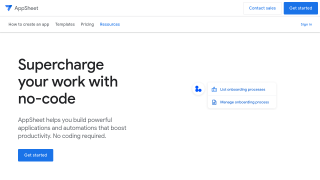
AppSheet is a no-code platform designed for professionals like project managers and team leads to build custom mobile apps using data from tools like Google Sheets, Excel, or SQL. Key features include intuitive UX design, workflow automation, and seamless integration with data sources. Plans start at $5/user/month. Compared to alternatives like Airtable or Microsoft Power Apps, AppSheet prioritizes simplicity but may lack advanced customization, making it ideal for SMBs but limited for developers. Its competitive pricing and robust support make it cost-effective for data-centric apps.

Pricing

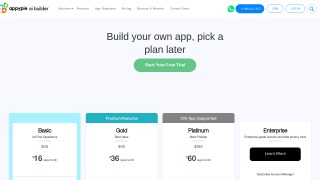
Appy Pie Pricing

Pricing Range $16-$60/Month See Appy Pie Pricing

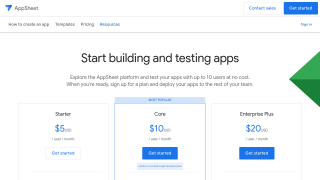
AppSheet Pricing

Pricing Range $5-$10/Month See AppSheet Pricing

Alternatives

Appy Pie Alternatives

AppSheet logo

AppSheet

80%
Bubble.io logo

Bubble.io

78%
BuildFire logo

BuildFire

68%
Appmysite logo

Appmysite

68%
See All Appy Pie Alternatives

AppSheet Alternatives

Airtable logo

Airtable

85%
QuickBase logo

QuickBase

83%
Ninox logo

Ninox

83%
Bubble.io logo

Bubble.io

78%
See All AppSheet Alternatives

Experience

Appy Pie Screenshots

Appy Pie screenshot 1
Appy Pie screenshot 2

AppSheet Screenshots

AppSheet screenshot 1
AppSheet screenshot 2