Sign in to review
Join our community of software reviewers on Subscribed.fyi

Continue With Google
Continue With LinkedIn
Continue Review with Email
Continue with Email
Enter your email to continue.
Continue
Enter your password
Enter your password to finish setting up your account.
Continue
Activate your email
Enter activation code we sent to your email.
Submit
Reset your password
Enter activation code we sent to your email.
Submit
Set your new password
Enter a new password for your account.
Submit
Categories
For Business
Log in
Provide My Insights
Add Product
Suggested products People also compare with
Add to Comparison
Suggested products People also compare with

Compare Arc Search and Chrome

We are comparing Arc Search and Chrome to evaluate which one is the best product.

Suggested products People also compare with
Review Pricing Alternatives Experience

Review

67%
24/36 Metric achieved
88%
31/36 Metric achieved

Subscribed Metric

Customer Support 3/6
Security 4/6
Ease of Use 3/6
Value of Money 5/6
Integration 5/6
Popularity 4/6

Subscribed Metric

Customer Support 4/6
Security 4/6
Ease of Use 6/6
Value of Money 5/6
Integration 6/6
Popularity 6/6

Pros & Cons

Unique sidebar-based interface replaces traditional tab clutter
Powerful organization with Spaces, folders, and split views for workflows
Built-in tools like notes, previews, and AI features reduce need for extensions
Privacy-focused with no ads or data-selling business model
Completely free to use with full feature access
Learning curve due to non-traditional browser design
Can feel complex or overwhelming for casual users
Windows version still lacks full feature parity with macOS
Active feature development has slowed as company shifts focus to new products

Pros & Cons

Fast and reliable browsing experience
Seamless syncing across devices
Extensive extension library
User-friendly interface
High memory usage with multiple tabs
Consumes significant battery power
Collects substantial user data
Limited built-in ad-blocking on mobile

Other Platform Review

Data Unavailable This information for the product is not yet available. Please check back later or explore directly on product website.

Conclusion

Arc’s biggest strength is its rethinking of browser UX. By turning the browser into a workspace, it solves the long-standing problem of tab overload and fragmented workflows. Features like Spaces and split view make it especially powerful for users who treat the browser as their primary work environment.

However, this innovation comes at the cost of accessibility. New users may find the interface unfamiliar or even confusing at first. Additionally, with the company shifting focus toward newer AI products, Arc is no longer evolving as quickly, which may impact its long-term competitiveness.

Overall, Arc is best suited for advanced users and productivity-focused workflows rather than casual browsing.

Conclusion

Google Chrome is a free, fast, and widely-used web browser with features like tabbed browsing, auto-complete forms, built-in spell checker, and seamless synchronization across devices. Ideal for designers, marketers, and developers, it offers robust developer tools and an extensive extension library. However, its high RAM usage and privacy concerns may be a drawback. Compared to Firefox (battery efficiency) and Brave (privacy-focused), Chrome excels in versatility and ecosystem integration. Customer support is reliable, and its cost-free model makes it highly cost-effective.

Pricing

Arc Search Pricing

Pricing Range Free See Arc Search Pricing

Chrome Pricing

Pricing Range Not specified.

Alternatives

Arc Search Alternatives

Perplexity logo

Perplexity

90%
Chrome logo

Chrome

88%
Microsoft Edge logo

Microsoft Edge

85%
You.com logo

You.com

64%
See All Arc Search Alternatives

Chrome Alternatives

Brave logo

Brave

88%
Microsoft Edge logo

Microsoft Edge

85%
DoiT logo

DoiT

78%
Safari AI logo

Safari AI

0%
See All Chrome Alternatives

Experience

Arc Search Screenshots

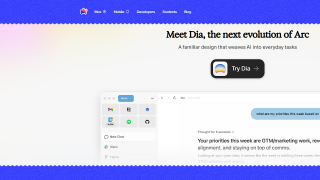
Arc Search screenshot 1
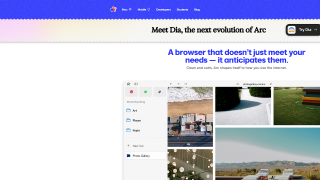
Arc Search screenshot 2

Chrome Screenshots

Chrome screenshot 1