Sign in to review
Join our community of software reviewers on Subscribed.fyi

Continue With Google
Continue With LinkedIn
Continue Review with Email
Continue with Email
Enter your email to continue.
Continue
Enter your password
Enter your password to finish setting up your account.
Continue
Activate your email
Enter activation code we sent to your email.
Submit
Reset your password
Enter activation code we sent to your email.
Submit
Set your new password
Enter a new password for your account.
Submit
Categories
For Business
Log in
Provide My Insights
Add Product
Suggested products People also compare with
Add to Comparison
Suggested products People also compare with

Compare Creo and Appy Pie

We are comparing Creo and Appy Pie to evaluate which one is the best product.

Suggested products People also compare with
Review Pricing Alternatives Experience

Review

58%
20/36 Metric achieved
85%
30/36 Metric achieved

Subscribed Metric

Customer Support 4/6
Security 0/6
Ease of Use 4/6
Value of Money 4/6
Integration 3/6
Popularity 5/6

Subscribed Metric

Customer Support 5/6
Security 4/6
Ease of Use 6/6
Value of Money 4/6
Integration 5/6
Popularity 6/6

Pros & Cons

Powerful 3D modeling capabilities.
Extensive features for design and analysis.
Efficient for complex assemblies.
Customizable and flexible interface.
Steep learning curve for beginners.
Limited cross-platform compatibility.
High licensing cost.
Rendering quality could be improved.

Pros & Cons

Easy drag-and-drop interface for app creation
No coding skills required for app development
Wide variety of customizable features
Responsive customer support team
High subscription cost for advanced features
Challenges with cancellation and refund processes
Limited trial period for testing functionalities
Occasional usability issues during account setup

Conclusion

Creo is a comprehensive app-building tool for Mac, combining design and development into a single platform ideal for designers and developers. It offers an intuitive interface, parametric modeling, and advanced simulation for accurate outputs. Though its pricing varies, it is budget-friendly compared to premium tools like SolidWorks. Alternatives like Appy Pie and Glide are easier to use for non-technical users but lack Creo’s advanced features. Its high customization appeals to professionals, while strong customer support offsets the steep learning curve for beginners.

Conclusion

Appy Pie is a no-code platform catering to non-technical users like small business owners, marketers, and educators. Features include drag-and-drop app and website building, customizable branding, multi-platform compatibility, and third-party integrations. Pricing starts at $36/month per app, with a free trial available. Pros: ease of use, quick deployment, and good customer support. Cons: limited advanced customizations, high pricing for developers, and some unclear cancellation policies. Alternatives like Bubble offer greater depth for developers but may be less beginner-friendly. Appy Pie’s support is responsive and the platform cost-effective for basic app-building needs.

Pricing

Creo Pricing

Pricing Range $25-$58/Month

Appy Pie Pricing

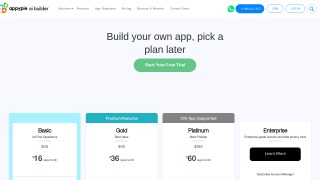
Pricing Range $16-$60/Month See Appy Pie Pricing

Alternatives

Creo Alternatives

Appy Pie logo

Appy Pie

85%
CATIA logo

CATIA

66%
See All Creo Alternatives

Appy Pie Alternatives

AppSheet logo

AppSheet

80%
Bubble.io logo

Bubble.io

78%
BuildFire logo

BuildFire

68%
Appmysite logo

Appmysite

68%
See All Appy Pie Alternatives

Experience

Creo Screenshots

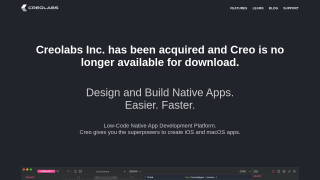
Creo screenshot 1

Appy Pie Screenshots

Appy Pie screenshot 1
Appy Pie screenshot 2