Sign in to review
Join our community of software reviewers on Subscribed.fyi

Continue With Google
Continue With LinkedIn
Continue Review with Email
Continue with Email
Enter your email to continue.
Continue
Enter your password
Enter your password to finish setting up your account.
Continue
Activate your email
Enter activation code we sent to your email.
Submit
Reset your password
Enter activation code we sent to your email.
Submit
Set your new password
Enter a new password for your account.
Submit
Categories
For Business
Log in
Provide My Insights
Add Product
Suggested products People also compare with
Add to Comparison
Suggested products People also compare with

Compare Eclipse Web Tools Platform and IntelliJ IDEA

We are comparing Eclipse Web Tools Platform and IntelliJ IDEA to evaluate which one is the best product.

Suggested products People also compare with
Review Pricing Alternatives Experience

Review

59%
21/36 Metric achieved
83%
29/36 Metric achieved

Subscribed Metric

Customer Support 4/6
Security 0/6
Ease of Use 4/6
Value of Money 5/6
Integration 4/6
Popularity 4/6

Subscribed Metric

Customer Support 4/6
Security 4/6
Ease of Use 5/6
Value of Money 5/6
Integration 5/6
Popularity 6/6

Pros & Cons

Extensive plugin support for added functionality.
User-friendly interface for beginners.
Supports Java EE and web application development.
Good debugging and deployment tools.
High memory usage affects performance.
Plugins are not updated regularly.
Steep learning curve for new users.
Lacks modern UI/UX improvements.

Pros & Cons

Powerful code completion and suggestions
Seamless Git and version control integration
Wide language and framework support
Debugging and error detection tools save time
Resource-intensive, requires high specs
Steep learning curve for beginners
Paid versions are expensive
Can feel slow during heavy tasks

Conclusion

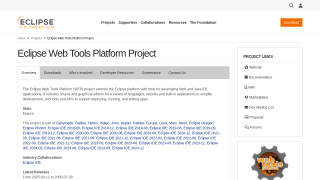
The Eclipse Web Tools Platform (WTP) is an open-source IDE tailored for Java and web application developers. Key features include support for Java EE, graphical and source editors, API tools, and seamless server deployments. It excels in plugin integration (e.g., Maven, JUnit) but can feel outdated compared to IntelliJ IDEA or Visual Studio. While free and cost-effective, its performance can lag, and plugin updates are slow. Customer support is community-driven. Best for beginners and small to medium Java enterprise projects.

Conclusion

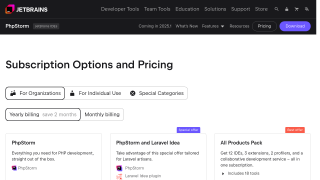
IntelliJ IDEA, a JetBrains IDE, is a premier tool for developers, excelling in Java and Kotlin programming. Key features include intelligent code assistance, advanced debugging, seamless Git integration, and robust support for frameworks like Spring. With built-in tools for databases and cloud integration, it enhances productivity for professional developers. Pricing starts at $16.90/month for individuals and $59.90/month for businesses.

Compared to alternatives like Eclipse or Visual Studio, IntelliJ offers unparalleled smart features but demands higher memory, making it less ideal for low-end systems or beginners. Eclipse is free but lacks IntelliJ’s seamless features, while Visual Studio is more versatile across multiple languages. Support for IntelliJ is highly rated, with a steep but rewarding learning curve. Despite its cost, its efficacy in enterprise and professional use ensures value for money in long-term productivity.

Pricing

Eclipse Web Tools Platform Pricing

Pricing Range Not specified

IntelliJ IDEA Pricing

Pricing Range $4.92-$20.75/Month See IntelliJ IDEA Pricing

Alternatives

Eclipse Web Tools Platform Alternatives

IntelliJ IDEA logo

IntelliJ IDEA

83%
See All Eclipse Web Tools Platform Alternatives

IntelliJ IDEA Alternatives

Visual Studio Code logo

Visual Studio Code

93%
See All IntelliJ IDEA Alternatives

Experience

Eclipse Web Tools Platform Screenshots

Eclipse Web Tools Platform screenshot 1

IntelliJ IDEA Screenshots

IntelliJ IDEA screenshot 1
IntelliJ IDEA screenshot 2