Sign in to review
Join our community of software reviewers on Subscribed.fyi

Continue With Google
Continue With LinkedIn
Continue Review with Email
Continue with Email
Enter your email to continue.
Continue
Enter your password
Enter your password to finish setting up your account.
Continue
Activate your email
Enter activation code we sent to your email.
Submit
Reset your password
Enter activation code we sent to your email.
Submit
Set your new password
Enter a new password for your account.
Submit
Categories
For Business
Log in
Provide My Insights
Add Product
Suggested products People also compare with
Add to Comparison
Suggested products People also compare with

Compare Microsoft Access and Ninox

We are comparing Microsoft Access and Ninox to evaluate which one is the best product.

Suggested products People also compare with
Review Pricing Alternatives Experience

Review

61%
21/36 Metric achieved
83%
30/36 Metric achieved

Subscribed Metric

Customer Support 3/6
Security 3/6
Ease of Use 4/6
Value of Money 4/6
Integration 2/6
Popularity 5/6

Subscribed Metric

Customer Support 6/6
Security 4/6
Ease of Use 5/6
Value of Money 6/6
Integration 4/6
Popularity 5/6

Pros & Cons

Easy integration with Microsoft suite
Ideal for small to medium-sized databases
Customizable forms, reports, and queries
Quick setup and intuitive for beginners
Struggles with large data handling
Limited capabilities for multi-user access
Not intuitive for complex setups
Slows down with extensive inputs

Pros & Cons

Highly customizable and flexible platform
User-friendly and intuitive interface
Excellent customer support
Affordable pricing
Steep learning curve for complex features
Limited customization for calendar and views
Documentation and tutorials could improve
Performance issues with larger datasets

Conclusion

Microsoft Access is a desktop database software ideal for small businesses, solo developers, or marketers managing structured data. It offers templates, easy report creation, and integration with other Microsoft products. Although powerful for small-scale use, it struggles with large datasets and multi-user collaboration. Compared to alternatives like MySQL or Airtable, Access is easier for non-technical users but lacks scalability and cloud-native features. It offers decent customer support but is costlier than average in its category. Suitable for beginners, its cost-effectiveness is moderate.

Conclusion

Ninox is a low-code platform offering features like customizable CRM, ERP, and project management tools with seamless cross-platform compatibility. Ideal for SMBs, designers, and developers, its intuitive interface supports collaboration, workflow automation, and dynamic data management. Compared to competitors like Airtable or Quickbase, Ninox excels in cost-effectiveness, customization, and offline access but may lag in template variety or advanced reporting. Pricing begins at €10/month, with responsive customer support and flexibility for both small and complex needs.

Pricing

Microsoft Access Pricing

Pricing Range $50-$195/Month See Microsoft Access Pricing

Ninox Pricing

Pricing Range $8-$10/Month See Ninox Pricing

Alternatives

Microsoft Access Alternatives

MongoDB logo

MongoDB

88%
Ninox logo

Ninox

83%
MySQL logo

MySQL

78%
See All Microsoft Access Alternatives

Ninox Alternatives

Airtable logo

Airtable

85%
QuickBase logo

QuickBase

83%
Zoho Creator logo

Zoho Creator

78%
Microsoft Access logo

Microsoft Access

61%
See All Ninox Alternatives

Experience

Microsoft Access Screenshots

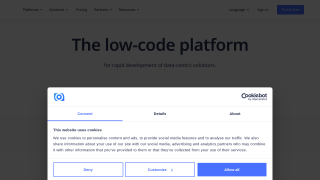
Microsoft Access screenshot 1
Microsoft Access screenshot 2

Ninox Screenshots

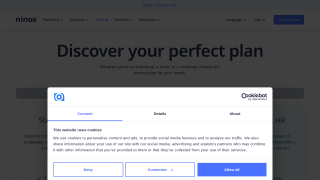
Ninox screenshot 1
Ninox screenshot 2