Sign in to review
Join our community of software reviewers on Subscribed.fyi

Continue With Google
Continue With LinkedIn
Continue Review with Email
Continue with Email
Enter your email to continue.
Continue
Enter your password
Enter your password to finish setting up your account.
Continue
Activate your email
Enter activation code we sent to your email.
Submit
Reset your password
Enter activation code we sent to your email.
Submit
Set your new password
Enter a new password for your account.
Submit
Log in
Provide My Insights
Microsoft Access logo

Microsoft Access Reviews, Pricing, Features & Alternatives (2026)

Microsoft Access is a robust database management software ideal for creating, managing, and sharing databases. It offers user-friendly templates and a variety of customization options, making it suitable for small to medium-sized businesses. With integration capabilities and tools like forms, queries, and reports, it streamlines data management and improves workflow efficiency.

Microsoft Access logo

Microsoft Access Overview

What is Microsoft Access?

N/A
★ ★ ★ ★ ★
0
Reviews

Available for Claim - This listing is available to be claimed
Claim Profile

Unclaimed

Claim this profile to manage it.

Claim Profile

Why teams choose Microsoft Access

Key Features

Plug & Play Setup
Plug & Play Setup
Get started in minutes, not weeks.
Seamless Integrations
Connect easily with your favorite tools.
Expert Support
Expert Support
Help available when you need it.

Who is Microsoft Access for?

Microsoft Access is a robust solution in the Database Management Software category, offering accessible tools for database creation and management. It allows users to design custom database applications with ease using built-in templates and web-based functionalities, enabling streamlined data collection, reporting, and sharing. Designed for small to medium-sized projects, it provides seamless integration options with the Microsoft ecosystem, such as Excel and SQL Server, to expand capabilities and simplify workflows. Explore exclusive deals. For alternative database solutions, consider Ninox, MongoDB,, or Airtable.

Why Use Microsoft Access?

Choosing Microsoft Access as your database management tool provides several benefits:

  • User-Friendly Interface: Microsoft Access features a familiar environment for developing databases, making it approachable for users of varying technical skills.
  • Built-In Templates: Pre-designed templates enable quick setup without requiring extensive development knowledge, ideal for time-sensitive projects.
  • Integration Capabilities: Easily connect and sync with other Microsoft products like Excel and SQL Server to enhance data import/export and reporting.
  • Web Database Creation: The software includes the ability to create databases accessible online, improving collaboration and remote data sharing.
  • Customizability with VBA: For advanced users, Access supports customization using Visual Basic for Applications (VBA) to build more complex features and workflows.

Who is Microsoft Access For?

Microsoft Access serves an array of users and industries:

  • Small Businesses: Ideal for small companies requiring a simple and affordable solution to manage their databases without employing dedicated IT staff.
  • Educators and Researchers: Teachers and students can use Access for data analysis, project tracking, or maintaining simple databases for academic projects.
  • Data Analysts: Professionals can create interactive queries, analyze data, and generate reports with tailored functionality.
  • Freelancers: Independent developers or consultants can leverage its ease of development for client projects or personal workflows.

Microsoft Access is a versatile choice for designing and managing data-driven applications with efficiency. Whether for small business management, research purposes, education, or personal use, its comprehensive database tools are practical, customizable, and deeply integrated with the Microsoft ecosystem.

Microsoft Access Summary

Microsoft Access is a robust solution in the Database Management Software category, offering accessible tools for database creation and management. It allows users to design custom database applications with ease using built-in templates and web-based functionalities, enabling streamlined data collection, reporting, and sharing. Designed for small to medium-sized projects, it provides seamless integration options with the Microsoft ecosystem, such as Excel and SQL Server, to expand capabilities and simplify workflows. Explore exclusive deals. For alternative database solutions, consider Ninox, MongoDB,, or Airtable.

Why Use Microsoft Access?

Choosing Microsoft Access as your database management tool provides several benefits:

  • User-Friendly Interface: Microsoft Access features a familiar environment for developing databases, making it approachable for users of varying technical skills.
  • Built-In Templates: Pre-designed templates enable quick setup without requiring extensive development knowledge, ideal for time-sensitive projects.
  • Integration Capabilities: Easily connect and sync with other Microsoft products like Excel and SQL Server to enhance data import/export and reporting.
  • Web Database Creation: The software includes the ability to create databases accessible online, improving collaboration and remote data sharing.
  • Customizability with VBA: For advanced users, Access supports customization using Visual Basic for Applications (VBA) to build more complex features and workflows.

Who is Microsoft Access For?

Microsoft Access serves an array of users and industries:

  • Small Businesses: Ideal for small companies requiring a simple and affordable solution to manage their databases without employing dedicated IT staff.
  • Educators and Researchers: Teachers and students can use Access for data analysis, project tracking, or maintaining simple databases for academic projects.
  • Data Analysts: Professionals can create interactive queries, analyze data, and generate reports with tailored functionality.
  • Freelancers: Independent developers or consultants can leverage its ease of development for client projects or personal workflows.

Microsoft Access is a versatile choice for designing and managing data-driven applications with efficiency. Whether for small business management, research purposes, education, or personal use, its comprehensive database tools are practical, customizable, and deeply integrated with the Microsoft ecosystem.

Microsoft Access reviews and insights

Learn what people say about Microsoft Access

N/A ★ ★ ★ ★ ★
0 Reviews

No Reviews Yet!

Be the first to share your experience and help others in the community.

Microsoft Access logo

Microsoft Access User Reviews

0 User Reviews

Microsoft Access pricing

Pricing model

Microsoft Access logo
Pricing Range
info Icon

This only an estimated pricing range, visit Microsoft Access pricing page to access all the information by clicking “Visit Now”.

$50-$195 / Month
Deals Available

This product comes with a special deal, see details

Visit Now

Overview

Microsoft Access is a robust solution in the Database Management Software category, offering accessible tools for database creation and management. It allows users to design custom database applications with ease using built-in templates and web-based functionalities, enabling streamlined data collection, reporting, and sharing. Designed for small to medium-sized projects, it provides seamless integration options with the Microsoft ecosystem, such as Excel and SQL Server, to expand capabilities and simplify workflows. Explore exclusive deals. For alternative database solutions, consider Ninox, MongoDB,, or Airtable.

Why Use Microsoft Access?

Choosing Microsoft Access as your database management tool provides several benefits:

  • User-Friendly Interface: Microsoft Access features a familiar environment for developing databases, making it approachable for users of varying technical skills.
  • Built-In Templates: Pre-designed templates enable quick setup without requiring extensive development knowledge, ideal for time-sensitive projects.
  • Integration Capabilities: Easily connect and sync with other Microsoft products like Excel and SQL Server to enhance data import/export and reporting.
  • Web Database Creation: The software includes the ability to create databases accessible online, improving collaboration and remote data sharing.
  • Customizability with VBA: For advanced users, Access supports customization using Visual Basic for Applications (VBA) to build more complex features and workflows.

Who is Microsoft Access For?

Microsoft Access serves an array of users and industries:

  • Small Businesses: Ideal for small companies requiring a simple and affordable solution to manage their databases without employing dedicated IT staff.
  • Educators and Researchers: Teachers and students can use Access for data analysis, project tracking, or maintaining simple databases for academic projects.
  • Data Analysts: Professionals can create interactive queries, analyze data, and generate reports with tailored functionality.
  • Freelancers: Independent developers or consultants can leverage its ease of development for client projects or personal workflows.

Microsoft Access is a versatile choice for designing and managing data-driven applications with efficiency. Whether for small business management, research purposes, education, or personal use, its comprehensive database tools are practical, customizable, and deeply integrated with the Microsoft ecosystem.

Where Microsoft Access performs best

What users like
  • Easy integration with Microsoft suite
  • Ideal for small to medium-sized databases
  • Customizable forms, reports, and queries
  • Quick setup and intuitive for beginners

Where Microsoft Access falls short

What users dislike
  • Struggles with large data handling
  • Limited capabilities for multi-user access
  • Not intuitive for complex setups
  • Slows down with extensive inputs
Microsoft Access Pricing Range
$50-$195 / Month

Microsoft Access in action
info Icon

A curated gallery of real screenshots and use cases from the product, so you can see how it works before trying it.

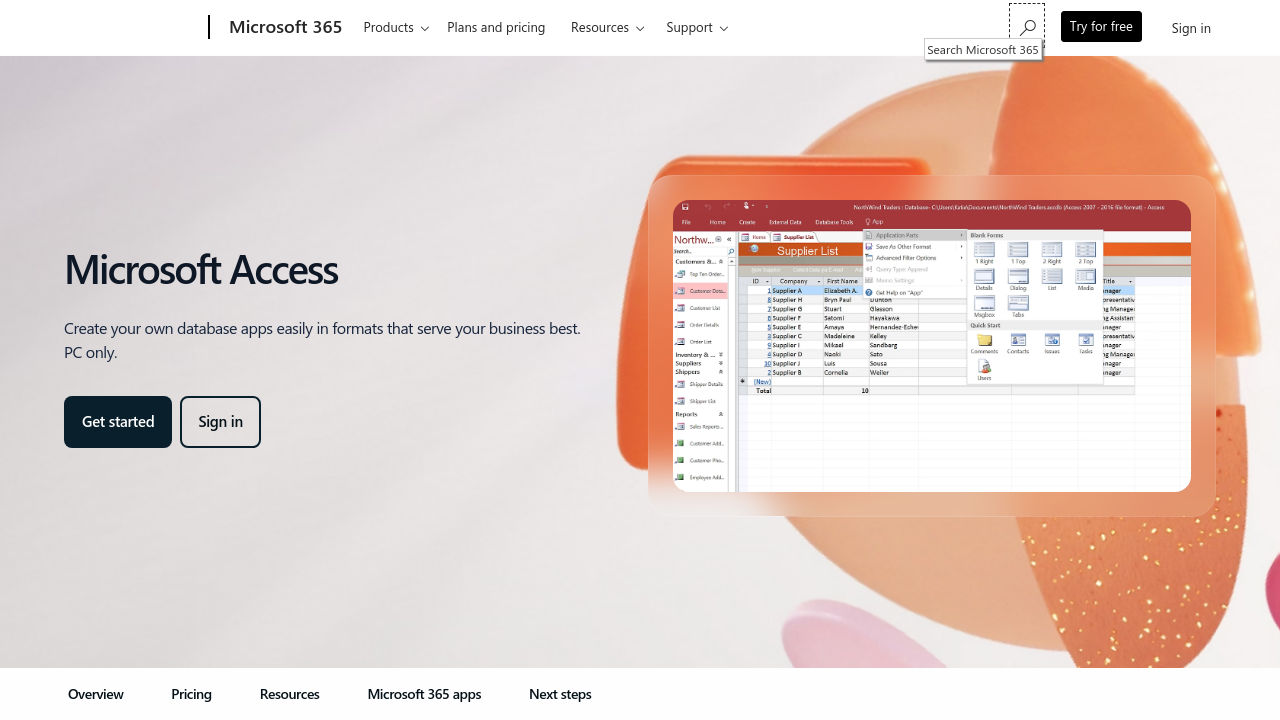
Microsoft Access screenshot 1 Full Screen Icon
Microsoft Access screenshot 2 Full Screen Icon
https://www.youtube.com/watch?v=Sxp8YjKu_Tc
Full Screen Icon
https://www.youtube.com/watch?v=0yTSbzBsEtM
Full Screen Icon
Microsoft Access screenshot 1
Microsoft Access screenshot 2
Video thumbnail
Video thumbnail
Microsoft Access screenshot 1
Microsoft Access screenshot 2

Alternatives to Microsoft Access
info Icon

A list of platforms similar to Microsoft Access, helping you evaluate which tool best matches your needs.

How to cancel Microsoft Access

Need to cancel Microsoft Access? Here is how
info Icon

Thinking about how to cancel Microsoft Access this is how you do it!

To cancel a Microsoft Access product, follow these steps:

  • Log in to your Microsoft account.
  • Navigate to Services & subscriptions.
  • Find the Access subscription and select Manage.
  • Choose Cancel and confirm.

For more detailed instructions, visit Microsoft’s support page.

How to Cancel the Microsoft Access

To cancel a Microsoft Access product, follow these steps:

  • Log in to your Microsoft account.
  • Navigate to Services & subscriptions.
  • Find the Access subscription and select Manage.
  • Choose Cancel and confirm.

For more detailed instructions, visit Microsoft’s support page.

Manage your Microsoft Access profile

Create profile

Want to list your product on Subscribed.fyi? Create a profile to reach more buyers.

Pricing Range
info Icon

This only an estimated pricing range, visit Microsoft Access pricing page to access all the information by clicking “Visit Now”.

$50-$195 / Month
Visit Now
Deals Available

This product comes with a special deal, see details

This product comes with a special deal, see details