Sign in to review
Join our community of software reviewers on Subscribed.fyi

Continue With Google
Continue With LinkedIn
Continue Review with Email
Continue with Email
Enter your email to continue.
Continue
Enter your password
Enter your password to finish setting up your account.
Continue
Activate your email
Enter activation code we sent to your email.
Submit
Reset your password
Enter activation code we sent to your email.
Submit
Set your new password
Enter a new password for your account.
Submit
Categories
For Business
Log in
Provide My Insights
Add Product
Suggested products People also compare with
Add to Comparison
Suggested products People also compare with

Compare Mobiscroll and Bootstrap

We are comparing Mobiscroll and Bootstrap to evaluate which one is the best product.

Suggested products People also compare with
Review Pricing Alternatives Experience

Review

68%
25/36 Metric achieved
70%
24/36 Metric achieved

Subscribed Metric

Customer Support 5/6
Security 4/6
Ease of Use 5/6
Value of Money 4/6
Integration 4/6
Popularity 3/6

Subscribed Metric

Customer Support 4/6
Security 0/6
Ease of Use 5/6
Value of Money 5/6
Integration 4/6
Popularity 6/6

Pros & Cons

Highly customizable and versatile UI components
Easy to implement with clear documentation
Responsive design and mobile-first approach
Excellent customer support and timely updates
Pricing is considered high by some users
Inconsistent behavior across desktop and mobile
Heavyweight CSS and JS files
Limited styling customization options

Pros & Cons

Simplifies responsive web design.
Extensive documentation and templates.
Wide range of plugins and components.
Effective for fast prototyping.
Overhead from unused components.
Recognizable, repetitive designs.
Upgrading versions can be complex.
Limited customization inbuilt.

Conclusion

Mobiscroll Overview
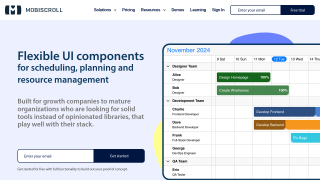
Mobiscroll is a mobile-first JavaScript UI library designed for creating feature-rich, responsive components like calendars, pickers, and scheduling tools across web and hybrid applications. Its ease of integration, customization options, and robust library make it developer-focused, ideal for product teams optimizing UX/UI with minimal effort.

Features and Performance

  • Comprehensive scheduling, calendaring, and form controls.
  • Works seamlessly on mobile and desktop, fine-tuned for responsiveness.
  • Pre-configured themes and theme builder for efficient styling.
  • Easy React, Angular, and Vanilla JS compatibility.

Customer Support
Users praise its fast, solution-oriented technical support. However, some report limitations in component updates and customization flexibility.

Pricing & Licensing
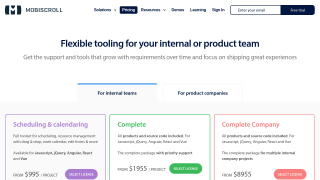
Two models: internal team and SaaS licenses, catering to in-house or commercial projects. While relatively expensive, it saves time and resources for teams needing polished UI tools.

Comparison with Alternatives
Compared to tools like Syncfusion or Bootstrap, Mobiscroll offers superior mobile-focused UI design, though it may lack the broader utility and cost-effectiveness for smaller projects. Syncfusion offers a wider range of frameworks, while Mobiscroll excels in rapid development with mobile-first principles.

Pros & Cons
Pros:

  • User-friendly, time-saving features for developers.
  • Top-notch compatibility and multi-platform support.
    Cons:
  • High costs for smaller projects.
  • Limited desktop UI optimizations compared to competitors.

Final Take
Mobiscroll serves developers seeking premium mobile-first experiences. Though pricey, its versatility and comprehensive support justify its value for teams prioritizing user-centric apps.

Conclusion

Bootstrap is a free and popular open-source front-end framework for responsive, mobile-first web development using HTML, CSS, and JavaScript. It offers extensive templates, pre-built components, and seamless integrations, making it ideal for developers. Key features include a grid system, lightweight structure, and strong community support. While alternatives like React Native offer more customizability, Bootstrap excels in simplicity and rapid prototyping, especially for web designers. Customer support relies on robust documentation and community resources, balancing cost-effectiveness and functionality effectively. Some customization limitations exist, but it’s highly user-friendly and scalable.

Pricing

Mobiscroll Pricing

Pricing Range Not specified See Mobiscroll Pricing

Bootstrap Pricing

Pricing Range Not specified. See Bootstrap Pricing

Alternatives

Mobiscroll Alternatives

Bootstrap logo

Bootstrap

70%
See All Mobiscroll Alternatives

Bootstrap Alternatives

FOUNDATION logo

FOUNDATION

66%
See All Bootstrap Alternatives

Experience

Mobiscroll Screenshots

Mobiscroll screenshot 1
Mobiscroll screenshot 2

Bootstrap Screenshots

Bootstrap screenshot 1
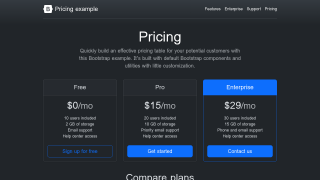
Bootstrap screenshot 2