Sign in to review
Join our community of software reviewers on Subscribed.fyi

Continue With Google
Continue With LinkedIn
Continue Review with Email
Continue with Email
Enter your email to continue.
Continue
Enter your password
Enter your password to finish setting up your account.
Continue
Activate your email
Enter activation code we sent to your email.
Submit
Reset your password
Enter activation code we sent to your email.
Submit
Set your new password
Enter a new password for your account.
Submit
Categories
For Business
Log in
Provide My Insights
Add Product
Suggested products People also compare with
Add to Comparison
Suggested products People also compare with

Compare MySQL and Microsoft Access

We are comparing MySQL and Microsoft Access to evaluate which one is the best product.

Suggested products People also compare with
Review Pricing Alternatives Experience

Review

78%
27/36 Metric achieved
61%
21/36 Metric achieved

Subscribed Metric

Customer Support 4/6
Security 4/6
Ease of Use 5/6
Value of Money 5/6
Integration 3/6
Popularity 6/6

Subscribed Metric

Customer Support 3/6
Security 3/6
Ease of Use 4/6
Value of Money 4/6
Integration 2/6
Popularity 5/6

Pros & Cons

Reliable and scalable for various applications
Open-source with extensive community support
Easy to integrate with existing ecosystems
Effective for managing small to medium-sized databases
Complex setup for large datasets or advanced features
Handling of complex queries can be limited
User management can be cumbersome
InnoDB struggles with heavy write workloads

Pros & Cons

Easy integration with Microsoft suite
Ideal for small to medium-sized databases
Customizable forms, reports, and queries
Quick setup and intuitive for beginners
Struggles with large data handling
Limited capabilities for multi-user access
Not intuitive for complex setups
Slows down with extensive inputs

Conclusion

MySQL is a robust, open-source relational database management system widely used for web development, analytics, and enterprise applications. Key features include advanced indexing, scalability, security, cross-platform compatibility, and ACID compliance. It is cost-effective with editions starting at $2,000 per year, ensuring scalability for small to large projects.

Compared to PostgreSQL, MySQL is easier for beginners but lacks advanced features required for analytics. While developers appreciate its flexibility and strong community support, marketers and designers might find it less intuitive due to its query-based structure. It excels in handling smaller to medium datasets, but alternatives like Microsoft SQL Server or Amazon RDS perform better under heavy, complex workloads.

Customer support varies, with paid versions offering better service. Its value for money and reliability make MySQL suitable for startups and SMEs.

Conclusion

Microsoft Access is a desktop database software ideal for small businesses, solo developers, or marketers managing structured data. It offers templates, easy report creation, and integration with other Microsoft products. Although powerful for small-scale use, it struggles with large datasets and multi-user collaboration. Compared to alternatives like MySQL or Airtable, Access is easier for non-technical users but lacks scalability and cloud-native features. It offers decent customer support but is costlier than average in its category. Suitable for beginners, its cost-effectiveness is moderate.

Pricing

MySQL Pricing

Pricing Range $0.18k-0.89k/Month

Microsoft Access Pricing

Pricing Range $50-$195/Month See Microsoft Access Pricing

Alternatives

MySQL Alternatives

PostgreSQL logo

PostgreSQL

88%
IBM Db2 logo

IBM Db2

83%
Microsoft Access logo

Microsoft Access

61%
See All MySQL Alternatives

Microsoft Access Alternatives

MongoDB logo

MongoDB

88%
Ninox logo

Ninox

83%
MySQL logo

MySQL

78%
See All Microsoft Access Alternatives

Experience

MySQL Screenshots

MySQL screenshot 1

Microsoft Access Screenshots

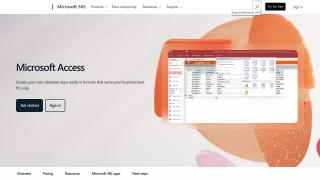
Microsoft Access screenshot 1
Microsoft Access screenshot 2