Sign in to review
Join our community of software reviewers on Subscribed.fyi

Continue With Google
Continue With LinkedIn
Continue Review with Email
Continue with Email
Enter your email to continue.
Continue
Enter your password
Enter your password to finish setting up your account.
Continue
Activate your email
Enter activation code we sent to your email.
Submit
Reset your password
Enter activation code we sent to your email.
Submit
Set your new password
Enter a new password for your account.
Submit
Categories
For Business
Log in
Provide My Insights
Add Product
Suggested products People also compare with
Add to Comparison
Suggested products People also compare with

Compare OmniPlan and TeamGantt

We are comparing OmniPlan and TeamGantt to evaluate which one is the best product.

Suggested products People also compare with
Review Pricing Alternatives Experience

Review

53%
19/36 Metric achieved
78%
27/36 Metric achieved

Subscribed Metric

Customer Support 4/6
Security 0/6
Ease of Use 5/6
Value of Money 4/6
Integration 3/6
Popularity 3/6

Subscribed Metric

Customer Support 5/6
Security 4/6
Ease of Use 5/6
Value of Money 4/6
Integration 3/6
Popularity 6/6

Pros & Cons

Sophisticated Gantt chart visualization
Easy resource and cost management
Automatic task leveling enhances efficiency
Mac-centric design ideal for Apple users
Limited to Apple devices only
Steeper learning curve for features
High upfront cost deters some users
Lacks robust collaboration options

Pros & Cons

Intuitive UI and ease of use
Effective Gantt chart features
Great for collaborative planning
Efficient task timeline adjustments
High cost compared to features
Mobile app limitations
Occasional performance lags
Cluttered interface for complex projects

Conclusion

OmniPlan is a project management software for Mac and iOS, ideal for designers, developers, and project managers needing sophisticated planning tools. Features include Gantt charts, critical path tracking, resource leveling, and Monte Carlo simulations. It’s praised for its usability and efficiency but is limited to Apple ecosystems, lacks robust multi-user collaboration, and has a higher price tag. Compared to alternatives like MS Project, TeamGantt, or monday.com, OmniPlan excels in timeline visualization but can be costly for large teams. Customer support is reliable, though some users note a learning curve. Cost-effective primarily for Mac users managing complex, resource-heavy projects.

Conclusion

TeamGantt Overview
TeamGantt simplifies project management with intuitive Gantt charts, task management, collaboration tools, workload tracking, time tracking, and more. It’s ideal for designers, marketers, and project managers working on mid to large-level projects. Plans range from free (basic) to $99/month (Enterprise).

Pros:

  • Superior ease of use for Gantt chart creation and updates.
  • Ideal visualization of timelines/resources.
  • Minimal learning curve.

Cons:

  • Advanced features require paid plans.
  • Limited integration and mobile performance compared to ClickUp or monday.com.

Customer Support & Cost-Effectiveness: Highly rated for responsiveness, offering good value for Gantt-focused needs over competitors like MS Project.

Pricing

OmniPlan Pricing

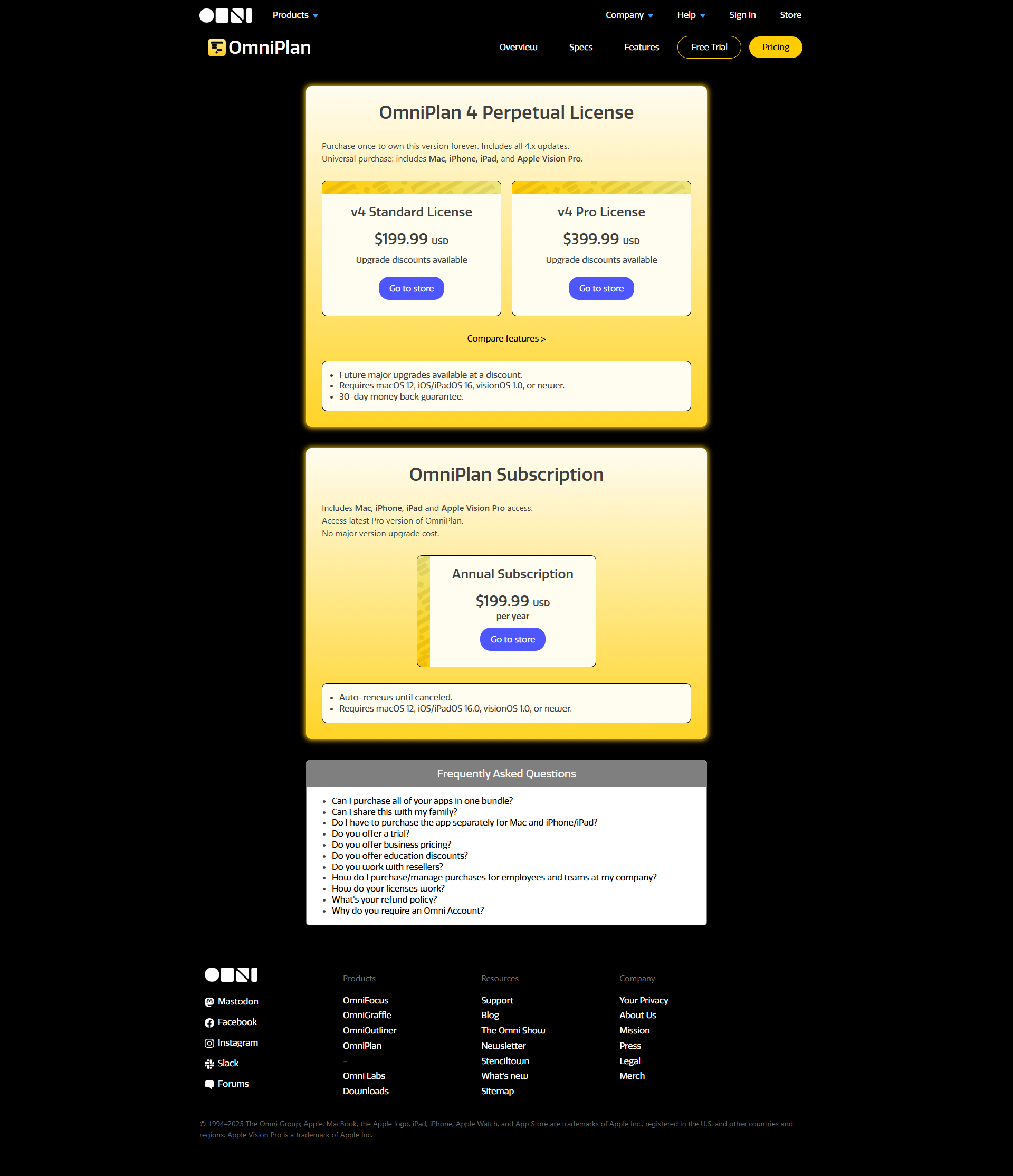
Pricing Range $4.99-$19.99/Month See OmniPlan Pricing

TeamGantt Pricing

Pricing Range Not specified See TeamGantt Pricing

Alternatives

OmniPlan Alternatives

TeamGantt logo

TeamGantt

78%
See All OmniPlan Alternatives

TeamGantt Alternatives

Trello logo

Trello

90%
Monday.com logo

Monday.com

90%
Wrike logo

Wrike

90%
ClickUp logo

ClickUp

88%
See All TeamGantt Alternatives

Experience

OmniPlan Screenshots

OmniPlan screenshot 1
OmniPlan screenshot 2

TeamGantt Screenshots

TeamGantt screenshot 1
TeamGantt screenshot 2
TeamGantt screenshot 3
TeamGantt screenshot 4