Sign in to review
Join our community of software reviewers on Subscribed.fyi

Continue With Google
Continue With LinkedIn
Continue Review with Email
Continue with Email
Enter your email to continue.
Continue
Enter your password
Enter your password to finish setting up your account.
Continue
Activate your email
Enter activation code we sent to your email.
Submit
Reset your password
Enter activation code we sent to your email.
Submit
Set your new password
Enter a new password for your account.
Submit
Categories
For Business
Log in
Provide My Insights
Add Product
Suggested products People also compare with
Add to Comparison
Suggested products People also compare with

Compare SoapUI and Visual Studio Code

We are comparing SoapUI and Visual Studio Code to evaluate which one is the best product.

Suggested products People also compare with
Review Pricing Alternatives Experience

Review

74%
27/36 Metric achieved
93%
33/36 Metric achieved

Subscribed Metric

Customer Support 4/6
Security 5/6
Ease of Use 5/6
Value of Money 5/6
Integration 4/6
Popularity 4/6

Subscribed Metric

Customer Support 4/6
Security 5/6
Ease of Use 6/6
Value of Money 6/6
Integration 6/6
Popularity 6/6

Pros & Cons

Supports SOAP and REST API testing
User-friendly for beginners
Allows automation of test cases
Robust integration with tools
Complex UI for beginners
Performance lags with large XML files
Requires knowledge of Groovy scripting
Limited reporting in free version

Pros & Cons

Highly customizable with plugins
Lightweight and efficient
Supports multiple languages
Built-in Git integration
Performance lags with extensions
Beginners face a learning curve
Can be resource-intensive
Debugging lacks pre-installed tools

Conclusion

SoapUI is a leading API testing tool ideal for developers and QA teams. It supports REST and SOAP APIs with features like automated functional, regression, load testing, and security testing. SoapUI excels in stress testing, feedback, and history tracking but faces UI challenges for beginners. Compared to Postman or JMeter, it provides deeper scriptable customization but lacks widespread ease of use. Offering good customer support, it remains cost-effective with options below the industry average, appealing to experienced testers seeking efficiency.

Conclusion

Visual Studio Code (VS Code) is a cross-platform, lightweight, and highly customizable text editor suited for developers. Packed with features like syntax highlighting, intelligent autocompletion, debugging, and extensive plugin support, it’s ideal for numerous languages including Python, JavaScript, and Java. While free, it rivals paid IDEs like IntelliJ IDEA by offering flexibility and performance, though it may struggle with large files or extensive plugins. Ideal for developers, it’s less suited for non-technical roles like marketers. With robust community support and cost-effectiveness, VS Code stands as one of the best free tools for professionals.

Pricing

SoapUI Pricing

Pricing Range $990-6.8k/Month See SoapUI Pricing

Visual Studio Code Pricing

Pricing Range $45-0.5k/Month

Alternatives

SoapUI Alternatives

Visual Studio Code logo

Visual Studio Code

93%
Postman logo

Postman

90%
Apache JMeter logo

Apache JMeter

80%
Cypress logo

Cypress

75%
See All SoapUI Alternatives

Visual Studio Code Alternatives

IntelliJ IDEA logo

IntelliJ IDEA

83%
Sublime Text logo

Sublime Text

83%
UltraEdit logo

UltraEdit

78%
See All Visual Studio Code Alternatives

Experience

SoapUI Screenshots

SoapUI screenshot 1
SoapUI screenshot 2

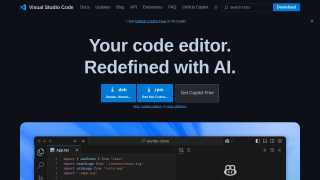
Visual Studio Code Screenshots

Visual Studio Code screenshot 1