Continue.dev Reviews 2026: Details, Pricing, & Features | Subscribed.fyi
Sign in to review
Join our community of software reviewers on Subscribed.fyi

Continue With Google
Continue With LinkedIn
Continue Review with Email
Continue with Email
Enter your email to continue.
Continue
Enter your password
Enter your password to finish setting up your account.
Continue
Activate your email
Enter activation code we sent to your email.
Submit
Reset your password
Enter activation code we sent to your email.
Submit
Set your new password
Enter a new password for your account.
Submit
Categories
For Business
Log in
Provide My Insights

Continue.dev Reviews, Pricing, Features & Alternatives (2026)

4/5
(1)

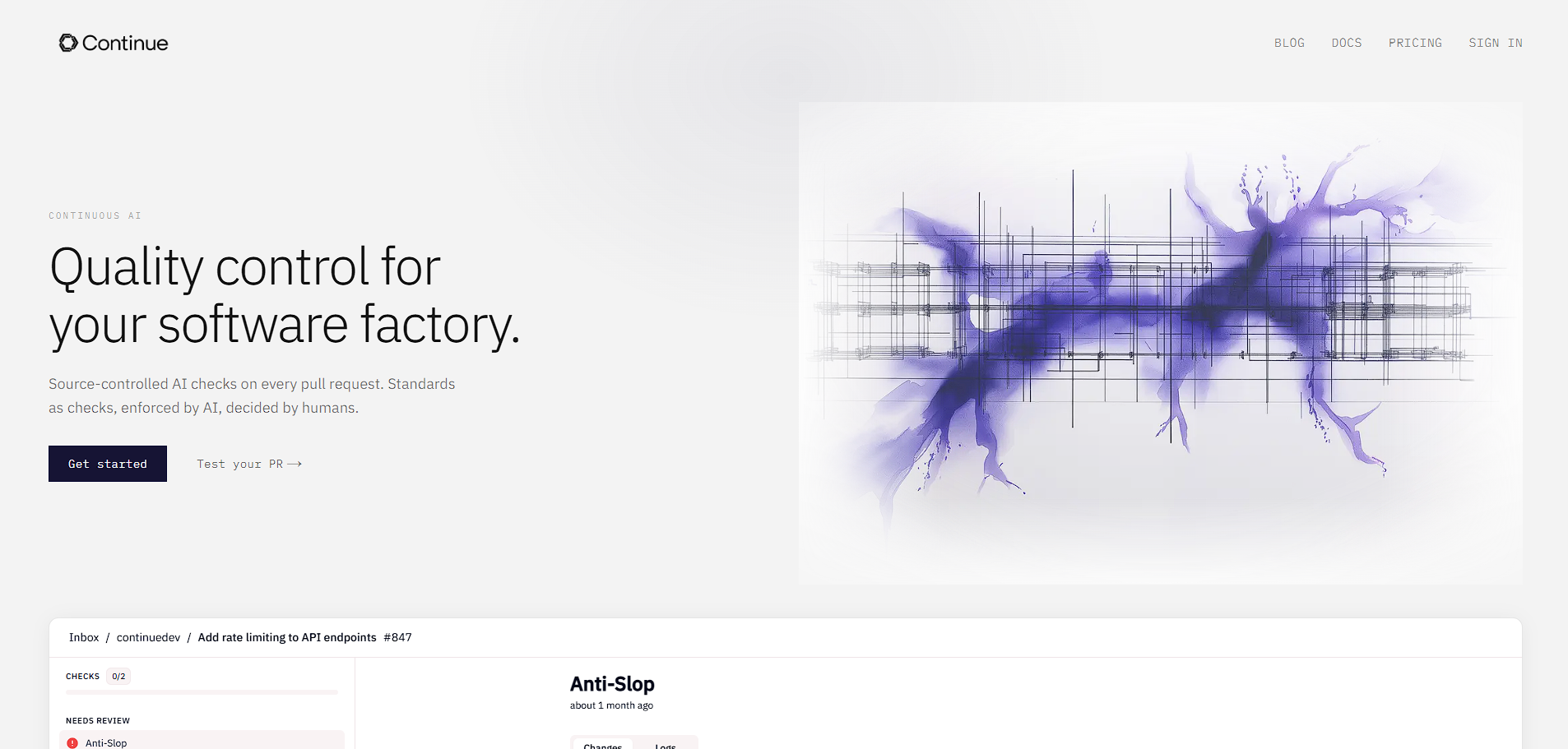
Continue.dev is an open-source AI coding assistant that integrates directly into IDEs, enabling developers to generate, edit, review, and automate code using customizable AI models.

Continue.dev Overview

What is Continue.dev?

4
1
Reviews
67%
Subscribed Score

Available for Claim - This listing is available to be claimed
Claim Profile For Free

Unclaimed

Manage profile with subsig, and unlock 23+ social and review monitoring. Get partnership options with

Claim Profile For Free

Why teams choose Continue.dev

Key Features

Eco-Friendly
Eco-Friendly
Designed with sustainability in mind.
Trusted by Thousands
Proven by professionals worldwide.
Fully Customizable
Fully Customizable
Tailor it to your brand and workflow.

Who is Continue.dev for?

Continue.dev is an open-source AI coding assistant designed to integrate seamlessly into developer workflows. Unlike traditional AI tools that focus purely on code generation, Continue emphasizes full lifecycle support, including editing, reviewing, and automating development tasks directly within the IDE. It works as an extension for environments like VS Code and JetBrains, allowing developers to interact with AI without leaving their coding environment.

The platform is positioned as a flexible and developer-first alternative to proprietary AI tools. It supports multiple large language models and allows users to bring their own models or run them locally, giving teams control over performance, cost, and data privacy.

In practice, Continue.dev is used to accelerate development workflows by enabling features like code completion, refactoring, chat-based assistance, and automated pull request checks. It extends beyond simple autocomplete by introducing agent-based workflows that can execute tasks and enforce coding standards automatically.

Key Features and Benefits

  • AI chat in IDE: Ask questions, generate code, and debug without leaving your editor
  • Autocomplete: Context-aware code suggestions to speed up development
  • Code editing/refactoring: Modify existing code using natural language commands
  • Agent workflows: Automate tasks like bug fixing, refactoring, and PR checks
  • Model flexibility: Use OpenAI, Claude, Mistral, or local LLMs
  • Open-source architecture: Fully customizable and extensible for teams
  • CI/CD integration: Run AI checks automatically on pull requests

Who Can Benefit from Continue.dev

  • Software developers: Improve coding speed and reduce repetitive tasks
  • Engineering teams: Enforce coding standards with automated AI checks
  • Startups: Build AI-powered workflows without vendor lock-in
  • Enterprises: Maintain privacy with self-hosted or local model setups
  • Open-source contributors: Customize and extend AI tooling freely

Looking for alternative solutions?
If you are exploring similar AI coding tools, options like GitHub Copilot, Cursor, and Windsurf provide comparable capabilities with different trade-offs in ease of use, pricing, and customization.


Continue.dev Summary

Continue.dev is an open-source AI coding assistant designed to integrate seamlessly into developer workflows. Unlike traditional AI tools that focus purely on code generation, Continue emphasizes full lifecycle support, including editing, reviewing, and automating development tasks directly within the IDE. It works as an extension for environments like VS Code and JetBrains, allowing developers to interact with AI without leaving their coding environment.

The platform is positioned as a flexible and developer-first alternative to proprietary AI tools. It supports multiple large language models and allows users to bring their own models or run them locally, giving teams control over performance, cost, and data privacy.

In practice, Continue.dev is used to accelerate development workflows by enabling features like code completion, refactoring, chat-based assistance, and automated pull request checks. It extends beyond simple autocomplete by introducing agent-based workflows that can execute tasks and enforce coding standards automatically.

Key Features and Benefits

  • AI chat in IDE: Ask questions, generate code, and debug without leaving your editor
  • Autocomplete: Context-aware code suggestions to speed up development
  • Code editing/refactoring: Modify existing code using natural language commands
  • Agent workflows: Automate tasks like bug fixing, refactoring, and PR checks
  • Model flexibility: Use OpenAI, Claude, Mistral, or local LLMs
  • Open-source architecture: Fully customizable and extensible for teams
  • CI/CD integration: Run AI checks automatically on pull requests

Who Can Benefit from Continue.dev

  • Software developers: Improve coding speed and reduce repetitive tasks
  • Engineering teams: Enforce coding standards with automated AI checks
  • Startups: Build AI-powered workflows without vendor lock-in
  • Enterprises: Maintain privacy with self-hosted or local model setups
  • Open-source contributors: Customize and extend AI tooling freely

Looking for alternative solutions?
If you are exploring similar AI coding tools, options like GitHub Copilot, Cursor, and Windsurf provide comparable capabilities with different trade-offs in ease of use, pricing, and customization.

Continue.dev reviews and insights

Learn what people say about Continue.dev

4
1 Reviews
67%
Subscribed Score

Lear more here about the Subscribed score on how it is composed. Learn more Click here

Overall rating

5
4
3
2
1
CX 3/6

How good is the customer support based on subscribed’s assessment

CX Icon
Security 5/6

How secure is the product based on Subscribed’s assessment?

Security Icon
Ease of Use 3/6

How easy is the product to use, based on Subscribed’s assessment?

EOU Icon
Value 5/6

What is the value for money based on Subscribed’s assessment?

coin Icon
Integration 4/6

How many integrations does the product offer?

gear Icon
Popularity 4/6

How popular is the product?

star
Mohan Shil User Test Enabled
QA Speacialist
See My Portfolio
2 months ago
Share
What exceeded your expectations?
It makes coding faster with AI autocomplete . The flexibility to use different models is very useful.
What slows you down when using it?
It's setup and configuration can take time before it works smoothly.
If you could change one thing, what would it be?
I would like to change some setup for simpler uses and more automatic.
Final thoughts, wrap up what you think
I’d strongly recommend Continue.dev for developers, AI engineers.
Upvote (15)

Continue.dev User Reviews

1 User Reviews

Reviews from G2, Capterra, Trustpilot
info Icon

These ratings come directly from third-party platforms like G2, Capterra, and Trustpilot. They reflect real user feedback collected independently on those sites.

Continue.dev pricing

Pricing model

Pricing Range
info Icon

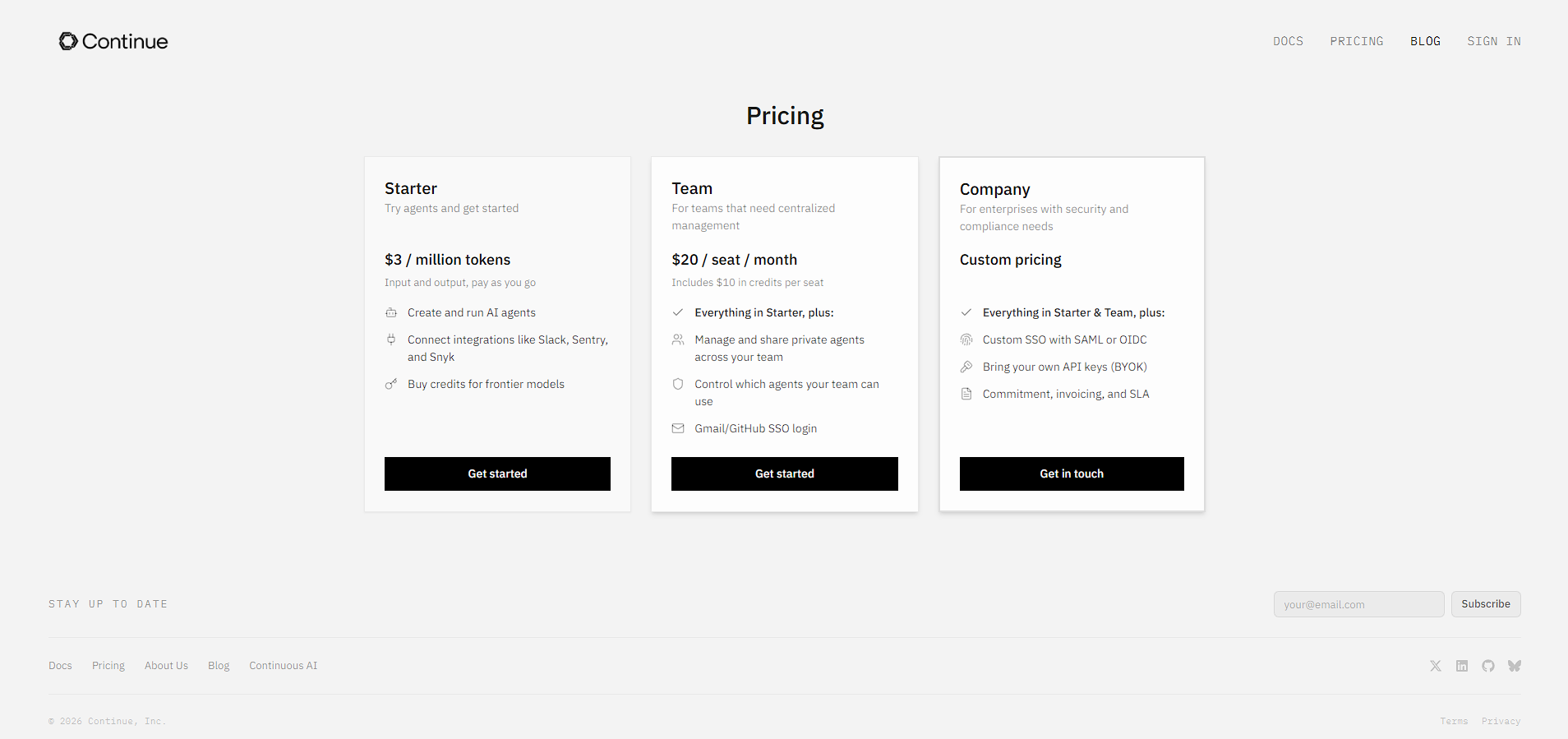
This only an estimated pricing range, visit Continue.dev pricing page to access all the information by clicking “Visit Now”.

Free
Visit Now
✨ Ask AI about pricing
67% Subscribed Score
info Icon

The Subscribed Score is an independent rating that combines user reviews, features, and value-for-money from multiple trusted sources. It’s designed as a quick benchmark, not a guarantee of individual experience.

Overview

Continue.dev is an open-source AI coding assistant designed to integrate seamlessly into developer workflows. Unlike traditional AI tools that focus purely on code generation, Continue emphasizes full lifecycle support, including editing, reviewing, and automating development tasks directly within the IDE. It works as an extension for environments like VS Code and JetBrains, allowing developers to interact with AI without leaving their coding environment.

The platform is positioned as a flexible and developer-first alternative to proprietary AI tools. It supports multiple large language models and allows users to bring their own models or run them locally, giving teams control over performance, cost, and data privacy.

In practice, Continue.dev is used to accelerate development workflows by enabling features like code completion, refactoring, chat-based assistance, and automated pull request checks. It extends beyond simple autocomplete by introducing agent-based workflows that can execute tasks and enforce coding standards automatically.

Key Features and Benefits

  • AI chat in IDE: Ask questions, generate code, and debug without leaving your editor
  • Autocomplete: Context-aware code suggestions to speed up development
  • Code editing/refactoring: Modify existing code using natural language commands
  • Agent workflows: Automate tasks like bug fixing, refactoring, and PR checks
  • Model flexibility: Use OpenAI, Claude, Mistral, or local LLMs
  • Open-source architecture: Fully customizable and extensible for teams
  • CI/CD integration: Run AI checks automatically on pull requests

Who Can Benefit from Continue.dev

  • Software developers: Improve coding speed and reduce repetitive tasks
  • Engineering teams: Enforce coding standards with automated AI checks
  • Startups: Build AI-powered workflows without vendor lock-in
  • Enterprises: Maintain privacy with self-hosted or local model setups
  • Open-source contributors: Customize and extend AI tooling freely

Looking for alternative solutions?
If you are exploring similar AI coding tools, options like GitHub Copilot, Cursor, and Windsurf provide comparable capabilities with different trade-offs in ease of use, pricing, and customization.

Where Continue.dev performs best

What users like
  • Fully open-source with no vendor lock-in, allowing complete customization
  • Supports multiple LLM providers including OpenAI, Claude, and local models
  • Deep IDE integration for VS Code and JetBrains with real-time coding assistance
  • Includes agent workflows for automating tasks like refactoring and pull request checks
  • Can run locally for enhanced privacy and control over data

Where Continue.dev falls short

What users dislike
  • Steeper learning curve compared to plug-and-play tools like Copilot
  • Requires manual setup and configuration for optimal performance
  • UI and user experience are less polished than commercial alternatives
  • Community-driven support can be inconsistent for advanced issues
Subscribed Score Metrics
24/36 Metric achieved
MetricsScore
Customer Support3/6
Security5/6
Ease of Use3/6
Value of Money5/6
Integration4/6
Popularity4/6
Radar Chart Table View
Ease of Use
Measures how simple and intuitive the product is to use, including setup, navigation, and overall user experience
3/6 Metric Checks
Security
Compares the product`s features, quality, and pricing to determine its overall cost-effectiveness.
5/6 Metric Checks
Value of Money
Assesses the product`s ability to protect data, prevent breaches, and comply with industry standards.
5/6 Metric Checks
Customer Support
Reflects the responsiveness, helpfulness, and quality of assistance provided by the product`s support team.
3/6 Metric Checks
Integrations
Evaluates how well the product connects with other tools and platforms, enabling seamless workflows.
4/6 Metric Checks
Continue.dev Pricing Range
Free

Continue.dev in action
info Icon

A curated gallery of real screenshots and use cases from the product, so you can see how it works before trying it.

Continue.dev Full Screen Icon
https://www.youtube.com/watch?v=kMvAzeIm2PA
Full Screen Icon
Continue.dev
Continue.dev
Video thumbnail
Continue.dev
Continue.dev

Alternatives to Continue.dev
info Icon

A list of platforms similar to Continue.dev, helping you evaluate which tool best matches your needs.

How to cancel Continue.dev

Need to cancel Continue.dev? Here is how
info Icon

Thinking about how to cancel Continue.dev this is how you do it!

  1. Disable or uninstall Continue.dev from your IDE
  2. Remove configuration files if no longer needed
  3. Disconnect any linked AI model APIs
  4. Stop usage to avoid API-related charges
  5. Delete local or hosted instances if deployed

How to Cancel the Continue.dev

  1. Disable or uninstall Continue.dev from your IDE
  2. Remove configuration files if no longer needed
  3. Disconnect any linked AI model APIs
  4. Stop usage to avoid API-related charges
  5. Delete local or hosted instances if deployed

FAQs about Continue.dev

Every else you need to know about Continue.dev
info Icon

A collection of FAQs, guides, alternatives, and comparisons to help you quickly understand if Continue.dev is right for you.

Manage your Continue.dev profile

Create profile

Want to list your product on Subscribed.fyi? Create a profile to reach more buyers.

Pricing Range
info Icon

This only an estimated pricing range, visit Continue.dev pricing page to access all the information by clicking “Visit Now”.

Free
Visit Now