DAKboard Reviews 2026: Details, Pricing, & Features | Subscribed.fyi
Sign in to review
Join our community of software reviewers on Subscribed.fyi

Continue With Google
Continue With LinkedIn
Continue Review with Email
Continue with Email
Enter your email to continue.
Continue
Enter your password
Enter your password to finish setting up your account.
Continue
Activate your email
Enter activation code we sent to your email.
Submit
Reset your password
Enter activation code we sent to your email.
Submit
Set your new password
Enter a new password for your account.
Submit
Categories
For Business
Log in
Provide My Insights

DAKboard Reviews, Pricing, Features & Alternatives (2026)

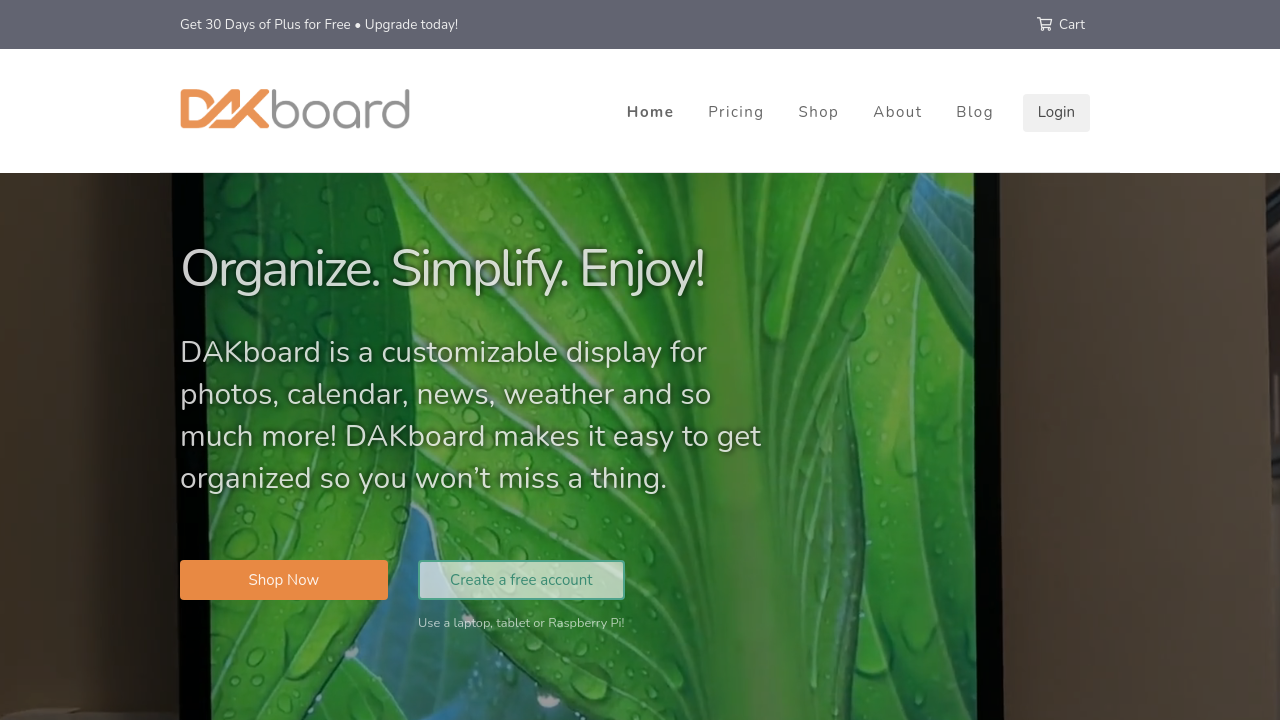
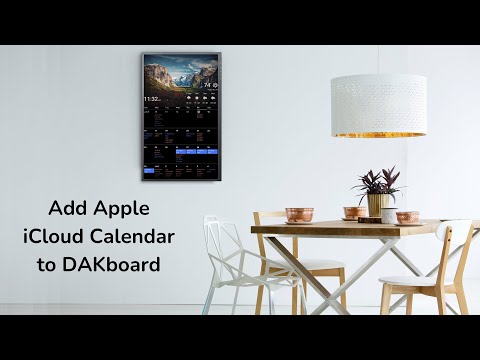
DAKboard is a customizable digital display solution that integrates calendars, to-do lists, weather updates, photos, and more into visually appealing, dynamic layouts. Designed for both personal and professional use, it simplifies organization and enhances productivity. Its flexible templates and integrations allow easy remote management, making it ideal for home or office environments.

DAKboard Overview

What is DAKboard?

N/A
0
Reviews
65%
Subscribed Score

Available for Claim - This listing is available to be claimed
Claim Profile For Free

Unclaimed

Manage profile with subsig, and unlock 23+ social and review monitoring. Get partnership options with

Claim Profile For Free

Why teams choose DAKboard

Key Features

Built for Flexibility
Adaptable for multiple use cases.
Expert Support
Expert Support
Help available when you need it.
Save Time
Save Time
Focus on impact, not repetitive tasks.

Who is DAKboard for?

DAKboard is an innovative tool in the Smart Home Devices category, designed to simplify life through its highly customizable digital display solution. DAKboard lets users integrate calendars, photos, weather updates, news, and tasks into an aesthetically pleasing interface. Whether you need a smart home dashboard or a productivity-boosting tool for your office, DAKboard serves as a centralized hub for digital organization and dynamic content. Explore exclusive deals. For alternatives, consider OptiSigns, Yodeck, or ScreenCloud.

Why Use DAKboard?

Choosing DAKboard offers a range of compelling advantages:

  • Customizable Displays: Personalize your dashboard with various content integrations including Google Calendar, Outlook Calendar, ToDoist, weather forecasts, and photo galleries such as Google Photos or Dropbox.
  • Enhanced Productivity: Consolidate multiple tools into one dashboard, allowing for quick access to schedules, tasks, and updates at a glance. This boosts organization and saves time.
  • Flexible Use: The platform is perfect for both personal and professional environments, serving as a digital bulletin board for homes, offices, or public displays.
  • Remote Management: Manage and update your DAKboard remotely, ensuring your contents are always up-to-date without being physically present at the device.
  • Ease of Setup: Users praise the streamlined setup process and intuitive design, making it simple even for non-technical users to get started quickly.

Who is DAKboard For?

DAKboard caters to a diverse audience, including:

  • Homeowners: Create stunning smart home dashboards that blend functionality and aesthetics, showcasing everything from weather updates to family schedules.
  • Small Businesses: Transform retail stores, offices, or meeting rooms with digital signage displaying calendars, announcements, or custom marketing content.
  • Tech Enthusiasts: Enhance home automation setups by integrating DAKboard with other smart devices for a seamless, connected system.
  • Remote Teams: Streamline collaboration by displaying shared calendars, task lists, and real-time updates.

DAKboard is the ultimate solution for individuals and businesses seeking to stay organized, informed, and synchronized in their daily lives. With its visually appealing interface and versatile features, DAKboard adapts to various settings to simplify digital content management and improve productivity.


DAKboard Summary

DAKboard is an innovative tool in the Smart Home Devices category, designed to simplify life through its highly customizable digital display solution. DAKboard lets users integrate calendars, photos, weather updates, news, and tasks into an aesthetically pleasing interface. Whether you need a smart home dashboard or a productivity-boosting tool for your office, DAKboard serves as a centralized hub for digital organization and dynamic content. Explore exclusive deals. For alternatives, consider OptiSigns, Yodeck, or ScreenCloud.

Why Use DAKboard?

Choosing DAKboard offers a range of compelling advantages:

  • Customizable Displays: Personalize your dashboard with various content integrations including Google Calendar, Outlook Calendar, ToDoist, weather forecasts, and photo galleries such as Google Photos or Dropbox.
  • Enhanced Productivity: Consolidate multiple tools into one dashboard, allowing for quick access to schedules, tasks, and updates at a glance. This boosts organization and saves time.
  • Flexible Use: The platform is perfect for both personal and professional environments, serving as a digital bulletin board for homes, offices, or public displays.
  • Remote Management: Manage and update your DAKboard remotely, ensuring your contents are always up-to-date without being physically present at the device.
  • Ease of Setup: Users praise the streamlined setup process and intuitive design, making it simple even for non-technical users to get started quickly.

Who is DAKboard For?

DAKboard caters to a diverse audience, including:

  • Homeowners: Create stunning smart home dashboards that blend functionality and aesthetics, showcasing everything from weather updates to family schedules.
  • Small Businesses: Transform retail stores, offices, or meeting rooms with digital signage displaying calendars, announcements, or custom marketing content.
  • Tech Enthusiasts: Enhance home automation setups by integrating DAKboard with other smart devices for a seamless, connected system.
  • Remote Teams: Streamline collaboration by displaying shared calendars, task lists, and real-time updates.

DAKboard is the ultimate solution for individuals and businesses seeking to stay organized, informed, and synchronized in their daily lives. With its visually appealing interface and versatile features, DAKboard adapts to various settings to simplify digital content management and improve productivity.

DAKboard reviews and insights

Learn what people say about DAKboard

N/A
0 Reviews
65%
Subscribed Score

Lear more here about the Subscribed score on how it is composed. Learn more Click here

Overall rating

5
4
3
2
1
CX 3/6

How good is the customer support based on subscribed’s assessment

CX Icon
Security 4/6

How secure is the product based on Subscribed’s assessment?

Security Icon
Ease of Use 5/6

How easy is the product to use, based on Subscribed’s assessment?

EOU Icon
Value 5/6

What is the value for money based on Subscribed’s assessment?

coin Icon
Integration 4/6

How many integrations does the product offer?

gear Icon
Popularity 3/6

How popular is the product?

star

No Reviews Yet!

Be the first to share your experience and help others in the community.

DAKboard User Reviews

0 User Reviews

Reviews from G2, Capterra, Trustpilot
info Icon

These ratings come directly from third-party platforms like G2, Capterra, and Trustpilot. They reflect real user feedback collected independently on those sites.

DAKboard pricing

Pricing model

Pricing Range
info Icon

This only an estimated pricing range, visit DAKboard pricing page to access all the information by clicking “Visit Now”.

Not specified
Deals Available

This product comes with a special deal, see details

Visit Now
✨ Ask AI about pricing
65% Subscribed Score
info Icon

The Subscribed Score is an independent rating that combines user reviews, features, and value-for-money from multiple trusted sources. It’s designed as a quick benchmark, not a guarantee of individual experience.

Overview

DAKboard is an innovative tool in the Smart Home Devices category, designed to simplify life through its highly customizable digital display solution. DAKboard lets users integrate calendars, photos, weather updates, news, and tasks into an aesthetically pleasing interface. Whether you need a smart home dashboard or a productivity-boosting tool for your office, DAKboard serves as a centralized hub for digital organization and dynamic content. Explore exclusive deals. For alternatives, consider OptiSigns, Yodeck, or ScreenCloud.

Why Use DAKboard?

Choosing DAKboard offers a range of compelling advantages:

  • Customizable Displays: Personalize your dashboard with various content integrations including Google Calendar, Outlook Calendar, ToDoist, weather forecasts, and photo galleries such as Google Photos or Dropbox.
  • Enhanced Productivity: Consolidate multiple tools into one dashboard, allowing for quick access to schedules, tasks, and updates at a glance. This boosts organization and saves time.
  • Flexible Use: The platform is perfect for both personal and professional environments, serving as a digital bulletin board for homes, offices, or public displays.
  • Remote Management: Manage and update your DAKboard remotely, ensuring your contents are always up-to-date without being physically present at the device.
  • Ease of Setup: Users praise the streamlined setup process and intuitive design, making it simple even for non-technical users to get started quickly.

Who is DAKboard For?

DAKboard caters to a diverse audience, including:

  • Homeowners: Create stunning smart home dashboards that blend functionality and aesthetics, showcasing everything from weather updates to family schedules.
  • Small Businesses: Transform retail stores, offices, or meeting rooms with digital signage displaying calendars, announcements, or custom marketing content.
  • Tech Enthusiasts: Enhance home automation setups by integrating DAKboard with other smart devices for a seamless, connected system.
  • Remote Teams: Streamline collaboration by displaying shared calendars, task lists, and real-time updates.

DAKboard is the ultimate solution for individuals and businesses seeking to stay organized, informed, and synchronized in their daily lives. With its visually appealing interface and versatile features, DAKboard adapts to various settings to simplify digital content management and improve productivity.

Where DAKboard performs best

What users like
  • Easy and quick to set up
  • Beautiful templates and integration options
  • Reliable and dynamic content display
  • Helps organize schedules effectively

Where DAKboard falls short

What users dislike
  • Limited template selection
  • Resolving scaling and resolution issues
  • No live customer support available
  • Expensive for heavy content users
Subscribed Score Metrics
24/36 Metric achieved
MetricsScore
Customer Support3/6
Security4/6
Ease of Use5/6
Value of Money5/6
Integration4/6
Popularity3/6
Radar Chart Table View
Ease of Use
Measures how simple and intuitive the product is to use, including setup, navigation, and overall user experience
5/6 Metric Checks
Security
Compares the product`s features, quality, and pricing to determine its overall cost-effectiveness.
4/6 Metric Checks
Value of Money
Assesses the product`s ability to protect data, prevent breaches, and comply with industry standards.
5/6 Metric Checks
Customer Support
Reflects the responsiveness, helpfulness, and quality of assistance provided by the product`s support team.
3/6 Metric Checks
Integrations
Evaluates how well the product connects with other tools and platforms, enabling seamless workflows.
4/6 Metric Checks
DAKboard Pricing Range
Not specified

DAKboard in action
info Icon

A curated gallery of real screenshots and use cases from the product, so you can see how it works before trying it.

DAKboard Full Screen Icon
https://www.youtube.com/watch?v=QsAaOkUQp70
Full Screen Icon
https://www.youtube.com/watch?v=Nchz-S2whaA
Full Screen Icon
DAKboard
DAKboard
Video thumbnail
Video thumbnail
DAKboard
DAKboard

Alternatives to DAKboard
info Icon

A list of platforms similar to DAKboard, helping you evaluate which tool best matches your needs.

How to cancel DAKboard

Need to cancel DAKboard? Here is how
info Icon

Thinking about how to cancel DAKboard this is how you do it!

To cancel a DAKboard order:

  • Review your order confirmation email and select "View your order."
  • Cancel before the item ships, as cancellations are not possible after shipping.

For subscriptions:

  • Log in to your account, navigate to the Billing page, and click "Downgrade to Free" under the Free plan.

For returns:

  • Request within 30 days, ensure product is in good condition, and follow the return process on the DAKboard website.

How to Cancel the DAKboard

To cancel a DAKboard order:

  • Review your order confirmation email and select "View your order."
  • Cancel before the item ships, as cancellations are not possible after shipping.

For subscriptions:

  • Log in to your account, navigate to the Billing page, and click "Downgrade to Free" under the Free plan.

For returns:

  • Request within 30 days, ensure product is in good condition, and follow the return process on the DAKboard website.

FAQs about DAKboard

Every else you need to know about DAKboard
info Icon

A collection of FAQs, guides, alternatives, and comparisons to help you quickly understand if DAKboard is right for you.

Manage your DAKboard profile

Create profile

Want to list your product on Subscribed.fyi? Create a profile to reach more buyers.

Pricing Range
info Icon

This only an estimated pricing range, visit DAKboard pricing page to access all the information by clicking “Visit Now”.

Not specified
Visit Now
Deals Available

This product comes with a special deal, see details

This product comes with a special deal, see details