Docker Hub Reviews 2026: Details, Pricing, & Features | Subscribed.fyi
Sign in to review
Join our community of software reviewers on Subscribed.fyi

Continue With Google
Continue With LinkedIn
Continue Review with Email
Continue with Email
Enter your email to continue.
Continue
Enter your password
Enter your password to finish setting up your account.
Continue
Activate your email
Enter activation code we sent to your email.
Submit
Reset your password
Enter activation code we sent to your email.
Submit
Set your new password
Enter a new password for your account.
Submit
Categories
For Business
Log in
Provide My Insights

Docker Hub Reviews, Pricing, Features & Alternatives (2026)

3/5
(1)

Docker Hub is a cloud-based container registry that allows developers to store, share, and distribute Docker images, making it easier to build, ship, and deploy applications.

Docker Hub Overview

What is Docker Hub?

3
1
Reviews
73%
Subscribed Score

Available for Claim - This listing is available to be claimed
Claim Profile For Free

Unclaimed

Manage profile with subsig, and unlock 23+ social and review monitoring. Get partnership options with

Claim Profile For Free

Why teams choose Docker Hub

Key Features

Real-Time Updates
Real-Time Updates
See changes instantly, no delays.
Trusted by Thousands
Proven by professionals worldwide.
Built for Flexibility
Adaptable for multiple use cases.

Who is Docker Hub for?

Docker Hub is a cloud-based container registry service developed by Docker, designed to store, manage, and distribute container images. It acts as the default registry for Docker users, allowing developers to “push” their own images and “pull” pre-built images for use in applications.

The platform plays a central role in modern software development by enabling containerization workflows. Developers can access millions of ready-to-use images, including official images maintained by software vendors, which significantly reduces setup time and improves consistency across environments.

Docker Hub is positioned as both a distribution platform and collaboration tool. It supports CI/CD pipelines, automated builds, and team-based access control, making it widely used by individual developers, startups, and enterprises deploying containerized applications.

Key Features and Benefits

  • Container Image Registry: Store, manage, and distribute Docker images centrally 
  • Public & Private Repositories: Share images publicly or restrict access for internal use 
  • Official & Verified Images: Access trusted images maintained by Docker and vendors
  • Automated Builds: Automatically build images from GitHub or GitLab repositories 
  • Versioning & Tagging: Manage multiple versions of images بسهولة
  • CI/CD Integration: Connect with pipelines for automated deployment workflows
  • Global Distribution: Deliver container images quickly across environments

Who Can Benefit from Docker Hub

  • Developers: Store and share containerized applications بسهولة
  • DevOps Teams: Integrate container images into CI/CD pipelines
  • Startups: Use pre-built images to accelerate development
  • Enterprises: Manage private registries and secure deployments
  • Open Source Contributors: Distribute and collaborate on container images

Looking for alternative solutions?
Alternatives include Amazon ECR for AWS-native workflows, Google Artifact Registry for GCP users, GitHub Container Registry for developer-centric integration, and Quay.io for enterprise container management.

Docker Hub Summary

Docker Hub is a cloud-based container registry service developed by Docker, designed to store, manage, and distribute container images. It acts as the default registry for Docker users, allowing developers to “push” their own images and “pull” pre-built images for use in applications.

The platform plays a central role in modern software development by enabling containerization workflows. Developers can access millions of ready-to-use images, including official images maintained by software vendors, which significantly reduces setup time and improves consistency across environments.

Docker Hub is positioned as both a distribution platform and collaboration tool. It supports CI/CD pipelines, automated builds, and team-based access control, making it widely used by individual developers, startups, and enterprises deploying containerized applications.

Key Features and Benefits

  • Container Image Registry: Store, manage, and distribute Docker images centrally 
  • Public & Private Repositories: Share images publicly or restrict access for internal use 
  • Official & Verified Images: Access trusted images maintained by Docker and vendors
  • Automated Builds: Automatically build images from GitHub or GitLab repositories 
  • Versioning & Tagging: Manage multiple versions of images بسهولة
  • CI/CD Integration: Connect with pipelines for automated deployment workflows
  • Global Distribution: Deliver container images quickly across environments

Who Can Benefit from Docker Hub

  • Developers: Store and share containerized applications بسهولة
  • DevOps Teams: Integrate container images into CI/CD pipelines
  • Startups: Use pre-built images to accelerate development
  • Enterprises: Manage private registries and secure deployments
  • Open Source Contributors: Distribute and collaborate on container images

Looking for alternative solutions?
Alternatives include Amazon ECR for AWS-native workflows, Google Artifact Registry for GCP users, GitHub Container Registry for developer-centric integration, and Quay.io for enterprise container management.

Docker Hub reviews and insights

Learn what people say about Docker Hub

3
1 Reviews
73%
Subscribed Score

Lear more here about the Subscribed score on how it is composed. Learn more Click here

Overall rating

5
4
3
2
1
CX 3/6

How good is the customer support based on subscribed’s assessment

CX Icon
Security 4/6

How secure is the product based on Subscribed’s assessment?

Security Icon
Ease of Use 4/6

How easy is the product to use, based on Subscribed’s assessment?

EOU Icon
Value 5/6

What is the value for money based on Subscribed’s assessment?

coin Icon
Integration 5/6

How many integrations does the product offer?

gear Icon
Popularity 5/6

How popular is the product?

star
Mohan Shil Organic
QA Speacialist
See My Portfolio
3 weeks ago
Share
What exceeded your expectations?
Always use Docker for flutter developments but docker hub makes it 10X better for its usability over a team environment.
What slows you down when using it?
After using it maximum times there is a limit of using. Which makes it slower and not adaptable.
If you could change one thing, what would it be?
I think enhancing performance and more faster could make it more vastly acceptable.
Final thoughts, wrap up what you think
I would probably but still a lot of room for improvemenrts.
Upvote (15)

Docker Hub User Reviews

1 User Reviews

Reviews from G2, Capterra, Trustpilot
info Icon

These ratings come directly from third-party platforms like G2, Capterra, and Trustpilot. They reflect real user feedback collected independently on those sites.

Docker Hub pricing

Pricing model

Pricing Range
info Icon

This only an estimated pricing range, visit Docker Hub pricing page to access all the information by clicking “Visit Now”.

$0–$21 / Month
Visit Now
✨ Ask AI about pricing
73% Subscribed Score
info Icon

The Subscribed Score is an independent rating that combines user reviews, features, and value-for-money from multiple trusted sources. It’s designed as a quick benchmark, not a guarantee of individual experience.

Overview

Docker Hub is a cloud-based container registry service developed by Docker, designed to store, manage, and distribute container images. It acts as the default registry for Docker users, allowing developers to “push” their own images and “pull” pre-built images for use in applications.

The platform plays a central role in modern software development by enabling containerization workflows. Developers can access millions of ready-to-use images, including official images maintained by software vendors, which significantly reduces setup time and improves consistency across environments.

Docker Hub is positioned as both a distribution platform and collaboration tool. It supports CI/CD pipelines, automated builds, and team-based access control, making it widely used by individual developers, startups, and enterprises deploying containerized applications.

Key Features and Benefits

  • Container Image Registry: Store, manage, and distribute Docker images centrally 
  • Public & Private Repositories: Share images publicly or restrict access for internal use 
  • Official & Verified Images: Access trusted images maintained by Docker and vendors
  • Automated Builds: Automatically build images from GitHub or GitLab repositories 
  • Versioning & Tagging: Manage multiple versions of images بسهولة
  • CI/CD Integration: Connect with pipelines for automated deployment workflows
  • Global Distribution: Deliver container images quickly across environments

Who Can Benefit from Docker Hub

  • Developers: Store and share containerized applications بسهولة
  • DevOps Teams: Integrate container images into CI/CD pipelines
  • Startups: Use pre-built images to accelerate development
  • Enterprises: Manage private registries and secure deployments
  • Open Source Contributors: Distribute and collaborate on container images

Looking for alternative solutions?
Alternatives include Amazon ECR for AWS-native workflows, Google Artifact Registry for GCP users, GitHub Container Registry for developer-centric integration, and Quay.io for enterprise container management.

Where Docker Hub performs best

What users like
  • Largest container image registry with millions of public and official images
  • Seamless integration with Docker ecosystem and developer workflows
  • Supports both public and private repositories for flexible sharing
  • Automated builds and CI/CD integration streamline deployment processes
  • Free tier available with unlimited public repositories

Where Docker Hub falls short

What users dislike
  • Pull rate limits on free plans can restrict high-frequency usage
  • Private repositories and advanced features require paid plans
  • Security and access control features are limited in lower tiers
  • Can become costly for teams needing high storage and pull volumes
Subscribed Score Metrics
26/36 Metric achieved
MetricsScore
Customer Support3/6
Security4/6
Ease of Use4/6
Value of Money5/6
Integration5/6
Popularity5/6
Radar Chart Table View
Ease of Use
Measures how simple and intuitive the product is to use, including setup, navigation, and overall user experience
4/6 Metric Checks
Security
Compares the product`s features, quality, and pricing to determine its overall cost-effectiveness.
4/6 Metric Checks
Value of Money
Assesses the product`s ability to protect data, prevent breaches, and comply with industry standards.
5/6 Metric Checks
Customer Support
Reflects the responsiveness, helpfulness, and quality of assistance provided by the product`s support team.
3/6 Metric Checks
Integrations
Evaluates how well the product connects with other tools and platforms, enabling seamless workflows.
5/6 Metric Checks
Docker Hub Pricing Range
$0–$21 / Month

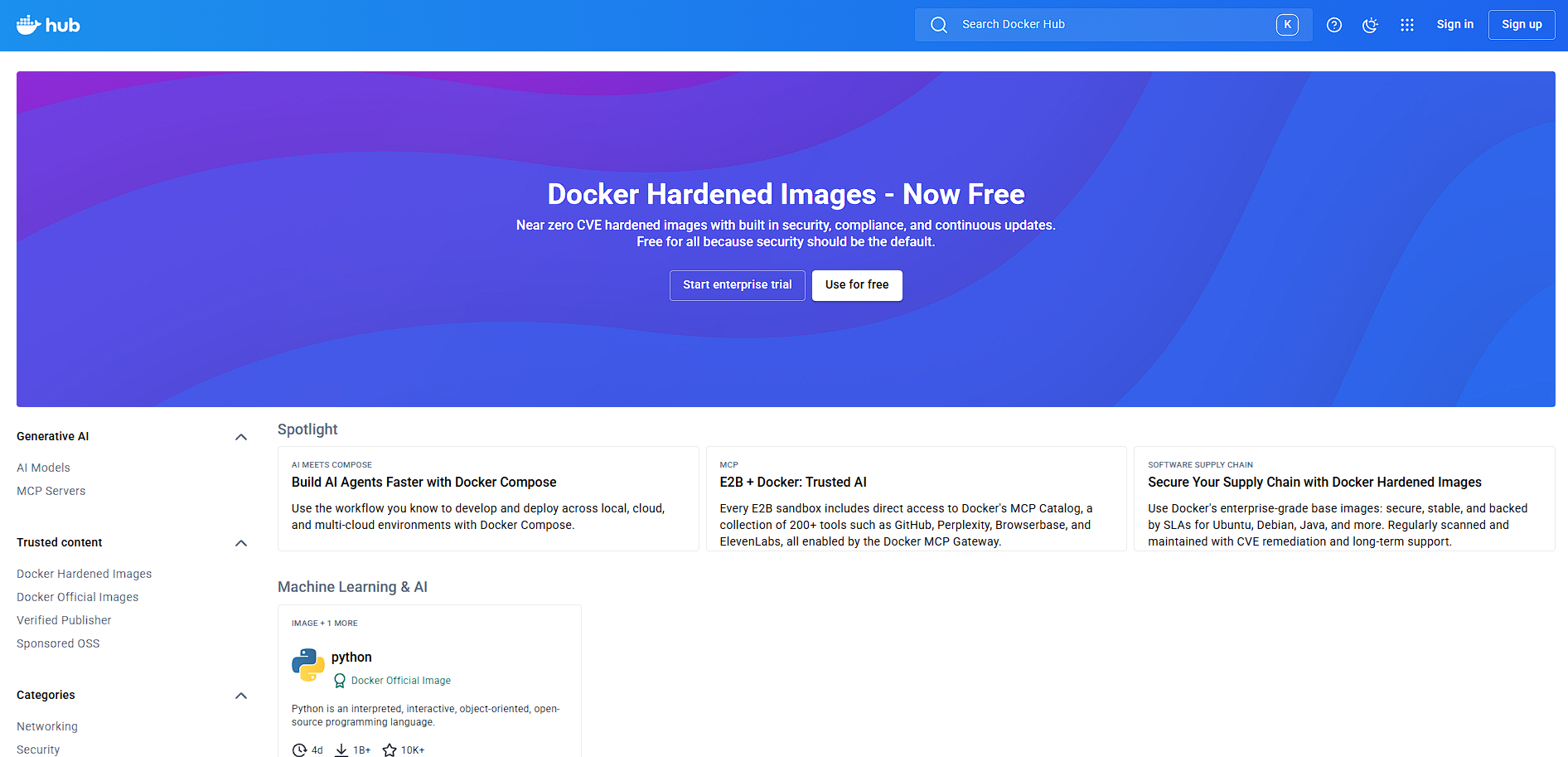
Docker Hub in action
info Icon

A curated gallery of real screenshots and use cases from the product, so you can see how it works before trying it.

Docker Hub Full Screen Icon
https://www.youtube.com/watch?v=_dfLOzuIg2o
Full Screen Icon
Docker Hub
Docker Hub
Video thumbnail
Docker Hub
Docker Hub

Alternatives to Docker Hub
info Icon

A list of platforms similar to Docker Hub, helping you evaluate which tool best matches your needs.

How to cancel Docker Hub

Need to cancel Docker Hub? Here is how
info Icon

Thinking about how to cancel Docker Hub this is how you do it!

  1. Log in to your Docker account
  2. Navigate to billing or subscription settings
  3. Select your active plan
  4. Cancel the subscription
  5. Monitor usage to avoid additional charges

How to Cancel the Docker Hub

  1. Log in to your Docker account
  2. Navigate to billing or subscription settings
  3. Select your active plan
  4. Cancel the subscription
  5. Monitor usage to avoid additional charges

FAQs about Docker Hub

Every else you need to know about Docker Hub
info Icon

A collection of FAQs, guides, alternatives, and comparisons to help you quickly understand if Docker Hub is right for you.

Learn more about Docker Hub

✨ Ask more Docker Hub information

Manage your Docker Hub profile

Create profile

Want to list your product on Subscribed.fyi? Create a profile to reach more buyers.

Pricing Range
info Icon

This only an estimated pricing range, visit Docker Hub pricing page to access all the information by clicking “Visit Now”.

$0–$21 / Month
Visit Now