Sign in to review
Join our community of software reviewers on Subscribed.fyi

Continue With Google
Continue With LinkedIn
Continue Review with Email
Continue with Email
Enter your email to continue.
Continue
Enter your password
Enter your password to finish setting up your account.
Continue
Activate your email
Enter activation code we sent to your email.
Submit
Reset your password
Enter activation code we sent to your email.
Submit
Set your new password
Enter a new password for your account.
Submit
Log in
Provide My Insights
DocShifter logo
DocShifter logo

DocShifter Reviews, Pricing, Features & Alternatives (2026)

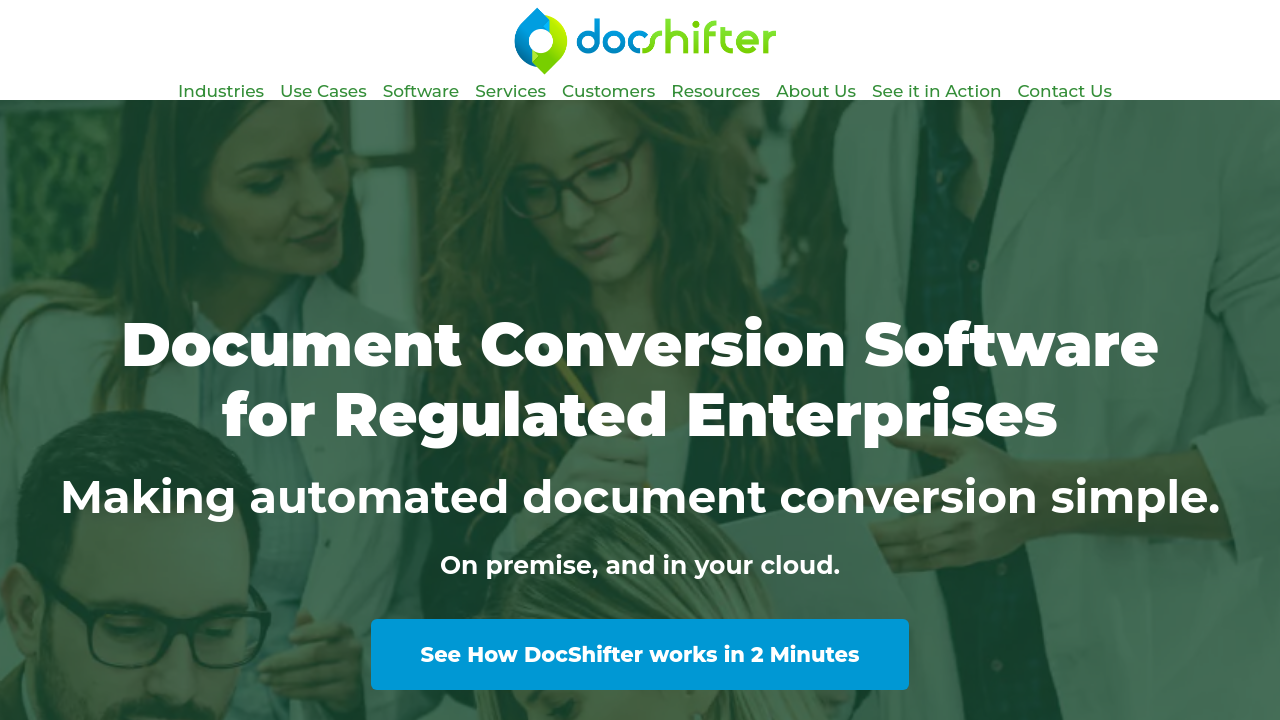
DocShifter is a powerful document conversion and compliance solution designed for regulated industries. It automates high-quality file conversions to various formats, including PDF, audio, video, and more, ensuring compliance and efficiency. With dynamic scalability, easy integration, and centralized workflows, it reduces manual intervention, risks, and IT costs. Suitable for on-premise or cloud setups, DocShifter is ideal for enterprises seeking speed, reliability, and customization.

DocShifter logo
DocShifter logo
DocShifter logo

DocShifter Overview

What is DocShifter?

N/A
★ ★ ★ ★ ★
0
Reviews

Available for Claim - This listing is available to be claimed
Claim Profile

Unclaimed

Claim this profile to manage it.

Claim Profile

Why teams choose DocShifter

Key Features

Scales with You
Scales with You
Grows with your business needs.
Eco-Friendly
Eco-Friendly
Designed with sustainability in mind.
Smart Automation
Smart Automation
Save time with AI-powered workflows.

Who is DocShifter for?

DocShifter is a leading solution in the Document Control category, designed to deliver high-quality document conversion through automated, secure, and scalable processes. Whether deployed on premises or in the cloud, DocShifter streamlines the transformation of documents into navigation-rich, searchable, compliant outputs such as PDF, PDF/A, image formats, and more.

DocShifter is engineered for industries where precision and compliance are non-negotiable. In life sciences, the platform accelerates drug submission by automating submission-ready PDF rendering and merging critical documents into comprehensive reports. In the banking, insurance, and government sectors, it ensures that vital communications and archival processes adhere to strict regulatory standards by standardizing file formats and reducing manual intervention. This ease of integration not only simplifies document control but also cuts down on IT costs and minimizes operational risk.

Why Choose DocShifter?

  • Automated Document Conversion: DocShifter eliminates tedious manual processes by automating high-volume document conversion, allowing organizations to focus on core operations instead of routine file handling.
  • Dynamic Scalability: Its cloud and on-premise deployment options provide the flexibility to scale dynamically, ensuring that high conversion throughput is maintained even during peak demand periods.
  • Robust Compliance: Designed with regulated industries in mind, DocShifter produces fully compliant outputs tailored for different global standards, reducing the risk of non-compliance penalties.
  • Enhanced Integration: The intuitive interface and modern API simplify workflow configuration, enabling seamless integration with existing document management systems and custom business processes.
  • Cost Efficiency: By centralizing and automating complex document conversion tasks, organizations can significantly reduce IT infrastructure overhead and administrative expenses.

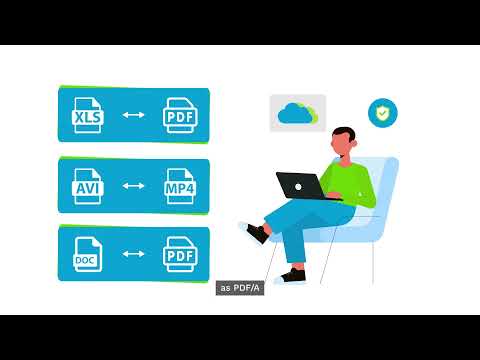
DocShifter’s modern design and ease of setup mean that businesses can start experiencing the benefits of automated document conversion in record time. With its ability to convert a variety of file types, including audio, video, TIFF, JPG, Excel, HTML, and XML, DocShifter not only diversifies the document output options but also supports long-term archiving solutions vital to regulated enterprises.

Explore exclusive deals on DocShifter and transform your document conversion processes today. For organizations looking to enhance document control while ensuring regulatory compliance and operational efficiency, DocShifter stands out as a versatile and powerful solution.

For additional options in document processing, consider alternatives such as iLovePDF and Foxit PDF Editor. Each alternative offers its own unique set of features to cater to diverse document management requirements.

DocShifter Summary

DocShifter is a leading solution in the Document Control category, designed to deliver high-quality document conversion through automated, secure, and scalable processes. Whether deployed on premises or in the cloud, DocShifter streamlines the transformation of documents into navigation-rich, searchable, compliant outputs such as PDF, PDF/A, image formats, and more.

DocShifter is engineered for industries where precision and compliance are non-negotiable. In life sciences, the platform accelerates drug submission by automating submission-ready PDF rendering and merging critical documents into comprehensive reports. In the banking, insurance, and government sectors, it ensures that vital communications and archival processes adhere to strict regulatory standards by standardizing file formats and reducing manual intervention. This ease of integration not only simplifies document control but also cuts down on IT costs and minimizes operational risk.

Why Choose DocShifter?

  • Automated Document Conversion: DocShifter eliminates tedious manual processes by automating high-volume document conversion, allowing organizations to focus on core operations instead of routine file handling.
  • Dynamic Scalability: Its cloud and on-premise deployment options provide the flexibility to scale dynamically, ensuring that high conversion throughput is maintained even during peak demand periods.
  • Robust Compliance: Designed with regulated industries in mind, DocShifter produces fully compliant outputs tailored for different global standards, reducing the risk of non-compliance penalties.
  • Enhanced Integration: The intuitive interface and modern API simplify workflow configuration, enabling seamless integration with existing document management systems and custom business processes.
  • Cost Efficiency: By centralizing and automating complex document conversion tasks, organizations can significantly reduce IT infrastructure overhead and administrative expenses.

DocShifter’s modern design and ease of setup mean that businesses can start experiencing the benefits of automated document conversion in record time. With its ability to convert a variety of file types, including audio, video, TIFF, JPG, Excel, HTML, and XML, DocShifter not only diversifies the document output options but also supports long-term archiving solutions vital to regulated enterprises.

Explore exclusive deals on DocShifter and transform your document conversion processes today. For organizations looking to enhance document control while ensuring regulatory compliance and operational efficiency, DocShifter stands out as a versatile and powerful solution.

For additional options in document processing, consider alternatives such as iLovePDF and Foxit PDF Editor. Each alternative offers its own unique set of features to cater to diverse document management requirements.

DocShifter reviews and insights

Learn what people say about DocShifter

N/A ★ ★ ★ ★ ★
0 Reviews

No Reviews Yet!

Be the first to share your experience and help others in the community.

DocShifter logo

DocShifter User Reviews

0 User Reviews

Reviews from G2, Capterra, Trustpilot
info Icon

These ratings come directly from third-party platforms like G2, Capterra, and Trustpilot. They reflect real user feedback collected independently on those sites.

DocShifter pricing

Pricing model

DocShifter logo
Pricing Range
info Icon

This only an estimated pricing range, visit DocShifter pricing page to access all the information by clicking “Visit Now”.

Not specified
Deals Available

This product comes with a special deal, see details

Visit Now

Overview

DocShifter is a leading solution in the Document Control category, designed to deliver high-quality document conversion through automated, secure, and scalable processes. Whether deployed on premises or in the cloud, DocShifter streamlines the transformation of documents into navigation-rich, searchable, compliant outputs such as PDF, PDF/A, image formats, and more.

DocShifter is engineered for industries where precision and compliance are non-negotiable. In life sciences, the platform accelerates drug submission by automating submission-ready PDF rendering and merging critical documents into comprehensive reports. In the banking, insurance, and government sectors, it ensures that vital communications and archival processes adhere to strict regulatory standards by standardizing file formats and reducing manual intervention. This ease of integration not only simplifies document control but also cuts down on IT costs and minimizes operational risk.

Why Choose DocShifter?

  • Automated Document Conversion: DocShifter eliminates tedious manual processes by automating high-volume document conversion, allowing organizations to focus on core operations instead of routine file handling.
  • Dynamic Scalability: Its cloud and on-premise deployment options provide the flexibility to scale dynamically, ensuring that high conversion throughput is maintained even during peak demand periods.
  • Robust Compliance: Designed with regulated industries in mind, DocShifter produces fully compliant outputs tailored for different global standards, reducing the risk of non-compliance penalties.
  • Enhanced Integration: The intuitive interface and modern API simplify workflow configuration, enabling seamless integration with existing document management systems and custom business processes.
  • Cost Efficiency: By centralizing and automating complex document conversion tasks, organizations can significantly reduce IT infrastructure overhead and administrative expenses.

DocShifter’s modern design and ease of setup mean that businesses can start experiencing the benefits of automated document conversion in record time. With its ability to convert a variety of file types, including audio, video, TIFF, JPG, Excel, HTML, and XML, DocShifter not only diversifies the document output options but also supports long-term archiving solutions vital to regulated enterprises.

Explore exclusive deals on DocShifter and transform your document conversion processes today. For organizations looking to enhance document control while ensuring regulatory compliance and operational efficiency, DocShifter stands out as a versatile and powerful solution.

For additional options in document processing, consider alternatives such as iLovePDF and Foxit PDF Editor. Each alternative offers its own unique set of features to cater to diverse document management requirements.

Where DocShifter performs best

What users like
  • Easy to use and configure
  • Fast and efficient document conversions
  • Great customer support
  • Flexible, scalable workflows

Where DocShifter falls short

What users dislike
  • Licensing can be complex
  • No font management for Linux
  • User interface could be refreshed
DocShifter Pricing Range
Not specified

DocShifter in action
info Icon

A curated gallery of real screenshots and use cases from the product, so you can see how it works before trying it.

DocShifter screenshot 1 Full Screen Icon
https://www.youtube.com/watch?v=eJ10BoydTj8
Full Screen Icon
https://www.youtube.com/watch?v=7sQacn4UaE0
Full Screen Icon
DocShifter screenshot 1
Video thumbnail
Video thumbnail
DocShifter screenshot 1

Alternatives to DocShifter
info Icon

A list of platforms similar to DocShifter, helping you evaluate which tool best matches your needs.

How to cancel DocShifter

Need to cancel DocShifter? Here is how
info Icon

Thinking about how to cancel DocShifter this is how you do it!

To cancel a DocShifter product, visit the DocShifter website and navigate to your account settings. Look for a "Plan & Billing" or similar section to find the cancellation option. Alternatively, contact their customer support for assistance.

How to Cancel the DocShifter

To cancel a DocShifter product, visit the DocShifter website and navigate to your account settings. Look for a "Plan & Billing" or similar section to find the cancellation option. Alternatively, contact their customer support for assistance.

Manage your DocShifter profile

Create profile

Want to list your product on Subscribed.fyi? Create a profile to reach more buyers.

Pricing Range
info Icon

This only an estimated pricing range, visit DocShifter pricing page to access all the information by clicking “Visit Now”.

Not specified
Visit Now
Deals Available

This product comes with a special deal, see details

This product comes with a special deal, see details