Dropbox Paper Reviews 2026: Details, Pricing, & Features | Subscribed.fyi
Sign in to review
Join our community of software reviewers on Subscribed.fyi

Continue With Google
Continue With LinkedIn
Continue Review with Email
Continue with Email
Enter your email to continue.
Continue
Enter your password
Enter your password to finish setting up your account.
Continue
Activate your email
Enter activation code we sent to your email.
Submit
Reset your password
Enter activation code we sent to your email.
Submit
Set your new password
Enter a new password for your account.
Submit
Categories
For Business
Log in
Provide My Insights

Dropbox Paper Reviews, Pricing, Features & Alternatives (2026)

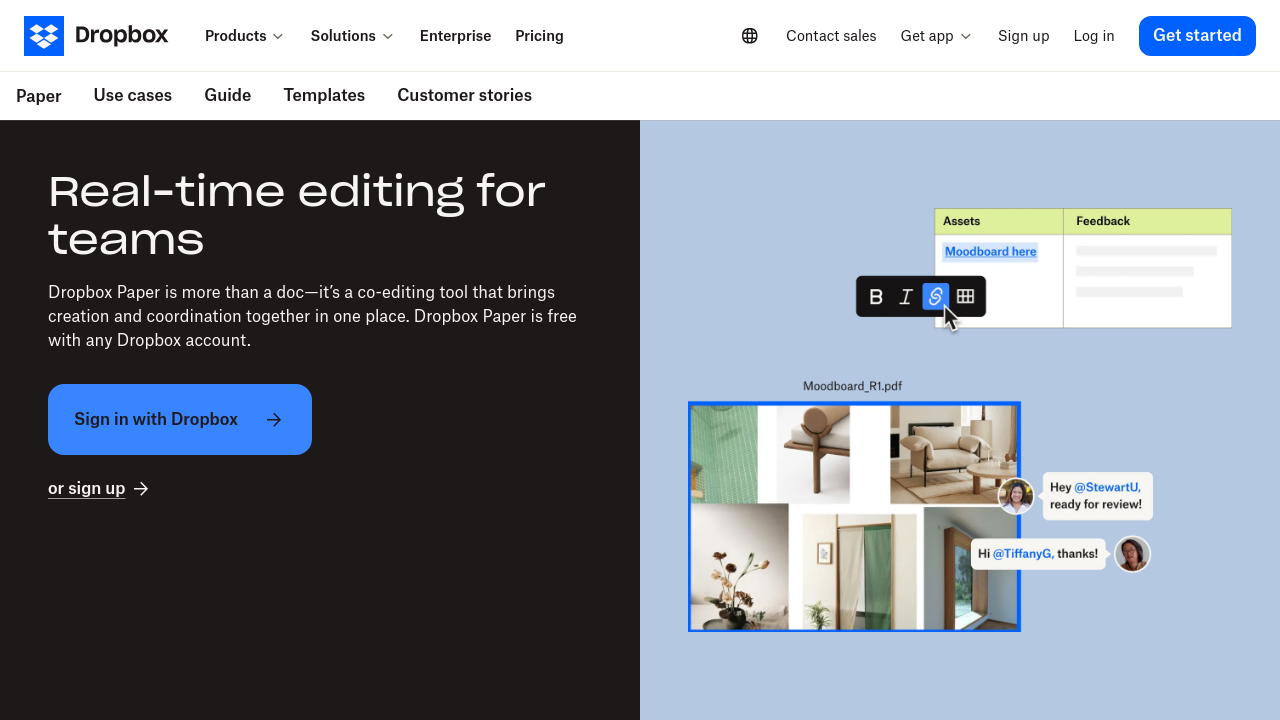
Dropbox Paper is a web-based collaborative document creation tool designed for teams to create, share, and edit content in real-time. It offers features like templates, to-do lists, multimedia embedding, and integration with third-party tools to streamline workflows. With its minimalistic design, it supports version control and cloud accessibility, making it efficient for remote collaboration and task management. Suitable for various industries, it simplifies collaboration while maintaining organization and ease of use.

Dropbox Paper Overview

What is Dropbox Paper?

N/A
0
Reviews
78%
Subscribed Score

Available for Claim - This listing is available to be claimed
Claim Profile For Free

Unclaimed

Manage profile with subsig, and unlock 23+ social and review monitoring. Get partnership options with

Claim Profile For Free

Why teams choose Dropbox Paper

Key Features

Real-Time Updates
Real-Time Updates
See changes instantly, no delays.
Trusted by Thousands
Proven by professionals worldwide.
Fully Customizable
Fully Customizable
Tailor it to your brand and workflow.

Who is Dropbox Paper for?

Dropbox Paper is a versatile, cloud-based document editor that empowers teams to collaborate effortlessly. As a standout solution in the Collaborative Tools category, this lightweight web-based platform combines intuitive word processing with robust project management features, making it ideal for everything from brainstorming sessions to formal project documentation.

Why Choose Dropbox Paper?

  • Real-time collaboration – multiple users can edit and review documents simultaneously.
  • Seamless task management – easily create to-do lists, assign due dates, and track progress within documents.
  • Cross-platform accessibility – available on desktops, tablets, and smartphones for flexible workflow management.
  • Effortless integration – works with calendars, websites, and various third-party applications to streamline your workflow.

Designed with simplicity in mind, Dropbox Paper offers a distinctive document editor featuring comprehensive editing tools such as revision history and suggestion mode. This ensures that every change is automatically tracked, making it easy to review previous document iterations. Whether you need to import files in multiple formats or export your work for web publishing, the platform caters to a diverse set of document management needs.

Besides its powerful collaboration and editing capabilities, Dropbox Paper supports customizable templates and the seamless embedding of multimedia elements. Integrate photos, videos, charts, or even code snippets directly into your documents to boost visual appeal and clarity. Its minimalist design provides a distraction-free environment, allowing teams to focus on content creation and critical project details.

By leveraging Dropbox’s secure cloud storage technology, Paper ensures that your work is automatically stored and accessible across devices. This deep integration not only minimizes the risk of data loss but also improves team effectiveness, especially in remote and hybrid work environments. Its intuitive interface enables users of all skill levels to quickly get started and contribute meaningfully to shared projects.

Dropbox Paper is available free with a Dropbox account, making it an attractive option for both individual professionals and collaborative teams. Discover how this tool can simplify your document workflow, enhance team productivity, and keep your ideas organized with a single, streamlined solution. Explore exclusive deals to maximize your team’s potential.

Alternatives

Dropbox Paper Summary

Dropbox Paper is a versatile, cloud-based document editor that empowers teams to collaborate effortlessly. As a standout solution in the Collaborative Tools category, this lightweight web-based platform combines intuitive word processing with robust project management features, making it ideal for everything from brainstorming sessions to formal project documentation.

Why Choose Dropbox Paper?

  • Real-time collaboration – multiple users can edit and review documents simultaneously.
  • Seamless task management – easily create to-do lists, assign due dates, and track progress within documents.
  • Cross-platform accessibility – available on desktops, tablets, and smartphones for flexible workflow management.
  • Effortless integration – works with calendars, websites, and various third-party applications to streamline your workflow.

Designed with simplicity in mind, Dropbox Paper offers a distinctive document editor featuring comprehensive editing tools such as revision history and suggestion mode. This ensures that every change is automatically tracked, making it easy to review previous document iterations. Whether you need to import files in multiple formats or export your work for web publishing, the platform caters to a diverse set of document management needs.

Besides its powerful collaboration and editing capabilities, Dropbox Paper supports customizable templates and the seamless embedding of multimedia elements. Integrate photos, videos, charts, or even code snippets directly into your documents to boost visual appeal and clarity. Its minimalist design provides a distraction-free environment, allowing teams to focus on content creation and critical project details.

By leveraging Dropbox’s secure cloud storage technology, Paper ensures that your work is automatically stored and accessible across devices. This deep integration not only minimizes the risk of data loss but also improves team effectiveness, especially in remote and hybrid work environments. Its intuitive interface enables users of all skill levels to quickly get started and contribute meaningfully to shared projects.

Dropbox Paper is available free with a Dropbox account, making it an attractive option for both individual professionals and collaborative teams. Discover how this tool can simplify your document workflow, enhance team productivity, and keep your ideas organized with a single, streamlined solution. Explore exclusive deals to maximize your team’s potential.

Alternatives

Dropbox Paper reviews and insights

Learn what people say about Dropbox Paper

N/A
0 Reviews
78%
Subscribed Score

Lear more here about the Subscribed score on how it is composed. Learn more Click here

Overall rating

5
4
3
2
1
CX 4/6

How good is the customer support based on subscribed’s assessment

CX Icon
Security 4/6

How secure is the product based on Subscribed’s assessment?

Security Icon
Ease of Use 5/6

How easy is the product to use, based on Subscribed’s assessment?

EOU Icon
Value 5/6

What is the value for money based on Subscribed’s assessment?

coin Icon
Integration 3/6

How many integrations does the product offer?

gear Icon
Popularity 6/6

How popular is the product?

star

No Reviews Yet!

Be the first to share your experience and help others in the community.

Dropbox Paper User Reviews

0 User Reviews

Reviews from G2, Capterra, Trustpilot
info Icon

These ratings come directly from third-party platforms like G2, Capterra, and Trustpilot. They reflect real user feedback collected independently on those sites.

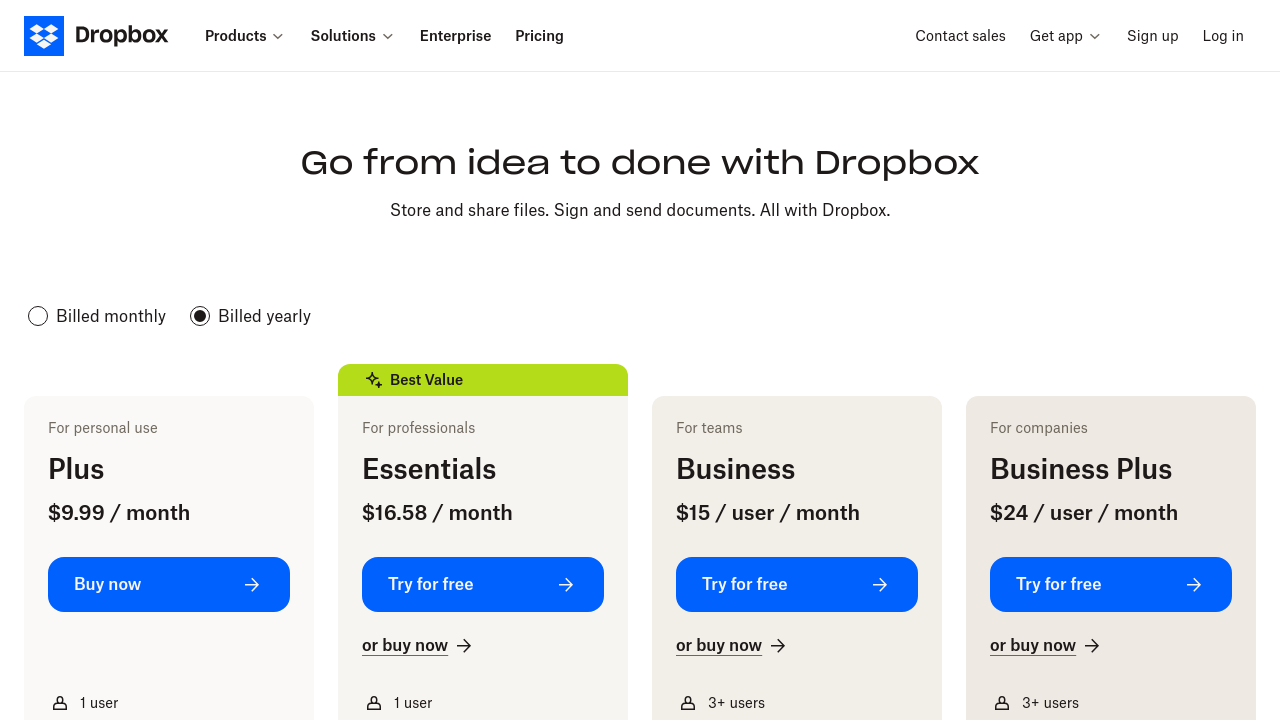
Dropbox Paper pricing

Pricing model

Pricing Range
info Icon

This only an estimated pricing range, visit Dropbox Paper pricing page to access all the information by clicking “Visit Now”.

Not specified
Deals Available

This product comes with a special deal, see details

Visit Now
✨ Ask AI about pricing
78% Subscribed Score
info Icon

The Subscribed Score is an independent rating that combines user reviews, features, and value-for-money from multiple trusted sources. It’s designed as a quick benchmark, not a guarantee of individual experience.

Overview

Dropbox Paper is a versatile, cloud-based document editor that empowers teams to collaborate effortlessly. As a standout solution in the Collaborative Tools category, this lightweight web-based platform combines intuitive word processing with robust project management features, making it ideal for everything from brainstorming sessions to formal project documentation.

Why Choose Dropbox Paper?

  • Real-time collaboration – multiple users can edit and review documents simultaneously.
  • Seamless task management – easily create to-do lists, assign due dates, and track progress within documents.
  • Cross-platform accessibility – available on desktops, tablets, and smartphones for flexible workflow management.
  • Effortless integration – works with calendars, websites, and various third-party applications to streamline your workflow.

Designed with simplicity in mind, Dropbox Paper offers a distinctive document editor featuring comprehensive editing tools such as revision history and suggestion mode. This ensures that every change is automatically tracked, making it easy to review previous document iterations. Whether you need to import files in multiple formats or export your work for web publishing, the platform caters to a diverse set of document management needs.

Besides its powerful collaboration and editing capabilities, Dropbox Paper supports customizable templates and the seamless embedding of multimedia elements. Integrate photos, videos, charts, or even code snippets directly into your documents to boost visual appeal and clarity. Its minimalist design provides a distraction-free environment, allowing teams to focus on content creation and critical project details.

By leveraging Dropbox’s secure cloud storage technology, Paper ensures that your work is automatically stored and accessible across devices. This deep integration not only minimizes the risk of data loss but also improves team effectiveness, especially in remote and hybrid work environments. Its intuitive interface enables users of all skill levels to quickly get started and contribute meaningfully to shared projects.

Dropbox Paper is available free with a Dropbox account, making it an attractive option for both individual professionals and collaborative teams. Discover how this tool can simplify your document workflow, enhance team productivity, and keep your ideas organized with a single, streamlined solution. Explore exclusive deals to maximize your team’s potential.

Alternatives

Where Dropbox Paper performs best

What users like
  • Easy real-time collaboration
  • Intuitive and minimalistic interface
  • Great template features
  • Versatile for storing and organizing files

Where Dropbox Paper falls short

What users dislike
  • Limited text formatting options
  • Difficulty with large file uploads
  • UI can be confusing at times
  • Inconsistent compatibility with some apps
Subscribed Score Metrics
27/36 Metric achieved
MetricsScore
Customer Support4/6
Security4/6
Ease of Use5/6
Value of Money5/6
Integration3/6
Popularity6/6
Radar Chart Table View
Ease of Use
Measures how simple and intuitive the product is to use, including setup, navigation, and overall user experience
5/6 Metric Checks
Security
Compares the product`s features, quality, and pricing to determine its overall cost-effectiveness.
4/6 Metric Checks
Value of Money
Assesses the product`s ability to protect data, prevent breaches, and comply with industry standards.
5/6 Metric Checks
Customer Support
Reflects the responsiveness, helpfulness, and quality of assistance provided by the product`s support team.
4/6 Metric Checks
Integrations
Evaluates how well the product connects with other tools and platforms, enabling seamless workflows.
3/6 Metric Checks
Dropbox Paper Pricing Range
Not specified

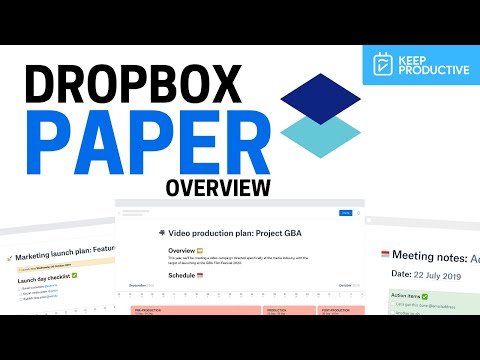
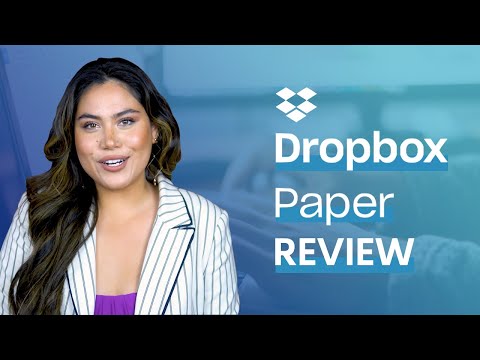
Dropbox Paper in action
info Icon

A curated gallery of real screenshots and use cases from the product, so you can see how it works before trying it.

Dropbox Paper Full Screen Icon
https://www.youtube.com/watch?v=aBCZeHqE11E
Full Screen Icon
https://www.youtube.com/watch?v=YJB7c4qLrec
Full Screen Icon
Dropbox Paper
Dropbox Paper
Video thumbnail
Video thumbnail
Dropbox Paper
Dropbox Paper

Alternatives to Dropbox Paper
info Icon

A list of platforms similar to Dropbox Paper, helping you evaluate which tool best matches your needs.

How to cancel Dropbox Paper

Need to cancel Dropbox Paper? Here is how
info Icon

Thinking about how to cancel Dropbox Paper this is how you do it!

To cancel Dropbox Paper, follow these steps:

  • Log in to Dropbox.
  • Access account settings.
  • Cancel the subscription.

Note: Dropbox Paper is part of Dropbox subscriptions, so canceling the main Dropbox plan will affect Paper as well.

How to Cancel the Dropbox Paper

To cancel Dropbox Paper, follow these steps:

  • Log in to Dropbox.
  • Access account settings.
  • Cancel the subscription.

Note: Dropbox Paper is part of Dropbox subscriptions, so canceling the main Dropbox plan will affect Paper as well.

FAQs about Dropbox Paper

Every else you need to know about Dropbox Paper
info Icon

A collection of FAQs, guides, alternatives, and comparisons to help you quickly understand if Dropbox Paper is right for you.

Manage your Dropbox Paper profile

Create profile

Want to list your product on Subscribed.fyi? Create a profile to reach more buyers.

Pricing Range
info Icon

This only an estimated pricing range, visit Dropbox Paper pricing page to access all the information by clicking “Visit Now”.

Not specified
Visit Now
Deals Available

This product comes with a special deal, see details

This product comes with a special deal, see details