JetAdmin Reviews 2026: Details, Pricing, & Features | Subscribed.fyi
Sign in to review
Join our community of software reviewers on Subscribed.fyi

Continue With Google
Continue With LinkedIn
Continue Review with Email
Continue with Email
Enter your email to continue.
Continue
Enter your password
Enter your password to finish setting up your account.
Continue
Activate your email
Enter activation code we sent to your email.
Submit
Reset your password
Enter activation code we sent to your email.
Submit
Set your new password
Enter a new password for your account.
Submit
Categories
For Business
Log in
Provide My Insights
JetAdmin
JetAdmin

JetAdmin Reviews, Pricing, Features & Alternatives (2026)

4.7/5
(3)

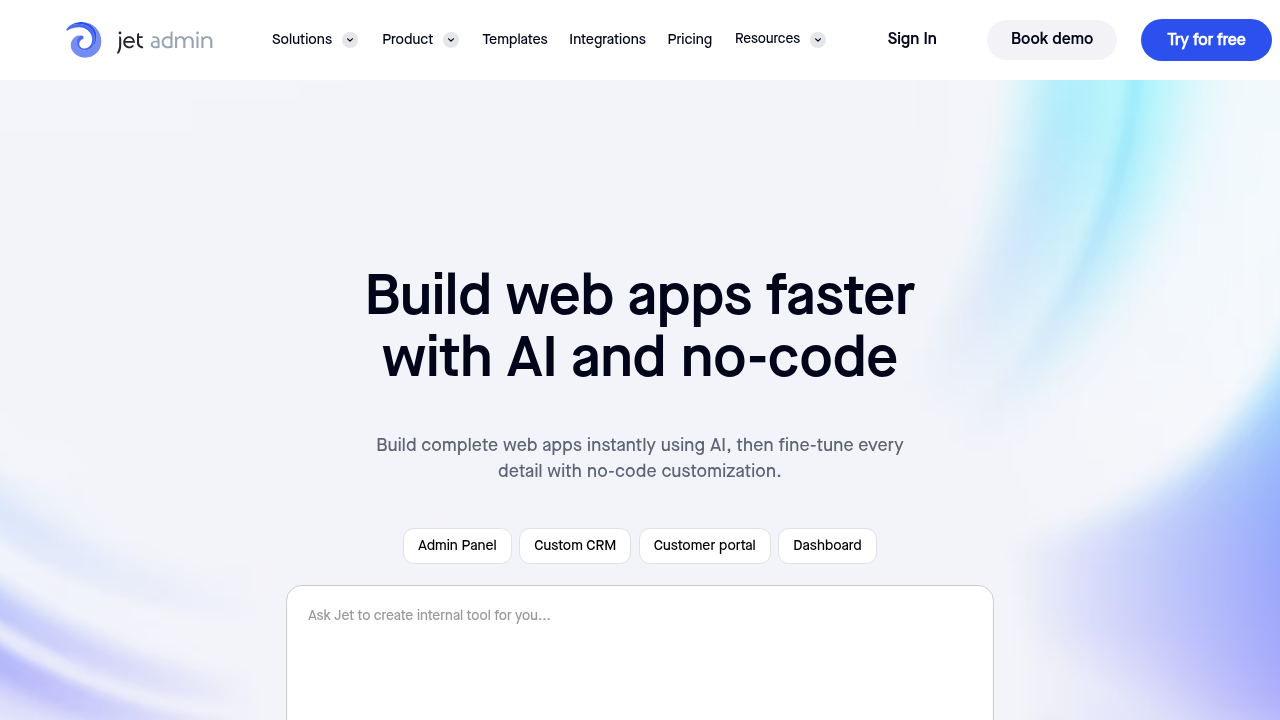
JetAdmin is a no-code platform for building internal tools and customer portals without coding. It enables businesses to create custom dashboards, workflows, and client-facing applications by connecting to existing databases and APIs. The platform streamlines data management and automates business processes across organizations of all sizes.

JetAdmin
JetAdmin
JetAdmin

JetAdmin Overview

What is JetAdmin?

4.7
3
Reviews
74%
Subscribed Score

Managed by a Seller - This listing has been claimed by a seller
Hide the Ads

Claimed

Manage profile with subsig, and unlock 23+ social and review monitoring. Get partnership options with

Why teams choose JetAdmin

Key Features

Plug & Play Setup
Plug & Play Setup
Get started in minutes, not weeks.
Smart Automation
Smart Automation
Save time with AI-powered workflows.
Built for Flexibility
Adaptable for multiple use cases.

Who is JetAdmin for?

JetAdmin is a no-code/low-code platform that empowers teams to rapidly build and deploy internal tools, custom dashboards, and client portals without writing code. Designed for businesses seeking to accelerate their digital operations, JetAdmin connects seamlessly to existing databases and APIs to create powerful, functional applications in minutes rather than weeks.

Why Use JetAdmin?
JetAdmin eliminates the need for dedicated development resources when building internal applications. The platform’s visual builder and pre-built components enable rapid deployment of business solutions, reducing time-to-market and development costs. Organizations can modernize legacy workflows, automate repetitive tasks, and improve operational efficiency without extensive coding expertise.

Who is JetAdmin For?
JetAdmin serves product teams, business analysts, operations managers, and enterprises seeking to build internal tools quickly. It’s ideal for organizations with limited development resources, those managing complex data workflows, and companies wanting to offer white-labeled customer portals. The platform scales from small teams to enterprise deployments.

Key Features and Benefits

  • No-Code Builder: Drag-and-drop interface for creating applications without coding knowledge
  • Database Integration: Direct connections to PostgreSQL, MySQL, MongoDB, and other major databases
  • API Connectivity: Seamless integration with REST APIs and third-party services
  • Customizable Dashboards: Create data visualizations and interactive reports tailored to business needs
  • Customer Portals: Build white-labeled, secure portals to enhance customer experience
  • Workflow Automation: Automate business processes and reduce manual data entry
  • Security & Access Control: Enterprise-grade authentication, role-based access, and data encryption
  • Collaboration Tools: Team-based development with version control and deployment capabilities

JetAdmin Summary

JetAdmin is a no-code/low-code platform that empowers teams to rapidly build and deploy internal tools, custom dashboards, and client portals without writing code. Designed for businesses seeking to accelerate their digital operations, JetAdmin connects seamlessly to existing databases and APIs to create powerful, functional applications in minutes rather than weeks.

Why Use JetAdmin?
JetAdmin eliminates the need for dedicated development resources when building internal applications. The platform’s visual builder and pre-built components enable rapid deployment of business solutions, reducing time-to-market and development costs. Organizations can modernize legacy workflows, automate repetitive tasks, and improve operational efficiency without extensive coding expertise.

Who is JetAdmin For?
JetAdmin serves product teams, business analysts, operations managers, and enterprises seeking to build internal tools quickly. It’s ideal for organizations with limited development resources, those managing complex data workflows, and companies wanting to offer white-labeled customer portals. The platform scales from small teams to enterprise deployments.

Key Features and Benefits

  • No-Code Builder: Drag-and-drop interface for creating applications without coding knowledge
  • Database Integration: Direct connections to PostgreSQL, MySQL, MongoDB, and other major databases
  • API Connectivity: Seamless integration with REST APIs and third-party services
  • Customizable Dashboards: Create data visualizations and interactive reports tailored to business needs
  • Customer Portals: Build white-labeled, secure portals to enhance customer experience
  • Workflow Automation: Automate business processes and reduce manual data entry
  • Security & Access Control: Enterprise-grade authentication, role-based access, and data encryption
  • Collaboration Tools: Team-based development with version control and deployment capabilities

JetAdmin reviews and insights

Learn what people say about JetAdmin

4.7
3 Reviews
74%
Subscribed Score

Lear more here about the Subscribed score on how it is composed. Learn more Click here

Overall rating

5
4
3
2
1
CX 4/6

How good is the customer support based on subscribed’s assessment

CX Icon
Security 5/6

How secure is the product based on Subscribed’s assessment?

Security Icon
Ease of Use 5/6

How easy is the product to use, based on Subscribed’s assessment?

EOU Icon
Value 4/6

What is the value for money based on Subscribed’s assessment?

coin Icon
Integration 5/6

How many integrations does the product offer?

gear Icon
Popularity 4/6

How popular is the product?

star
Jovie Macalolo-oy User Test Enabled
Executive / Leadership
See My Portfolio
3 months ago
Share
How has it made your work/life easier?
It lets me build internal tools and dashboards for my team without having to write any actual code. I can connect all my different databases in one place and see everything on a single screen instead of switching between tabs.
Is there something that almost made you stop using it?
The initial learning process for connecting more complex data sources felt a bit difficult and frustrating at the beginning. I almost gave up when I couldn't get the permissions to sync correctly between my different team members.
What new feature would you love to see added?
I would really like to see more pre made design templates specifically for mobile views so my team can use the tools easily on their phones. It would also be great to have more advanced automation triggers that can start a workflow whenever I update a row in my database.
Final thoughts, wrap up what you think
This is great because you can get a custom dashboard up and running very quickly and it looks a lot better than a messy spreadsheet.
Upvote (2)
Jackie Liezel Jane Broniola Organic
Social Media Manager | Graphic Designer | Content Creator | Coding Instructor | Digital Marketing Specialist
See My Portfolio
3 months ago
Share
How has it made your work/life easier?
JetAdmin literally took away all the headache of building internal tools from scratch and now my team just gets things done way faster. i never thought a no code tool could actually handle our workflows this smooth but here we are.
What slows you down when using it?
took me a minute to figure out some of the more advanced features ngl but once i watched a couple tutorials it clicked fast. the learning curve is on me for not reading the docs sooner
How could the product save you more time or money?
if they add more ready made templates for common use cases we could literally deploy tools in minutes instead of hours. that alone would cut down so much of our setup time across projects
Final thoughts, wrap up what you think
100 percent would tell anyone who builds internal tools to just go use JetAdmin and stop wasting time on other stuff. its one of those tools where you wonder why you didnt switch sooner
Upvote (3)
4 months ago
Share
What do you like best about this product?
Tried this and within an hour, I connected my Postgres DB and had a working andmin panel. Didn't write a single line of code and honestly this feels like cheating.
What’s been frustrating in your experience?
UI can get sluggish at some time, especially when moving between pages or loading big queries. Not a deal breaker but something to take account for.
If you could change one thing, what would it be?
Some awesome features are tucked away, like custom SQL query or complex workflows. Lots of poking to be done to see those and might be a good idea to surface them a bit.
Final thoughts, wrap up what you think
Good for people who are tired of building same internal tools over and over again. Just know that it might take you some time to learn the complex stuffs.
Upvote (1)
JetAdmin

JetAdmin User Reviews

3 User Reviews

Reviews from G2, Capterra, Trustpilot
info Icon

These ratings come directly from third-party platforms like G2, Capterra, and Trustpilot. They reflect real user feedback collected independently on those sites.

JetAdmin pricing

Pricing model

JetAdmin
Pricing Range
info Icon

This only an estimated pricing range, visit JetAdmin pricing page to access all the information by clicking “Visit Now”.

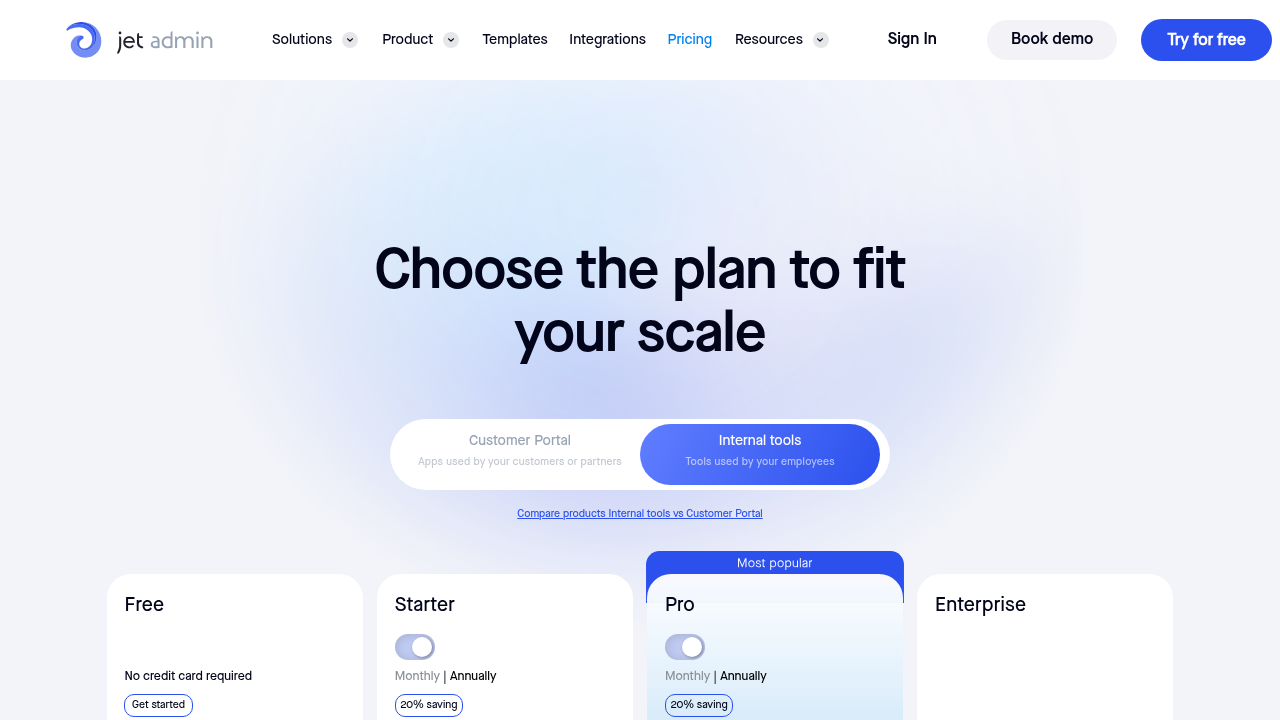
Free - $649 / month
Deals Available

This product comes with a special deal, see details

Visit Now
✨ Ask AI about pricing
74% Subscribed Score
info Icon

The Subscribed Score is an independent rating that combines user reviews, features, and value-for-money from multiple trusted sources. It’s designed as a quick benchmark, not a guarantee of individual experience.

Overview

JetAdmin is a no-code/low-code platform that empowers teams to rapidly build and deploy internal tools, custom dashboards, and client portals without writing code. Designed for businesses seeking to accelerate their digital operations, JetAdmin connects seamlessly to existing databases and APIs to create powerful, functional applications in minutes rather than weeks.

Why Use JetAdmin?
JetAdmin eliminates the need for dedicated development resources when building internal applications. The platform’s visual builder and pre-built components enable rapid deployment of business solutions, reducing time-to-market and development costs. Organizations can modernize legacy workflows, automate repetitive tasks, and improve operational efficiency without extensive coding expertise.

Who is JetAdmin For?
JetAdmin serves product teams, business analysts, operations managers, and enterprises seeking to build internal tools quickly. It’s ideal for organizations with limited development resources, those managing complex data workflows, and companies wanting to offer white-labeled customer portals. The platform scales from small teams to enterprise deployments.

Key Features and Benefits

  • No-Code Builder: Drag-and-drop interface for creating applications without coding knowledge
  • Database Integration: Direct connections to PostgreSQL, MySQL, MongoDB, and other major databases
  • API Connectivity: Seamless integration with REST APIs and third-party services
  • Customizable Dashboards: Create data visualizations and interactive reports tailored to business needs
  • Customer Portals: Build white-labeled, secure portals to enhance customer experience
  • Workflow Automation: Automate business processes and reduce manual data entry
  • Security & Access Control: Enterprise-grade authentication, role-based access, and data encryption
  • Collaboration Tools: Team-based development with version control and deployment capabilities

Where JetAdmin performs best

What users like
  • Free tier with no credit card required
  • Rapid application development without coding
  • Flexible integration with multiple databases and APIs
  • Enterprise-grade security and access controls

Where JetAdmin falls short

What users dislike
  • Per-user pricing can scale quickly for large teams
  • Limited offline functionality
  • Customer portal pricing tier starts at $39/month
  • Learning curve for complex customizations
Subscribed Score Metrics
27/36 Metric achieved
MetricsScore
Customer Support4/6
Security5/6
Ease of Use5/6
Value of Money4/6
Integration5/6
Popularity4/6
Radar Chart Table View
Ease of Use
Measures how simple and intuitive the product is to use, including setup, navigation, and overall user experience
5/6 Metric Checks
Security
Compares the product`s features, quality, and pricing to determine its overall cost-effectiveness.
5/6 Metric Checks
Value of Money
Assesses the product`s ability to protect data, prevent breaches, and comply with industry standards.
4/6 Metric Checks
Customer Support
Reflects the responsiveness, helpfulness, and quality of assistance provided by the product`s support team.
4/6 Metric Checks
Integrations
Evaluates how well the product connects with other tools and platforms, enabling seamless workflows.
5/6 Metric Checks
JetAdmin Pricing Range
Free - $649 / month

JetAdmin in action
info Icon

A curated gallery of real screenshots and use cases from the product, so you can see how it works before trying it.

JetAdmin Full Screen Icon
JetAdmin
JetAdmin
JetAdmin
JetAdmin

Alternatives to JetAdmin
info Icon

A list of platforms similar to JetAdmin, helping you evaluate which tool best matches your needs.

How to cancel JetAdmin

Need to cancel JetAdmin? Here is how
info Icon

Thinking about how to cancel JetAdmin this is how you do it!

To cancel JetAdmin, log into your account, navigate to billing settings, and click the cancel button next to your subscription. Your cancellation takes effect at the end of your current billing cycle, and you can downgrade to the free plan instead of cancelling entirely.

How to Cancel the JetAdmin

To cancel JetAdmin, log into your account, navigate to billing settings, and click the cancel button next to your subscription. Your cancellation takes effect at the end of your current billing cycle, and you can downgrade to the free plan instead of cancelling entirely.

FAQs about JetAdmin

Every else you need to know about JetAdmin
info Icon

A collection of FAQs, guides, alternatives, and comparisons to help you quickly understand if JetAdmin is right for you.

Manage your JetAdmin profile

Create profile

Want to list your product on Subscribed.fyi? Create a profile to reach more buyers.

Pricing Range
info Icon

This only an estimated pricing range, visit JetAdmin pricing page to access all the information by clicking “Visit Now”.

Free - $649 / month
Visit Now
Deals Available

This product comes with a special deal, see details

This product comes with a special deal, see details