Sign in to review
Join our community of software reviewers on Subscribed.fyi

Continue With Google
Continue With LinkedIn
Continue Review with Email
Continue with Email
Enter your email to continue.
Continue
Enter your password
Enter your password to finish setting up your account.
Continue
Activate your email
Enter activation code we sent to your email.
Submit
Reset your password
Enter activation code we sent to your email.
Submit
Set your new password
Enter a new password for your account.
Submit
Log in
Provide My Insights
Kimai logo
Kimai logo

Kimai Reviews, Pricing, Features & Alternatives (2026)

Kimai is an open-source time tracking software tailored for individuals and teams to manage tasks and projects efficiently. Offering role-based permissions, timesheets, and project budget tracking, it ensures comprehensive time management. The system is self-hosted for data security and provides versatile export options, making it ideal for managing workloads and invoicing.

Kimai logo
Kimai logo
Kimai logo

Kimai Overview

What is Kimai?

N/A
★ ★ ★ ★ ★
0
Reviews

Available for Claim - This listing is available to be claimed
Claim Profile

Unclaimed

Claim this profile to manage it.

Claim Profile

Why teams choose Kimai

Key Features

Expert Support
Expert Support
Help available when you need it.
Fully Customizable
Fully Customizable
Tailor it to your brand and workflow.
Affordable Pricing
Affordable Pricing
Transparent plans to fit any budget.

Who is Kimai for?

Kimai is a feature-rich time-tracking application tailored for organizations, freelancers, and small teams. As part of the Time Tracking category, it offers essential functionalities for managing timesheets, setting role-based permissions, and tracking project budgets. Known for its stability and robust feature set, this open-source software delivers a reliable solution for tracking and reporting work hours across various activities and projects. Explore deals for Kimai today. If you’re exploring other solutions, consider Timely, Jibble, and Buddy Punch.

Key Features of Kimai

With a focus on efficiency and customization, Kimai offers several ideal features for businesses and individuals:

  • Time Tracking: Provides simple and reliable tools to record and monitor work hours in real time.
  • Role-Based Permissions: Ensures secure access by assigning specific user roles and permissions for sensitive data.
  • Comprehensive Reporting: Facilitates detailed exports in various formats, allowing users to analyze billing or resource allocation seamlessly.
  • Customization Options: As open-source software, Kimai supports modifications and plugin extensions, offering flexibility for unique business needs.
  • Multi-Language Support: Designed to accommodate global teams, enabling international usability.

Who Should Use Kimai?

Kimai caters to a diverse group of users across industries:

  • Freelancers: Independent professionals seeking effective tools to track billable hours and streamline invoicing.
  • Small Teams: Teams requiring a secure, centralized platform to monitor time allocation across multiple projects.
  • Organizations: Businesses looking for a cost-efficient, self-hosted, and scalable solution for time management and task tracking.

Why Choose Kimai?

Kimai empowers users with several advantages:

  • Open-Source Flexibility: Tailor the platform to match specific business workflows at no additional cost.
  • Budget-Friendly: A cost-efficient solution without subscription fees, ideal for budget-conscious teams.
  • Data Security: The self-hosted environment ensures your time-tracking data remains private and under your control.

Kimai is a practical choice for anyone who values streamlined time management, customization, and secure data handling in their professional workflows.

Kimai Summary

Kimai is a feature-rich time-tracking application tailored for organizations, freelancers, and small teams. As part of the Time Tracking category, it offers essential functionalities for managing timesheets, setting role-based permissions, and tracking project budgets. Known for its stability and robust feature set, this open-source software delivers a reliable solution for tracking and reporting work hours across various activities and projects. Explore deals for Kimai today. If you’re exploring other solutions, consider Timely, Jibble, and Buddy Punch.

Key Features of Kimai

With a focus on efficiency and customization, Kimai offers several ideal features for businesses and individuals:

  • Time Tracking: Provides simple and reliable tools to record and monitor work hours in real time.
  • Role-Based Permissions: Ensures secure access by assigning specific user roles and permissions for sensitive data.
  • Comprehensive Reporting: Facilitates detailed exports in various formats, allowing users to analyze billing or resource allocation seamlessly.
  • Customization Options: As open-source software, Kimai supports modifications and plugin extensions, offering flexibility for unique business needs.
  • Multi-Language Support: Designed to accommodate global teams, enabling international usability.

Who Should Use Kimai?

Kimai caters to a diverse group of users across industries:

  • Freelancers: Independent professionals seeking effective tools to track billable hours and streamline invoicing.
  • Small Teams: Teams requiring a secure, centralized platform to monitor time allocation across multiple projects.
  • Organizations: Businesses looking for a cost-efficient, self-hosted, and scalable solution for time management and task tracking.

Why Choose Kimai?

Kimai empowers users with several advantages:

  • Open-Source Flexibility: Tailor the platform to match specific business workflows at no additional cost.
  • Budget-Friendly: A cost-efficient solution without subscription fees, ideal for budget-conscious teams.
  • Data Security: The self-hosted environment ensures your time-tracking data remains private and under your control.

Kimai is a practical choice for anyone who values streamlined time management, customization, and secure data handling in their professional workflows.

Kimai reviews and insights

Learn what people say about Kimai

N/A ★ ★ ★ ★ ★
0 Reviews

No Reviews Yet!

Be the first to share your experience and help others in the community.

Kimai logo

Kimai User Reviews

0 User Reviews

Reviews from G2, Capterra, Trustpilot
info Icon

These ratings come directly from third-party platforms like G2, Capterra, and Trustpilot. They reflect real user feedback collected independently on those sites.

Kimai pricing

Pricing model

Kimai logo
Pricing Range
info Icon

This only an estimated pricing range, visit Kimai pricing page to access all the information by clicking “Visit Now”.

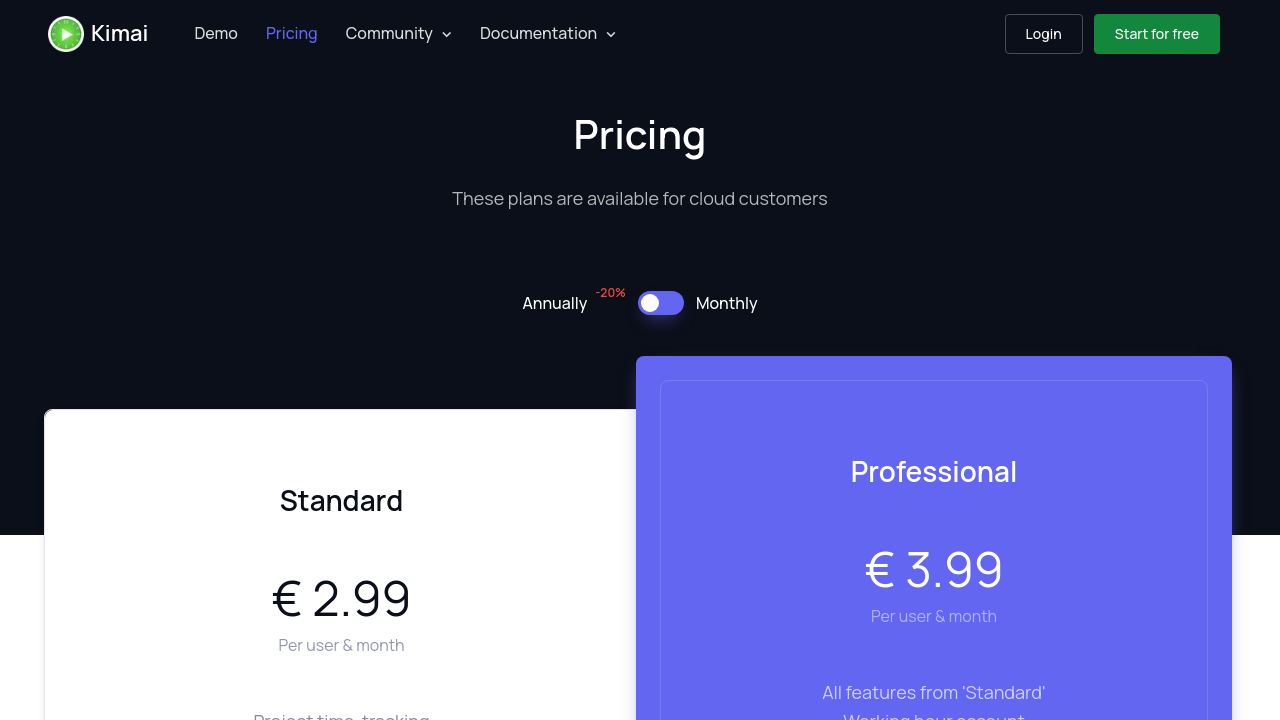
$2.99-$3.99 / Month
Deals Available

This product comes with a special deal, see details

Visit Now

Overview

Kimai is a feature-rich time-tracking application tailored for organizations, freelancers, and small teams. As part of the Time Tracking category, it offers essential functionalities for managing timesheets, setting role-based permissions, and tracking project budgets. Known for its stability and robust feature set, this open-source software delivers a reliable solution for tracking and reporting work hours across various activities and projects. Explore deals for Kimai today. If you’re exploring other solutions, consider Timely, Jibble, and Buddy Punch.

Key Features of Kimai

With a focus on efficiency and customization, Kimai offers several ideal features for businesses and individuals:

  • Time Tracking: Provides simple and reliable tools to record and monitor work hours in real time.
  • Role-Based Permissions: Ensures secure access by assigning specific user roles and permissions for sensitive data.
  • Comprehensive Reporting: Facilitates detailed exports in various formats, allowing users to analyze billing or resource allocation seamlessly.
  • Customization Options: As open-source software, Kimai supports modifications and plugin extensions, offering flexibility for unique business needs.
  • Multi-Language Support: Designed to accommodate global teams, enabling international usability.

Who Should Use Kimai?

Kimai caters to a diverse group of users across industries:

  • Freelancers: Independent professionals seeking effective tools to track billable hours and streamline invoicing.
  • Small Teams: Teams requiring a secure, centralized platform to monitor time allocation across multiple projects.
  • Organizations: Businesses looking for a cost-efficient, self-hosted, and scalable solution for time management and task tracking.

Why Choose Kimai?

Kimai empowers users with several advantages:

  • Open-Source Flexibility: Tailor the platform to match specific business workflows at no additional cost.
  • Budget-Friendly: A cost-efficient solution without subscription fees, ideal for budget-conscious teams.
  • Data Security: The self-hosted environment ensures your time-tracking data remains private and under your control.

Kimai is a practical choice for anyone who values streamlined time management, customization, and secure data handling in their professional workflows.

Where Kimai performs best

What users like
  • Open-source and free.
  • Simple and effective functionality.
  • Customizable and multi-language support.
  • Easy setup and stable performance.

Where Kimai falls short

What users dislike
  • Limited integrations and reporting features.
  • Clunky and outdated user interface.
  • Missing advanced tracking and account functionalities.
  • Occasional bugs and low development activity.
Kimai Pricing Range
$2.99-$3.99 / Month

Kimai in action
info Icon

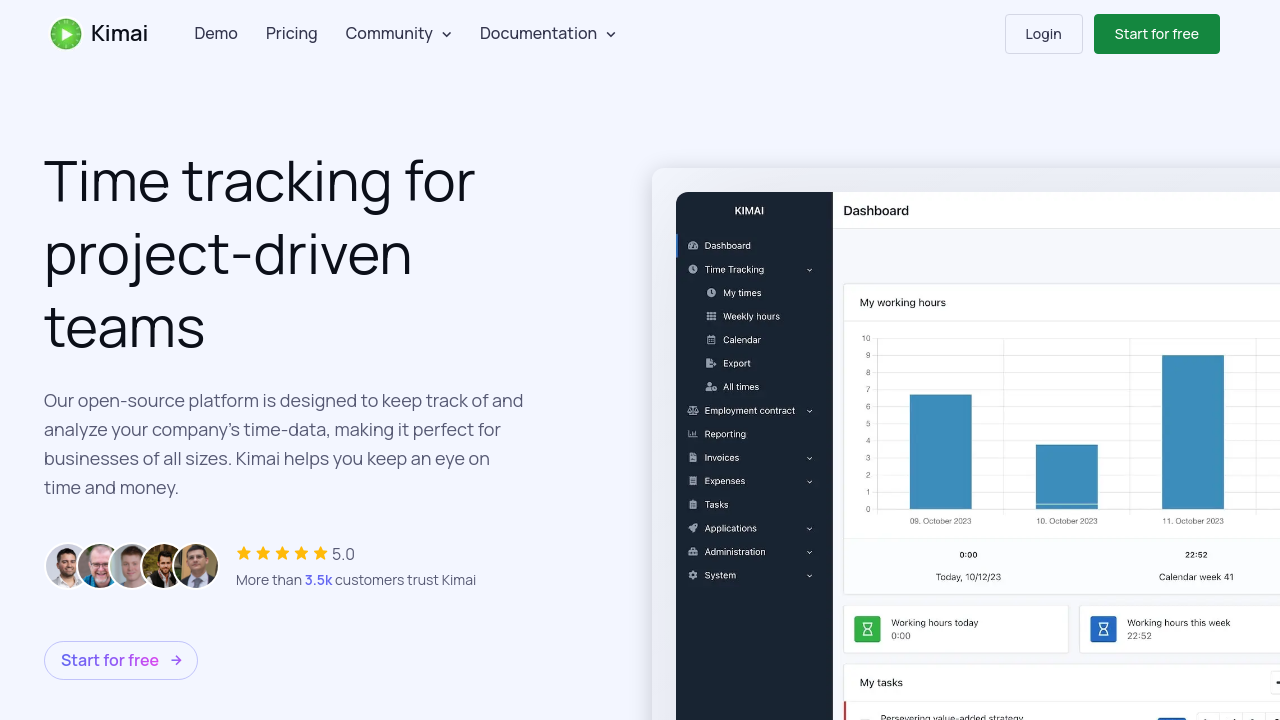
A curated gallery of real screenshots and use cases from the product, so you can see how it works before trying it.

Kimai screenshot 1 Full Screen Icon
Kimai screenshot 2 Full Screen Icon
https://www.youtube.com/watch?v=qnd2BTgCS_k
Full Screen Icon
Kimai screenshot 1
Kimai screenshot 2
Video thumbnail
Kimai screenshot 1
Kimai screenshot 2

Alternatives to Kimai
info Icon

A list of platforms similar to Kimai, helping you evaluate which tool best matches your needs.

How to cancel Kimai

Need to cancel Kimai? Here is how
info Icon

Thinking about how to cancel Kimai this is how you do it!

To cancel a Kimai product:

  • Contact Kimai within 24 hours of order placement.
  • Email [email protected] for assistance.
  • Custom or bespoke items generally cannot be canceled or returned.

How to Cancel the Kimai

To cancel a Kimai product:

  • Contact Kimai within 24 hours of order placement.
  • Email [email protected] for assistance.
  • Custom or bespoke items generally cannot be canceled or returned.

Manage your Kimai profile

Create profile

Want to list your product on Subscribed.fyi? Create a profile to reach more buyers.

Pricing Range
info Icon

This only an estimated pricing range, visit Kimai pricing page to access all the information by clicking “Visit Now”.

$2.99-$3.99 / Month
Visit Now
Deals Available

This product comes with a special deal, see details

This product comes with a special deal, see details