Sign in to review
Join our community of software reviewers on Subscribed.fyi

Continue With Google
Continue With LinkedIn
Continue Review with Email
Continue with Email
Enter your email to continue.
Continue
Enter your password
Enter your password to finish setting up your account.
Continue
Activate your email
Enter activation code we sent to your email.
Submit
Reset your password
Enter activation code we sent to your email.
Submit
Set your new password
Enter a new password for your account.
Submit
Log in
Provide My Insights
Piktochart logo
Piktochart logo

Piktochart Reviews, Pricing, Features & Alternatives (2026)

AI-powered infographic and visual content creation platform that helps users turn data and ideas into professional designs like presentations, reports, and social media graphics.

Piktochart logo
Piktochart logo
Piktochart logo

Piktochart Overview

What is Piktochart?

N/A
★ ★ ★ ★ ★
0
Reviews

Available for Claim - This listing is available to be claimed
Claim Profile

Unclaimed

Claim this profile to manage it.

Claim Profile

Why teams choose Piktochart

Key Features

Expert Support
Expert Support
Help available when you need it.
Affordable Pricing
Affordable Pricing
Transparent plans to fit any budget.
Built for Flexibility
Adaptable for multiple use cases.

Who is Piktochart for?

Piktochart is a web-based design tool focused on helping users create visual content such as infographics, presentations, reports, and social media graphics. It simplifies the design process with a drag-and-drop interface and pre-built templates, making it accessible even to users without design experience.

The platform integrates AI features that allow users to generate visuals from text prompts, transforming ideas into polished designs in seconds. It also includes tools for charts, maps, and data visualization, enabling users to present complex information in a clear and engaging way.

Piktochart is positioned as a beginner-friendly alternative to traditional design software, widely used by marketers, educators, and businesses to create professional visuals quickly. Its strength lies in balancing ease of use with enough customization to support a variety of visual communication needs.

Key Features and Benefits

  • AI design generator: Create visuals instantly from text prompts
  • Drag-and-drop editor: Simple interface for fast content creation
  • Template library: Thousands of ready-made templates for different use cases
  • Data visualization tools: Charts, graphs, maps, and diagrams for presenting data
  • Brand kit support: Maintain consistent fonts, colors, and logos across designs
  • Collaboration tools: Share, comment, and edit designs with teams
  • Multi-format export: Download visuals as PNG, PDF, or presentation formats

Who Can Benefit from Piktochart

  • Marketers: Create campaign visuals, reports, and social media content
  • Educators and students: Build engaging presentations and learning materials
  • Businesses: Turn data into visual reports and dashboards
  • Nonprofits: Communicate impact through infographics and storytelling
  • Content creators: Design visually appealing posts and media assets

Looking for alternative solutions?
Popular alternatives include Canva, Visme, Adobe Express, and PowerPoint. Canva offers more design flexibility, Visme focuses on data storytelling, and Adobe Express provides deeper creative control for advanced users.

Piktochart Summary

Piktochart is a web-based design tool focused on helping users create visual content such as infographics, presentations, reports, and social media graphics. It simplifies the design process with a drag-and-drop interface and pre-built templates, making it accessible even to users without design experience.

The platform integrates AI features that allow users to generate visuals from text prompts, transforming ideas into polished designs in seconds. It also includes tools for charts, maps, and data visualization, enabling users to present complex information in a clear and engaging way.

Piktochart is positioned as a beginner-friendly alternative to traditional design software, widely used by marketers, educators, and businesses to create professional visuals quickly. Its strength lies in balancing ease of use with enough customization to support a variety of visual communication needs.

Key Features and Benefits

  • AI design generator: Create visuals instantly from text prompts
  • Drag-and-drop editor: Simple interface for fast content creation
  • Template library: Thousands of ready-made templates for different use cases
  • Data visualization tools: Charts, graphs, maps, and diagrams for presenting data
  • Brand kit support: Maintain consistent fonts, colors, and logos across designs
  • Collaboration tools: Share, comment, and edit designs with teams
  • Multi-format export: Download visuals as PNG, PDF, or presentation formats

Who Can Benefit from Piktochart

  • Marketers: Create campaign visuals, reports, and social media content
  • Educators and students: Build engaging presentations and learning materials
  • Businesses: Turn data into visual reports and dashboards
  • Nonprofits: Communicate impact through infographics and storytelling
  • Content creators: Design visually appealing posts and media assets

Looking for alternative solutions?
Popular alternatives include Canva, Visme, Adobe Express, and PowerPoint. Canva offers more design flexibility, Visme focuses on data storytelling, and Adobe Express provides deeper creative control for advanced users.

Piktochart reviews and insights

Learn what people say about Piktochart

N/A ★ ★ ★ ★ ★
0 Reviews

No Reviews Yet!

Be the first to share your experience and help others in the community.

Piktochart logo

Piktochart User Reviews

0 User Reviews

Reviews from G2, Capterra, Trustpilot
info Icon

These ratings come directly from third-party platforms like G2, Capterra, and Trustpilot. They reflect real user feedback collected independently on those sites.

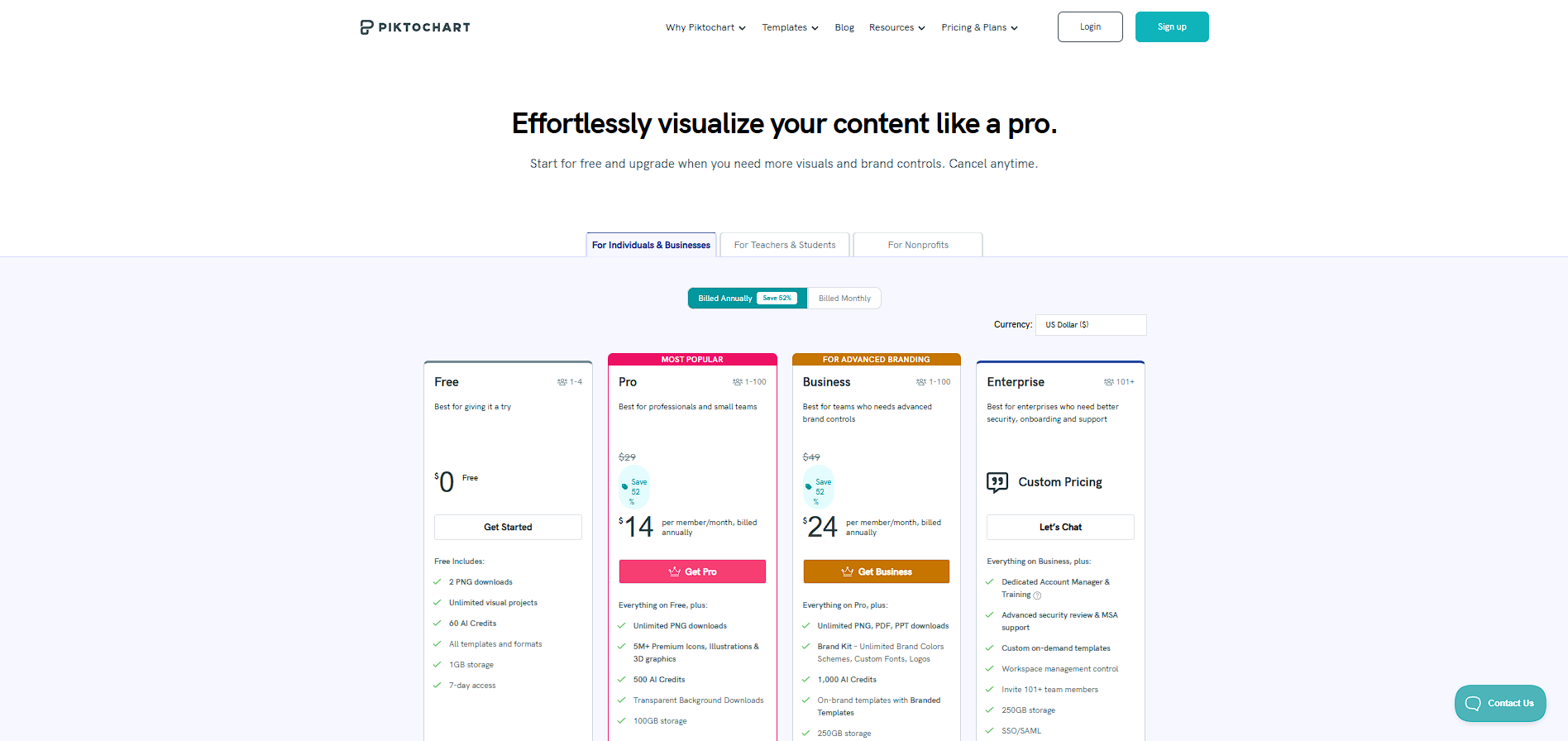
Piktochart pricing

Pricing model

Piktochart logo
Pricing Range
info Icon

This only an estimated pricing range, visit Piktochart pricing page to access all the information by clicking “Visit Now”.

$0–$29 / Month
Visit Now

Overview

Piktochart is a web-based design tool focused on helping users create visual content such as infographics, presentations, reports, and social media graphics. It simplifies the design process with a drag-and-drop interface and pre-built templates, making it accessible even to users without design experience.

The platform integrates AI features that allow users to generate visuals from text prompts, transforming ideas into polished designs in seconds. It also includes tools for charts, maps, and data visualization, enabling users to present complex information in a clear and engaging way.

Piktochart is positioned as a beginner-friendly alternative to traditional design software, widely used by marketers, educators, and businesses to create professional visuals quickly. Its strength lies in balancing ease of use with enough customization to support a variety of visual communication needs.

Key Features and Benefits

  • AI design generator: Create visuals instantly from text prompts
  • Drag-and-drop editor: Simple interface for fast content creation
  • Template library: Thousands of ready-made templates for different use cases
  • Data visualization tools: Charts, graphs, maps, and diagrams for presenting data
  • Brand kit support: Maintain consistent fonts, colors, and logos across designs
  • Collaboration tools: Share, comment, and edit designs with teams
  • Multi-format export: Download visuals as PNG, PDF, or presentation formats

Who Can Benefit from Piktochart

  • Marketers: Create campaign visuals, reports, and social media content
  • Educators and students: Build engaging presentations and learning materials
  • Businesses: Turn data into visual reports and dashboards
  • Nonprofits: Communicate impact through infographics and storytelling
  • Content creators: Design visually appealing posts and media assets

Looking for alternative solutions?
Popular alternatives include Canva, Visme, Adobe Express, and PowerPoint. Canva offers more design flexibility, Visme focuses on data storytelling, and Adobe Express provides deeper creative control for advanced users.

Where Piktochart performs best

What users like
  • Extremely easy-to-use drag-and-drop editor suitable for non-designers
  • Wide range of templates for infographics, presentations, and reports
  • AI-powered design generation speeds up content creation significantly
  • Strong data visualization tools including charts, maps, and diagrams
  • Affordable pricing with discounts for students, educators, and nonprofits

Where Piktochart falls short

What users dislike
  • Free plan has strict download and feature limitations
  • Less design flexibility compared to advanced tools like Adobe Illustrator
  • Some premium assets and features are locked behind paid plans
  • Not ideal for highly custom or complex graphic design projects
Piktochart Pricing Range
$0–$29 / Month

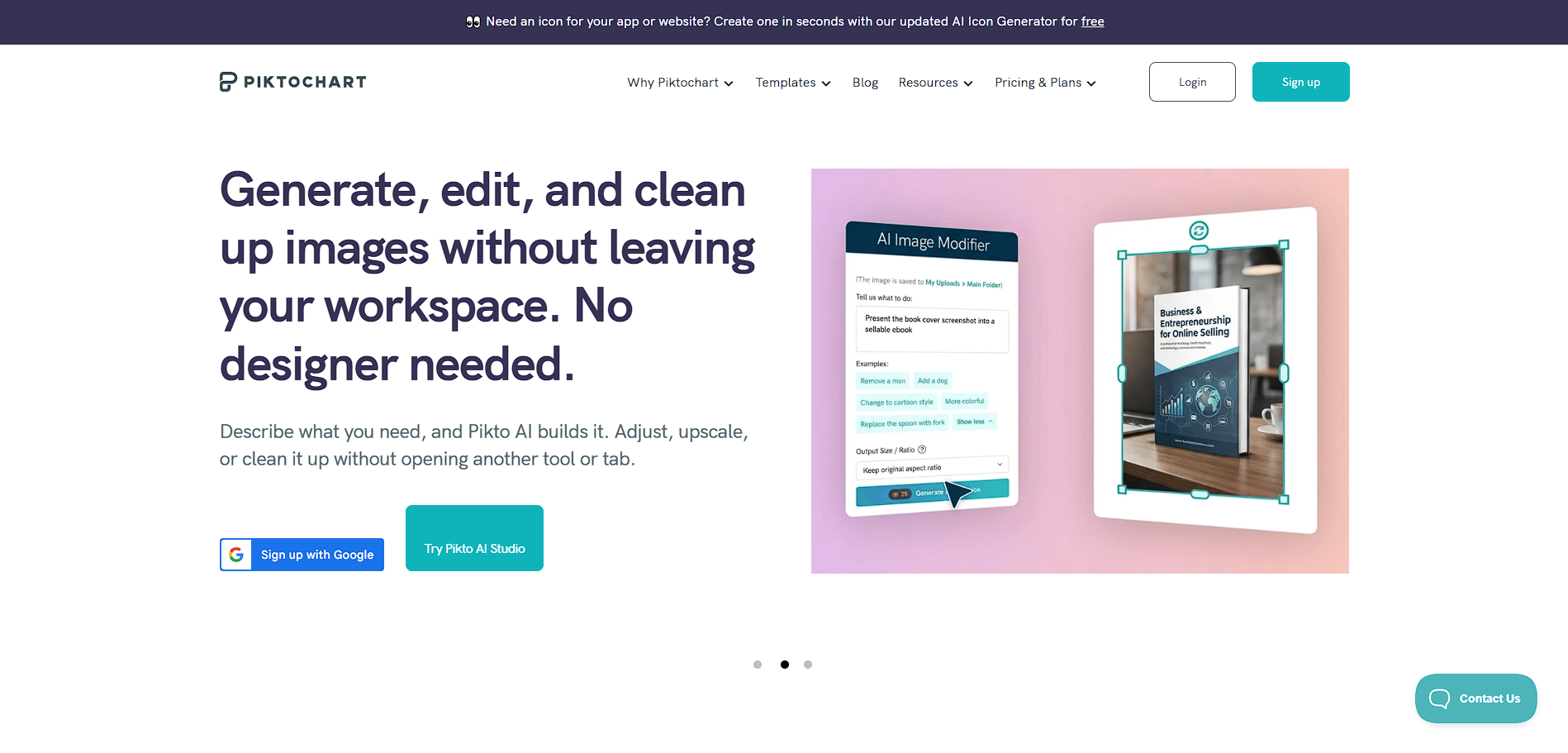
Piktochart in action
info Icon

A curated gallery of real screenshots and use cases from the product, so you can see how it works before trying it.

Piktochart screenshot 1 Full Screen Icon
Piktochart screenshot 2 Full Screen Icon
https://www.youtube.com/watch?v=y9jwFZ5heok
Full Screen Icon
Piktochart screenshot 1
Piktochart screenshot 2
Video thumbnail
Piktochart screenshot 1
Piktochart screenshot 2

Alternatives to Piktochart
info Icon

A list of platforms similar to Piktochart, helping you evaluate which tool best matches your needs.

How to cancel Piktochart

Need to cancel Piktochart? Here is how
info Icon

Thinking about how to cancel Piktochart this is how you do it!

  1. Log in to your Piktochart account
  2. Go to billing or subscription settings
  3. Select your current plan
  4. Click cancel subscription
  5. Confirm cancellation before the next billing cycle

How to Cancel the Piktochart

  1. Log in to your Piktochart account
  2. Go to billing or subscription settings
  3. Select your current plan
  4. Click cancel subscription
  5. Confirm cancellation before the next billing cycle

Manage your Piktochart profile

Create profile

Want to list your product on Subscribed.fyi? Create a profile to reach more buyers.

Pricing Range
info Icon

This only an estimated pricing range, visit Piktochart pricing page to access all the information by clicking “Visit Now”.

$0–$29 / Month
Visit Now