Sign in to review
Join our community of software reviewers on Subscribed.fyi

Continue With Google
Continue With LinkedIn
Continue Review with Email
Continue with Email
Enter your email to continue.
Continue
Enter your password
Enter your password to finish setting up your account.
Continue
Activate your email
Enter activation code we sent to your email.
Submit
Reset your password
Enter activation code we sent to your email.
Submit
Set your new password
Enter a new password for your account.
Submit
Log in
Provide My Insights
PyCharm logo
PyCharm logo

PyCharm Reviews, Pricing, Features & Alternatives (2026)

PyCharm is an intelligent Python IDE designed for professional developers, offering robust support for code completion, debugging, and refactoring. It accommodates diverse workflows, including data science, web development, and database integrations, while ensuring efficiency and convenience. With both a free Community Edition and a feature-rich Professional Edition, PyCharm empowers users to write clean, high-quality code.

PyCharm logo
PyCharm logo
PyCharm logo

PyCharm Overview

What is PyCharm?

N/A
★ ★ ★ ★ ★
0
Reviews

Available for Claim - This listing is available to be claimed
Claim Profile

Unclaimed

Claim this profile to manage it.

Claim Profile

Why teams choose PyCharm

Key Features

Eco-Friendly
Eco-Friendly
Designed with sustainability in mind.
No-Code Simplicity
No-Code Simplicity
Launch without writing a single line of code.
Works Anywhere
Works Anywhere
Accessible from any device, anytime.

Who is PyCharm for?

PyCharm is an advanced integrated development environment (IDE) that empowers professional Python developers to code with confidence and efficiency. Built with intelligent code assistance and analysis at its core, PyCharm streamlines the entire Python workflow—from developing web applications and managing databases to leveraging scientific tools and advanced debugging techniques. Designed for both beginners and experienced programmers, PyCharm offers a free, open-source Community Edition alongside a feature-rich Professional Edition.

Positioned within the Coding and Debugging category, PyCharm combines ease of use with a powerful suite of tools that enhance productivity. Its out-of-the-box functionality means developers can start coding immediately without excessive setup, while existing customization options allow individuals to tailor the interface to their unique preferences.

The robust platform features:

  • Intelligent Code Completion and Analysis: Quickly write robust code with smart suggestions and error detection that streamline development.
  • Project Management Tools: Organize files and manage complex projects seamlessly with robust file management capabilities.
  • Integrated Debugging and Testing: Identify and resolve issues swiftly with features designed for both debugging and refactoring.
  • Multi-Language Support and Customization: While optimized for Python, PyCharm’s flexibility allows integration of additional frameworks and languages, catering to a variety of development needs.
  • Automatic Patching and Updates: Stay up-to-date with the latest improvements without manual intervention, ensuring compatibility with evolving programming standards.

Developers appreciate PyCharm’s smooth integration with tools such as Git and Docker, as well as its capacity to create isolated virtual environments for each project effortlessly. The comprehensive ecosystem offered within the IDE supports web frameworks like Django and modern JavaScript development, proving indispensable for projects of all sizes.

Whether you are a solo developer or part of a larger team, PyCharm offers a refined coding experience that focuses on reducing redundancies and accelerating development cycles. For those seeking exclusive deals and pricing details, explore the special offers available for businesses, organizations, and individual users.

Alternative Options

If you are considering additional IDEs for a variety of coding experiences, you might also compare PyCharm with these leading alternatives:

By choosing PyCharm, you are investing in an environment that simplifies coding efforts, enhances project organization, and supports a diverse range of technical needs. Enjoy a comprehensive development experience that addresses every aspect of Python programming in one intelligent, adaptable IDE.

PyCharm Summary

PyCharm is an advanced integrated development environment (IDE) that empowers professional Python developers to code with confidence and efficiency. Built with intelligent code assistance and analysis at its core, PyCharm streamlines the entire Python workflow—from developing web applications and managing databases to leveraging scientific tools and advanced debugging techniques. Designed for both beginners and experienced programmers, PyCharm offers a free, open-source Community Edition alongside a feature-rich Professional Edition.

Positioned within the Coding and Debugging category, PyCharm combines ease of use with a powerful suite of tools that enhance productivity. Its out-of-the-box functionality means developers can start coding immediately without excessive setup, while existing customization options allow individuals to tailor the interface to their unique preferences.

The robust platform features:

  • Intelligent Code Completion and Analysis: Quickly write robust code with smart suggestions and error detection that streamline development.
  • Project Management Tools: Organize files and manage complex projects seamlessly with robust file management capabilities.
  • Integrated Debugging and Testing: Identify and resolve issues swiftly with features designed for both debugging and refactoring.
  • Multi-Language Support and Customization: While optimized for Python, PyCharm’s flexibility allows integration of additional frameworks and languages, catering to a variety of development needs.
  • Automatic Patching and Updates: Stay up-to-date with the latest improvements without manual intervention, ensuring compatibility with evolving programming standards.

Developers appreciate PyCharm’s smooth integration with tools such as Git and Docker, as well as its capacity to create isolated virtual environments for each project effortlessly. The comprehensive ecosystem offered within the IDE supports web frameworks like Django and modern JavaScript development, proving indispensable for projects of all sizes.

Whether you are a solo developer or part of a larger team, PyCharm offers a refined coding experience that focuses on reducing redundancies and accelerating development cycles. For those seeking exclusive deals and pricing details, explore the special offers available for businesses, organizations, and individual users.

Alternative Options

If you are considering additional IDEs for a variety of coding experiences, you might also compare PyCharm with these leading alternatives:

By choosing PyCharm, you are investing in an environment that simplifies coding efforts, enhances project organization, and supports a diverse range of technical needs. Enjoy a comprehensive development experience that addresses every aspect of Python programming in one intelligent, adaptable IDE.

PyCharm reviews and insights

Learn what people say about PyCharm

N/A ★ ★ ★ ★ ★
0 Reviews

No Reviews Yet!

Be the first to share your experience and help others in the community.

PyCharm logo

PyCharm User Reviews

0 User Reviews

Reviews from G2, Capterra, Trustpilot
info Icon

These ratings come directly from third-party platforms like G2, Capterra, and Trustpilot. They reflect real user feedback collected independently on those sites.

PyCharm pricing

Pricing model

PyCharm logo
Pricing Range
info Icon

This only an estimated pricing range, visit PyCharm pricing page to access all the information by clicking “Visit Now”.

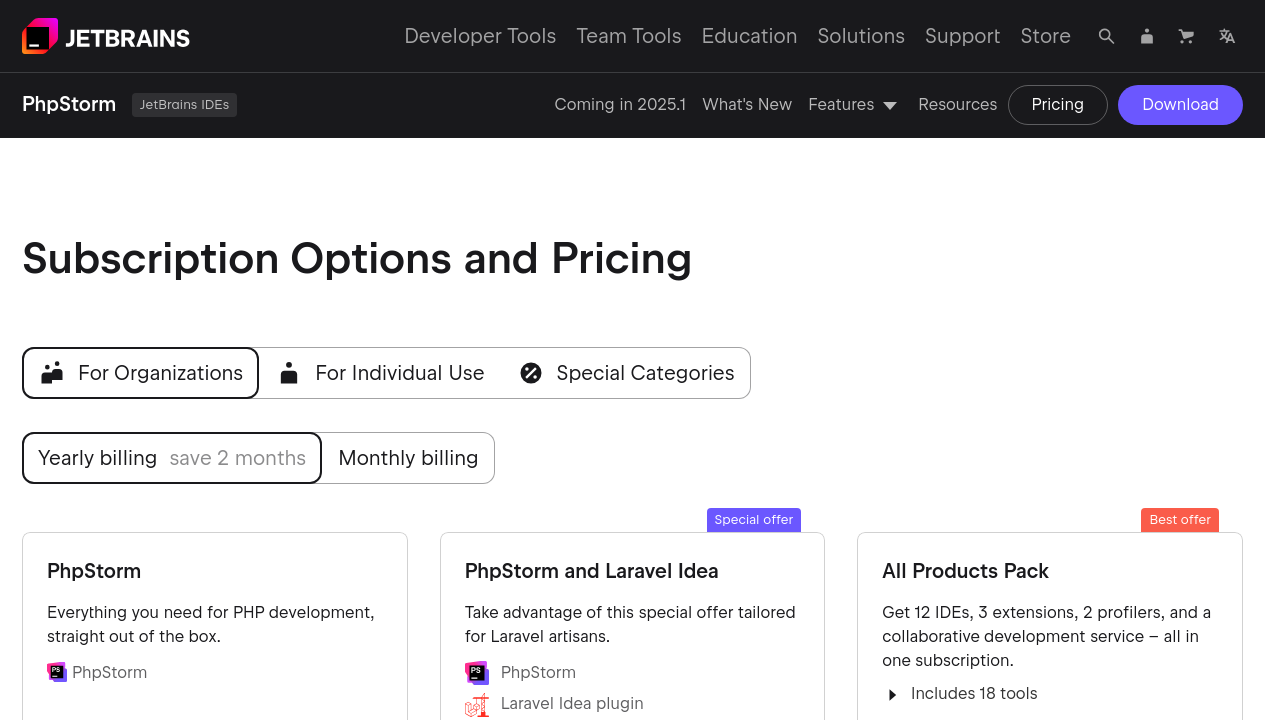
$4.91-$24.91 / Month
Deals Available

This product comes with a special deal, see details

Visit Now

Overview

PyCharm is an advanced integrated development environment (IDE) that empowers professional Python developers to code with confidence and efficiency. Built with intelligent code assistance and analysis at its core, PyCharm streamlines the entire Python workflow—from developing web applications and managing databases to leveraging scientific tools and advanced debugging techniques. Designed for both beginners and experienced programmers, PyCharm offers a free, open-source Community Edition alongside a feature-rich Professional Edition.

Positioned within the Coding and Debugging category, PyCharm combines ease of use with a powerful suite of tools that enhance productivity. Its out-of-the-box functionality means developers can start coding immediately without excessive setup, while existing customization options allow individuals to tailor the interface to their unique preferences.

The robust platform features:

  • Intelligent Code Completion and Analysis: Quickly write robust code with smart suggestions and error detection that streamline development.
  • Project Management Tools: Organize files and manage complex projects seamlessly with robust file management capabilities.
  • Integrated Debugging and Testing: Identify and resolve issues swiftly with features designed for both debugging and refactoring.
  • Multi-Language Support and Customization: While optimized for Python, PyCharm’s flexibility allows integration of additional frameworks and languages, catering to a variety of development needs.
  • Automatic Patching and Updates: Stay up-to-date with the latest improvements without manual intervention, ensuring compatibility with evolving programming standards.

Developers appreciate PyCharm’s smooth integration with tools such as Git and Docker, as well as its capacity to create isolated virtual environments for each project effortlessly. The comprehensive ecosystem offered within the IDE supports web frameworks like Django and modern JavaScript development, proving indispensable for projects of all sizes.

Whether you are a solo developer or part of a larger team, PyCharm offers a refined coding experience that focuses on reducing redundancies and accelerating development cycles. For those seeking exclusive deals and pricing details, explore the special offers available for businesses, organizations, and individual users.

Alternative Options

If you are considering additional IDEs for a variety of coding experiences, you might also compare PyCharm with these leading alternatives:

By choosing PyCharm, you are investing in an environment that simplifies coding efforts, enhances project organization, and supports a diverse range of technical needs. Enjoy a comprehensive development experience that addresses every aspect of Python programming in one intelligent, adaptable IDE.

Where PyCharm performs best

What users like
  • Great support for Python development and debugging.
  • Highly customizable with plugins and themes.
  • Efficient error detection and code analysis.
  • User-friendly interface with intelligent autocompletion.

Where PyCharm falls short

What users dislike
  • High memory usage on low-power devices.
  • Slower startup compared to alternatives.
  • Professional version is expensive for some users.
  • Steep learning curve for beginners.
PyCharm Pricing Range
$4.91-$24.91 / Month

PyCharm in action
info Icon

A curated gallery of real screenshots and use cases from the product, so you can see how it works before trying it.

PyCharm screenshot 1 Full Screen Icon
PyCharm screenshot 2 Full Screen Icon
https://www.youtube.com/watch?v=FOMCutgRUtY
Full Screen Icon
https://www.youtube.com/watch?v=HHcZbXsZtm0
Full Screen Icon
PyCharm screenshot 1
PyCharm screenshot 2
Video thumbnail
Video thumbnail
PyCharm screenshot 1
PyCharm screenshot 2

Alternatives to PyCharm
info Icon

A list of platforms similar to PyCharm, helping you evaluate which tool best matches your needs.

How to cancel PyCharm

Need to cancel PyCharm? Here is how
info Icon

Thinking about how to cancel PyCharm this is how you do it!

To cancel a PyCharm subscription:

  • Log in to your JetBrains Account.
  • Locate the subscription and click "Cancel subscription."
  • Confirm cancellation. Your subscription remains active until the end of the billing period.

How to Cancel the PyCharm

To cancel a PyCharm subscription:

  • Log in to your JetBrains Account.
  • Locate the subscription and click "Cancel subscription."
  • Confirm cancellation. Your subscription remains active until the end of the billing period.

Manage your PyCharm profile

Create profile

Want to list your product on Subscribed.fyi? Create a profile to reach more buyers.

Pricing Range
info Icon

This only an estimated pricing range, visit PyCharm pricing page to access all the information by clicking “Visit Now”.

$4.91-$24.91 / Month
Visit Now
Deals Available

This product comes with a special deal, see details

This product comes with a special deal, see details