Remote Utilities Reviews 2026: Details, Pricing, & Features | Subscribed.fyi
Sign in to review
Join our community of software reviewers on Subscribed.fyi

Continue With Google
Continue With LinkedIn
Continue Review with Email
Continue with Email
Enter your email to continue.
Continue
Enter your password
Enter your password to finish setting up your account.
Continue
Activate your email
Enter activation code we sent to your email.
Submit
Reset your password
Enter activation code we sent to your email.
Submit
Set your new password
Enter a new password for your account.
Submit
✨ Ask AI Search
Categories
For Business
Log in
Provide My Insights

Remote Utilities

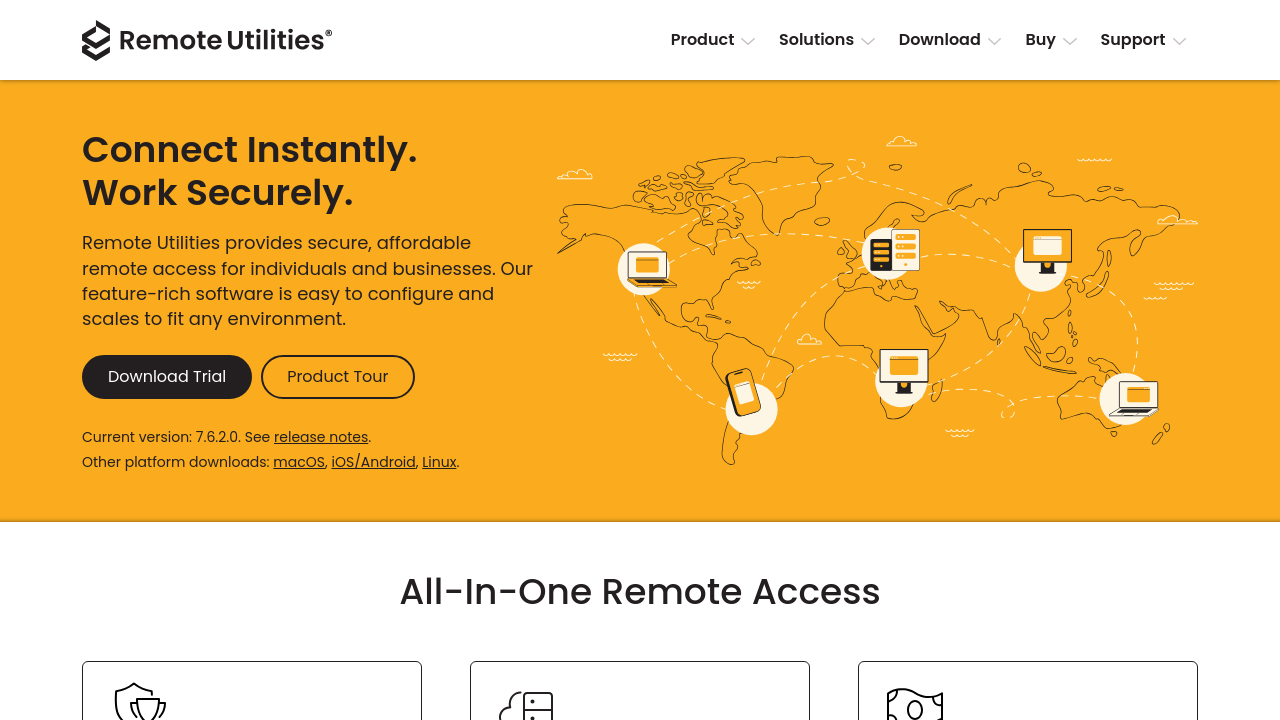
Remote Utilities is a powerful remote desktop software enabling secure access and control of computers over LAN or the internet. It supports various connection modes, such as full remote control, file transfer, and task management, ensuring seamless IT support and collaboration. Offering both hosted and self-hosted options, it’s free for up to 10 PCs and provides flexible licensing for personal or professional use. Ideal for businesses and IT professionals, it combines reliability, security, and functionality in one solution.

Remote Utilities

N/A
0
Reviews
70%
Subscribed Score

Available for Claim - This listing is available to be claimed
Claim For Free

Unclaimed

Curated and listed by Subscribed Team

Claim For Free
Expert Support
Expert Support
Help available when you need it.
Trusted by Thousands
Proven by professionals worldwide.
Fully Customizable
Fully Customizable
Tailor it to your brand and workflow.

Remote Utilities is a robust remote desktop software that revolutionizes how businesses and individuals manage remote access. Designed to securely access and control multiple PCs from virtually anywhere, Remote Utilities offers an impressive blend of flexibility and functionality that meets the growing demands of remote desktop management. This solution falls under the Remote Desktop Management category and is engineered to support IT professionals, system administrators, and end users alike.

Key Features of Remote Utilities

  • Secure remote access and full control of remote computers over LAN or the Internet.
  • Multiple connection modes including hosted and self-hosted options, allowing users to choose the deployment that best suits their network requirements.
  • Comprehensive toolset that includes remote desktop viewing, keystroke transmission, mouse control, and file transfers.
  • Extended functionality such as remote registry access, task management, and remote power control, ensuring efficient IT support and system maintenance.
  • Available in a free version for up to 10 remote PCs, making it ideal for startups or businesses with limited budgets.

Benefits and Use Cases

Remote Utilities simplifies complex remote support tasks by combining a broad range of features into a single application. Whether you need to remotely troubleshoot a client’s computer, manage a network of enterprise systems, or assist family members with everyday computer tasks, this solution offers scalability and adaptability. The dual option for hosted and self-hosted deployments ensures that organizations can maintain control over their data security and infrastructure management. Additionally, support for multiple languages makes Remote Utilities accessible to a global audience.

Pricing and Licensing Options

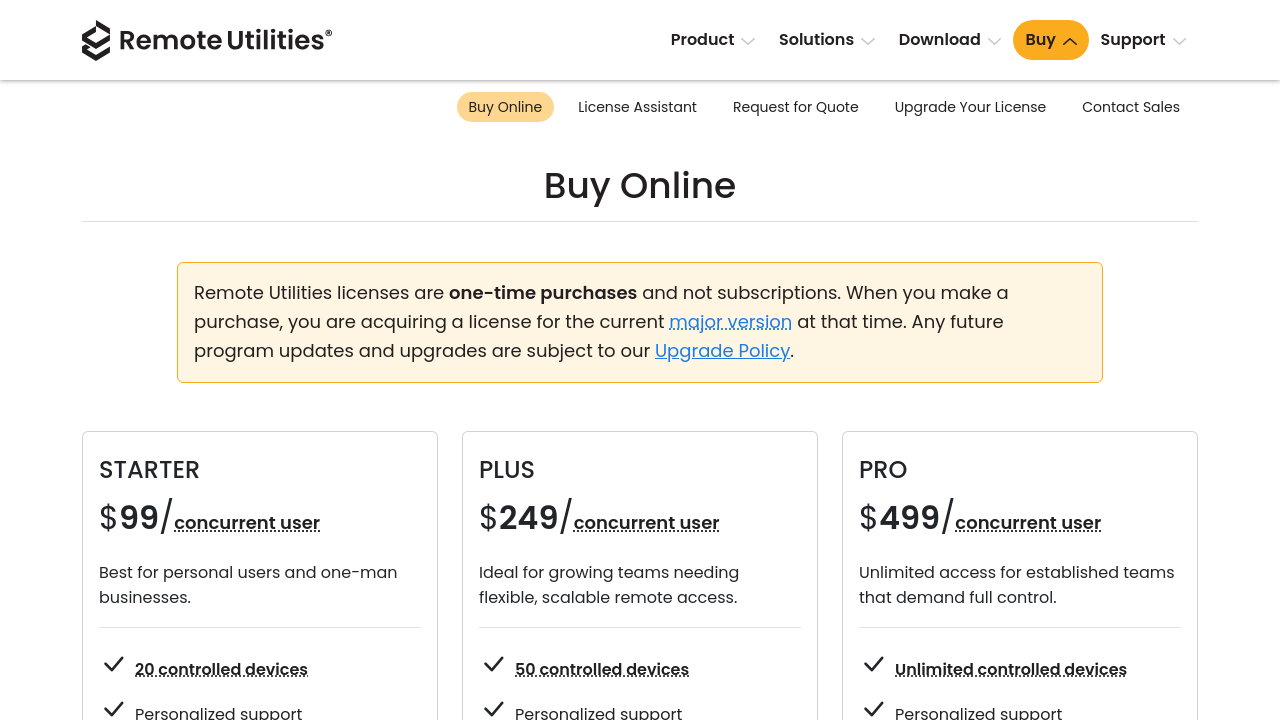
Remote Utilities offers flexible pricing plans to suit different needs. The free license supports up to 10 remote PCs, while paid, one-time purchase options extend access with higher limits. From the Starter package aimed at individual technicians to the Pro package that supports an unlimited number of remote computers, this pricing structure ensures cost-effectiveness and practical value for both small businesses and large enterprises.

Why Choose Remote Utilities?

With its extensive feature set and easy-to-use interface, Remote Utilities is an excellent solution for anyone seeking efficient remote connectivity. The platform’s versatility and secure design empower users to perform complex remote management tasks without compromising operational integrity, making it an indispensable tool in today’s rapidly evolving digital workspace. For exclusive deals, visit the product deal page.

Alternatives to Consider

Remote Utilities is a comprehensive and user-friendly solution designed to streamline remote desktop management. Its wide-ranging capabilities, flexible licensing options, and support for both hosted and self-hosted configurations make it a top choice for individuals and businesses alike.


Remote Utilities Summary

Remote Utilities is a robust remote desktop software that revolutionizes how businesses and individuals manage remote access. Designed to securely access and control multiple PCs from virtually anywhere, Remote Utilities offers an impressive blend of flexibility and functionality that meets the growing demands of remote desktop management. This solution falls under the Remote Desktop Management category and is engineered to support IT professionals, system administrators, and end users alike.

Key Features of Remote Utilities

  • Secure remote access and full control of remote computers over LAN or the Internet.
  • Multiple connection modes including hosted and self-hosted options, allowing users to choose the deployment that best suits their network requirements.
  • Comprehensive toolset that includes remote desktop viewing, keystroke transmission, mouse control, and file transfers.
  • Extended functionality such as remote registry access, task management, and remote power control, ensuring efficient IT support and system maintenance.
  • Available in a free version for up to 10 remote PCs, making it ideal for startups or businesses with limited budgets.

Benefits and Use Cases

Remote Utilities simplifies complex remote support tasks by combining a broad range of features into a single application. Whether you need to remotely troubleshoot a client’s computer, manage a network of enterprise systems, or assist family members with everyday computer tasks, this solution offers scalability and adaptability. The dual option for hosted and self-hosted deployments ensures that organizations can maintain control over their data security and infrastructure management. Additionally, support for multiple languages makes Remote Utilities accessible to a global audience.

Pricing and Licensing Options

Remote Utilities offers flexible pricing plans to suit different needs. The free license supports up to 10 remote PCs, while paid, one-time purchase options extend access with higher limits. From the Starter package aimed at individual technicians to the Pro package that supports an unlimited number of remote computers, this pricing structure ensures cost-effectiveness and practical value for both small businesses and large enterprises.

Why Choose Remote Utilities?

With its extensive feature set and easy-to-use interface, Remote Utilities is an excellent solution for anyone seeking efficient remote connectivity. The platform’s versatility and secure design empower users to perform complex remote management tasks without compromising operational integrity, making it an indispensable tool in today’s rapidly evolving digital workspace. For exclusive deals, visit the product deal page.

Alternatives to Consider

Remote Utilities is a comprehensive and user-friendly solution designed to streamline remote desktop management. Its wide-ranging capabilities, flexible licensing options, and support for both hosted and self-hosted configurations make it a top choice for individuals and businesses alike.

Remote Utilities reviews

Learn what people say about Remote Utilities

N/A
0 Reviews
70%
Subscribed Score

Lear more here about the Subscribed score on how it is composed. Learn more Click here

Overall rating

5
4
3
2
1
CX 4/6

How good is the customer support based on subscribed’s assessment

CX Icon
Security 5/6

How secure is the product based on Subscribed’s assessment?

Security Icon
Ease of Use 5/6

How easy is the product to use, based on Subscribed’s assessment?

EOU Icon
Value 6/6

What is the value for money based on Subscribed’s assessment?

coin Icon
Integration 3/6

How many integrations does the product offer?

gear Icon
Popularity 3/6

How popular is the product?

star

No Reviews Yet!

Be the first to share your experience and help others in the community.

Remote Utilities User Reviews

0 User Reviews

Reviews from G2, Capterra, Trustpilot
info Icon

These ratings come directly from third-party platforms like G2, Capterra, and Trustpilot. They reflect real user feedback collected independently on those sites.

Remote Utilities

Pricing Range
info Icon

This only an estimated pricing range, visit Remote Utilities pricing page to access all the information by clicking “Visit Now”.

$0-12k / Month
Deals Available

This product comes with a special deal, see details

Visit Now
✨ Ask AI about pricing
70% Subscribed Score
info Icon

The Subscribed Score is an independent rating that combines user reviews, features, and value-for-money from multiple trusted sources. It’s designed as a quick benchmark, not a guarantee of individual experience.

Analysis

Remote Utilities is a robust remote desktop software that revolutionizes how businesses and individuals manage remote access. Designed to securely access and control multiple PCs from virtually anywhere, Remote Utilities offers an impressive blend of flexibility and functionality that meets the growing demands of remote desktop management. This solution falls under the Remote Desktop Management category and is engineered to support IT professionals, system administrators, and end users alike.

Key Features of Remote Utilities

  • Secure remote access and full control of remote computers over LAN or the Internet.
  • Multiple connection modes including hosted and self-hosted options, allowing users to choose the deployment that best suits their network requirements.
  • Comprehensive toolset that includes remote desktop viewing, keystroke transmission, mouse control, and file transfers.
  • Extended functionality such as remote registry access, task management, and remote power control, ensuring efficient IT support and system maintenance.
  • Available in a free version for up to 10 remote PCs, making it ideal for startups or businesses with limited budgets.

Benefits and Use Cases

Remote Utilities simplifies complex remote support tasks by combining a broad range of features into a single application. Whether you need to remotely troubleshoot a client’s computer, manage a network of enterprise systems, or assist family members with everyday computer tasks, this solution offers scalability and adaptability. The dual option for hosted and self-hosted deployments ensures that organizations can maintain control over their data security and infrastructure management. Additionally, support for multiple languages makes Remote Utilities accessible to a global audience.

Pricing and Licensing Options

Remote Utilities offers flexible pricing plans to suit different needs. The free license supports up to 10 remote PCs, while paid, one-time purchase options extend access with higher limits. From the Starter package aimed at individual technicians to the Pro package that supports an unlimited number of remote computers, this pricing structure ensures cost-effectiveness and practical value for both small businesses and large enterprises.

Why Choose Remote Utilities?

With its extensive feature set and easy-to-use interface, Remote Utilities is an excellent solution for anyone seeking efficient remote connectivity. The platform’s versatility and secure design empower users to perform complex remote management tasks without compromising operational integrity, making it an indispensable tool in today’s rapidly evolving digital workspace. For exclusive deals, visit the product deal page.

Alternatives to Consider

Remote Utilities is a comprehensive and user-friendly solution designed to streamline remote desktop management. Its wide-ranging capabilities, flexible licensing options, and support for both hosted and self-hosted configurations make it a top choice for individuals and businesses alike.

Pros
  • Free version for up to 10 PCs
  • Full control and multiple features
  • Secure and reliable connection
  • Easy to install and use
Cons
  • Interface perceived as outdated
  • Limited support for non-Windows OS
  • Occasional connection glitches
  • Higher cost for expanded plans
Subscribed Score Metrics
26/36 Metric achieved
MetricsScore
Customer Support4/6
Security5/6
Ease of Use5/6
Value of Money6/6
Integration3/6
Popularity3/6
Radar Chart Table View
Ease of Use
Measures how simple and intuitive the product is to use, including setup, navigation, and overall user experience
5/6 Metric Checks
Security
Compares the product`s features, quality, and pricing to determine its overall cost-effectiveness.
5/6 Metric Checks
Value of Money
Assesses the product`s ability to protect data, prevent breaches, and comply with industry standards.
6/6 Metric Checks
Customer Support
Reflects the responsiveness, helpfulness, and quality of assistance provided by the product`s support team.
4/6 Metric Checks
Integrations
Evaluates how well the product connects with other tools and platforms, enabling seamless workflows.
3/6 Metric Checks
Remote Utilities Pricing Range
$0-12k / Month

Remote Utilities Showcase
info Icon

A curated gallery of real screenshots and use cases from the product, so you can see how it works before trying it.

Remote Utilities Full Screen Icon
https://www.youtube.com/watch?v=3Qycwi4EQkY
Full Screen Icon
https://www.youtube.com/watch?v=Us7he2P9bko
Full Screen Icon
Remote Utilities
Remote Utilities

What else exists next to Remote Utilities
info Icon

A list of platforms similar to Remote Utilities, helping you evaluate which tool best matches your needs.

Need to cancel Remote Utilities? Here is how
info Icon

Thinking about how to cancel Remote Utilities this is how you do it!

To cancel a Remote Utilities product:

  • Contact the Sales team with your order number and email.
  • Refunds are processed within 10 business days.
  • Eligible within 30 days of purchase.

How to Cancel the Remote Utilities

To cancel a Remote Utilities product:

  • Contact the Sales team with your order number and email.
  • Refunds are processed within 10 business days.
  • Eligible within 30 days of purchase.
Every else you need to know about Remote Utilities
info Icon

A collection of FAQs, guides, alternatives, and comparisons to help you quickly understand if Remote Utilities is right for you.

Pricing Range
info Icon

This only an estimated pricing range, visit Remote Utilities pricing page to access all the information by clicking “Visit Now”.

$0-12k / Month
Visit Now
Deals Available

This product comes with a special deal, see details

This product comes with a special deal, see details