Respresso Reviews 2026: Details, Pricing, & Features | Subscribed.fyi
Sign in to review
Join our community of software reviewers on Subscribed.fyi

Continue With Google
Continue With LinkedIn
Continue Review with Email
Continue with Email
Enter your email to continue.
Continue
Enter your password
Enter your password to finish setting up your account.
Continue
Activate your email
Enter activation code we sent to your email.
Submit
Reset your password
Enter activation code we sent to your email.
Submit
Set your new password
Enter a new password for your account.
Submit
Categories
For Business
Log in
Provide My Insights
Respresso
Respresso

Respresso Reviews, Pricing, Features & Alternatives (2026)

4/5
(3)

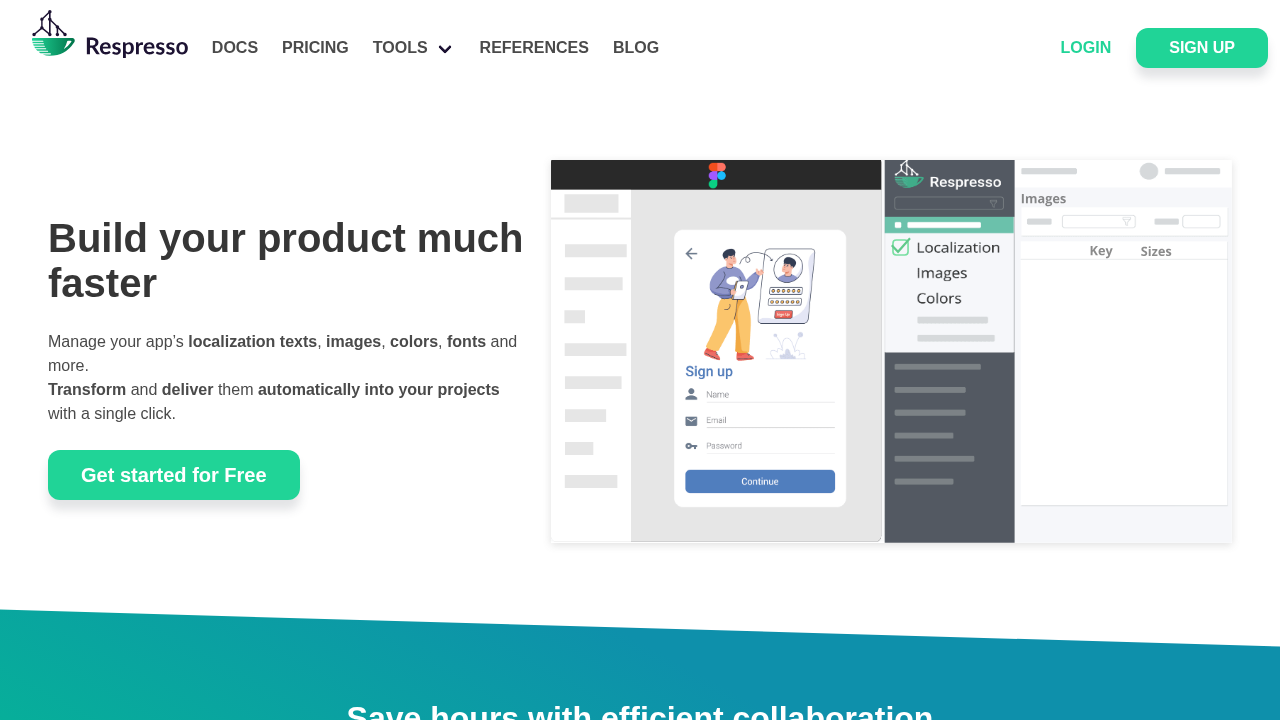
Respresso streamlines resource management for software teams by handling localization texts, images, colors, and fonts. It automatically converts assets to platform-specific formats like VectorDrawable for Android and PDF for iOS. Teams collaborate online without developer involvement, syncing changes directly to projects for faster workflows.

Respresso
Respresso
Respresso

Respresso Overview

What is Respresso?

4
3
Reviews
68%
Subscribed Score

Available for Claim - This listing is available to be claimed
Claim Profile For Free

Unclaimed

Manage profile with subsig, and unlock 23+ social and review monitoring. Get partnership options with

Claim Profile For Free

Why teams choose Respresso

Key Features

Works Anywhere
Works Anywhere
Accessible from any device, anytime.
Real-Time Updates
Real-Time Updates
See changes instantly, no delays.
Save Time
Save Time
Focus on impact, not repetitive tasks.

Who is Respresso for?

Respresso

Respresso is a resource management platform designed for software development teams to efficiently handle localization texts, images, colors, fonts, and other digital assets across multiple platforms including Android, iOS, and web.

Why Use Respresso?

  • Collaborative Editing: Replace email threads with a version-controlled online editor where teams, clients, and partners can directly edit resources without developer assistance.
  • Automatic Conversion: Instantly transforms resources into platform-specific formats, eliminating manual workflows and ensuring consistency across projects.
  • Seamless Syncing: Integrates with build processes via CLI for automatic delivery of updated assets, supporting CI/CD tools.
  • Live Previews: Built-in live localization tool for real-time previews on connected devices.

Who is Respresso For?

  • Software development teams managing multi-platform apps.
  • Designers, product owners, and clients involved in resource updates.
  • Companies seeking to speed up localization and reduce developer overhead.

Key Features and Benefits

  • Resource Import: Pull assets from designer tools like Figma, Adobe XD, or Zeplin, or existing platform files.
  • Multi-Platform Support: Generates formats for Android, iOS, web, and more, with auto-sync capabilities.
  • Team Collaboration: Invite members for real-time editing, review, and approval workflows.
  • Automation Tools: CLI for build-time syncing, handling multiple projects efficiently.
  • Version Control: Keeps all assets up-to-date, preventing use of outdated versions and platform inconsistencies.

Respresso optimizes workflows by transferring resource responsibilities to non-technical team members, saving time and boosting productivity. Setup takes minutes, with comprehensive docs and tutorials available.

Respresso Summary

Respresso

Respresso is a resource management platform designed for software development teams to efficiently handle localization texts, images, colors, fonts, and other digital assets across multiple platforms including Android, iOS, and web.

Why Use Respresso?

  • Collaborative Editing: Replace email threads with a version-controlled online editor where teams, clients, and partners can directly edit resources without developer assistance.
  • Automatic Conversion: Instantly transforms resources into platform-specific formats, eliminating manual workflows and ensuring consistency across projects.
  • Seamless Syncing: Integrates with build processes via CLI for automatic delivery of updated assets, supporting CI/CD tools.
  • Live Previews: Built-in live localization tool for real-time previews on connected devices.

Who is Respresso For?

  • Software development teams managing multi-platform apps.
  • Designers, product owners, and clients involved in resource updates.
  • Companies seeking to speed up localization and reduce developer overhead.

Key Features and Benefits

  • Resource Import: Pull assets from designer tools like Figma, Adobe XD, or Zeplin, or existing platform files.
  • Multi-Platform Support: Generates formats for Android, iOS, web, and more, with auto-sync capabilities.
  • Team Collaboration: Invite members for real-time editing, review, and approval workflows.
  • Automation Tools: CLI for build-time syncing, handling multiple projects efficiently.
  • Version Control: Keeps all assets up-to-date, preventing use of outdated versions and platform inconsistencies.

Respresso optimizes workflows by transferring resource responsibilities to non-technical team members, saving time and boosting productivity. Setup takes minutes, with comprehensive docs and tutorials available.

Respresso reviews and insights

Learn what people say about Respresso

4
3 Reviews
68%
Subscribed Score

Lear more here about the Subscribed score on how it is composed. Learn more Click here

Overall rating

5
4
3
2
1
CX 4/6

How good is the customer support based on subscribed’s assessment

CX Icon
Security 4/6

How secure is the product based on Subscribed’s assessment?

Security Icon
Ease of Use 5/6

How easy is the product to use, based on Subscribed’s assessment?

EOU Icon
Value 5/6

What is the value for money based on Subscribed’s assessment?

coin Icon
Integration 4/6

How many integrations does the product offer?

gear Icon
Popularity 3/6

How popular is the product?

star
Shyane Novelle User Test Enabled
3 months ago
Share
What feature do you use most often?
Features like team collaboration to allows member for real time editing and approval of workflows. It does not just store files but also processes them. It manages the entire UI resource kit unlike to other platform.
What feels confusing or hard to use?
Maybe the platform is good but there is always a downside for everything, comparing to other platform Respresso doesn't have a drag and drop play. I somehow find it confusing on how to group resources.
If you could change one thing, what would it be?
I would personally want this to have a visual setup assistant and a drag and drop interface. Simple rather than a complicated UI but still meets the standard of users.
Final thoughts, wrap up what you think
I would recommend this to my colleagues because this platform values speed and autonomy.
Upvote (2)
Khim Cincoflores Organic
Customer Success
See My Portfolio
3 months ago
Share
How has it made your work/life easier?
it has made my work easier by centralizing all applications resources in one place. Instead of manually doing the work like going down through developers, designers, and translators, this software leets everyone update assets and directly without breaking the workflow.
Is there something that almost made you stop using it?
I find the initial setup and learning curve a bit confusing and overwhelming. So i had hard time integrating it with my own workflow.
What new feature would you love to see added?
More advanced collaboration features and better analytic insights. Smoother onboarding tools and guided setup can make it much easier too for beginner users.
Final thoughts, wrap up what you think
Would really recommend this software. Very efficient and reliable to use.
Upvote (4)
Perch Arnel II Montefalcon User Test Enabled
Freelance Software Developer
See My Portfolio
3 months ago
Share
How has it made your work/life easier?
An indispensable tool for handling all the resource bullshit across iOS, Android, and web without me touching every damn file manually. Designers and translators can now tweak strings, icons, colors, and images themselves while I just sync once in the build gaves me hours every sprint and keeps my code clean.
Is there something that almost made you stop using it?
Yeah, the initial setup for the CLI/build integration felt a bit fiddly at first; like I had to tweak a couple scripts more than expected for my existing Flutter/Android projects. But once it was in, the sync just worked and I never looked back, honestly worth the 30 minutes of hassle.
How could the product save you more time or money?
Added one-click GitHub Actions or Bitrise plugins for my Flutter setups, I could skip the manual CLI tweaks entirely and shave off even more integration time on client projects. That addition to a cheaper team add-on for bigger gigs would let me take on more work without eating into my margins as a solo dev.
Final thoughts, wrap up what you think
It's solid for cutting down cross-platform resource headaches on freelance gigs, especially if your clients have designers or translators involved. The setup tweak was the only real annoyance, but once running it genuinely saves time like those Hungarian teams reported (10-20% project hours), so I'd push it for anyone tired of manual sync bullshit.
Upvote (3)
Respresso

Respresso User Reviews

3 User Reviews

Reviews from G2, Capterra, Trustpilot
info Icon

These ratings come directly from third-party platforms like G2, Capterra, and Trustpilot. They reflect real user feedback collected independently on those sites.

Respresso pricing

Pricing model

Respresso
Pricing Range
info Icon

This only an estimated pricing range, visit Respresso pricing page to access all the information by clicking “Visit Now”.

-
Deals Available

This product comes with a special deal, see details

Visit Now
✨ Ask AI about pricing
68% Subscribed Score
info Icon

The Subscribed Score is an independent rating that combines user reviews, features, and value-for-money from multiple trusted sources. It’s designed as a quick benchmark, not a guarantee of individual experience.

Overview

Respresso

Respresso is a resource management platform designed for software development teams to efficiently handle localization texts, images, colors, fonts, and other digital assets across multiple platforms including Android, iOS, and web.

Why Use Respresso?

  • Collaborative Editing: Replace email threads with a version-controlled online editor where teams, clients, and partners can directly edit resources without developer assistance.
  • Automatic Conversion: Instantly transforms resources into platform-specific formats, eliminating manual workflows and ensuring consistency across projects.
  • Seamless Syncing: Integrates with build processes via CLI for automatic delivery of updated assets, supporting CI/CD tools.
  • Live Previews: Built-in live localization tool for real-time previews on connected devices.

Who is Respresso For?

  • Software development teams managing multi-platform apps.
  • Designers, product owners, and clients involved in resource updates.
  • Companies seeking to speed up localization and reduce developer overhead.

Key Features and Benefits

  • Resource Import: Pull assets from designer tools like Figma, Adobe XD, or Zeplin, or existing platform files.
  • Multi-Platform Support: Generates formats for Android, iOS, web, and more, with auto-sync capabilities.
  • Team Collaboration: Invite members for real-time editing, review, and approval workflows.
  • Automation Tools: CLI for build-time syncing, handling multiple projects efficiently.
  • Version Control: Keeps all assets up-to-date, preventing use of outdated versions and platform inconsistencies.

Respresso optimizes workflows by transferring resource responsibilities to non-technical team members, saving time and boosting productivity. Setup takes minutes, with comprehensive docs and tutorials available.

Where Respresso performs best

What users like
  • Automates platform conversions
  • Collaborative online editing
  • CLI for easy CI/CD sync
  • Live localization previews

Where Respresso falls short

What users dislike
  • Limited public pricing info
  • CLI setup required
  • No mobile app mentioned
  • Focused on devs/designers
Subscribed Score Metrics
25/36 Metric achieved
MetricsScore
Customer Support4/6
Security4/6
Ease of Use5/6
Value of Money5/6
Integration4/6
Popularity3/6
Radar Chart Table View
Ease of Use
Measures how simple and intuitive the product is to use, including setup, navigation, and overall user experience
5/6 Metric Checks
Security
Compares the product`s features, quality, and pricing to determine its overall cost-effectiveness.
4/6 Metric Checks
Value of Money
Assesses the product`s ability to protect data, prevent breaches, and comply with industry standards.
5/6 Metric Checks
Customer Support
Reflects the responsiveness, helpfulness, and quality of assistance provided by the product`s support team.
4/6 Metric Checks
Integrations
Evaluates how well the product connects with other tools and platforms, enabling seamless workflows.
4/6 Metric Checks
Respresso Pricing Range
-

Respresso in action
info Icon

A curated gallery of real screenshots and use cases from the product, so you can see how it works before trying it.

Respresso Full Screen Icon
Respresso
Respresso

Alternatives to Respresso
info Icon

A list of platforms similar to Respresso, helping you evaluate which tool best matches your needs.

How to cancel Respresso

Need to cancel Respresso? Here is how
info Icon

Thinking about how to cancel Respresso this is how you do it!

Log into your Respresso account and navigate to billing settings to cancel or downgrade. Contact support at [email protected] if no dashboard option. Free plan remains accessible after cancellation.

How to Cancel the Respresso

Log into your Respresso account and navigate to billing settings to cancel or downgrade. Contact support at [email protected] if no dashboard option. Free plan remains accessible after cancellation.

FAQs about Respresso

Every else you need to know about Respresso
info Icon

A collection of FAQs, guides, alternatives, and comparisons to help you quickly understand if Respresso is right for you.

Manage your Respresso profile

Create profile

Want to list your product on Subscribed.fyi? Create a profile to reach more buyers.

Pricing Range
info Icon

This only an estimated pricing range, visit Respresso pricing page to access all the information by clicking “Visit Now”.

-
Visit Now
Deals Available

This product comes with a special deal, see details

This product comes with a special deal, see details