Sign in to review
Join our community of software reviewers on Subscribed.fyi

Continue With Google
Continue With LinkedIn
Continue Review with Email
Continue with Email
Enter your email to continue.
Continue
Enter your password
Enter your password to finish setting up your account.
Continue
Activate your email
Enter activation code we sent to your email.
Submit
Reset your password
Enter activation code we sent to your email.
Submit
Set your new password
Enter a new password for your account.
Submit
Log in
Provide My Insights
Stickies logo
Stickies logo

Stickies Reviews, Pricing, Features & Alternatives (2026)

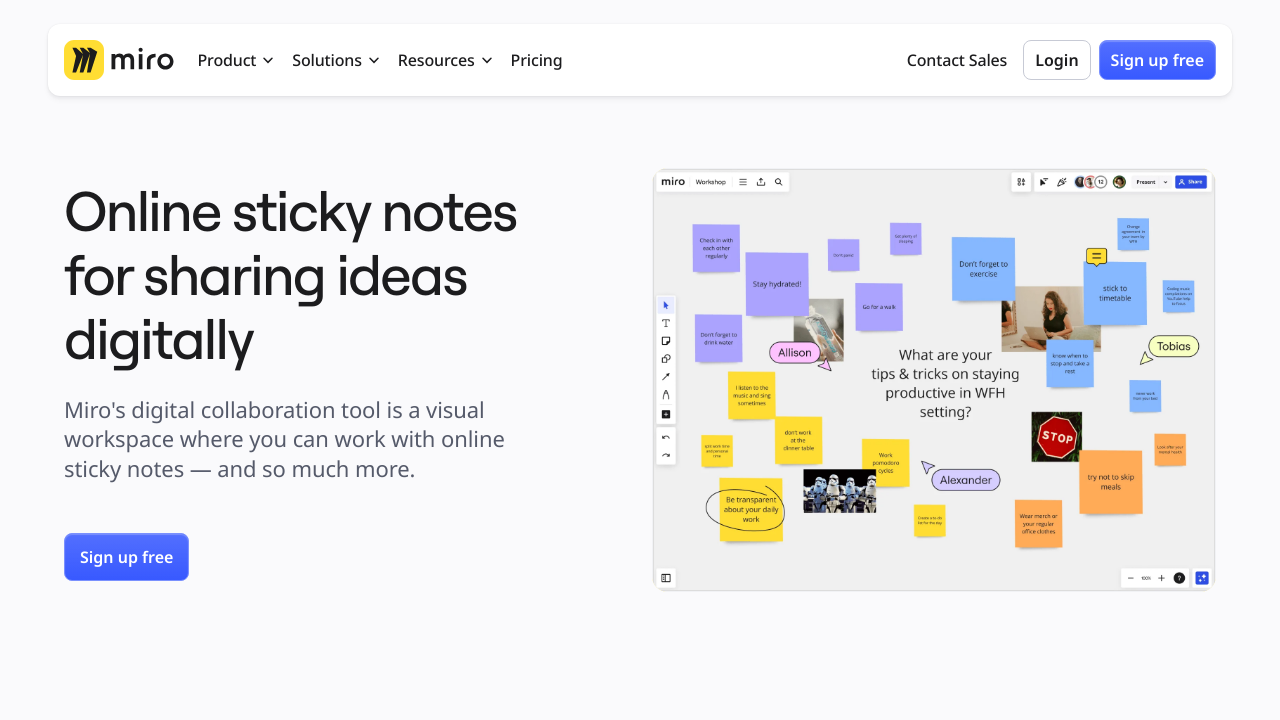
Stickies is a visual collaboration tool designed to organize and manage tasks efficiently, either individually or with teams. It offers features like to-do lists, voice and video notes, drawings, and file sharing. Collaborate in real-time with chat, comments, and mentions while enjoying a customizable and user-friendly workspace. Perfect for brainstorming, project management, and staying organized across various tasks.

Stickies logo
Stickies logo
Stickies logo

Stickies Overview

What is Stickies?

N/A
★ ★ ★ ★ ★
0
Reviews

Available for Claim - This listing is available to be claimed
Claim Profile

Unclaimed

Claim this profile to manage it.

Claim Profile

Why teams choose Stickies

Key Features

Seamless Integrations
Connect easily with your favorite tools.
Built for Flexibility
Adaptable for multiple use cases.
Plug & Play Setup
Plug & Play Setup
Get started in minutes, not weeks.

Who is Stickies for?

Stickies is an innovative solution in the Collaborative Tools category, offering a dynamic and visual approach to curating, managing, and organizing tasks. Suitable for individuals and teams, Stickies provides a customizable experience that promotes productivity and creativity. With features like to-do lists, voice and video notes, drawing tools, file uploads, and real-time collaboration, Stickies integrates seamlessly into any workspace. Explore exclusive Stickies deals. For more solutions, consider JIRA, Google Workspace, and Zeplin.

Why Use Stickies?

Choosing Stickies brings several unique benefits to enhance your productivity and team collaboration:

  • Customizable Visual Workflow: Stickies offers a vibrant editing environment where users can color-code, resize, and design digital notes, allowing you to organize tasks visually and with ease.
  • Real-Time Team Collaboration: Facilitate teamwork with features like live chat, comments, @mentions, and shared access, ensuring seamless communication and project management.
  • Versatile Task Management: From personal reminders to complex team projects, Stickies supports file uploads, multimedia integration, and drawing tools for versatile workflow management.
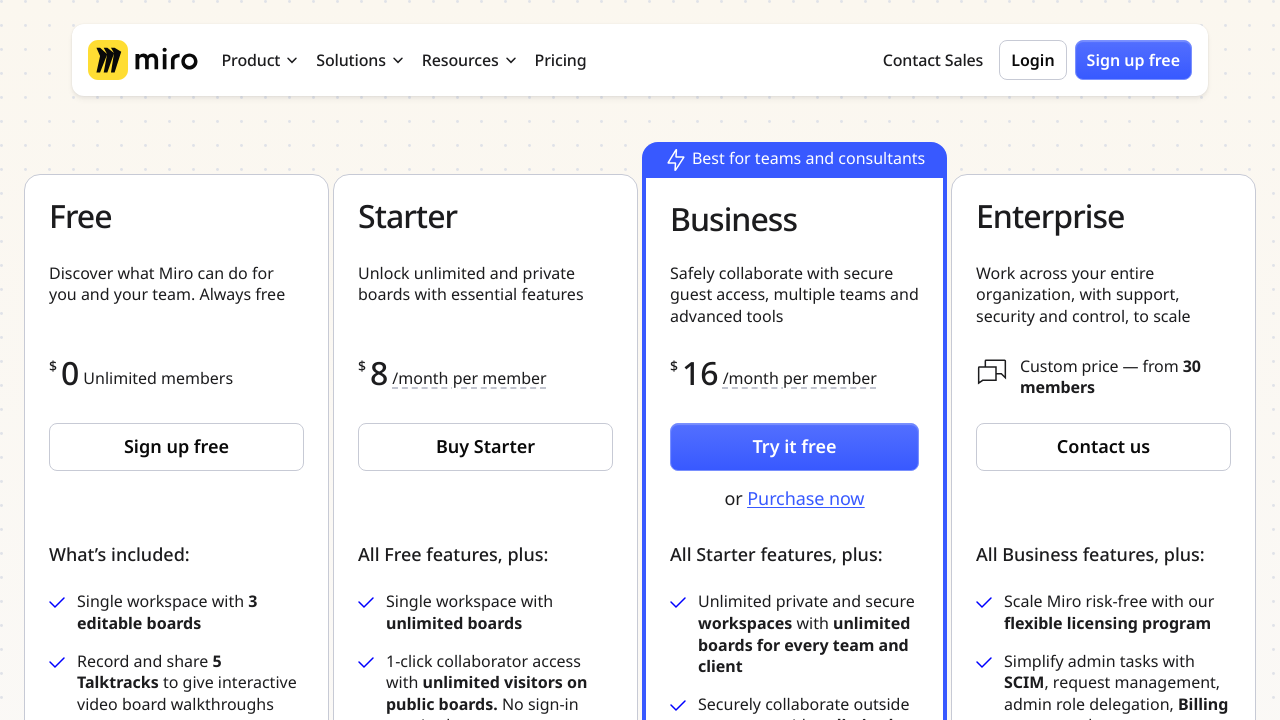
  • Accessible Plans for All: Stickies provides a cost-effective subscription model designed for teams of any size, offering unlimited users and flexible access across pricing tiers.

Who is Stickies For?

Stickies is designed to empower a diverse set of users and scenarios:

  • Individuals: Stay organized with to-do lists, reminders, and personalized notes all in one place.
  • Teams: Enhance collaboration with real-time sharing, task delegation, and integrated chat functions.
  • Creative Professionals: From brainstorming ideas to visual outlining, Stickies provides tools like drawing and multimedia uploads to bring concepts to life.
  • Business Owners: Boost productivity with tools to monitor workflows, prioritize tasks, and streamline communication across your team.

Stickies combines simplicity and functionality to enhance task management and collaboration. Whether you’re working solo or with a team, it is the perfect tool for efficient organization and improved productivity.

Stickies Summary

Stickies is an innovative solution in the Collaborative Tools category, offering a dynamic and visual approach to curating, managing, and organizing tasks. Suitable for individuals and teams, Stickies provides a customizable experience that promotes productivity and creativity. With features like to-do lists, voice and video notes, drawing tools, file uploads, and real-time collaboration, Stickies integrates seamlessly into any workspace. Explore exclusive Stickies deals. For more solutions, consider JIRA, Google Workspace, and Zeplin.

Why Use Stickies?

Choosing Stickies brings several unique benefits to enhance your productivity and team collaboration:

  • Customizable Visual Workflow: Stickies offers a vibrant editing environment where users can color-code, resize, and design digital notes, allowing you to organize tasks visually and with ease.
  • Real-Time Team Collaboration: Facilitate teamwork with features like live chat, comments, @mentions, and shared access, ensuring seamless communication and project management.
  • Versatile Task Management: From personal reminders to complex team projects, Stickies supports file uploads, multimedia integration, and drawing tools for versatile workflow management.
  • Accessible Plans for All: Stickies provides a cost-effective subscription model designed for teams of any size, offering unlimited users and flexible access across pricing tiers.

Who is Stickies For?

Stickies is designed to empower a diverse set of users and scenarios:

  • Individuals: Stay organized with to-do lists, reminders, and personalized notes all in one place.
  • Teams: Enhance collaboration with real-time sharing, task delegation, and integrated chat functions.
  • Creative Professionals: From brainstorming ideas to visual outlining, Stickies provides tools like drawing and multimedia uploads to bring concepts to life.
  • Business Owners: Boost productivity with tools to monitor workflows, prioritize tasks, and streamline communication across your team.

Stickies combines simplicity and functionality to enhance task management and collaboration. Whether you’re working solo or with a team, it is the perfect tool for efficient organization and improved productivity.

Stickies reviews and insights

Learn what people say about Stickies

N/A ★ ★ ★ ★ ★
0 Reviews

No Reviews Yet!

Be the first to share your experience and help others in the community.

Stickies logo

Stickies User Reviews

0 User Reviews

Reviews from G2, Capterra, Trustpilot
info Icon

These ratings come directly from third-party platforms like G2, Capterra, and Trustpilot. They reflect real user feedback collected independently on those sites.

Stickies pricing

Pricing model

Stickies logo
Pricing Range
info Icon

This only an estimated pricing range, visit Stickies pricing page to access all the information by clicking “Visit Now”.

$8-$20 / Month
Visit Now

Overview

Stickies is an innovative solution in the Collaborative Tools category, offering a dynamic and visual approach to curating, managing, and organizing tasks. Suitable for individuals and teams, Stickies provides a customizable experience that promotes productivity and creativity. With features like to-do lists, voice and video notes, drawing tools, file uploads, and real-time collaboration, Stickies integrates seamlessly into any workspace. Explore exclusive Stickies deals. For more solutions, consider JIRA, Google Workspace, and Zeplin.

Why Use Stickies?

Choosing Stickies brings several unique benefits to enhance your productivity and team collaboration:

  • Customizable Visual Workflow: Stickies offers a vibrant editing environment where users can color-code, resize, and design digital notes, allowing you to organize tasks visually and with ease.
  • Real-Time Team Collaboration: Facilitate teamwork with features like live chat, comments, @mentions, and shared access, ensuring seamless communication and project management.
  • Versatile Task Management: From personal reminders to complex team projects, Stickies supports file uploads, multimedia integration, and drawing tools for versatile workflow management.
  • Accessible Plans for All: Stickies provides a cost-effective subscription model designed for teams of any size, offering unlimited users and flexible access across pricing tiers.

Who is Stickies For?

Stickies is designed to empower a diverse set of users and scenarios:

  • Individuals: Stay organized with to-do lists, reminders, and personalized notes all in one place.
  • Teams: Enhance collaboration with real-time sharing, task delegation, and integrated chat functions.
  • Creative Professionals: From brainstorming ideas to visual outlining, Stickies provides tools like drawing and multimedia uploads to bring concepts to life.
  • Business Owners: Boost productivity with tools to monitor workflows, prioritize tasks, and streamline communication across your team.

Stickies combines simplicity and functionality to enhance task management and collaboration. Whether you’re working solo or with a team, it is the perfect tool for efficient organization and improved productivity.

Where Stickies performs best

What users like
  • Easy to organize thoughts and tasks
  • Highly customizable with colors and sizes
  • Convenient and accessible on desktop
  • Helps increase productivity and prioritization

Where Stickies falls short

What users dislike
  • Limited collaboration features
  • No timely reminders or notifications
  • Customer support response time can improve
  • Some features are underutilized by users
Stickies Pricing Range
$8-$20 / Month

Stickies in action
info Icon

A curated gallery of real screenshots and use cases from the product, so you can see how it works before trying it.

Stickies screenshot 1 Full Screen Icon
Stickies screenshot 2 Full Screen Icon
Stickies screenshot 1
Stickies screenshot 2
Stickies screenshot 1
Stickies screenshot 2

Alternatives to Stickies
info Icon

A list of platforms similar to Stickies, helping you evaluate which tool best matches your needs.

How to cancel Stickies

Need to cancel Stickies? Here is how
info Icon

Thinking about how to cancel Stickies this is how you do it!

To cancel a Stickies product, you might need to contact the provider directly. For Miro, there’s no specific "cancel" feature for stickies themselves, but you can remove or duplicate frames to manage content. Check the provider’s support page for more details.

How to Cancel the Stickies

To cancel a Stickies product, you might need to contact the provider directly. For Miro, there’s no specific "cancel" feature for stickies themselves, but you can remove or duplicate frames to manage content. Check the provider’s support page for more details.

Manage your Stickies profile

Create profile

Want to list your product on Subscribed.fyi? Create a profile to reach more buyers.

Pricing Range
info Icon

This only an estimated pricing range, visit Stickies pricing page to access all the information by clicking “Visit Now”.

$8-$20 / Month
Visit Now