Tack Reviews 2026: Details, Pricing, & Features | Subscribed.fyi
Sign in to review
Join our community of software reviewers on Subscribed.fyi

Continue With Google
Continue With LinkedIn
Continue Review with Email
Continue with Email
Enter your email to continue.
Continue
Enter your password
Enter your password to finish setting up your account.
Continue
Activate your email
Enter activation code we sent to your email.
Submit
Reset your password
Enter activation code we sent to your email.
Submit
Set your new password
Enter a new password for your account.
Submit
Categories
For Business
Log in
Provide My Insights
Tack
Tack

Tack Reviews, Pricing, Features & Alternatives (2026)

4.3/5
(3)

Tack is a free time tracking and invoicing tool designed for freelancers and agencies to monitor employee and contractor time efficiently. The platform offers unlimited users and projects with real-time tracking capabilities and beautiful invoice generation based on tracked data. Users can start and stop timers with one click and access the tool on mobile and desktop applications.

Tack
Tack
Tack

Tack Overview

What is Tack?

4.3
3
Reviews
65%
Subscribed Score

Managed by a Seller - This listing has been claimed by a seller
Hide the Ads

Claimed

Manage profile with subsig, and unlock 23+ social and review monitoring. Get partnership options with

Why teams choose Tack

Key Features

No-Code Simplicity
No-Code Simplicity
Launch without writing a single line of code.
Data-Driven Insights
Make better decisions with analytics.
Fully Customizable
Fully Customizable
Tailor it to your brand and workflow.

Who is Tack for?

Tack is a comprehensive time tracking and invoicing solution built for freelancers, agencies, and teams who need efficient workforce management on the go.

Why Use Tack?

Tack simplifies time tracking with a one-click timer system that captures billable hours accurately in real-time. The platform eliminates manual time logging and streamlines the invoicing process by automatically generating professional invoices based on tracked time data. This reduces administrative overhead and ensures accurate billing to clients.

Who is Tack For?

Tack caters to freelancers managing their own schedules, agencies overseeing multiple team members, and contractors who need transparent time documentation. The unlimited users and projects feature makes it scalable for growing teams without increasing costs.

Key Features and Benefits

  • Real-time Timer System: Start and stop timers instantly from any device to capture billable hours accurately
  • Unlimited Users & Projects: Scale your team without per-user fees or project limitations
  • Automated Invoicing: Generate beautiful, professional invoices directly from tracked time data
  • Cross-Platform Access: Track time seamlessly on desktop and mobile applications
  • 100% Free: Full access to core time tracking features without payment required
  • Project Organization: Manage multiple client projects and team members in one dashboard

The platform’s straightforward interface makes it accessible to users of all technical levels, while maintaining powerful functionality for complex team environments.

Tack Summary

Tack is a comprehensive time tracking and invoicing solution built for freelancers, agencies, and teams who need efficient workforce management on the go.

Why Use Tack?

Tack simplifies time tracking with a one-click timer system that captures billable hours accurately in real-time. The platform eliminates manual time logging and streamlines the invoicing process by automatically generating professional invoices based on tracked time data. This reduces administrative overhead and ensures accurate billing to clients.

Who is Tack For?

Tack caters to freelancers managing their own schedules, agencies overseeing multiple team members, and contractors who need transparent time documentation. The unlimited users and projects feature makes it scalable for growing teams without increasing costs.

Key Features and Benefits

  • Real-time Timer System: Start and stop timers instantly from any device to capture billable hours accurately
  • Unlimited Users & Projects: Scale your team without per-user fees or project limitations
  • Automated Invoicing: Generate beautiful, professional invoices directly from tracked time data
  • Cross-Platform Access: Track time seamlessly on desktop and mobile applications
  • 100% Free: Full access to core time tracking features without payment required
  • Project Organization: Manage multiple client projects and team members in one dashboard

The platform’s straightforward interface makes it accessible to users of all technical levels, while maintaining powerful functionality for complex team environments.

Tack reviews and insights

Learn what people say about Tack

4.3
3 Reviews
65%
Subscribed Score

Lear more here about the Subscribed score on how it is composed. Learn more Click here

Overall rating

5
4
3
2
1
CX 3/6

How good is the customer support based on subscribed’s assessment

CX Icon
Security 4/6

How secure is the product based on Subscribed’s assessment?

Security Icon
Ease of Use 5/6

How easy is the product to use, based on Subscribed’s assessment?

EOU Icon
Value 6/6

What is the value for money based on Subscribed’s assessment?

coin Icon
Integration 3/6

How many integrations does the product offer?

gear Icon
Popularity 3/6

How popular is the product?

star
Quineybel Mag-usara Organic
Marketing
3 months ago
Share
What’s the biggest benefit you’ve noticed?
This tools benefit is how easy it is to track time and turn it into invoices automatically. It saves a lot of effort and makes billing more accurate.
Have you experienced any bugs or errors?
None at all. Maybe, sometimes syncing between devices can be a bit slow. It’s a small issue and doesn’t affect overall use much.
What’s still missing for your needs?
Maybe addinf more advanced reporting and customization options would be helpful. It would also be nice to have more integrations with other tools.
Final thoughts, wrap up what you think
This tool's simple free, and very useful for tracking time and invoicing. It’s a great option for freelancers and small teams. Highly recommended!
Upvote (1)
Perch Arnel II Montefalcon User Test Enabled
Freelance Software Developer
See My Portfolio
3 months ago
Share
How does this compare to similar products you’ve tried?
I've been using Tack.one (now Kipe Track) and it is much better than other apps. It is simple and does not have useless things and the timer is clean and the reports are fast. This saves me a lot of time.
What feels confusing or hard to use?
It is straightforward to use. Toggl has too many menus and Clockify is challenging to set up. This tool is better. I want more project templates, but I am just nitpicking.
Is there a workflow that could be simpler?
I tried Toggl and Clockify, but they were too hard to use. Tack is much better. It has a one-click timer and weekly notes. It makes my work very easy. Undeniably, it is the best tool for me. It is simple but it still shows me what I need. This is the way.
Final thoughts, wrap up what you think
It's easy, cheap, and perfect for solo devs or small teams. Use this if you hate how Toggl is too big or Clockify is too difficult to set up.
Upvote (1)
Khim Cincoflores User Test Enabled
Customer Success
See My Portfolio
3 months ago
Share
What exceeded your expectations?
this product is powerful and time tracking which is very helpful and useful for an client like me who have limited time.
What do you dislike about this product?
it lacks of deep automation and limited advanced features. also has fewer integrations compared to bigger tools.
What could make it even better?
it could be better if it had automation features, auto time tracking to reduce manual input for us clients
Final thoughts, wrap up what you think
i recommend this since it makes time tracking effortless and manual entry which gives me clear insights into the work.
Upvote (1)
Tack

Tack User Reviews

3 User Reviews

Reviews from G2, Capterra, Trustpilot
info Icon

These ratings come directly from third-party platforms like G2, Capterra, and Trustpilot. They reflect real user feedback collected independently on those sites.

Tack pricing

Pricing model

Tack
Pricing Range
info Icon

This only an estimated pricing range, visit Tack pricing page to access all the information by clicking “Visit Now”.

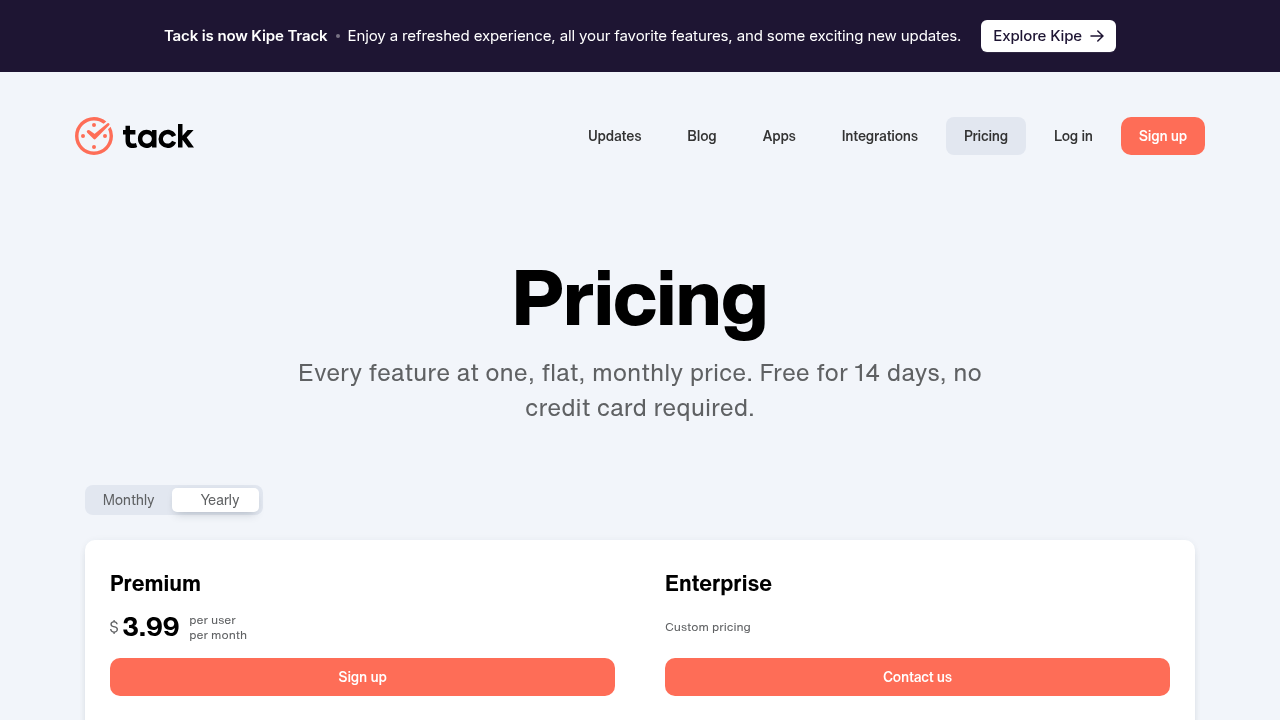
Free - $3.99 / user
Deals Available

This product comes with a special deal, see details

Visit Now
✨ Ask AI about pricing
65% Subscribed Score
info Icon

The Subscribed Score is an independent rating that combines user reviews, features, and value-for-money from multiple trusted sources. It’s designed as a quick benchmark, not a guarantee of individual experience.

Overview

Tack is a comprehensive time tracking and invoicing solution built for freelancers, agencies, and teams who need efficient workforce management on the go.

Why Use Tack?

Tack simplifies time tracking with a one-click timer system that captures billable hours accurately in real-time. The platform eliminates manual time logging and streamlines the invoicing process by automatically generating professional invoices based on tracked time data. This reduces administrative overhead and ensures accurate billing to clients.

Who is Tack For?

Tack caters to freelancers managing their own schedules, agencies overseeing multiple team members, and contractors who need transparent time documentation. The unlimited users and projects feature makes it scalable for growing teams without increasing costs.

Key Features and Benefits

  • Real-time Timer System: Start and stop timers instantly from any device to capture billable hours accurately
  • Unlimited Users & Projects: Scale your team without per-user fees or project limitations
  • Automated Invoicing: Generate beautiful, professional invoices directly from tracked time data
  • Cross-Platform Access: Track time seamlessly on desktop and mobile applications
  • 100% Free: Full access to core time tracking features without payment required
  • Project Organization: Manage multiple client projects and team members in one dashboard

The platform’s straightforward interface makes it accessible to users of all technical levels, while maintaining powerful functionality for complex team environments.

Where Tack performs best

What users like
  • Completely free tier with unlimited users and projects
  • One-click timer makes time tracking effortless
  • Automated invoice generation saves billing time
  • Mobile and desktop apps for on-the-go tracking

Where Tack falls short

What users dislike
  • Limited integrations on free plan
  • Premium tier required for advanced CRM features
  • No mention of advanced reporting in free version
Subscribed Score Metrics
24/36 Metric achieved
MetricsScore
Customer Support3/6
Security4/6
Ease of Use5/6
Value of Money6/6
Integration3/6
Popularity3/6
Radar Chart Table View
Ease of Use
Measures how simple and intuitive the product is to use, including setup, navigation, and overall user experience
5/6 Metric Checks
Security
Compares the product`s features, quality, and pricing to determine its overall cost-effectiveness.
4/6 Metric Checks
Value of Money
Assesses the product`s ability to protect data, prevent breaches, and comply with industry standards.
6/6 Metric Checks
Customer Support
Reflects the responsiveness, helpfulness, and quality of assistance provided by the product`s support team.
3/6 Metric Checks
Integrations
Evaluates how well the product connects with other tools and platforms, enabling seamless workflows.
3/6 Metric Checks
Tack Pricing Range
Free - $3.99 / user/mo

Tack in action
info Icon

A curated gallery of real screenshots and use cases from the product, so you can see how it works before trying it.

Tack Full Screen Icon
Tack
Tack
Tack
Tack

Alternatives to Tack
info Icon

A list of platforms similar to Tack, helping you evaluate which tool best matches your needs.

How to cancel Tack

Need to cancel Tack? Here is how
info Icon

Thinking about how to cancel Tack this is how you do it!

For free plan users, no cancellation is needed—simply stop using the service. Premium subscribers can cancel anytime through their Account Settings or Billing section, which downgrades them to the free plan at the end of their current billing cycle. All historical data is retained after cancellation.

How to Cancel the Tack

For free plan users, no cancellation is needed—simply stop using the service. Premium subscribers can cancel anytime through their Account Settings or Billing section, which downgrades them to the free plan at the end of their current billing cycle. All historical data is retained after cancellation.

FAQs about Tack

Every else you need to know about Tack
info Icon

A collection of FAQs, guides, alternatives, and comparisons to help you quickly understand if Tack is right for you.

Manage your Tack profile

Create profile

Want to list your product on Subscribed.fyi? Create a profile to reach more buyers.

Pricing Range
info Icon

This only an estimated pricing range, visit Tack pricing page to access all the information by clicking “Visit Now”.

Free - $3.99 / user
Visit Now
Deals Available

This product comes with a special deal, see details

This product comes with a special deal, see details