Sign in to review
Join our community of software reviewers on Subscribed.fyi

Continue With Google
Continue With LinkedIn
Continue Review with Email
Continue with Email
Enter your email to continue.
Continue
Enter your password
Enter your password to finish setting up your account.
Continue
Activate your email
Enter activation code we sent to your email.
Submit
Reset your password
Enter activation code we sent to your email.
Submit
Set your new password
Enter a new password for your account.
Submit
Log in
Provide My Insights
TurboSMTP logo
TurboSMTP logo

TurboSMTP Reviews, Pricing, Features & Alternatives (2026)

SMTP service provider and knowledge hub that offers email relay solutions (TurboSMTP) along with guides for configuring and understanding email delivery infrastructure.

TurboSMTP logo
TurboSMTP logo
TurboSMTP logo

TurboSMTP Overview

What is TurboSMTP?

N/A
★ ★ ★ ★ ★
0
Reviews

Available for Claim - This listing is available to be claimed
Claim Profile

Unclaimed

Claim this profile to manage it.

Claim Profile

Why teams choose TurboSMTP

Key Features

Secure by Design
Secure by Design
Data protection and compliance built in.
Data-Driven Insights
Make better decisions with analytics.
Affordable Pricing
Affordable Pricing
Transparent plans to fit any budget.

Who is TurboSMTP for?

ServerSMTP is a platform centered around email delivery infrastructure, primarily promoting its SMTP relay service called TurboSMTP. It combines educational resources about email protocols with a functional email delivery service designed for businesses and developers.

At its core, the platform focuses on SMTP (Simple Mail Transfer Protocol), which is the standard system used to send emails across the internet. SMTP servers act like digital mail carriers, receiving outgoing messages and delivering them to recipient servers through a series of relays.

ServerSMTP positions itself as both a learning resource and a service provider. While it offers tutorials, setup guides, and explanations of email infrastructure, its main product helps users send transactional emails reliably, maintain sender reputation, and improve deliverability through managed SMTP relay services.

Key Features and Benefits

  • SMTP relay service (TurboSMTP): Send transactional and bulk emails through trusted infrastructure 
  • High deliverability focus: Uses whitelisted servers and reputation management to improve inbox placement 
  • Free tier availability: Offers limited free email sending per month
  • API & SMTP integration: Supports developers building apps or automation systems
  • Educational resources: Guides on SMTP setup, configuration, and troubleshooting
  • Real-time tracking: Monitor email opens, clicks, and delivery performance 
  • Security & compliance: Helps prevent spam issues and protect sender IP reputation

Who Can Benefit from ServerSMTP

  • Developers: Integrate transactional email into applications
  • SaaS companies: Send notifications, alerts, and system emails
  • Small businesses: Improve email delivery without managing infrastructure
  • Marketers (technical): Handle bulk sending with better deliverability
  • IT teams: Learn and manage SMTP configuration and email systems

Looking for alternative solutions?
Alternatives include SendGrid, Mailgun, Amazon SES, and SparkPost. These platforms offer similar SMTP relay and email API services, often with more advanced dashboards or broader ecosystems.

TurboSMTP Summary

ServerSMTP is a platform centered around email delivery infrastructure, primarily promoting its SMTP relay service called TurboSMTP. It combines educational resources about email protocols with a functional email delivery service designed for businesses and developers.

At its core, the platform focuses on SMTP (Simple Mail Transfer Protocol), which is the standard system used to send emails across the internet. SMTP servers act like digital mail carriers, receiving outgoing messages and delivering them to recipient servers through a series of relays.

ServerSMTP positions itself as both a learning resource and a service provider. While it offers tutorials, setup guides, and explanations of email infrastructure, its main product helps users send transactional emails reliably, maintain sender reputation, and improve deliverability through managed SMTP relay services.

Key Features and Benefits

  • SMTP relay service (TurboSMTP): Send transactional and bulk emails through trusted infrastructure 
  • High deliverability focus: Uses whitelisted servers and reputation management to improve inbox placement 
  • Free tier availability: Offers limited free email sending per month
  • API & SMTP integration: Supports developers building apps or automation systems
  • Educational resources: Guides on SMTP setup, configuration, and troubleshooting
  • Real-time tracking: Monitor email opens, clicks, and delivery performance 
  • Security & compliance: Helps prevent spam issues and protect sender IP reputation

Who Can Benefit from ServerSMTP

  • Developers: Integrate transactional email into applications
  • SaaS companies: Send notifications, alerts, and system emails
  • Small businesses: Improve email delivery without managing infrastructure
  • Marketers (technical): Handle bulk sending with better deliverability
  • IT teams: Learn and manage SMTP configuration and email systems

Looking for alternative solutions?
Alternatives include SendGrid, Mailgun, Amazon SES, and SparkPost. These platforms offer similar SMTP relay and email API services, often with more advanced dashboards or broader ecosystems.

TurboSMTP reviews and insights

Learn what people say about TurboSMTP

N/A ★ ★ ★ ★ ★
0 Reviews

No Reviews Yet!

Be the first to share your experience and help others in the community.

TurboSMTP logo

TurboSMTP User Reviews

0 User Reviews

Reviews from G2, Capterra, Trustpilot
info Icon

These ratings come directly from third-party platforms like G2, Capterra, and Trustpilot. They reflect real user feedback collected independently on those sites.

TurboSMTP pricing

Pricing model

TurboSMTP logo
Pricing Range
info Icon

This only an estimated pricing range, visit TurboSMTP pricing page to access all the information by clicking “Visit Now”.

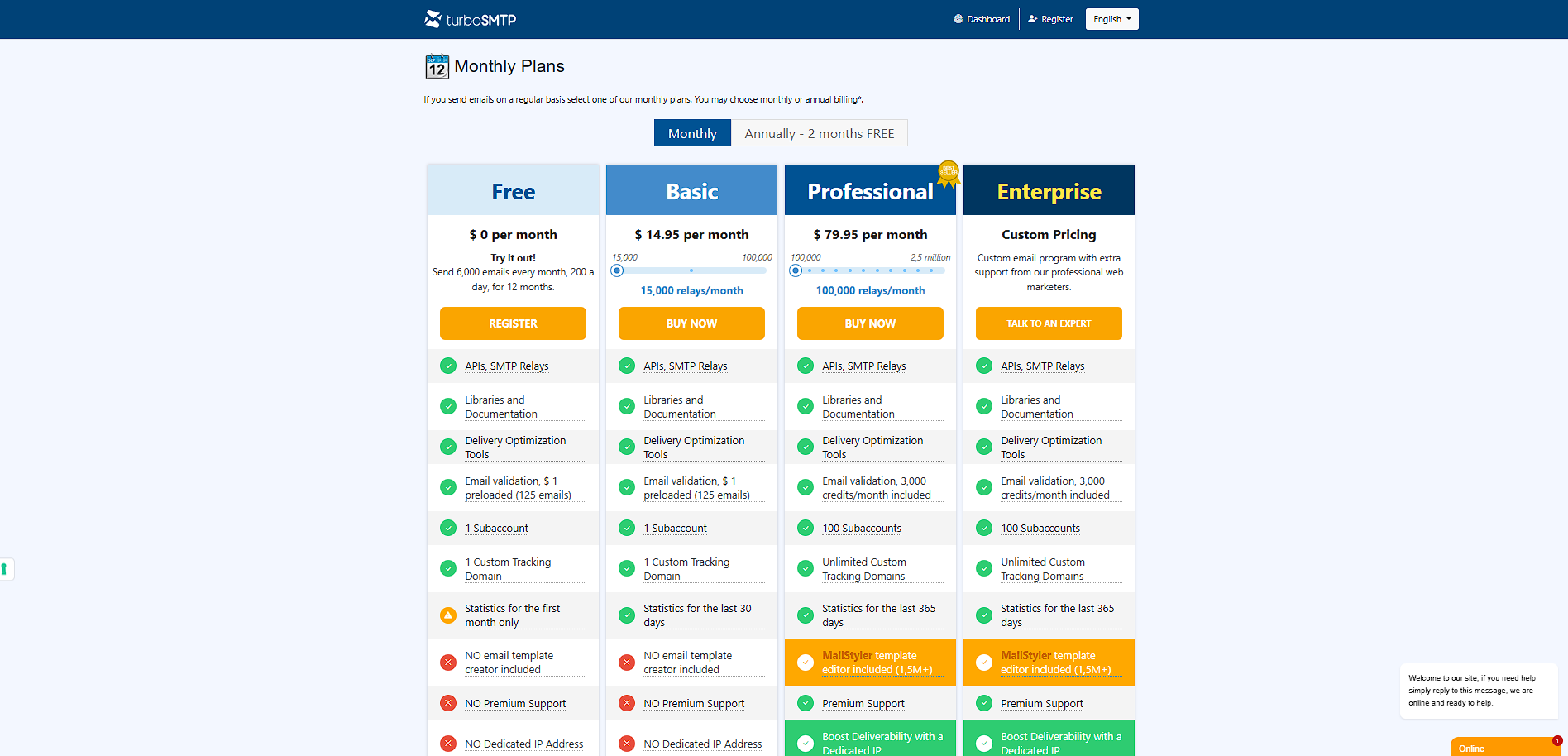
$14–$80 / Month
Visit Now

Overview

ServerSMTP is a platform centered around email delivery infrastructure, primarily promoting its SMTP relay service called TurboSMTP. It combines educational resources about email protocols with a functional email delivery service designed for businesses and developers.

At its core, the platform focuses on SMTP (Simple Mail Transfer Protocol), which is the standard system used to send emails across the internet. SMTP servers act like digital mail carriers, receiving outgoing messages and delivering them to recipient servers through a series of relays.

ServerSMTP positions itself as both a learning resource and a service provider. While it offers tutorials, setup guides, and explanations of email infrastructure, its main product helps users send transactional emails reliably, maintain sender reputation, and improve deliverability through managed SMTP relay services.

Key Features and Benefits

  • SMTP relay service (TurboSMTP): Send transactional and bulk emails through trusted infrastructure 
  • High deliverability focus: Uses whitelisted servers and reputation management to improve inbox placement 
  • Free tier availability: Offers limited free email sending per month
  • API & SMTP integration: Supports developers building apps or automation systems
  • Educational resources: Guides on SMTP setup, configuration, and troubleshooting
  • Real-time tracking: Monitor email opens, clicks, and delivery performance 
  • Security & compliance: Helps prevent spam issues and protect sender IP reputation

Who Can Benefit from ServerSMTP

  • Developers: Integrate transactional email into applications
  • SaaS companies: Send notifications, alerts, and system emails
  • Small businesses: Improve email delivery without managing infrastructure
  • Marketers (technical): Handle bulk sending with better deliverability
  • IT teams: Learn and manage SMTP configuration and email systems

Looking for alternative solutions?
Alternatives include SendGrid, Mailgun, Amazon SES, and SparkPost. These platforms offer similar SMTP relay and email API services, often with more advanced dashboards or broader ecosystems.

Where TurboSMTP performs best

What users like
  • Provides SMTP relay service (TurboSMTP) for reliable transactional email delivery
  • Strong focus on deliverability and IP reputation management
  • Includes free tier with limited monthly email sending
  • Offers extensive tutorials and guides for SMTP configuration
  • Supports API and SMTP integration for developers

Where TurboSMTP falls short

What users dislike
  • Website content is more educational than product-focused for beginners
  • Limited branding compared to major providers like SendGrid or Mailgun
  • Requires technical knowledge to implement and use effectively
  • Primarily focused on transactional email, not full marketing automation
TurboSMTP Pricing Range
$14–$80 / Month

TurboSMTP in action
info Icon

A curated gallery of real screenshots and use cases from the product, so you can see how it works before trying it.

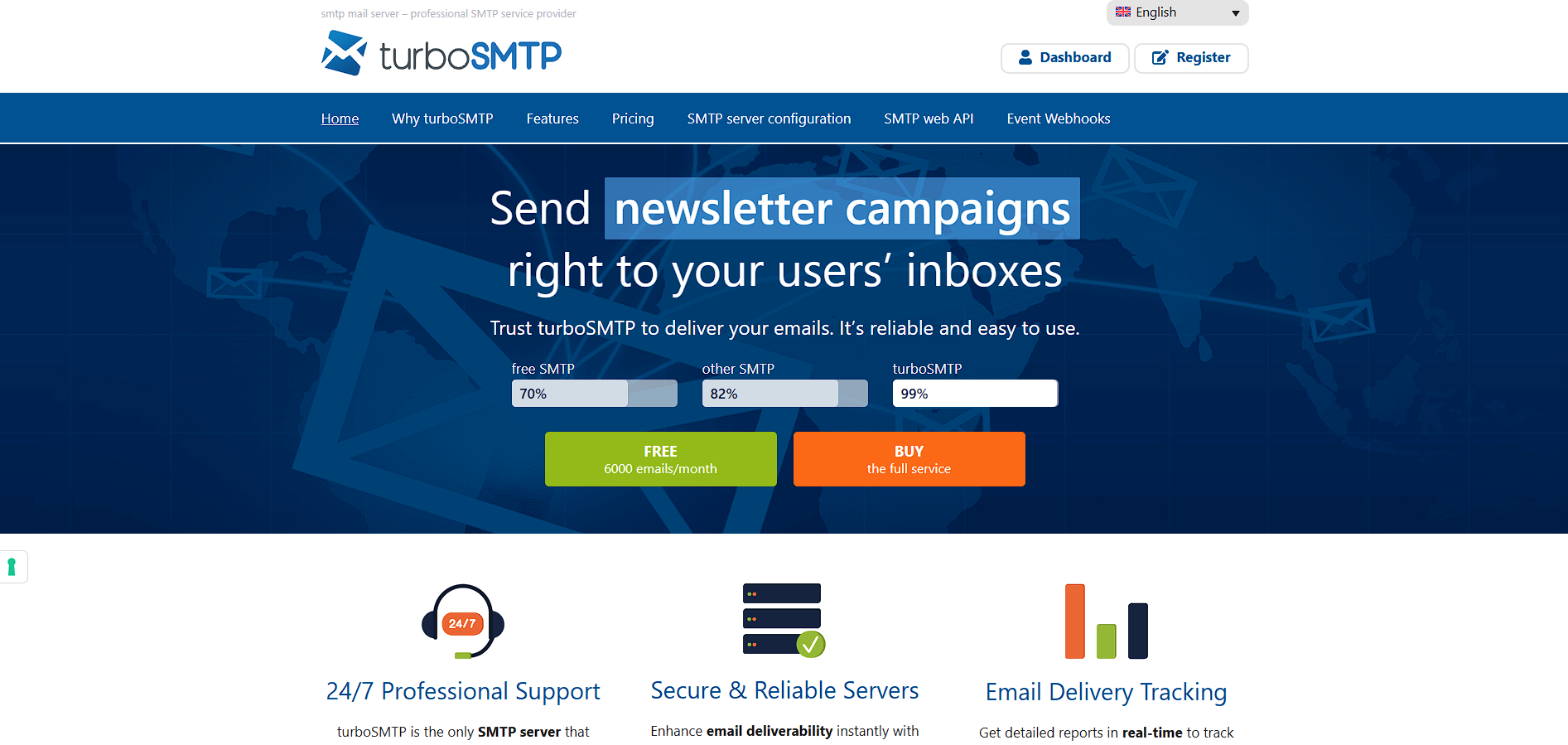
TurboSMTP screenshot 1 Full Screen Icon
TurboSMTP screenshot 2 Full Screen Icon
https://www.youtube.com/watch?v=9vc56EAeKsU&list=PLA0G12yM35L3doTu4e1bQ8EBfGEwbtOFO
Full Screen Icon
TurboSMTP screenshot 1
TurboSMTP screenshot 2
Video thumbnail
TurboSMTP screenshot 1
TurboSMTP screenshot 2

Alternatives to TurboSMTP
info Icon

A list of platforms similar to TurboSMTP, helping you evaluate which tool best matches your needs.

How to cancel TurboSMTP

Need to cancel TurboSMTP? Here is how
info Icon

Thinking about how to cancel TurboSMTP this is how you do it!

  1. Log in to your ServerSMTP account
  2. Navigate to billing or subscription settings
  3. Select your active plan
  4. Cancel or disable auto-renewal
  5. Confirm cancellation before the next billing cycle

How to Cancel the TurboSMTP

  1. Log in to your ServerSMTP account
  2. Navigate to billing or subscription settings
  3. Select your active plan
  4. Cancel or disable auto-renewal
  5. Confirm cancellation before the next billing cycle

Manage your TurboSMTP profile

Create profile

Want to list your product on Subscribed.fyi? Create a profile to reach more buyers.

Pricing Range
info Icon

This only an estimated pricing range, visit TurboSMTP pricing page to access all the information by clicking “Visit Now”.

$14–$80 / Month
Visit Now