TypingMaster Reviews 2026: Details, Pricing, & Features | Subscribed.fyi
Sign in to review
Join our community of software reviewers on Subscribed.fyi

Continue With Google
Continue With LinkedIn
Continue Review with Email
Continue with Email
Enter your email to continue.
Continue
Enter your password
Enter your password to finish setting up your account.
Continue
Activate your email
Enter activation code we sent to your email.
Submit
Reset your password
Enter activation code we sent to your email.
Submit
Set your new password
Enter a new password for your account.
Submit
Categories
For Business
Log in
Provide My Insights
TypingMaster
TypingMaster

TypingMaster Reviews, Pricing, Features & Alternatives (2026)

4.7/5
(3)

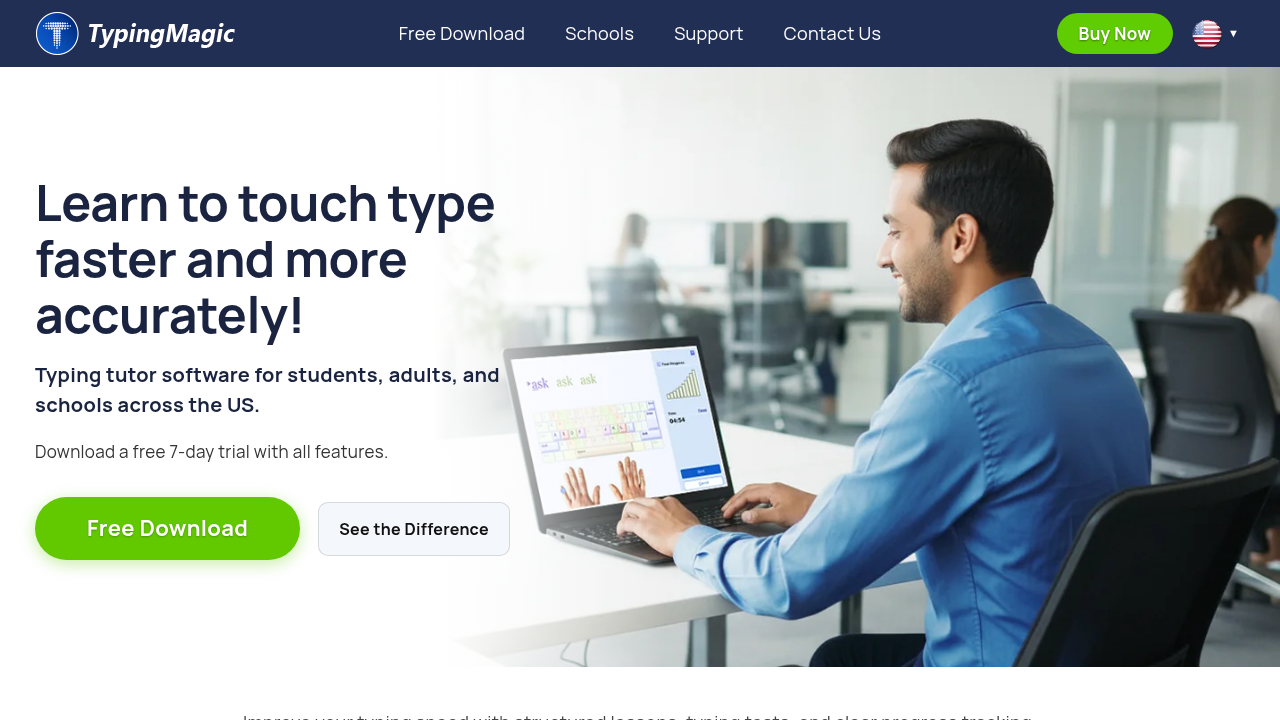
TypingMaster 12 is a comprehensive touch-typing tutor for Windows that adapts to user needs with over 10 hours of customized exercises. It includes interactive lessons, games, real-time practice, and advanced typing tests to double typing speed. Ideal for classrooms, homeschools, and professionals seeking efficient keyboarding skills.

TypingMaster
TypingMaster
TypingMaster

TypingMaster Overview

What is TypingMaster?

4.7
3
Reviews
67%
Subscribed Score

Available for Claim - This listing is available to be claimed
Claim Profile For Free

Unclaimed

Manage profile with subsig, and unlock 23+ social and review monitoring. Get partnership options with

Claim Profile For Free

Why teams choose TypingMaster

Key Features

Expert Support
Expert Support
Help available when you need it.
Plug & Play Setup
Plug & Play Setup
Get started in minutes, not weeks.
Built for Flexibility
Adaptable for multiple use cases.

Who is TypingMaster for?

TypingMaster

TypingMaster 12 is a Windows-based typing tutor software designed to significantly improve touch-typing skills through adaptive, personalized training.

Why Use TypingMaster?

  • Customized Training: Over 10 hours of exercises tailored to your progress, focusing on weak keys and difficult words.
  • Interactive Learning: Combines structured lessons, fun games, real-time practice, and professional speed tests.
  • TypingMeter Tool: Tracks and analyzes daily typing habits for continuous improvement.
  • Offline Reliability: Perfect for classrooms and homeschools without internet dependency.

Who is TypingMaster For?

  • Beginners and intermediates learning the 10-finger typing system.
  • Students, professionals, and organizations aiming to boost productivity.
  • Schools and businesses needing multi-user licenses for workstations.

Key Features and Benefits

  • Adaptive Lessons: Step-by-step guidance to professional keyboarding, doubling typing speed.
  • Advanced Testing: Detailed performance reviews and skill tests to monitor progress.
  • Games and Reviews: Engaging elements to make learning enjoyable and effective.
  • Satellite Feature: Analyzes real-world typing to create custom exercises for recurring errors.

With a free 7-day trial and 30-day money-back guarantee, TypingMaster delivers measurable results in typing accuracy and speed.

TypingMaster Summary

TypingMaster

TypingMaster 12 is a Windows-based typing tutor software designed to significantly improve touch-typing skills through adaptive, personalized training.

Why Use TypingMaster?

  • Customized Training: Over 10 hours of exercises tailored to your progress, focusing on weak keys and difficult words.
  • Interactive Learning: Combines structured lessons, fun games, real-time practice, and professional speed tests.
  • TypingMeter Tool: Tracks and analyzes daily typing habits for continuous improvement.
  • Offline Reliability: Perfect for classrooms and homeschools without internet dependency.

Who is TypingMaster For?

  • Beginners and intermediates learning the 10-finger typing system.
  • Students, professionals, and organizations aiming to boost productivity.
  • Schools and businesses needing multi-user licenses for workstations.

Key Features and Benefits

  • Adaptive Lessons: Step-by-step guidance to professional keyboarding, doubling typing speed.
  • Advanced Testing: Detailed performance reviews and skill tests to monitor progress.
  • Games and Reviews: Engaging elements to make learning enjoyable and effective.
  • Satellite Feature: Analyzes real-world typing to create custom exercises for recurring errors.

With a free 7-day trial and 30-day money-back guarantee, TypingMaster delivers measurable results in typing accuracy and speed.

TypingMaster reviews and insights

Learn what people say about TypingMaster

4.7
3 Reviews
67%
Subscribed Score

Lear more here about the Subscribed score on how it is composed. Learn more Click here

Overall rating

5
4
3
2
1
CX 4/6

How good is the customer support based on subscribed’s assessment

CX Icon
Security 4/6

How secure is the product based on Subscribed’s assessment?

Security Icon
Ease of Use 5/6

How easy is the product to use, based on Subscribed’s assessment?

EOU Icon
Value 5/6

What is the value for money based on Subscribed’s assessment?

coin Icon
Integration 2/6

How many integrations does the product offer?

gear Icon
Popularity 4/6

How popular is the product?

star
Perch Arnel II Montefalcon User Test Enabled
Freelance Software Developer
See My Portfolio
4 months ago
Share
What feature do you use most often?
The thing I use most in TypingMaster is the TypingMeter widget—it quietly tracks my typing in other apps and auto-generates drills for my weak keys. Personally, it's a total game changer that saves me tons of time, and the adaptive lessons and personalized exercises keep my WPM climbing without the boring repetition.
What slows you down when using it?
TypingMaster’s background TypingMeter widget is low-key a CPU hog, especially when I’m already running heavy IDEs and browsers. The forced adaptive drills are also a total grind if my accuracy dips during a tough session, makes a quick practice feel like it takes forever.
What’s still missing for your needs?
TypingMaster really needs native macOS or browser extension support. I need to track my typing seamlessly across my MacBook and VS Code without dealing with that Windows-only TypingMeter, quick dark mode toggle and direct integration with code editors for real-time weak-key drills would be perfect for daily dev work.
Final thoughts, wrap up what you think
I evaluated Keybr.com for its smart weak-key focus, plus Typing.com and TypingClub for their free structured lessons and progress tracking. I also briefly tried Typesy for adaptive learning and Ratatype for its modern interface and tests, but honestly, I'm sticking with TypingMaster and recommend it to a friend who struggles to touch type.
Upvote (1)
Juan Sanabria Organic
Freelancer
4 months ago
Share
How has it made your work/life easier?
So far, nothing, since I'm new to using the platform, but I know that if I keep practicing it will save me a lot of time with writing.
What do you dislike about this product?
Nothing. I really liked the platform; I think it's very well structured for learning.
What’s still missing for your needs?
For me, nothing. I think the platform is complete, very easy to use, has many tools, and is very educational.
Final thoughts, wrap up what you think
This platform has a very easy-to-follow learning system, is very practical, has many tools, and is very fast in its operation.
Upvote
Jackie Liezel Jane Broniola Organic
Social Media Manager | Graphic Designer | Content Creator | Coding Instructor | Digital Marketing Specialist
See My Portfolio
4 months ago
Share
What feature do you use most often?
The feature I use most often in TypingMaster is the typing exercises, especially the lessons that adapt to my skill level. They help track progress and focus on improving weak areas efficiently.
What do you dislike about this product?
What I dislike about TypingMaster is that some of the exercises can feel repetitive over time. The interface also feels a bit outdated compared to newer typing tools.
How could the product save you more time or money?
TypingMaster could save more time by offering shorter, more focused exercises that target specific weaknesses. It could also be more cost-effective if it included all features in a single package instead of separate modules.
Final thoughts, wrap up what you think
I would recommend TypingMaster to colleagues and friends who want to improve their typing skills efficiently. It’s practical, effective, and easy to use for learners at any level.
Upvote (2)
TypingMaster

TypingMaster User Reviews

3 User Reviews

Reviews from G2, Capterra, Trustpilot
info Icon

These ratings come directly from third-party platforms like G2, Capterra, and Trustpilot. They reflect real user feedback collected independently on those sites.

TypingMaster pricing

Pricing model

TypingMaster
Pricing Range
info Icon

This only an estimated pricing range, visit TypingMaster pricing page to access all the information by clicking “Visit Now”.

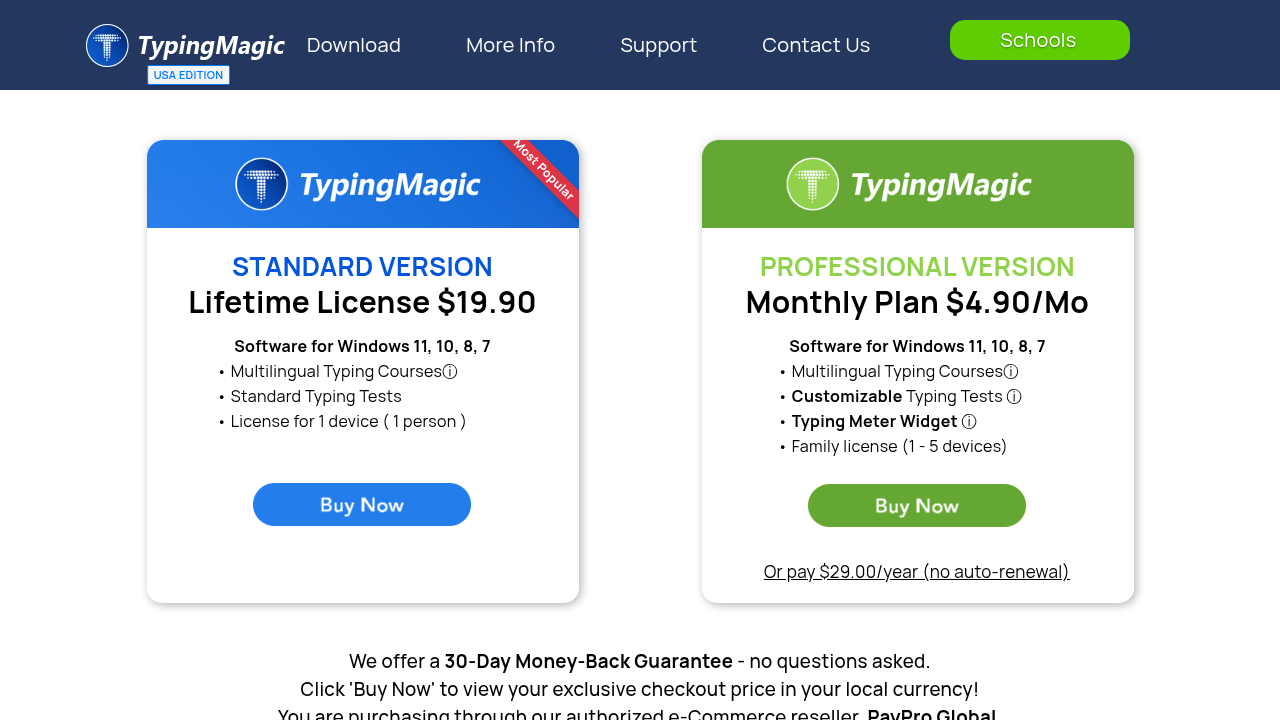
$29.90 - $1690 one-time
Deals Available

This product comes with a special deal, see details

Visit Now
✨ Ask AI about pricing
67% Subscribed Score
info Icon

The Subscribed Score is an independent rating that combines user reviews, features, and value-for-money from multiple trusted sources. It’s designed as a quick benchmark, not a guarantee of individual experience.

Overview

TypingMaster

TypingMaster 12 is a Windows-based typing tutor software designed to significantly improve touch-typing skills through adaptive, personalized training.

Why Use TypingMaster?

  • Customized Training: Over 10 hours of exercises tailored to your progress, focusing on weak keys and difficult words.
  • Interactive Learning: Combines structured lessons, fun games, real-time practice, and professional speed tests.
  • TypingMeter Tool: Tracks and analyzes daily typing habits for continuous improvement.
  • Offline Reliability: Perfect for classrooms and homeschools without internet dependency.

Who is TypingMaster For?

  • Beginners and intermediates learning the 10-finger typing system.
  • Students, professionals, and organizations aiming to boost productivity.
  • Schools and businesses needing multi-user licenses for workstations.

Key Features and Benefits

  • Adaptive Lessons: Step-by-step guidance to professional keyboarding, doubling typing speed.
  • Advanced Testing: Detailed performance reviews and skill tests to monitor progress.
  • Games and Reviews: Engaging elements to make learning enjoyable and effective.
  • Satellite Feature: Analyzes real-world typing to create custom exercises for recurring errors.

With a free 7-day trial and 30-day money-back guarantee, TypingMaster delivers measurable results in typing accuracy and speed.

Where TypingMaster performs best

What users like
  • Adaptive personalized exercises
  • Over 10 hours of content
  • Fun games and tests
  • Offline Windows app
  • Typing habit analytics

Where TypingMaster falls short

What users dislike
  • Windows only
  • No mobile version
  • One-time fee scales high
  • No integrations
  • Limited free version
Subscribed Score Metrics
24/36 Metric achieved
MetricsScore
Customer Support4/6
Security4/6
Ease of Use5/6
Value of Money5/6
Integration2/6
Popularity4/6
Radar Chart Table View
Ease of Use
Measures how simple and intuitive the product is to use, including setup, navigation, and overall user experience
5/6 Metric Checks
Security
Compares the product`s features, quality, and pricing to determine its overall cost-effectiveness.
4/6 Metric Checks
Value of Money
Assesses the product`s ability to protect data, prevent breaches, and comply with industry standards.
5/6 Metric Checks
Customer Support
Reflects the responsiveness, helpfulness, and quality of assistance provided by the product`s support team.
4/6 Metric Checks
Integrations
Evaluates how well the product connects with other tools and platforms, enabling seamless workflows.
2/6 Metric Checks
TypingMaster Pricing Range
$29.90 - $1690 one-time

TypingMaster in action
info Icon

A curated gallery of real screenshots and use cases from the product, so you can see how it works before trying it.

TypingMaster Full Screen Icon
TypingMaster
TypingMaster
TypingMaster
TypingMaster

Alternatives to TypingMaster
info Icon

A list of platforms similar to TypingMaster, helping you evaluate which tool best matches your needs.

empty stats

No Alternatives Found

Looks like we cannot found any other relevant product at this moment

✨ Ask All alternative with AI

How to cancel TypingMaster

Need to cancel TypingMaster? Here is how
info Icon

Thinking about how to cancel TypingMaster this is how you do it!

TypingMaster is a one-time purchase with no subscriptions, so cancellation isn’t required. Request refunds within 30 days via support email/phone. Simply uninstall via Control Panel for removal.

How to Cancel the TypingMaster

TypingMaster is a one-time purchase with no subscriptions, so cancellation isn’t required. Request refunds within 30 days via support email/phone. Simply uninstall via Control Panel for removal.

FAQs about TypingMaster

Every else you need to know about TypingMaster
info Icon

A collection of FAQs, guides, alternatives, and comparisons to help you quickly understand if TypingMaster is right for you.

Manage your TypingMaster profile

Create profile

Want to list your product on Subscribed.fyi? Create a profile to reach more buyers.

Pricing Range
info Icon

This only an estimated pricing range, visit TypingMaster pricing page to access all the information by clicking “Visit Now”.

$29.90 - $1690 one-time
Visit Now
Deals Available

This product comes with a special deal, see details

This product comes with a special deal, see details